
GOBOULT B0FCSBLK42
GOBOULT Crown Smart Watch User Manual
Model: B0FCSBLK42
1. 서론
Thank you for choosing the GOBOULT Crown Smart Watch. This manual provides essential information for setting up, operating, and maintaining your device. The GOBOULT Crown Smart Watch features a 1.95-inch HD display, Bluetooth calling, a functional rotating crown, and comprehensive health monitoring capabilities.
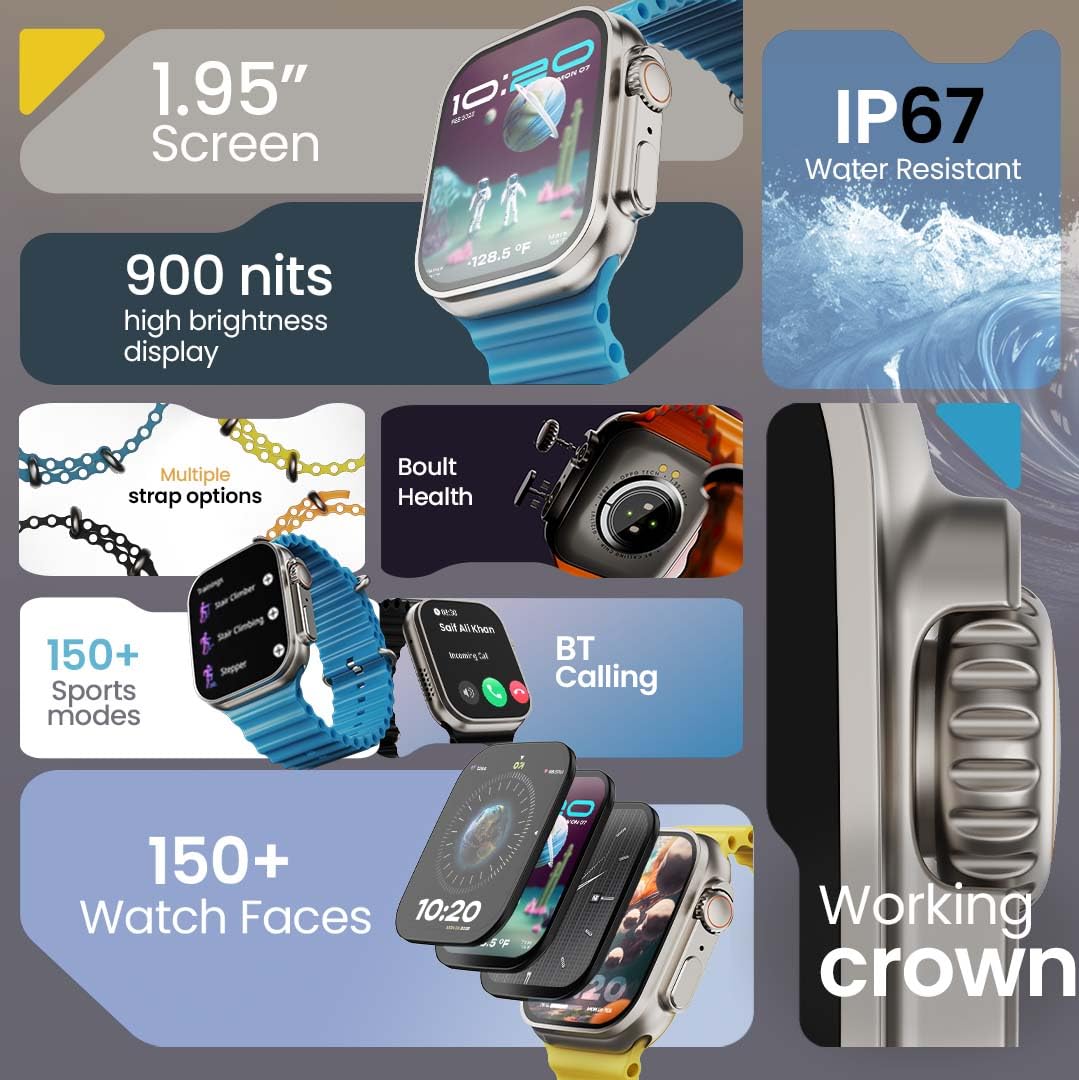
이미지 1.1: 이상view of the GOBOULT Crown Smart Watch highlighting its 1.95-inch screen, 900 nits brightness, IP67 rating, multiple strap options, Boult Health features, Bluetooth calling, 150+ sports modes, 150+ watch faces, and working crown.
2. 상자 안에 무엇이 들어있나요?
제품 포장에 다음 항목들이 모두 포함되어 있는지 확인하십시오.
- GOBOULT Crown Smart Watch
- 충전 케이블
- 사용자 설명서
- 보증 카드
3. 제품 오버view
The GOBOULT Crown Smart Watch is designed with a premium zinc alloy frame and a vibrant 1.95-inch HD display. It features a functional rotating crown for intuitive navigation and a dedicated button for sports modes.
3.1 주요 구성 요소
- 1.95인치 HD 디스플레이: Offers clear visuals with up to 900 nits brightness for excellent outdoor visibility.
- Working Rotating Crown: 스크롤, 확대/축소 및 메뉴 탐색에 사용됩니다.
- 측면 버튼: Often dedicated for quick access to sports modes or other functions.
- Zinc Alloy Frame: 내구성과 고급스러운 느낌을 제공합니다.
- 센서: Located on the back for heart rate, SpO2, and other health monitoring.
- 마이크 및 스피커: Integrated for Bluetooth calling and voice assistant functions.
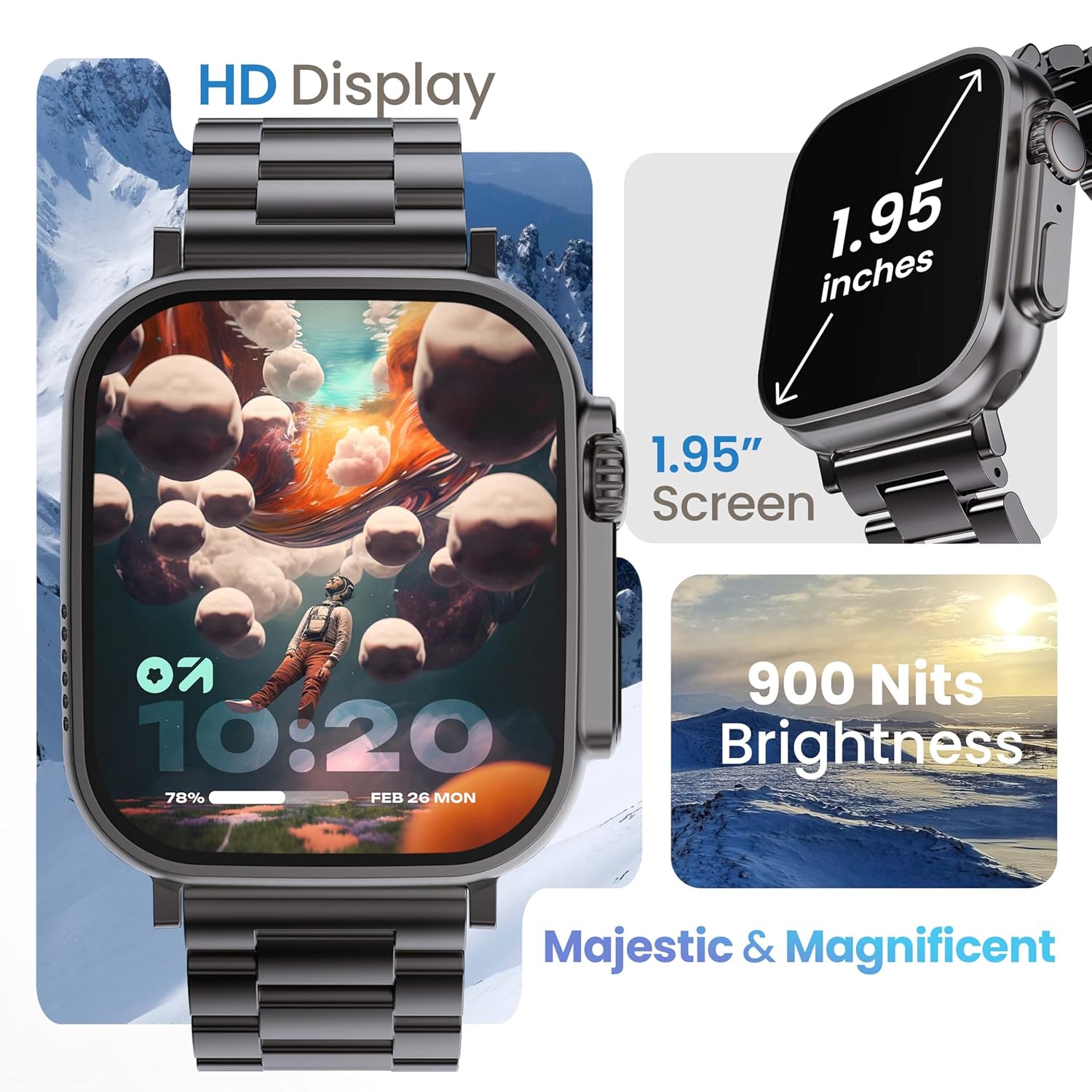
Image 3.1: The 1.95-inch HD display of the GOBOULT Crown Smart Watch, emphasizing its size and 900 Nits brightness for clear visibility.
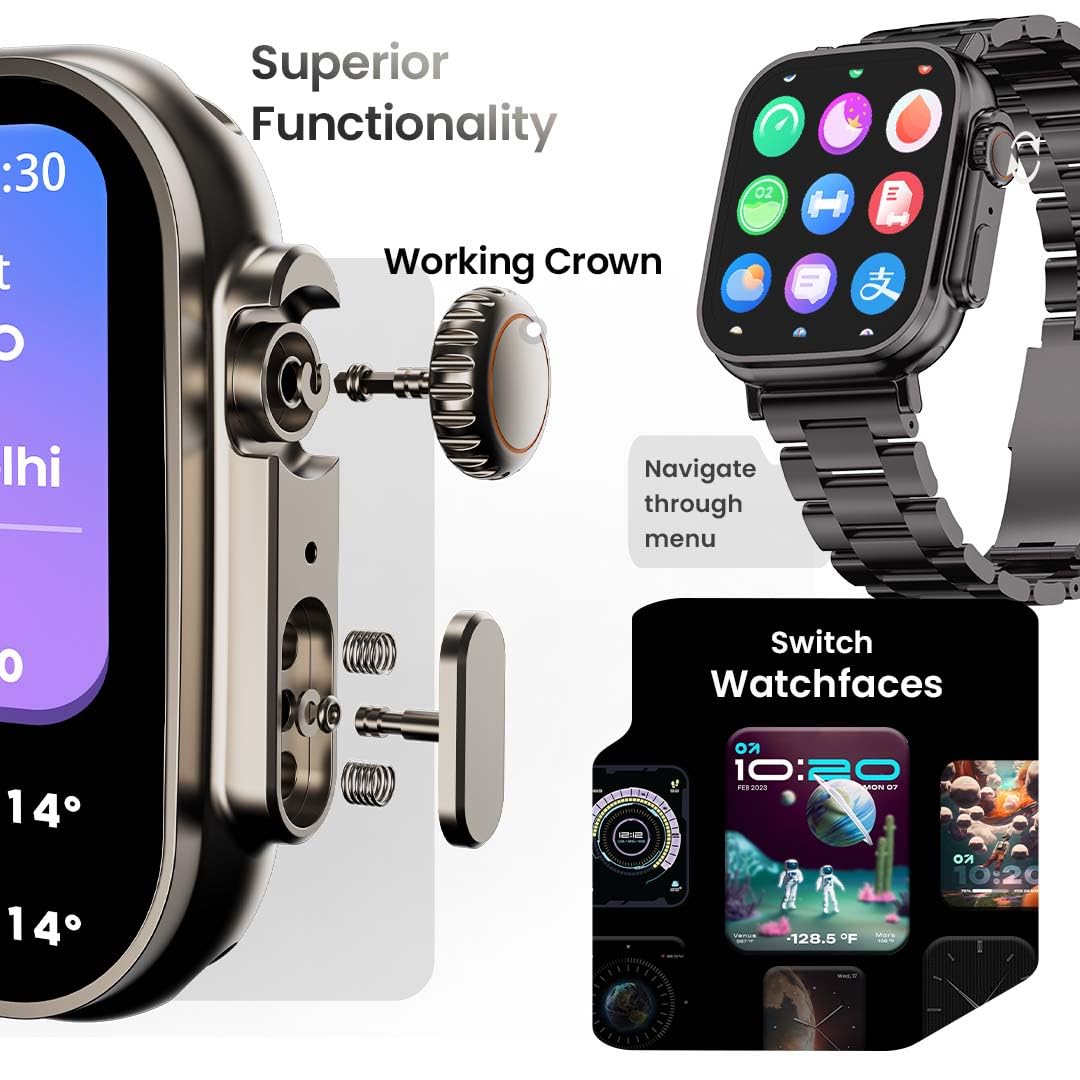
이미지 3.2: 상세 view of the working crown on the GOBOULT Crown Smart Watch, illustrating its use for navigating menus and switching watch faces.
4. 설정
4.1 스마트워치 충전하기
- Connect the magnetic charging cable to the charging pins on the back of the watch.
- 케이블의 USB 끝부분을 표준 USB 전원 어댑터(별도 구매) 또는 컴퓨터의 USB 포트에 꽂으세요.
- 시계 화면에 충전 상태가 표시됩니다. 완전 충전에는 약 150분이 소요됩니다.
메모: 충전하기 전에 충전 핀이 깨끗하고 건조한지 확인하여 부식을 방지하십시오.
4.2 스마트폰과 페어링
To unlock all features, pair your GOBOULT Crown Smart Watch with the companion app on your smartphone.
- Download the official GOBOULT companion app from your smartphone's app store (compatible with iOS and Android devices).
- 스마트폰에서 Bluetooth가 활성화되어 있는지 확인하세요.
- Open the GOBOULT app and follow the on-screen instructions to create an account or log in.
- 앱 내에서 '기기 추가' 또는 '새 기기 페어링'을 선택하세요.
- The app will search for available devices. Select 'GOBOULT Crown' from the list.
- 시계와 스마트폰 모두에서 페어링 요청을 확인하세요.
시계와 휴대폰이 페어링되면 시계는 휴대폰과 데이터를 동기화하며, 앱을 통해 설정을 사용자 지정할 수 있습니다.
5. 사용 설명서
5.1 기본 탐색
- 터치스크린: 왼쪽, 오른쪽, 위 또는 아래로 스와이프하여 메뉴와 알림을 탐색하세요. 탭하여 항목을 선택하세요.
- 워킹 크라운: Rotate the crown to scroll through lists, zoom in/out, or switch watch faces. Press the crown to return to the home screen or access the app menu.
- 측면 버튼: Press to quickly access the sports mode menu.
5.2 블루투스 통화
The GOBOULT Crown Smart Watch supports Bluetooth calling (BT 5.2) with a built-in speaker and microphone.
- 스마트워치가 블루투스를 통해 스마트폰과 페어링되었는지 확인하세요.
- To make a call, access the dial pad on your watch or select a contact from your synchronized phonebook.
- To answer an incoming call, tap the green icon on the watch screen. To reject, tap the red icon.
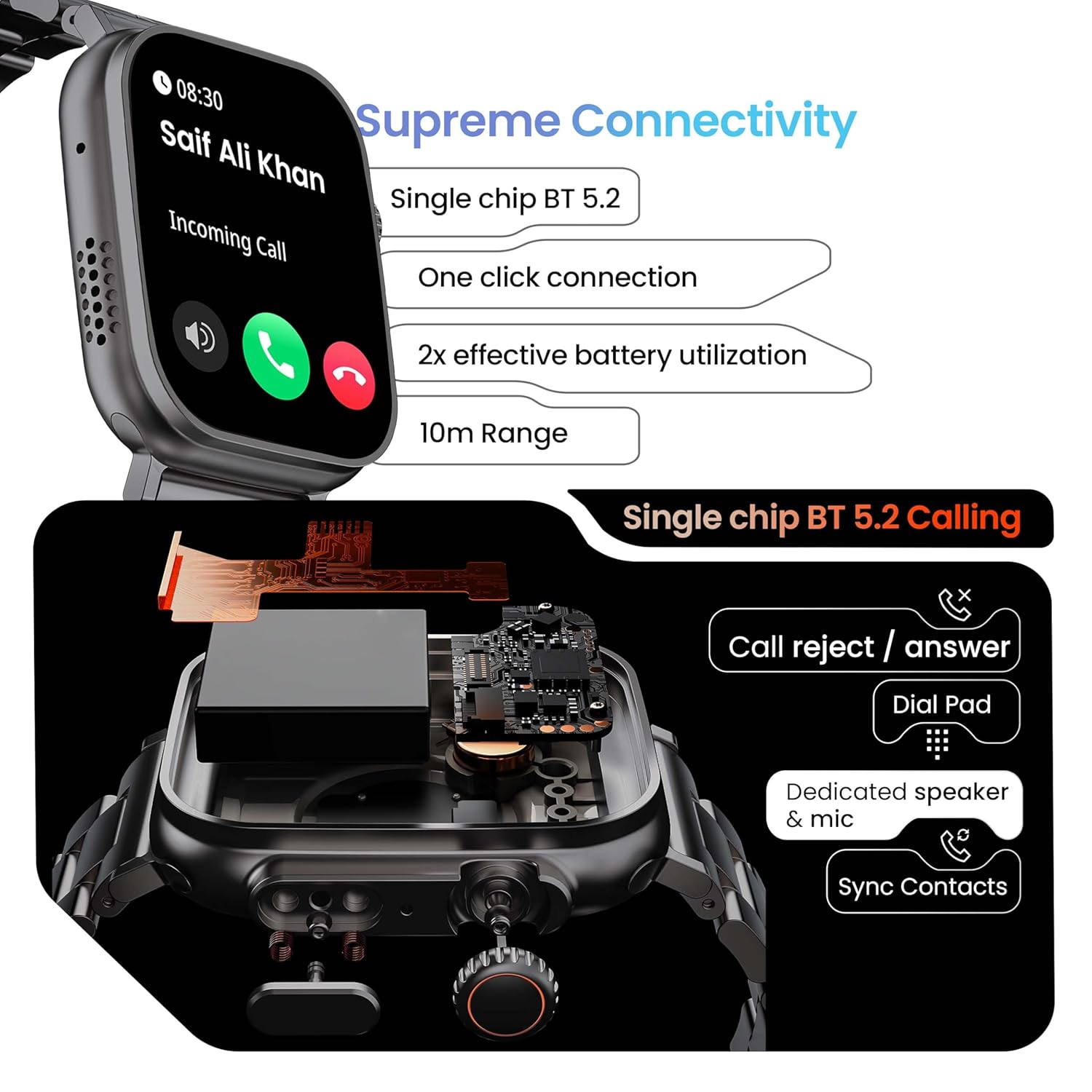
Image 5.1: Illustration of the Bluetooth 5.2 calling functionality on the GOBOULT Crown Smart Watch, including call reject/answer, dial pad, dedicated speaker & mic, and contact synchronization.
5.3가지 스포츠 모드
이 시계는 다양한 신체 활동을 추적할 수 있는 120가지 이상의 스포츠 모드를 제공합니다.
- Press the dedicated side button or navigate through the app menu to access 'Sports Modes'.
- Select your desired activity (e.g., Running, Cycling, Yoga, HIIT).
- The watch will begin tracking metrics such as duration, heart rate, calories burned, and steps.
- End the workout by following the on-screen prompts. Data will be synchronized with the app.

Image 5.2: The GOBOULT Crown Smart Watch actively tracking a workout, showing real-time data for heart rate, calories, and steps, with a dedicated button for sports modes.
5.4 상태 모니터링
이 스마트워치는 지속적인 건강 추적 기능을 제공합니다.
- 심박수 모니터링 : 심박수를 24시간 내내 추적합니다.
- SpO2 모니터링: 혈액 산소 포화도를 측정합니다.
- 수면 분석: 수면 패턴과 질을 모니터링합니다.
- 활동 추적기: 하루 동안 걸음 수, 이동 거리, 소모 칼로리를 기록합니다.
- 앉아있는 시간이 많으면 주의하세요: 일정 시간 동안 활동하지 않으면 움직이라는 알림을 줍니다.
- 여성 생리 주기 추적: Available through the companion app.
- 호흡 훈련: 이완을 위한 호흡 운동 가이드.
Access detailed health data and trends in the GOBOULT companion app.
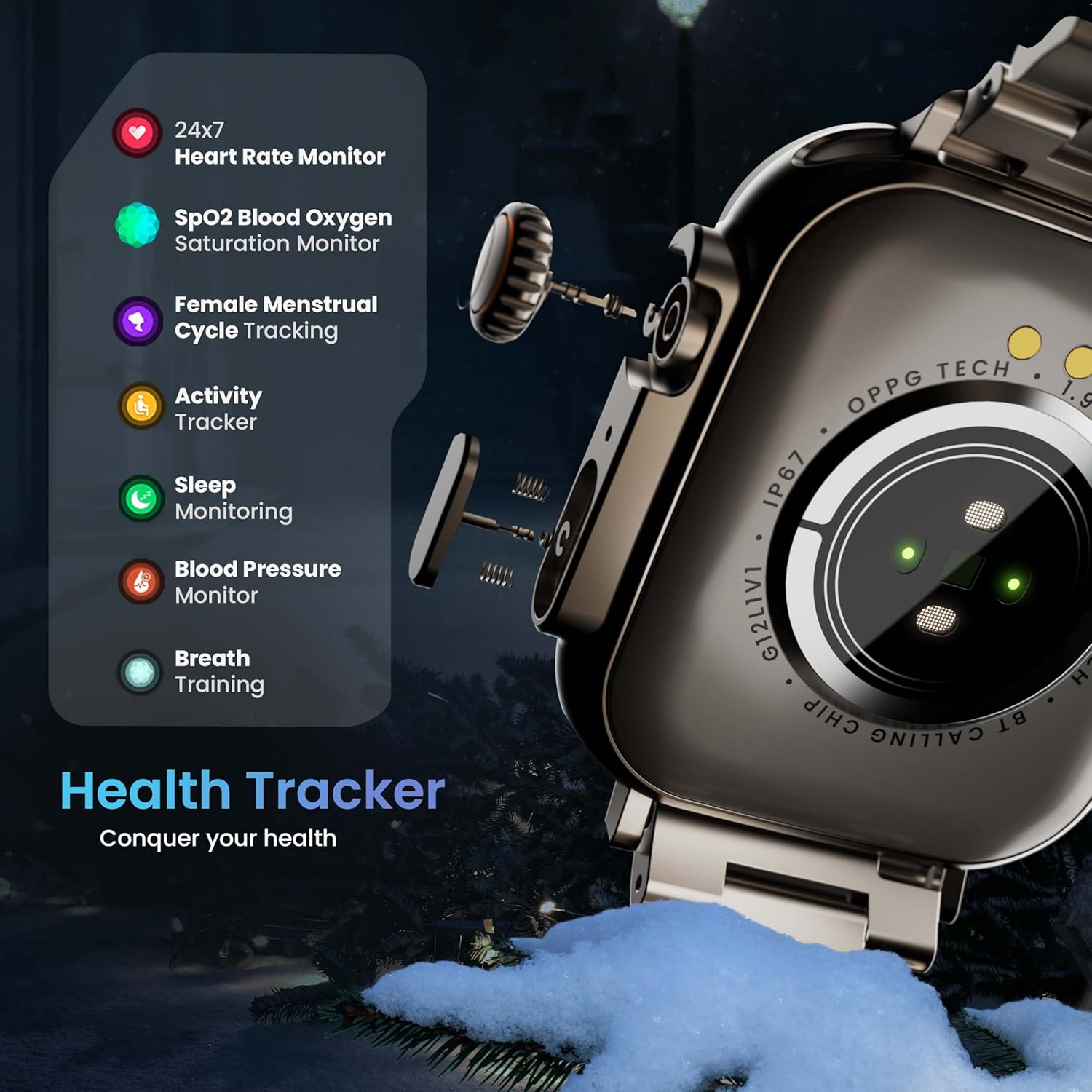
Image 5.3: The GOBOULT Crown Smart Watch highlighting its comprehensive health tracker capabilities, including 24x7 Heart Rate Monitor, SpO2 Blood Oxygen Saturation Monitor, Female Menstrual Cycle Tracking, Activity Tracker, Sleep Monitoring, Blood Pressure Monitor, and Breath Training.
5.5 AI 음성 비서
Interact with your watch using voice commands for quick tasks.
- Activate the AI Voice Assistant by a specific gesture or button press (refer to in-app settings for configuration).
- Speak your command clearly, such as "Hey Siri" or "Ok Google" (if connected to a compatible phone).
- The watch will process your request, allowing you to set reminders, check weather, or control smart home devices.
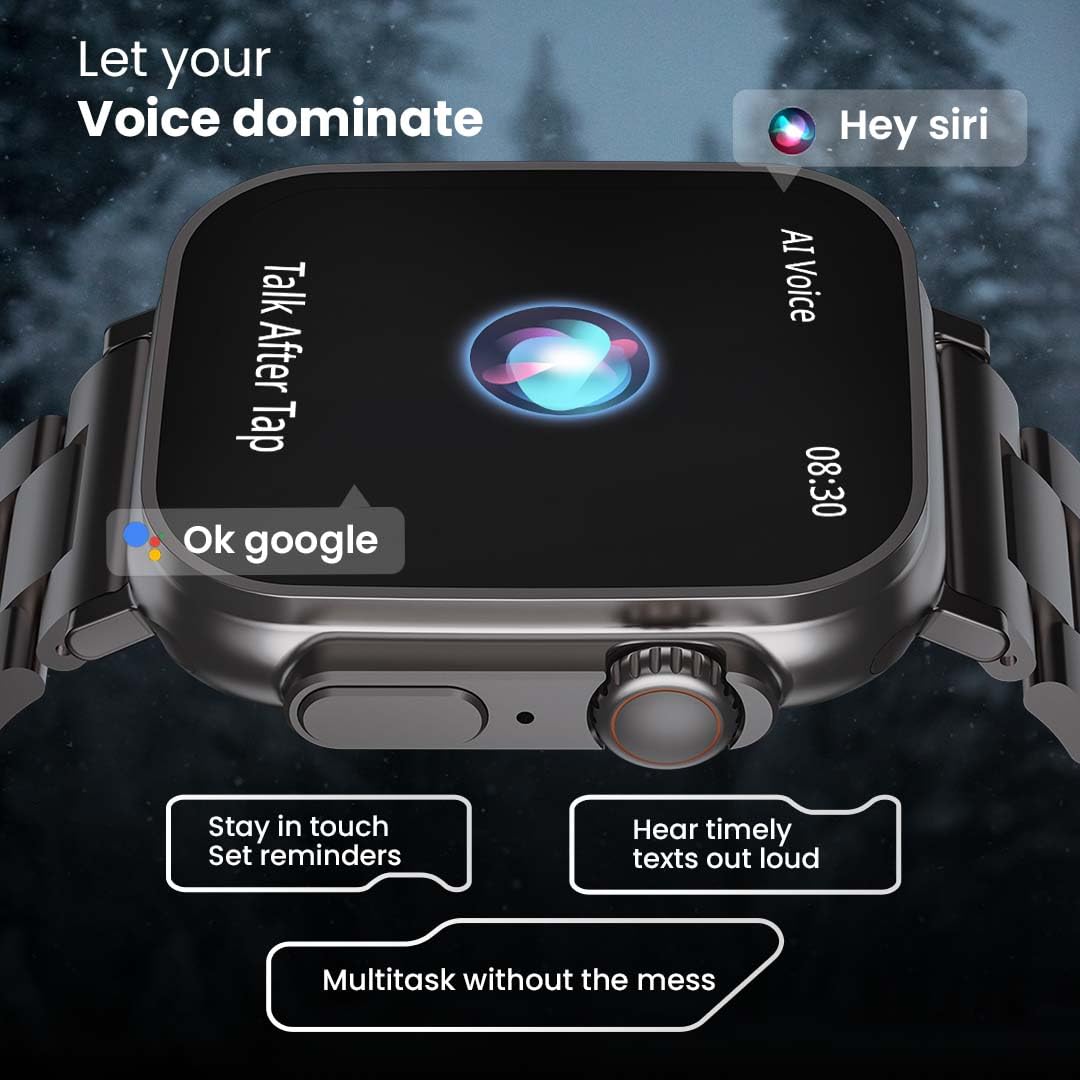
Image 5.4: The GOBOULT Crown Smart Watch interacting with AI Voice Assistants like Hey Siri and Ok Google, enabling users to stay in touch, set reminders, and hear timely texts aloud.
5.6 시계 화면 및 사용자 정의
Personalize your watch with over 100 cloud-based watch faces.
- Long-press the watch face on the home screen to quickly switch between pre-loaded faces.
- For more options, open the GOBOULT app and browse the 'Watch Faces' library.
- Download and apply new watch faces directly from the app.
5.7 Mini Games
The watch includes several mini-games for entertainment.
- Navigate to the 'Games' section in the app menu.
- Select a game (e.g., Young Bird, Hamster, Battleships, 2048) and follow the on-screen instructions to play.
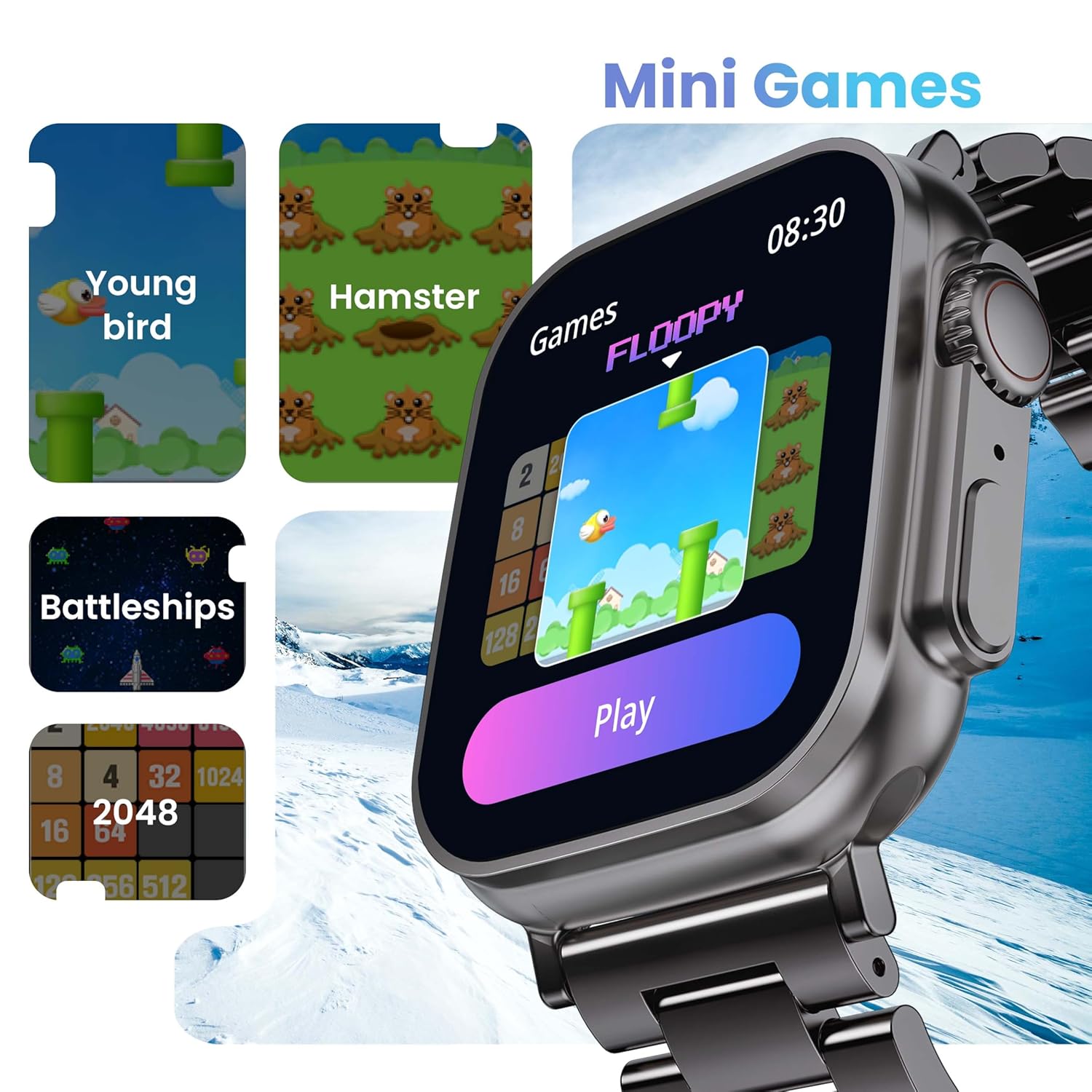
Image 5.5: The GOBOULT Crown Smart Watch showcasing its mini-games feature, including 'Young bird', 'Hamster', 'Battleships', and '2048'.
5.8 내 전화 찾기
Locate your paired smartphone using the watch.
- Go to the watch menu.
- Select the "Find Phone" option.
- The connected phone will ring or vibrate, helping you locate it.
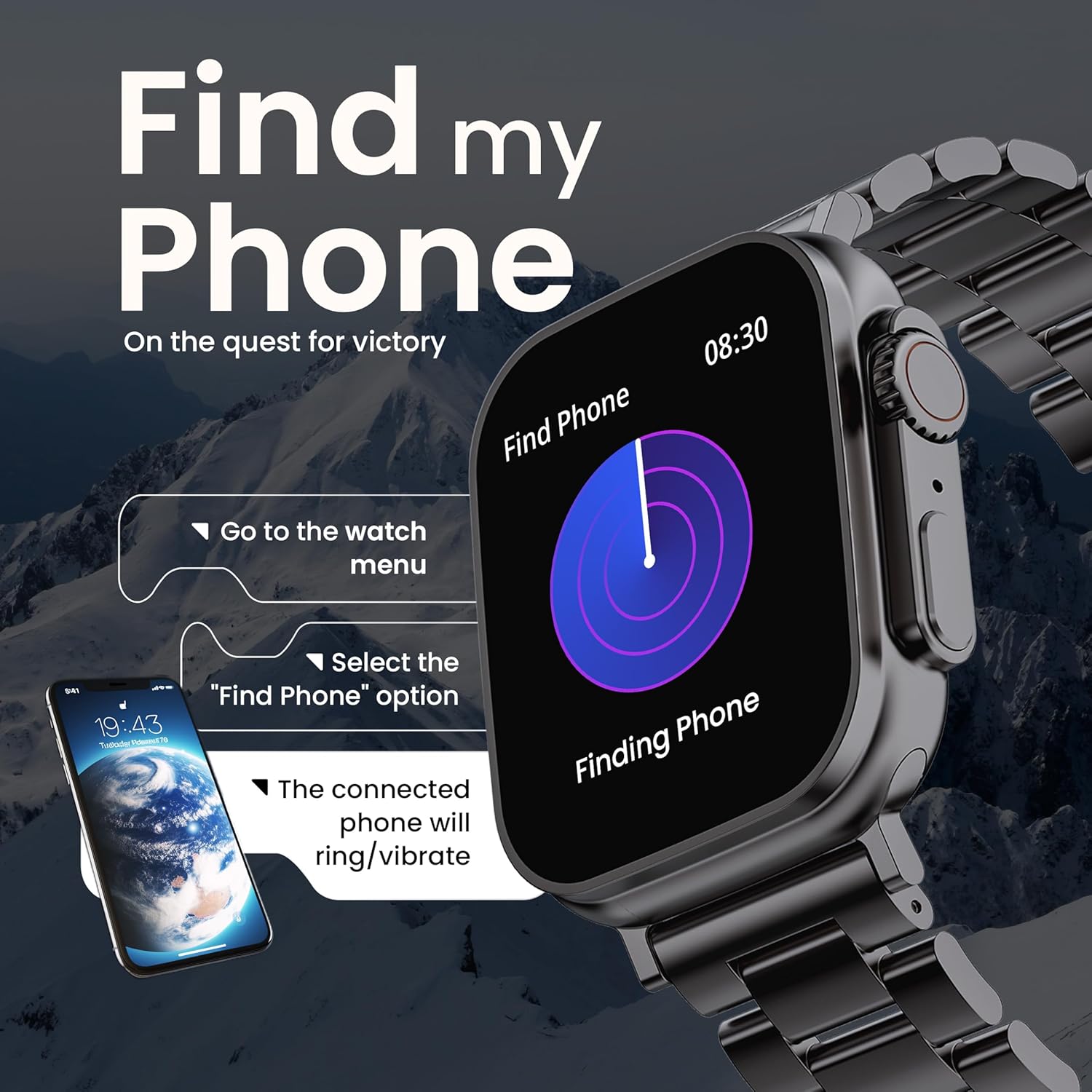
Image 5.6: The GOBOULT Crown Smart Watch illustrating the 'Find my Phone' feature, showing the steps to activate it and how the connected phone will respond.
6. 유지관리
6.1 스마트워치 청소
- 부드럽고 보푸라기가 없는 천으로 시계 화면과 본체를 닦으세요.
- 잘 지워지지 않는 얼룩의 경우, damp천에 물을 살짝 묻혀 닦으세요. 강한 화학 물질이나 연마재는 사용하지 마세요.
- Clean the charging pins regularly to ensure proper connection.
- If your watch has a stainless steel band, use the provided strap adjustment tool for any modifications.
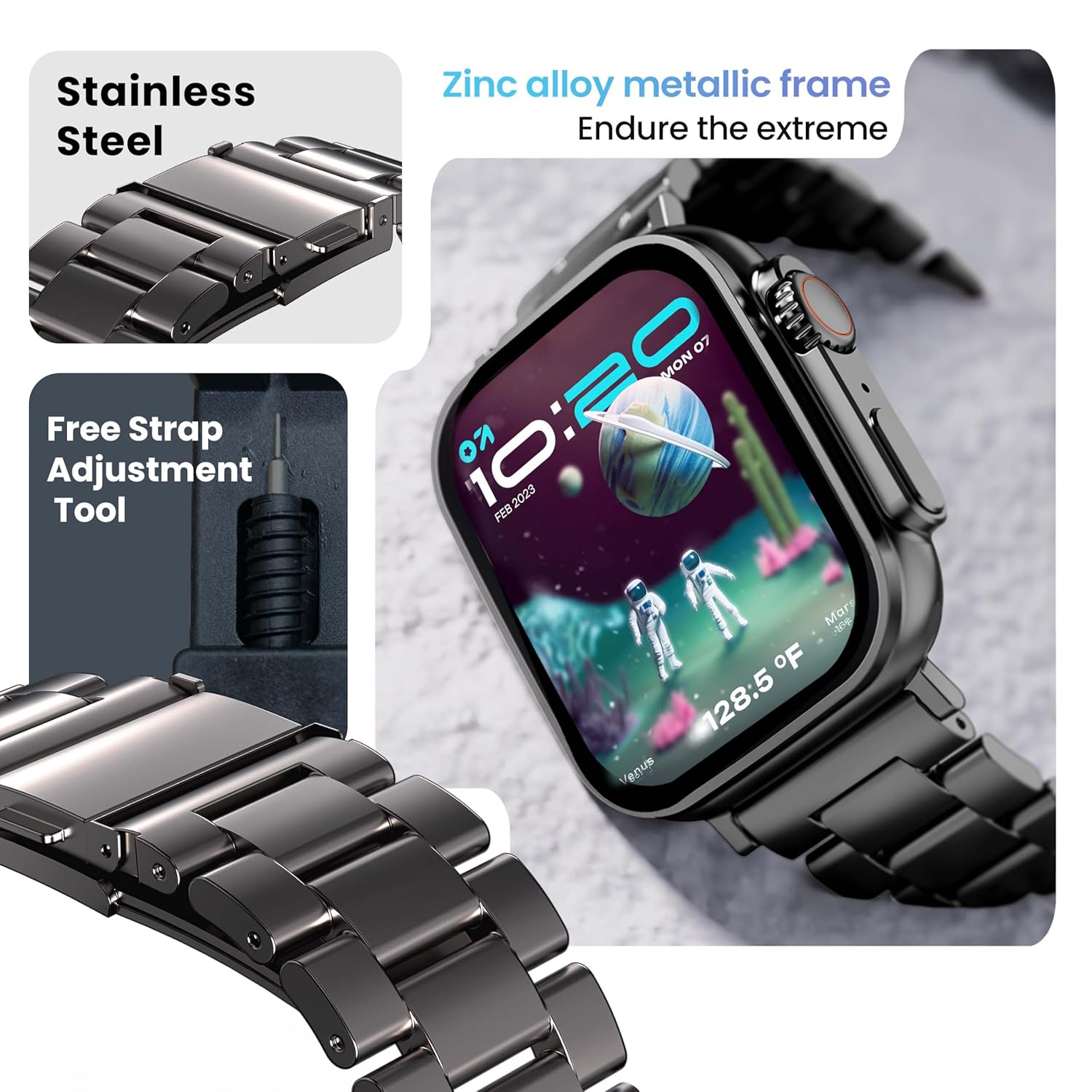
Image 6.1: The GOBOULT Crown Smart Watch featuring its stainless steel band and the included free strap adjustment tool for maintenance.
6.2 방수성
The GOBOULT Crown Smart Watch has an IP67 waterproof rating.
- IP67 등급: This means the watch is dust-proof and can withstand submersion in water up to 1.5 meters for 30 minutes.
- 손 씻기나 가벼운 비 등 일상적인 용도에 적합합니다.
- Avoid using the watch during swimming, diving, or in hot water (e.g., showers, saunas) as steam and high pressure can compromise the seal.
- 수중에서 버튼을 누르지 마십시오.
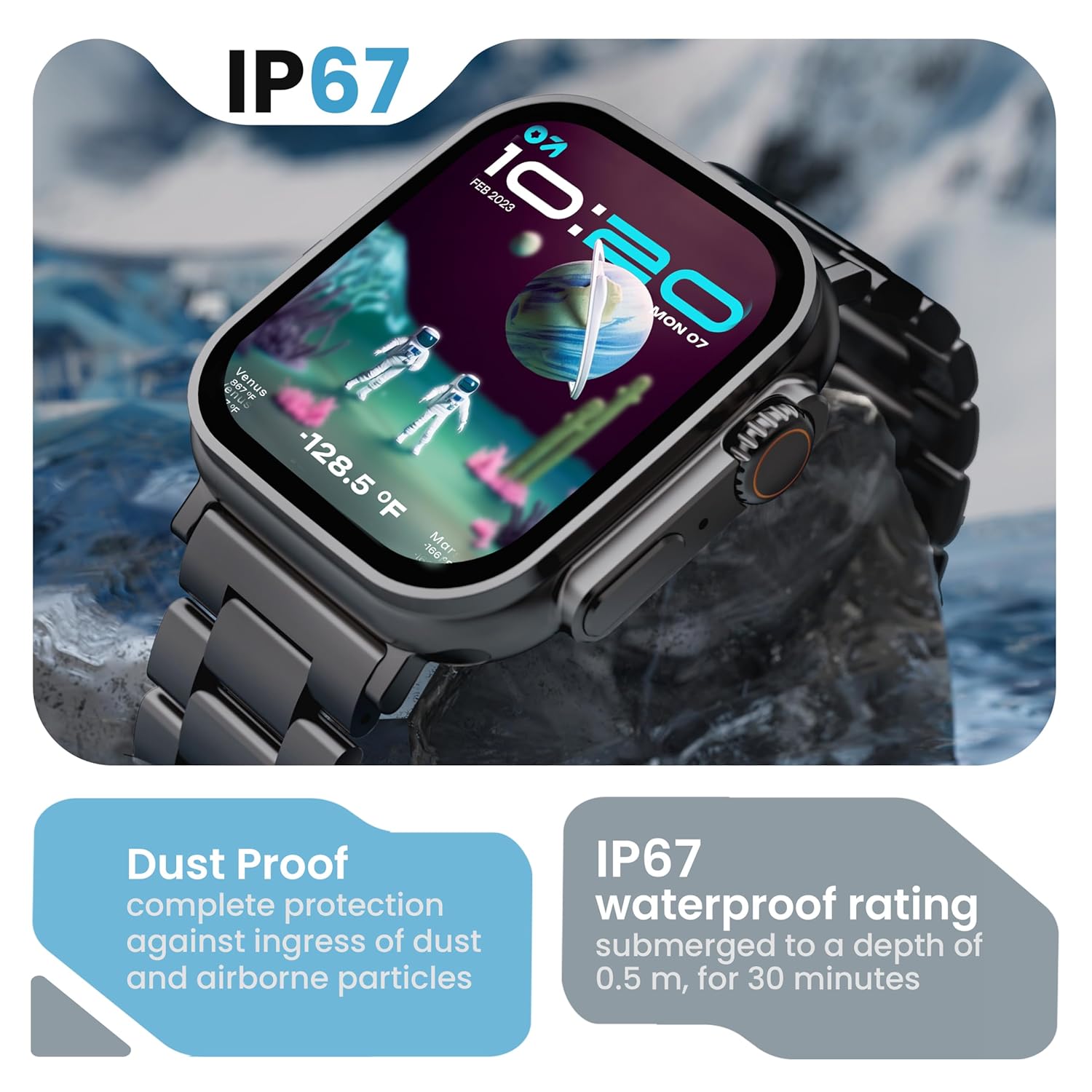
Image 6.2: The GOBOULT Crown Smart Watch emphasizing its IP67 rating, indicating complete protection against dust ingress and water submersion up to 0.5 meters for 30 minutes.
7. 문제 해결
If you encounter issues with your GOBOULT Crown Smart Watch, refer to the following common solutions:
| 문제 | 가능한 해결책 |
|---|---|
| 시계가 켜지지 않습니다 | 시계가 완전히 충전되었는지 확인하세요. 충전기에 최소 30분 동안 연결해 두세요. |
| 스마트폰과 페어링이 안되네요 | Ensure Bluetooth is enabled on your phone. Restart both the watch and phone. Make sure the watch is within Bluetooth range. Check the app for pairing instructions. |
| 부정확한 건강 데이터 | 시계를 손목에 꼭 맞게 착용하세요. 너무 조이거나 느슨하지 않도록 하세요. 시계 뒷면의 센서 부분을 깨끗이 닦으세요. |
| Bluetooth calling issues | Verify the watch is connected for both data and call audio in your phone's Bluetooth settings. Ensure microphone and speaker are not obstructed. |
| 화면이 응답하지 않습니다 | 시계를 다시 시작하세요. 문제가 지속되면 화면이 깨끗하고 건조한지 확인하세요. |
| 배터리 수명이 짧음 | 화면 밝기를 줄이고, 불필요한 알림을 비활성화하고, 필요하지 않으면 지속적인 심박수 모니터링을 제한하세요. |
이러한 해결 방법을 시도한 후에도 문제가 지속되면 고객 지원팀에 문의하세요.
8. 사양
Below are the technical specifications for the GOBOULT Crown Smart Watch (Model: B0FCSBLK42):
| 특징 | 세부 사항 |
|---|---|
| 모델 번호 | B0FCSBLK42 |
| 디스플레이 크기 | 1.95 인치 |
| 디스플레이 유형 | TFT |
| Maximum Display Brightness | 900 Nits |
| 연결 기술 | 블루투스 5.2 |
| 운영 체제 호환성 | Android Wear 1.0, iOS |
| 배터리 용량 | 300밀리amp 시간(리튬 폴리머) |
| 배터리 평균 수명 | 최대 7일 |
| 배터리 충전 시간 | 150분 |
| 방수 등급 | IP67 (Water Resistant up to 1.5 meters depth) |
| 밴드 소재 유형 | 스테인리스 스틸 |
| 품목 무게 | 40그램 |
| 품목 치수(D x W x H) | 40D x 38W x 6H 밀리미터 |
| 측정된 지표 | Blood Oxygen (SpO2), Distance, Heart Rate, Step Count |
| 지원되는 응용 프로그램 | Voice Assistant, Communication, Notifications |
| 컨트롤러 유형 | 구글 어시스턴트, 시리 |
9. 보증 및 지원
9.1 보증 정보
The GOBOULT Crown Smart Watch comes with a 1년 제조사 보증 구매일로부터. 본 보증은 제조상의 결함에 적용됩니다. 보증 청구를 위해 구매 영수증을 보관해 주십시오.
9.2 고객 지원
For technical assistance, warranty claims, or any other inquiries, please contact:
- 제조업체: 볼트 오디오
- 수입자: Exotic Mile Pvt. Ltd.
- 수입업체 연락처 정보: B67 Wazirpur Industrial Area, New Delhi 110052
Please refer to the warranty card included in your box for specific terms and conditions.
Ask a question about this manual
Ask about setup, troubleshooting, compatibility, parts, safety, or missing instructions. Manuals+ will review the question and use this page’s manual context to help answer it.