
소개
This manual provides essential instructions for the setup, operation, maintenance, and troubleshooting of your Insignia 32-inch 1080p HD HDR LCD Fire TV Smart TV, model NS-32F401CA26. Please read this manual thoroughly before using your television to ensure proper and safe operation.
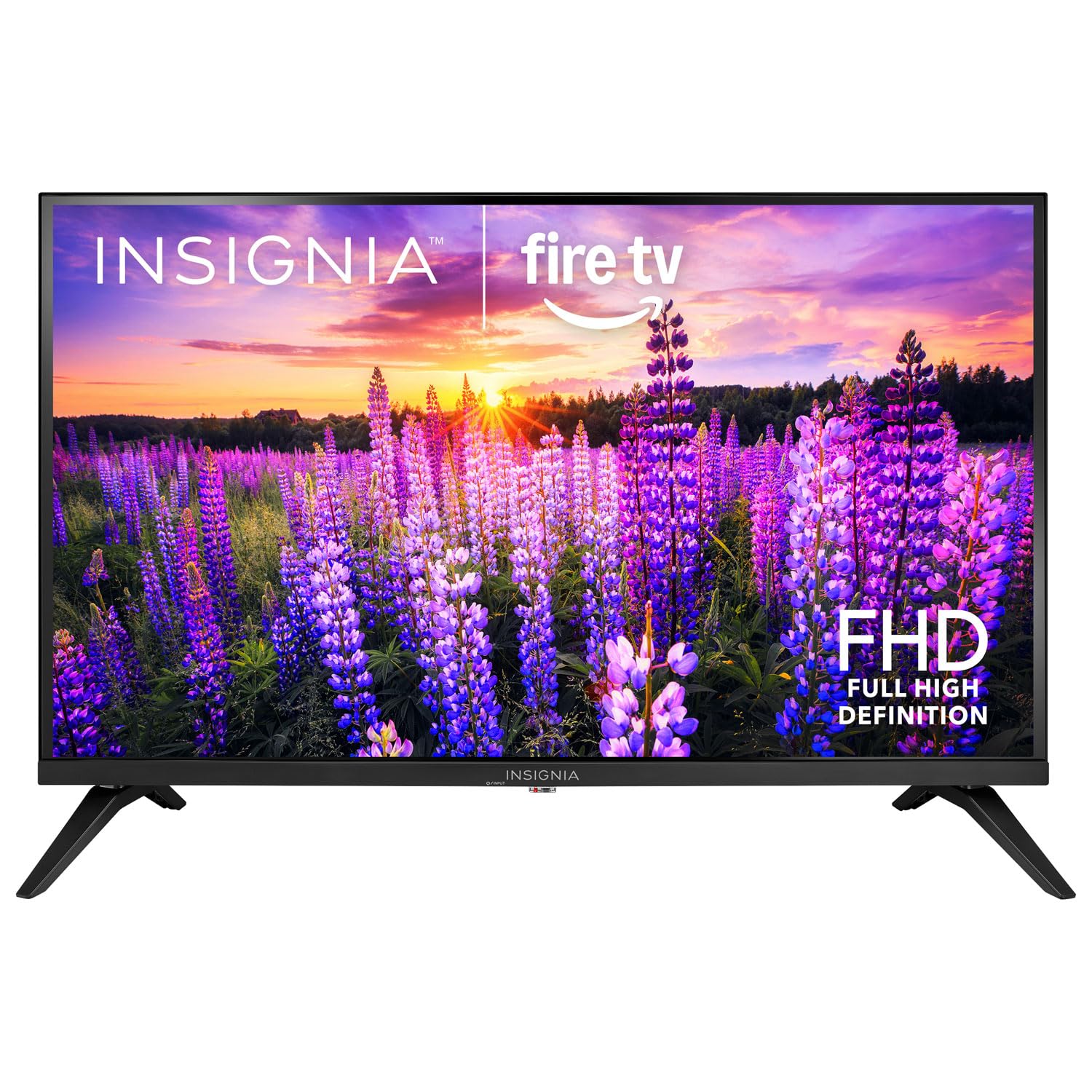
이미지: 앞면 view of the Insignia 32-inch Fire TV Smart TV, showing the screen and a remote control.
1. 설정
1.1 풀기
TV와 모든 액세서리를 포장에서 조심스럽게 꺼내세요. 나중에 운반하거나 보관할 수 있도록 포장재를 보관하세요.
1.2 스탠드 또는 벽면 장착 부착
스탠드 설치용:
- 화면 손상을 방지하려면 부드럽고 깨끗한 표면에 TV를 뒤집어서 놓으세요.
- 스탠드 받침대를 TV 바닥의 나사 구멍에 맞춥니다.
- 제공된 나사를 사용하여 스탠드를 고정하세요.
벽 장착용:
- This TV supports a VESA Mount Standard of 200 x 200 mm.
- Use a compatible wall mount kit (sold separately) and follow its installation instructions.
- 벽이 TV와 거치대의 무게를 견딜 수 있는지 확인하십시오.
1.3 전원 연결
Plug the power cord into the TV's power input, then plug the other end into a working electrical outlet.
1.4 외부 장치 연결
Your TV includes multiple ports for external devices:
- HDMI Ports (Total 2): 블루레이 플레이어, 게임 콘솔, 케이블/위성 박스를 연결하세요.
- USB 3.0 Port (Total 1): 미디어 재생을 위해 USB 저장 장치를 연결하세요.
- 안테나/케이블 입력: 지상파 방송 수신을 위해 안테나를 연결하거나 케이블 연결을 하세요.
1.5 Initial Setup (Fire TV OS)
Upon first power-on, the TV will guide you through the Fire TV setup process:
- 원격 제어 페어링: Insert the included 2 AAA batteries into the remote. Follow on-screen instructions to pair the remote.
- 네트워크 연결 : Wi-Fi 네트워크를 선택하고 비밀번호를 입력하세요.
- Amazon 계정: 아마존 계정으로 로그인하거나 새 계정을 만드세요.
- 채널 스캔: 안테나를 사용하는 경우 TV에서 사용 가능한 채널을 검색합니다.
- 소프트웨어 업데이트: The TV may download and install the latest software updates.
2. TV 작동하기
2.1 전원 켜기/끄기
를 누르세요 힘 리모컨의 버튼으로 TV를 켜거나 끌 수 있습니다.
2.2 Fire TV 인터페이스 탐색
방향 패드를 사용하여 선택하다 button on your remote to browse the Fire TV home screen, access apps, and navigate menus.
2.3 알렉사 음성 리모컨 사용하기
를 누르고 계세요 알렉사 button on your remote and speak into the microphone to:
- 검색 영화와 TV 쇼.
- 애플리케이션을 실행합니다(예: "넷플릭스 열기").
- Control playback (e.g., "Pause", "Fast forward").
- Ask questions or get information.
2.4 애플리케이션 액세스
Popular streaming services like Amazon Prime Video, Netflix, and YouTube are pre-installed. You can download additional apps from the Amazon Appstore.
2.5 화면 및 사운드 설정 조정
접근하기 설정 menu on the Fire TV home screen to adjust:
- 그림: Brightness, contrast, color, aspect ratio (16:9).
- 소리: Volume, sound mode, DTS Virtual-X settings.
- 표시하다: Resolution (1080p), refresh rate (120 Hz).
2.6 자녀 보호
The TV includes parental control features. Navigate to the 설정 메뉴를 선택한 다음 선택하세요 선호사항, 그런 다음 보호자 통제 to set restrictions on content, purchases, and app usage. A PIN is required to enable or disable these controls.
3. 유지관리
3.1 TV 청소
- 화면: 부드럽고 보풀이 없는 천으로 화면을 부드럽게 닦으세요. 잘 지워지지 않는 얼룩은 가볍게 닦아주세요.amp천에 물이나 TV용 화면 세척제를 묻혀 닦아주세요. 화면에 직접 액체를 분사하지 마세요.
- 몸: 부드럽고 마른 천으로 TV 프레임과 스탠드를 닦으세요.
- 청소하기 전에는 항상 TV의 플러그를 뽑아 두세요.
3.2 소프트웨어 업데이트
Your Fire TV Smart TV automatically checks for and installs software updates when connected to the internet. You can manually check for updates in the 설정 밑에있는 메뉴 내 파이어 TV > 에 대한 > 업데이트 확인.
3.3 리모컨 배터리 교체
When the remote control's performance degrades, replace the two AAA batteries. Ensure correct polarity when inserting new batteries.
4. 문제 해결
| 문제 | 가능한 원인 | 해결책 |
|---|---|---|
| 전원이 없습니다 | 전원 코드가 연결되지 않았습니다. 콘센트가 작동하지 않습니다. | Ensure power cord is securely plugged into TV and a live outlet. Test outlet with another device. |
| 그림이나 소리가 나지 않습니다 | Incorrect input source; external device off or disconnected. | 를 누르세요 입력 button on the remote to select the correct source. Check connections of external devices. Ensure devices are powered on. |
| 리모컨이 작동하지 않습니다 | 배터리가 방전되었습니다. 리모컨이 페어링되지 않았습니다. | Replace batteries (2 AAA). Re-pair remote by holding the 집 button for 10 seconds near the TV. |
| Wi-Fi 연결 문제 | 비밀번호가 틀렸습니다. 라우터에 문제가 있습니다. TV가 라우터에서 너무 멀리 떨어져 있습니다. | Wi-Fi 비밀번호를 확인하세요. 공유기와 모뎀을 재시작하세요. TV를 공유기 가까이로 옮기거나 Wi-Fi 확장기를 사용하세요. |
| 앱이 로드되지 않거나 충돌합니다 | Temporary software glitch; insufficient memory. | Restart the TV. Clear app cache (Settings > Applications > Manage Installed Applications). Ensure sufficient storage. |
5. 사양
| 모델 번호 | NS-32F401CA26 |
| 화면 크기 | 32 인치 |
| 디스플레이 기술 | 액정표시장치 |
| 해결 | 1080p(풀 HD) |
| 새로 고침 빈도 | 120Hz |
| 지원되는 HDR 형식 | HDR10 |
| 종횡비 | 16시 9분 |
| 연결 기술 | 와이파이 |
| HDMI 포트 | 2 |
| USB 3.0 포트 | 1 |
| 지원되는 인터넷 서비스 | Amazon Prime Video, Netflix, YouTube, Alexa |
| 스피커 설명 | DTS Virtual-X virtual surround sound |
| Integrated Surround Sound Format | DTS Virtual-X |
| 제어 방법 | Remote (with Alexa Voice) |
| 필요한 배터리 | AAA 2개(포함) |
| 제품 크기(D x W x H) | 47.3D x 17.1W x 71.9H 센티미터 |
| VESA 마운트 표준 | 200 x 200mm |
| 추가 기능 | 보호자 통제 |
6. 보증 및 지원
For warranty information, please refer to the warranty card included with your product or visit the official Insignia support website. For technical assistance, product registration, or service inquiries, please contact Insignia customer support through their official channels.
참고: 구체적인 보증 조건 및 지원 연락처 정보는 지역마다 다를 수 있으며 변경될 수 있습니다.