1. 서론
구매해주셔서 감사합니다asing the Generic Nv400b 7X31 Digital Night Vision Binoculars. This device is designed for both daytime and nighttime observation, offering clear viewing with its digital zoom and infrared capabilities. It features image capture and video recording functions, allowing you to document your observations. Please read this manual thoroughly before operating the device to ensure proper use and to maximize its performance and longevity.
2. 안전 정보
- 쌍안경으로 태양이나 밝은 광원을 직접 쳐다보지 마십시오. 영구적인 눈 손상을 초래할 수 있습니다.
- Keep the device away from water and moisture. If it gets wet, turn it off immediately and allow it to dry completely before use.
- 장치를 떨어뜨리거나 강한 충격을 가하지 마십시오.
- 기기를 직접 분해하거나 수리하지 마십시오. 모든 정비는 자격을 갖춘 기술자에게 맡기십시오.
- Use only specified batteries (8 x AA) or a compatible power bank. Incorrect battery usage can lead to fire, explosion, or other hazards.
- 사용하지 않을 때는 장치를 서늘하고 건조한 곳에 보관하십시오.
3. 패키지 내용
제품을 개봉하신 후 구성품을 확인해 주십시오. 누락된 품목이나 손상된 품목이 있을 경우 판매점에 문의해 주십시오.
- Nv400b Digital Night Vision Binoculars
- 넥 스트랩
- USB 케이블
- AV 케이블
- 청소용 천
- 사용 설명서 (본 문서)

Figure 3.1: Nv400b Digital Night Vision Binoculars with included accessories (neck strap, USB cable, AV cable, cleaning cloth).
4. 제품 오버view
Familiarize yourself with the main components of your Nv400b binoculars.
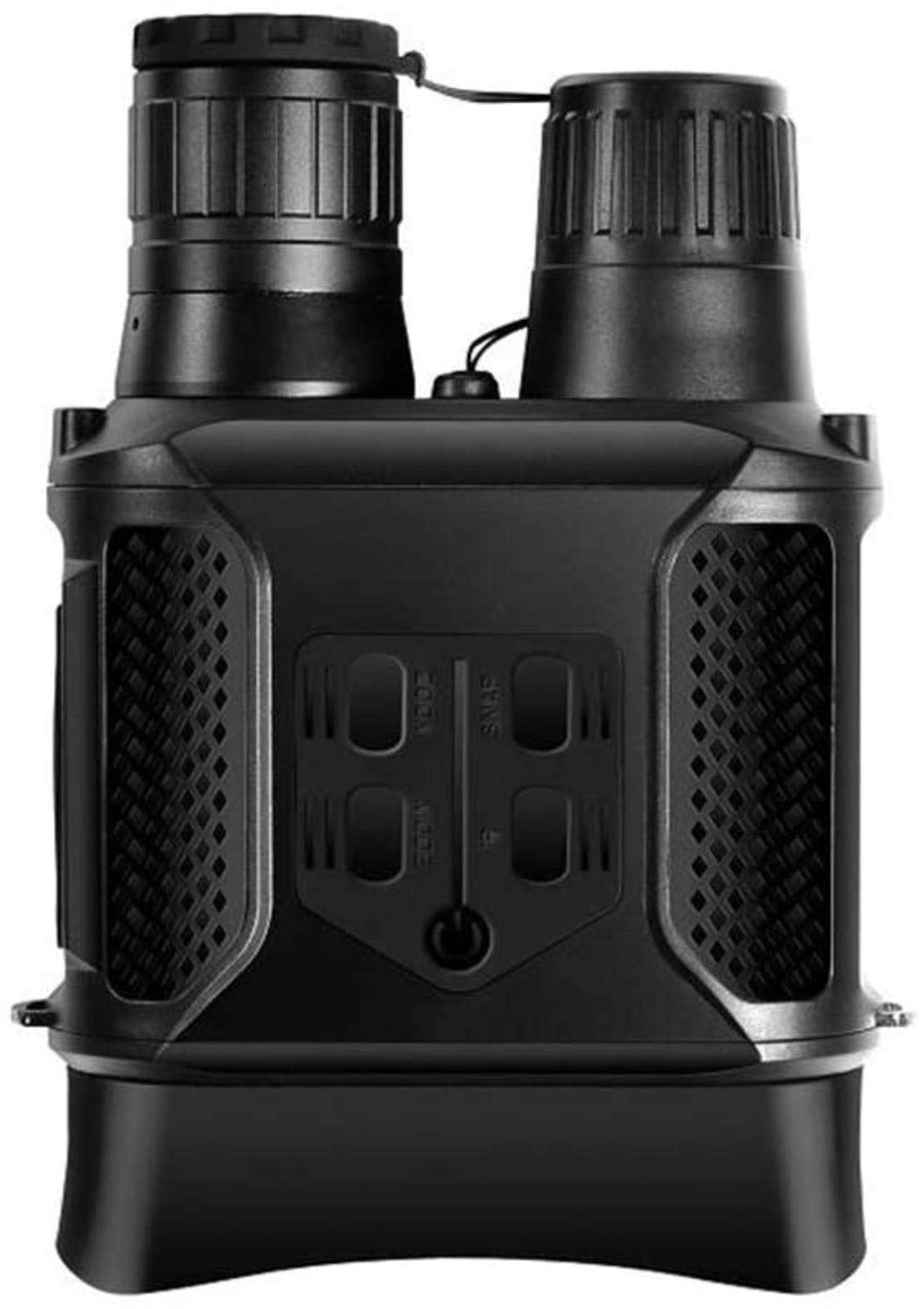
그림 4.1: 전면 view showing objective lenses and infrared illuminator.
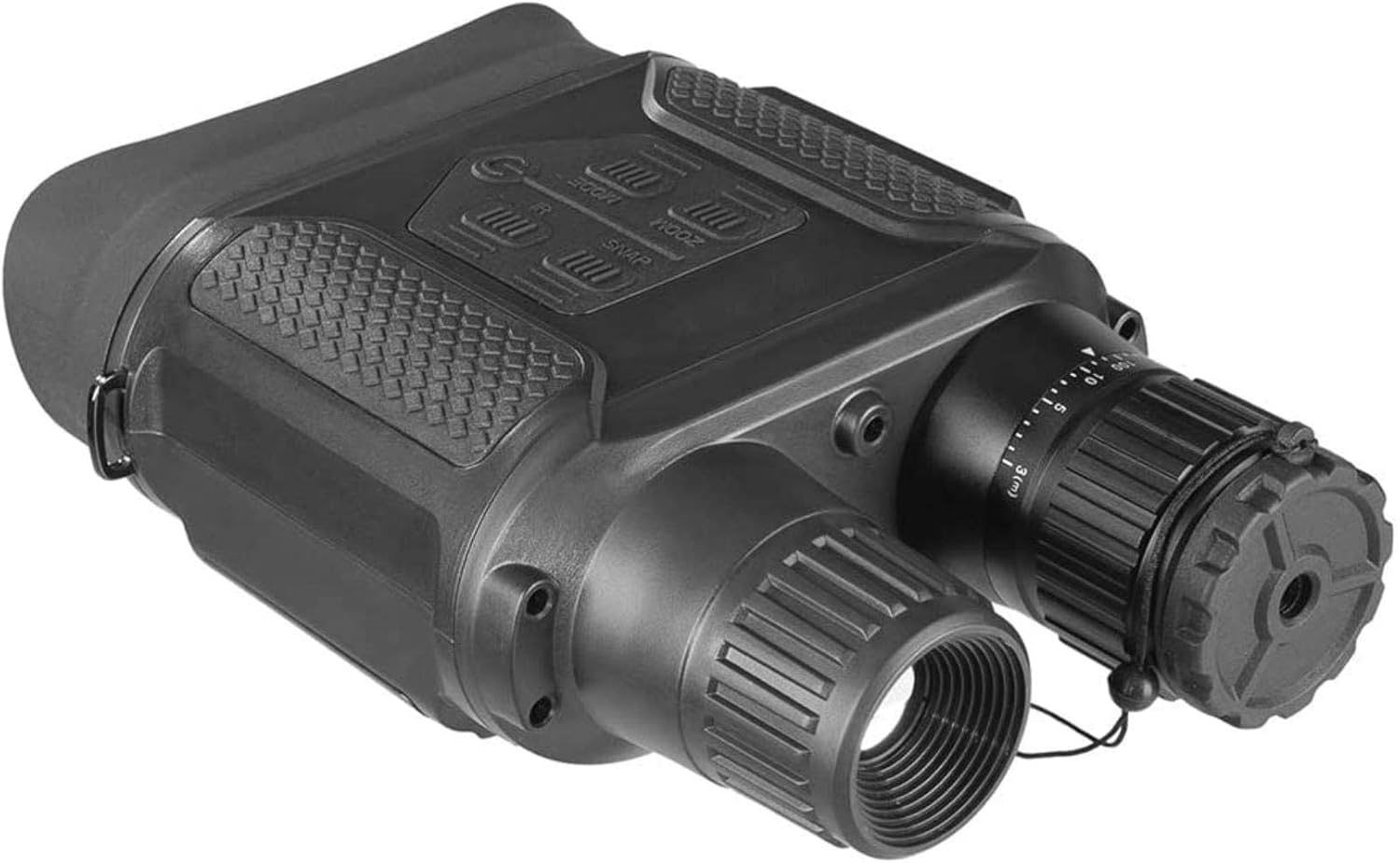
그림 4.2: 위쪽 각도 view highlighting the control buttons: MODE, ZOOM, SNAP, and IR.

그림 4.3: 위쪽 각도 view showing the focus adjustment wheel and eyepiece.
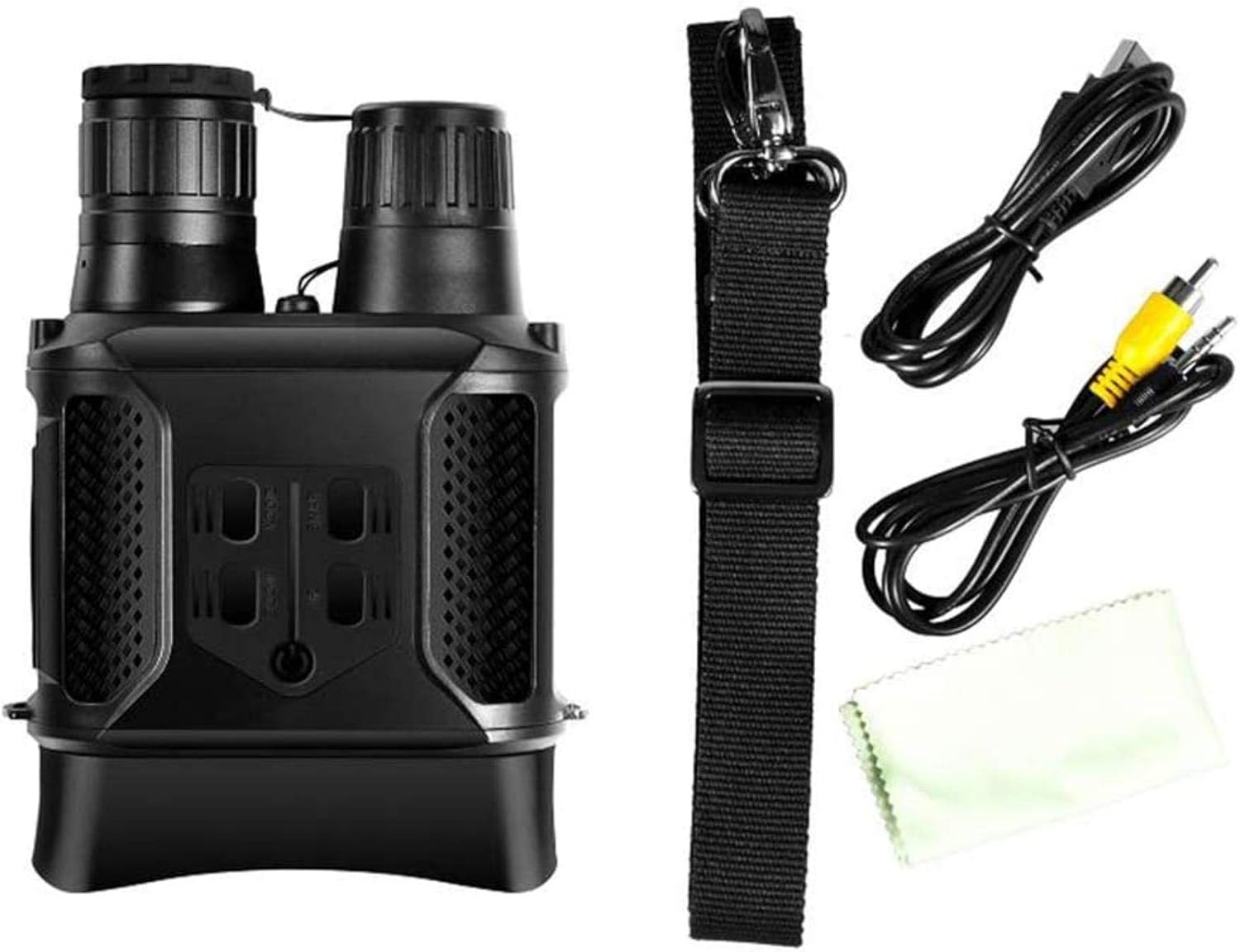
Figure 4.4: The 2.0-inch TFT LCD display for view관찰 내용을 기록하고 메뉴를 탐색합니다.
주요 구성 요소:
- 대물렌즈: Capture light from the scene.
- 적외선(IR) 조명기: Provides invisible light for night vision in complete darkness.
- Eyepiece/LCD Screen: 을 위한 view이미지와 비디오를 업로드합니다.
- 초점 휠: 선명도를 위해 초점을 조정합니다. view주고받음.
- 제어 버튼: (MODE, ZOOM, SNAP, IR) for operating various functions.
- 배터리 칸: AA 배터리 8개가 들어갑니다.
- 메모리 카드 슬롯: For inserting a Micro SD card (4GB-32GB recommended).
- USB 포트: 컴퓨터에 연결하기 위해.
- AV 출력 포트: 텔레비전에 연결하기 위한 용도입니다.
5. 설정
5.1 배터리 설치
- 기기의 배터리 덮개를 찾으세요.
- Open the cover and insert 8 x AA batteries, ensuring correct polarity (+/-).
- 배터리 덮개를 단단히 닫으세요.
- Alternatively, the device can be powered by a compatible power bank via the USB port.
5.2 메모리 카드 설치
- The device requires a Micro SD card (not included) for storing images and videos. A capacity of 4GB to 32GB is recommended.
- 메모리 카드 슬롯을 찾습니다.
- Insert the Micro SD card into the slot until it clicks into place. Ensure the card is inserted in the correct orientation.
- 제거하려면 카드가 튀어나올 때까지 살짝 누르세요.
6. 사용 설명서
6.1 전원 켜기/끄기
- To power on, press and hold the Power button (usually marked with a power symbol) until the LCD screen illuminates.
- 전원을 끄려면 화면이 꺼질 때까지 전원 버튼을 다시 길게 누르세요.
6.2 포커싱
- While looking through the eyepiece/LCD screen, rotate the focus wheel (refer to Figure 4.3) until the image appears sharp and clear.
6.3 Adjusting Digital Zoom
- 를 누르세요 줌 button to cycle through available digital zoom levels (up to 2X).
6.4 Using Infrared (IR) for Night Vision
- In low light or complete darkness, press the IR button to activate the infrared illuminator.
- 를 누르세요 IR button repeatedly to adjust the IR intensity level. Higher levels provide better visibility in darker conditions but consume more battery power.
- The display will switch to black and white when IR is active for optimal night vision.
6.5 이미지 및 비디오 캡처
- 이미지 캡처: 관찰 모드에서는 버튼을 누르세요. 스냅 button to take a still photograph. The image will be saved to the Micro SD card.
- 비디오 녹화: 를 누르세요 방법 button to switch to video recording mode. Then, press the 스냅 녹음을 시작하려면 버튼을 누르세요. 스냅 again to stop recording. The video will be saved to the Micro SD card.
6.6 Menu Navigation and Language Settings
- 를 누르세요 방법 button to access the menu or switch between observation, photo, and video playback modes.
- 사용하세요 줌 그리고 IR buttons (often doubling as navigation arrows) to scroll through menu options.
- 를 누르세요 스냅 선택을 확정하려면 버튼을 누르세요.
- To change the language, navigate to the 'Language' option in the menu and select your preferred language (English, French, Spanish, Portuguese, German, etc.).
6.7 컴퓨터 연결 (USB)
- 장치의 전원이 켜져 있는지 확인합니다.
- Connect the binoculars to your computer using the provided USB cable.
- The device should appear as a removable disk drive on your computer, allowing you to access and transfer saved images and videos.
6.8 Connecting to a Television (AV Out)
- Connect the binoculars to your television using the provided AV cable.
- Select the appropriate AV input channel on your television to view the binoculars' display.
7. 유지관리
7.1 청소
- 렌즈: Use the provided cleaning cloth or a soft, lint-free cloth specifically designed for optical lenses. Gently wipe the lens surfaces. Do not use abrasive materials or harsh chemicals.
- 몸: 쌍안경 본체를 부드러운 천으로 닦으십시오.amp 천을 사용하세요. 용제나 강한 세제를 사용하지 마세요.
7.2 보관
- 장시간 사용하지 않을 경우, 누출을 방지하기 위해 배터리를 분리해 두세요.
- Store the binoculars in a dry, cool, and well-ventilated place, away from direct sunlight and extreme temperatures.
- Use the protective caps for the objective lenses to prevent dust and scratches.
8. 문제 해결
| 문제 | 가능한 원인 | 해결책 |
|---|---|---|
| 장치의 전원이 켜지지 않습니다. | 배터리가 소진되었거나 잘못 삽입되었습니다. | Replace batteries or check polarity. Ensure power button is pressed and held. |
| Poor image quality / blurry view. | Incorrect focus; dirty lenses; insufficient IR illumination (at night). | Adjust the focus wheel. Clean lenses with the provided cloth. Increase IR intensity or ensure IR is active in dark conditions. |
| 이미지/동영상을 저장할 수 없습니다. | No Micro SD card inserted; Micro SD card is full or corrupted. | 마이크로 SD 카드를 삽입하세요. 이전 파일을 삭제하세요. files or replace the card. Format the card (via device menu if available). |
| 장치가 정지되거나 응답하지 않습니다. | 일시적인 소프트웨어 오류입니다. | 배터리를 제거했다가 다시 삽입하여 하드 리셋을 수행하십시오. |
9. 사양
| 모델 | Nv400b |
| 광학 배율 | 3.5배 - 7배 |
| 디지털 줌 | 2X |
| 대물렌즈 직경 | 31mm |
| 각도 View | 4.5° - 9° |
| Daytime Observation Range | 무한대로 5m |
| Nighttime Observation Range (Full Darkness) | Up to 400 meters (black and white) |
| 디스플레이 화면 | 2.0" TFT LCD (320 x 240 resolution) |
| 이미지 해상도 | 640 x 480 |
| 저장 | 최대 32GB 마이크로 SD 카드(별도 구매) |
| 전원 | 8 x AA batteries (not included) or external power bank |
| 치수 | 22cm x 14cm x 6cm |
| 무게 | 760g |
| 색상 | 검은색 |
| 지원 언어 | English, French, Spanish, Portuguese, German, and 5 other languages |
10. 보증 및 지원
This product is covered by a standard manufacturer's warranty. For specific warranty details, please refer to the documentation included with your purchase or contact your retailer. For technical support or service inquiries, please reach out to the manufacturer or your point of purchase.

