
1. 서론
Thank you for choosing the Elitech LDM-50D Laser Distance Meter. This device is designed for precise and efficient distance measurements, offering a range of functions for various applications in home DIY, interior design, and professional construction. This manual provides essential information for safe operation, setup, and maintenance of your device. Please read it thoroughly before use.
The LDM-50D features fast and accurate measurements up to 165ft (50m) with ±2mm precision. It includes versatile functions such as single, continuous, area, volume, and Pythagorean modes. The bright backlit LCD ensures clear readability, and it can store up to 99 measurements. Built-in dual bubble levels enhance measurement accuracy.
2. 안전 정보
레이저 안전 : This device emits a Class II laser. Do not stare directly into the laser beam or direct it at other people. Avoid pointing the laser at reflective surfaces. Always operate the device in a safe manner to prevent eye injury.
배터리 안전:
- Use only AAA alkaline batteries as specified.
- 오래된 건전지와 새 건전지, 다른 종류의 건전지를 혼용하지 마세요.
- 배터리가 올바른 극성에 맞게 삽입되었는지 확인하세요.
- 장기간 기기를 사용하지 않을 경우 배터리 누출을 방지하기 위해 배터리를 제거하세요.
- 사용한 배터리는 현지 규정에 따라 폐기하십시오.
일반 안전:
- 기기를 어린이의 손이 닿지 않는 곳에 보관하세요.
- 기기를 임의로 개조하거나 분해하지 마십시오. 수리는 반드시 공인된 담당자만 수행해야 합니다.
- 극한의 온도, 습도 또는 직사광선에 장치를 노출하지 마십시오.
3. 제품 오버view
The Elitech LDM-50D is a compact and durable laser distance meter designed for ease of use and portability. It features a clear backlit display and intuitive button layout.
3.1 패키지 내용
- Elitech LDM-50D Laser Distance Meter
- AAA 배터리 2개
- 손목 스트랩
- 사용자 설명서

Image: Elitech LDM-50D Laser Distance Meter with included batteries, wrist strap, and manual.
3.2 장치 구성 요소
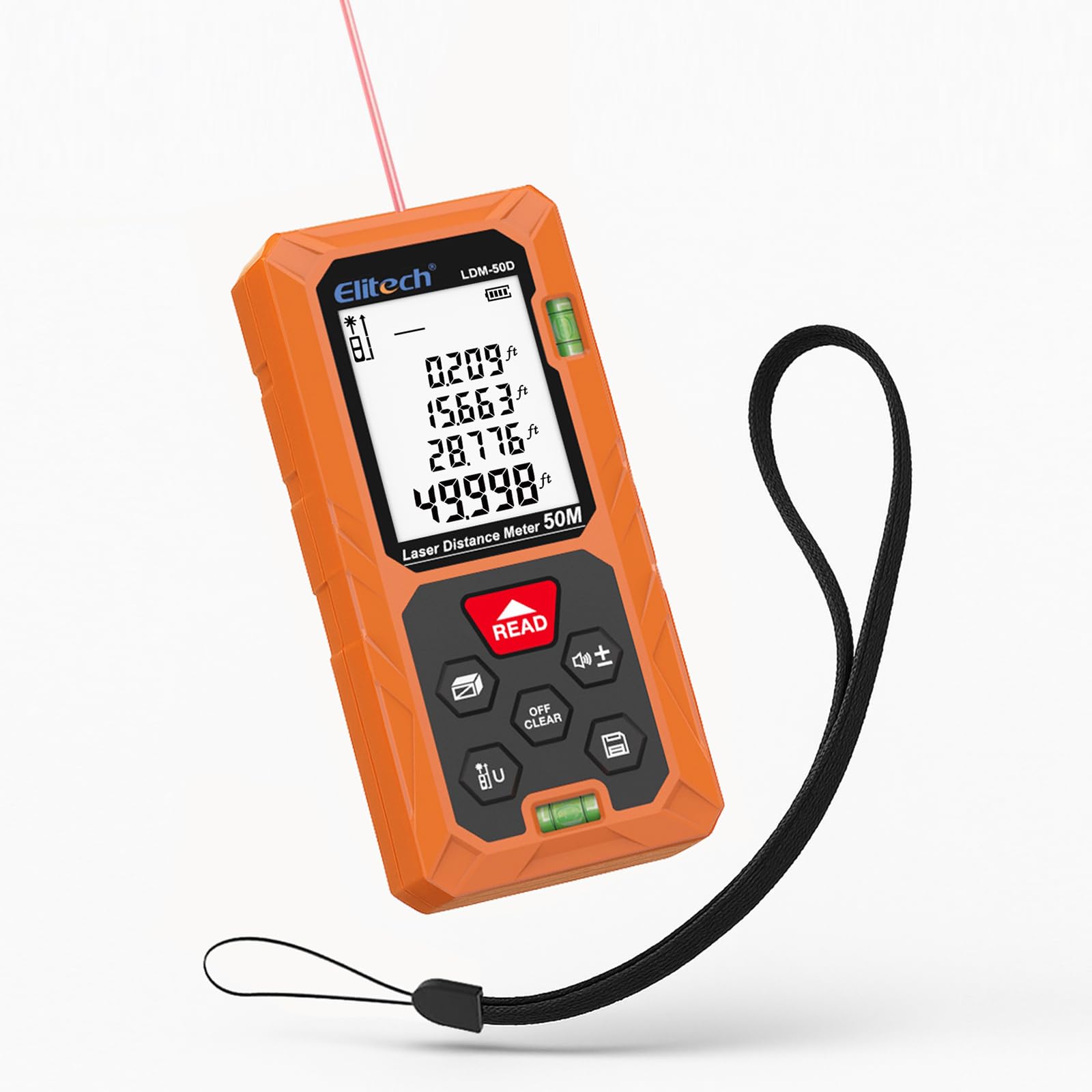
이미지: 앞면 view of the Elitech LDM-50D Laser Distance Meter, showing the display, control buttons, and dual bubble levels.
The device features a large backlit LCD for clear readings, a 'READ' button for measurements, 'OFF/CLEAR' for power and clearing, and various function buttons for mode selection and unit switching. It also includes dual bubble levels for enhanced accuracy.

이미지: 뒤로 view of the Elitech LDM-50D Laser Distance Meter, showing the battery compartment and product labels.
4. 설정
4.1 배터리 설치
- 장치 뒷면에서 배터리 덮개를 찾으세요.
- 덮개를 밀어 엽니다.
- 2개(2)의 AAA 알카라인 배터리를 올바른 극성(+/-)에 맞춰 삽입합니다.
- 배터리 덮개를 단단히 닫으세요.
5. 사용 설명서
5.1 전원 켜기/끄기
- 전원을 켜려면 읽다 단추.
- 전원을 끄려면 끄기/지우기 button for a few seconds. The device will also automatically power off after a period of inactivity.
5.2 기본 거리 측정
- 레이저를 목표 표면에 비추세요.
- 를 누르세요 읽다 button once. The measurement will appear on the display.

Image: A user holding the Elitech LDM-50D and taking a distance measurement to a wall.
5.3 연속 측정
This mode allows for dynamic measurement as you move the device. Press the mode button until the continuous measurement icon appears. The display will update in real-time as the distance changes.
5.4 면적 및 부피 측정
The LDM-50D can calculate area and volume automatically. Press the mode button to cycle through measurement modes until the desired icon (area or volume) is displayed. Follow the on-screen prompts to take the required length, width, and height measurements. The device will then calculate and display the result.

Image: The Elitech LDM-50D displaying icons for various measurement modes including distance, area, volume, and different Pythagorean calculations.
5.5 피타고라스 측정
Use the Pythagorean mode for indirect height or diagonal measurements. Press the mode button to select one of the Pythagorean modes (e.g., for single indirect height, double indirect height). Follow the on-screen instructions to take the necessary measurements (e.g., base and hypotenuse). The device will calculate the unknown side.
5.6 유닛 전환
The device supports multiple units: meters (m), centimeters (cm), feet (ft), inches (in), and fractions. To switch units, long-press the 'U' button until the desired unit is displayed.

Image: The Elitech LDM-50D displaying various measurement units like inches, feet, and meters, with a prompt to long-press a button to switch units.
5.7 데이터 저장
The LDM-50D can store up to 99 measurement records. To review stored data, press the memory button. Use the arrow keys to navigate through the records. The top of the screen indicates how many records are saved.

Image: The Elitech LDM-50D display showing multiple measurement records, highlighting the 99-record storage capacity.
5.8 Reference Point Switching
The device allows you to switch the measurement reference point between the front edge and the rear edge of the device. This is useful for measuring from different starting positions. Refer to the display icon to confirm the active reference point.

Image: The Elitech LDM-50D illustrating two different reference points for measurement, from the front or rear of the device.
5.9 제품 시연 영상
Video: A demonstration of the Elitech LDM-50D Laser Distance Meter, showcasing its compact size, instant measurement capabilities, area and volume calculations, Pythagorean mode for indirect measurements, and unit switching functionality. It highlights the device's efficiency and ease of use for various measuring tasks.
6. 유지관리
To ensure the longevity and accuracy of your Elitech LDM-50D, follow these maintenance guidelines:
- 청소: 부드러운 d를 사용하세요amp cloth to clean the device. Do not use abrasive cleaners or solvents. Clean the laser lens gently with a soft, lint-free cloth.
- 저장: 직사광선과 극한 온도 변화를 피해 서늘하고 건조한 곳에 보관하십시오. 장기간 보관할 경우 배터리를 제거하십시오.
- 내구성: The device is designed to be dustproof and drop-resistant (IP54, 1m drop resistance). However, avoid unnecessary drops or impacts to maintain accuracy.

Image: The Elitech LDM-50D highlighting its dustproof (IP54) and drop-resistant (1m/3.3ft) construction, made from ABS Engineering Plastic.
7. 문제 해결
If you encounter issues with your LDM-50D, refer to the following common problems and solutions:
| 문제 | 가능한 원인 | 해결책 |
|---|---|---|
| 장치 전원이 켜지지 않음 | 배터리가 부족하거나 방전됨; 배터리 설치가 잘못됨 | 배터리를 교체하세요. 배터리 극성을 확인하세요. |
| 부정확한 측정 | Unstable surface; Obstruction in laser path; Dirty lens; Measurement taken from wrong reference point | Ensure stable measurement; Clear laser path; Clean lens; Verify reference point setting |
| 레이저 빔이 보이지 않습니다 | Bright ambient light; Device not powered on | Move to a darker area; Power on device |
| 디스플레이가 어둡거나 읽을 수 없습니다 | Low batteries; Extreme temperature | Replace batteries; Move to a moderate temperature environment |
8. 사양
| 특징 | 사양 |
|---|---|
| 측정 범위 | 0.05m to 50m (165ft) |
| 정확성 | ±2mm (±1/16인치) |
| 측정 단위 | m / cm / ft / in / ft+in |
| 측정 모드 | Single, Continuous, Area, Volume, Pythagorean (various types) |
| 데이터 기록 | 최대 99 개 그룹 |
| 레이저 클래스 | 1등급, <XNUMXmW |
| 레이저 파장 | 630-670nm |
| 표시하다 | 백라이트 LCD |
| 전원 공급 장치 | AAA 알칼리 건전지 2개 (포함) |
| 자동 레이저 꺼짐 | 30초 |
| 자동 장치 꺼짐 | 180초 |
| 작동 온도 | 0°C ~ 40°C(32°F ~ 104°F) |
| 보관 온도 | -20°C ~ 60°C (-4°F ~ 140°F) |
| 치수(길이 x 너비 x 높이) | 11.2 x 5 x 2.5cm(4.4 x 2.0 x 1.0인치) |
| 무게 | 0.15kg(0.33파운드) |
| 재료 | ABS 엔지니어링 플라스틱 |
| IP 등급 | IP54 (Dustproof & Splash-proof) |
| 낙하 저항 | 1m(3.3피트) |
9. 보증 및 지원
Elitech products are manufactured to high-quality standards. For detailed warranty information, please refer to the official Elitech website or the warranty card included with your product. If you require technical support or have questions regarding your LDM-50D Laser Distance Meter, please contact Elitech customer service through their official channels.