
1. 서론
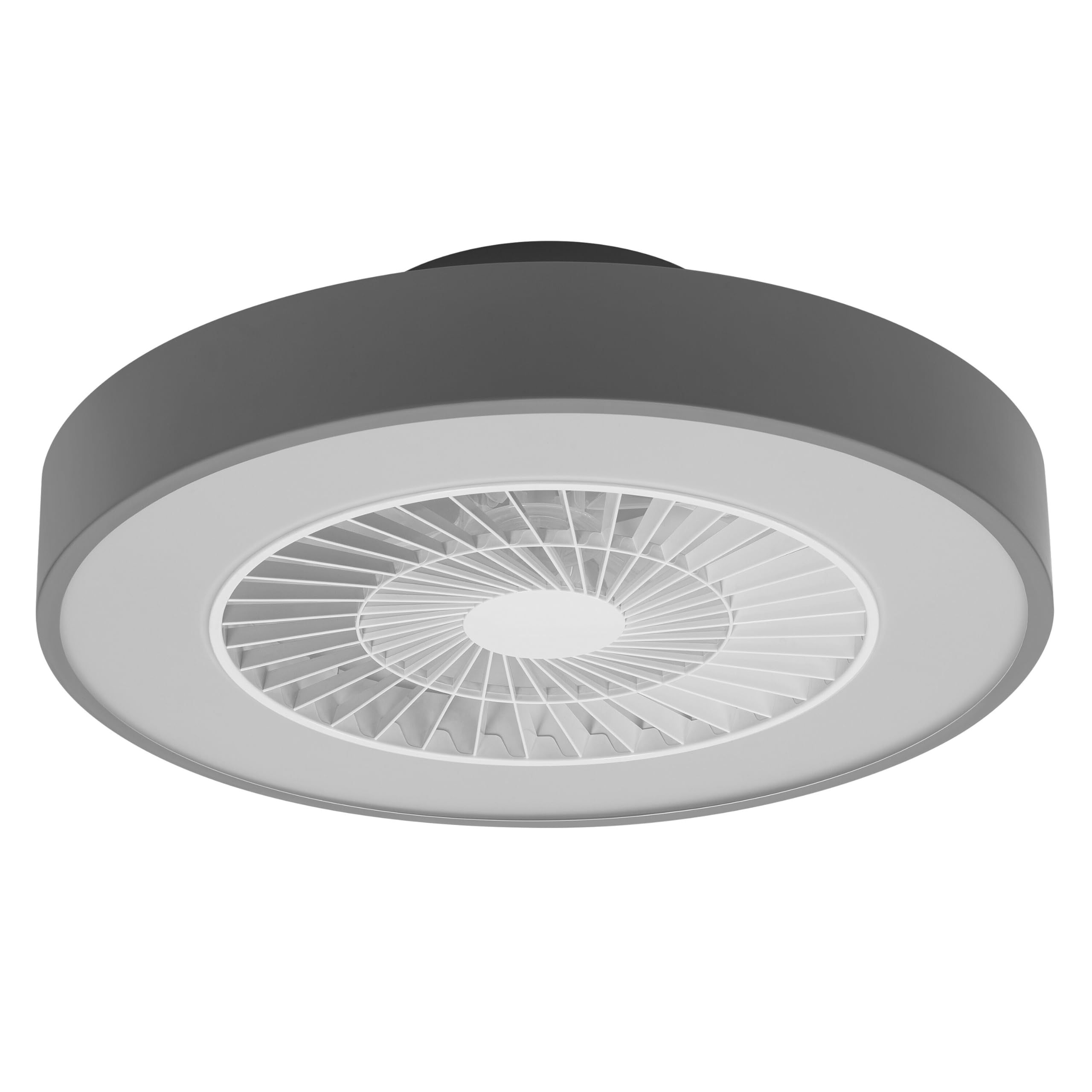
This manual provides detailed instructions for the installation, operation, and maintenance of your Osram SMART+ WiFi LED Ceiling Fan, Cylinder 550mm model. This innovative device combines an LED light fixture with an integrated fan, designed to provide both illumination and air circulation in various indoor environments.
The fan features adjustable speed settings, while the integrated LED light offers a customizable color temperature range from warm white (3000 K) to daylight white (6500 K) and is fully dimmable. Control options include a dedicated remote control, a smartphone application, and voice assistants for a seamless user experience.
2. 안전 정보
설치 및 사용 전에 모든 안전 지침을 주의 깊게 읽어 주십시오. 이 지침을 따르지 않을 경우 감전, 화재 또는 부상을 입을 수 있습니다.
- 모든 전기 연결은 자격을 갖춘 전기 기술자가 수행해야 합니다.
- Always disconnect power at the circuit breaker before beginning any installation, maintenance, or cleaning procedures.
- Verify the suitability and structural integrity of the ceiling and wall before mounting the fan. If in doubt, consult a professional.
- 이 제품은 실내에서만 사용하도록 설계되었습니다.
- Ensure all components are securely fastened before restoring power.

3. 패키지 내용
상자를 조심스럽게 개봉하여 모든 구성품이 있는지, 손상되지 않았는지 확인하십시오. 누락되거나 손상된 부품이 있는 경우 고객 지원 센터에 문의하십시오.
- 1x Osram SMART+ WiFi LED Ceiling Fan Cylinder 550mm
- 1x 원격 제어
- Mounting accessories (screws, dowels, bracket)
- 사용 설명서
4. 설정 및 설치
The Osram SMART+ WiFi LED Ceiling Fan is designed for simple assembly. Complete accessories are included for installation. The fan has dimensions of 60 x 60 cm, making it suitable for standard ceiling covers.
설치 단계:
- 전원을 끊다: Before starting any work, ensure the main power supply to the installation area is switched off at the circuit breaker.
- 마운팅 준비: Mark and drill holes for the mounting bracket on the ceiling. Ensure the holes are correctly spaced and sized for the provided dowels and screws.
- 지원 문제를 해결하세요: Securely attach the mounting bracket to the ceiling using the provided dowels and screws.
- 케이블 연결: Connect the electrical cables according to the wiring diagram provided in the manual. Ensure all connections are tight and secure.
- 팬을 설치하세요: Attach the ceiling fan unit to the mounted bracket, ensuring it is securely locked in place.
- 복원력 : 설치가 완료되고 모든 연결이 안전하게 이루어지면 회로 차단기에서 전원을 다시 켜십시오.


5. 사용 설명서
Your Osram SMART+ WiFi LED Ceiling Fan can be operated using the included remote control, the SMART+ app, or voice commands.
5.1. 원격 제어 작동
The remote control allows for direct adjustment of fan speed, light brightness, and color temperature without needing a network connection.

- 전원 버튼: 선풍기와 조명을 켜거나 끕니다.
- 팬 속도 버튼: Adjusts the fan speed (typically 3 levels).
- 조명 켜기/끄기: 조명을 독립적으로 제어합니다.
- 밝기 조정: 빛의 밝기를 조절합니다.
- 색온도 조정: Changes the light color from warm white to daylight white.
- 여름/겨울 모드: Switches between airflow directions for cooling (summer) or circulating warm air (winter).


6. Smart Features (WiFi, App, Voice Control)
The Osram SMART+ WiFi LED Ceiling Fan integrates seamlessly into your smart home ecosystem, offering advanced control options via WiFi.
6.1. SMART+ App Control
Control your fan and light settings from anywhere using the SMART+ app on your smartphone or tablet. The app allows for precise adjustments of fan speed, light brightness, and color temperature, as well as scheduling and scene creation.
- 앱 다운로드: 검색 "SMART+ App" in the App Store (iOS 14.0 or higher) or Google Play Store (Android 8.0 or higher). You can also scan the QR code or visit l.ead.me/SmartPlusWifi.
- 편성: Follow the in-app instructions to pair your ceiling fan with the SMART+ app via your home WiFi network (2.4 GHz).
- 특징: Once paired, you can control individual fan and light functions, group multiple devices, create automated routines, and manage settings remotely.


6.2. 음성 제어
Integrate your Osram SMART+ Ceiling Fan with compatible voice assistants like Google Home and Amazon Alexa for hands-free control.
- 설정: Link your SMART+ account with your preferred voice assistant app (e.g., Google Home, Amazon Alexa).
- 명령: Use simple voice commands to turn the fan or light on/off, adjust speed, brightness, or color temperature. For example, "Alexa, turn on the ceiling fan" or "Hey Google, set fan speed to medium."

7. 유지관리
정기적인 유지관리를 통해 천장선풍기의 최적의 성능과 수명을 보장할 수 있습니다.
- 청소: Before cleaning, ensure the power is disconnected. Wipe the fan and light surfaces with a soft, dry, or slightly damp 천. 연마성 세척제나 용매를 사용하지 마십시오.
- 점검: 모든 장착 나사와 연결부가 단단히 조여져 있는지 주기적으로 점검하십시오.
- 빛의 출처: 일체형 LED 광원은 긴 수명(30,000시간)을 위해 설계되었으며 사용자가 교체할 수 없습니다.
8. 문제 해결
If you encounter issues with your Osram SMART+ WiFi LED Ceiling Fan, refer to the following common problems and solutions:
| 문제 | 가능한 원인 | 해결책 |
|---|---|---|
| Fan/Light does not turn on | 전원 공급 없음; 배선이 느슨함; 리모컨 배터리가 부족함. | Check circuit breaker; Verify electrical connections (consult electrician); Replace remote control batteries. |
| 리모콘이 응답하지 않음 | Batteries depleted; Obstruction between remote and fan; Remote out of range. | Replace batteries; Ensure clear line of sight; Operate within closer range. |
| WiFi disconnection or app control issues | Weak WiFi signal; Router issues; Incorrect app pairing. | Ensure strong 2.4 GHz WiFi signal; Restart router; Re-pair device in SMART+ app. |
| 팬이 시끄럽습니다 | 장착 불량; 팬 날개 막힘; 모터 문제. | Check mounting screws; Ensure no obstructions; If noise persists, contact support. |
If the problem persists after attempting these solutions, please contact Osram customer support.
9. 사양
| 특징 | 사양 |
|---|---|
| 상표 | 오스람 |
| 모델명 | SMART+ Wifi Ceiling Fan LED Cylinder 550mm + RC |
| 모델 번호 | 4099854472800 |
| 색상 | 회색 |
| 스타일 | 실린더 |
| 치수 | 60 x 60cm |
| 무게 | 4000그램 |
| 재료 | 아크릴로니트릴 부타디엔 스티렌(ABS) |
| 전원 | AC(교류) |
| 전력 소비 | 78 와트 |
| 권tage | 6 Volts (Note: This may refer to a control circuit voltage; the main power supply is AC.) |
| 라이트 타입 | 주도의 |
| 광 출력 | 2500루멘 |
| 색온도 | 3000 K (Warm White) to 6500 K (Daylight White) |
| 밝기 조절 가능 | 예 |
| 수명 | 30,000시간 |
| 팬 속도 레벨 | 3 |
| 모터 유형 | 무브러시 모터 |
| 제어 방법 | App, Remote Control, Voice |
| 스마트 홈 호환성 | Yes (via SMART+ App, Google Home, Amazon Alexa) |
| 네트워크 프로토콜 | WiFi(2.4GHz) |
| 무선 작동 | No (Refers to main power supply, not control via WiFi) |
| 에너지 효율 등급 | E |
| 설치 유형 | 자체 설치 |
| 사용환경 | 실내 |
10. 보증 및 지원
Osram products are manufactured to high-quality standards. This product comes with a standard manufacturer's warranty. Please refer to the warranty card included in your package or visit the official Osram web자세한 보증 약관은 해당 사이트에서 확인하세요.
For technical support, troubleshooting assistance, or warranty claims, please contact Osram customer service through their official web사이트 또는 제품 설명서에 제공된 연락처 정보를 참조하세요.
Osram Official Web대지: www.osram.com