
1. 소개 및 제품 끝view
This manual provides detailed instructions for the installation, operation, and maintenance of your WALI Vertical Dual Monitor Wall Mount, Model 012ARMV-49. This mount is designed to support two monitors in a stacked configuration, optimizing desk space and providing ergonomic view각도를 나타냅니다.
The mount supports displays from 17 to 49 inches, with a maximum weight capacity of 44 lbs (20 kg) per arm. It is compatible with VESA 75x75mm and 100x100mm mounting patterns. Key features include flexible tilt, swivel, and height adjustments, along with 360-degree rotation for versatile screen positioning.
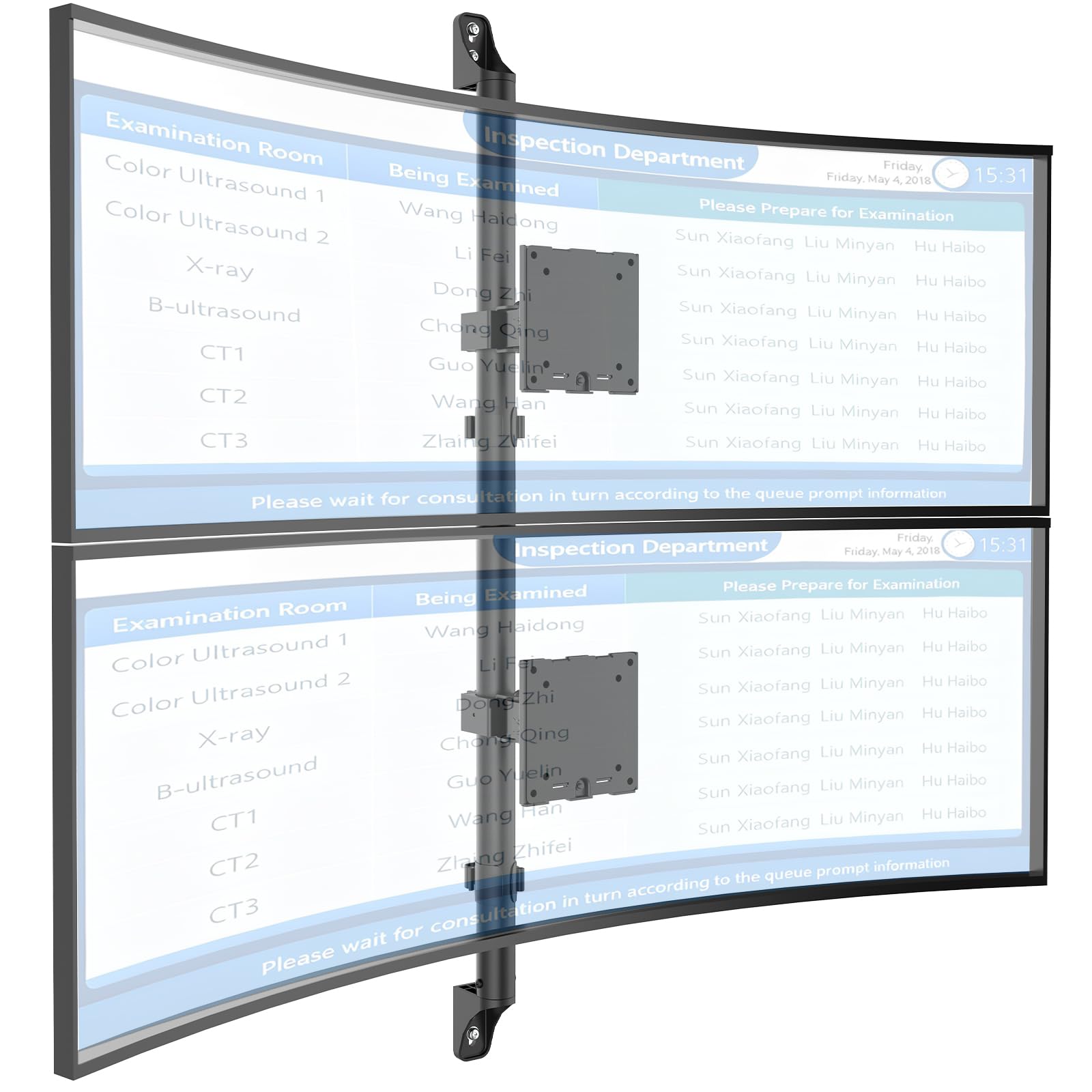
Figure 1: WALI Vertical Dual Monitor Wall Mount with two curved monitors.
2. 안전 정보
Please read and understand all instructions before installation and use. Failure to do so may result in personal injury or property damage. Keep this manual for future reference.
- 중량 용량: Do not exceed the maximum weight capacity of 44 lbs (20 kg) per monitor. Exceeding this limit can result in serious injury or product failure.
- 모니터 크기: Ensure your monitors are within the supported size range of 17-49 inches.
- VESA 호환성: Verify your monitor's VESA mounting pattern (75x75mm or 100x100mm) before installation.
- 벽 유형: This mount is designed for installation on concrete/brick walls or wooden studs. Do not install on drywall alone.
- 전문적인 설치: 설치 과정이나 벽 종류에 대해 확신이 서지 않는다면 자격을 갖춘 전문가에게 문의하십시오.
- 움직이는 부품: 조정하는 동안 손가락이 움직이는 부분에 끼이지 않도록 주의하십시오.
- 어린이들: Keep small parts and packaging materials away from children, as they may pose a choking hazard.
3. 패키지 내용
Verify that all components are present and undamaged. If any parts are missing or damaged, contact WALI customer support.
- 1 x WALI Vertical Dual Monitor Wall Mount (Black)
- Mounting Hardware Kit (includes screws, washers, wall anchors for masonry, and self-tapping screws for wood)
- 사용자 설명서
4. 사양
| 특징 | 사양 |
|---|---|
| 장착 유형 | 벽걸이형 |
| 이동 유형 | 관절 |
| 상표 | 왈리 |
| 재료 | Dual aerospace-grade aluminum mounting brackets, High-strength steel pole |
| 색상 | 검은색 |
| 호환 장치 | 모니터, 텔레비전 |
| 최대 기울기 각도 | 20도 |
| Minimum Supported Screen Size | 17 인치 |
| Maximum Supported Screen Size | 49 인치 |
| 모델 번호 | 012ARMV-49 |
| VESA 호환성 | 75x75mm, 100x100mm |
| 중량 용량 | 팔당 44kg(20파운드) |
5. 설정 및 설치
Follow these steps carefully to install your WALI Vertical Dual Monitor Wall Mount.
5.1 벽면 준비
- 벽 유형 식별: This mount is suitable for wooden studs, solid concrete walls, and brick walls.
- Locate Studs (for wood walls): Use a stud finder to locate the center of a wooden stud. Mark the drilling locations.
- 드릴링 위치 표시: Hold the wall plate against the wall at your desired height and mark the screw holes. Ensure it is level.

Figure 2: Wall compatibility for installation.
5.2 Attaching the Wall Plate
- 드릴 파일럿 홀: 표시된 위치에 드릴로 예비 구멍을 뚫으세요. 드릴 비트 크기는 벽의 종류와 제공된 하드웨어에 따라 달라집니다.
- 안전한 벽면 플레이트: Attach the wall plate to the wall using the appropriate screws and anchors for your wall type. Ensure it is firmly secured.

Figure 3: Securing the wall mount plate.
5.3 Attaching VESA Plates to Monitors
- Remove Original Stand: Carefully remove the original stand from your monitors.
- VESA 플레이트 부착: Align the VESA plate with the mounting holes on the back of your monitor. Use the provided screws to secure the plate. Ensure the plate is oriented correctly for vertical stacking.
5.4 Mounting Monitors to the Arm
- Slide Arm onto Wall Base: Carefully slide the monitor arm assembly onto the secured wall base.
- Attach Monitors: With assistance, carefully lift each monitor and slide its VESA plate onto the corresponding arm bracket. Ensure it clicks securely into place.
- Secure Monitors: Use the safety screws or clips to prevent accidental dislodgement of the monitors from the arms.

Figure 4: Monitor arm assembly and attachment points.
5.5 케이블 관리
- 케이블 경로: Utilize the integrated cable management system to route monitor cables neatly along the arm and down the wall pole.
- 보안 케이블: Use the provided clips or ties to secure the cables, preventing clutter and ensuring a clean setup.

그림 5: 통합 케이블 관리 시스템.
6. 작동 지침 (조정)
The WALI Vertical Dual Monitor Wall Mount offers various adjustments for optimal view편안함을.
- 높이 조정: The monitors can be adjusted vertically along the main pole. Loosen the adjustment screws on the arm brackets, slide the monitors to the desired height, and then re-tighten the screws. The maximum height adjustment is 28.74 inches.
- 기울기 조정: Tilt the monitors up to +50 degrees or down to -20 degrees to reduce glare and find your preferred view잉 각도.
- 회전 조정: Swivel the monitors up to +/-90 degrees horizontally for collaborative work or to adjust the view잉 방향.
- 회전: Rotate the monitors 360 degrees to switch between landscape and portrait orientations.

Figure 6: Tilt, Swivel, and Rotation adjustments.

Figure 7: Full motion adjustment range and dimensions.
7. 유지관리
정기적인 유지 관리는 모니터 거치대의 수명 연장과 안전한 작동을 보장합니다.
- 청소: 부드러운 천으로 마운트를 닦아주세요.amp 천으로 닦으세요. 연마성 세제나 용제는 사용하지 마세요.
- 견고함 확인: 정기적으로 모든 나사와 연결부를 점검하여 단단히 조여져 있는지 확인하십시오. 필요한 경우 다시 조이십시오.
- 손상 여부 검사: Regularly inspect the mount for any signs of wear, damage, or corrosion. Discontinue use and contact support if any issues are found.
8. 문제 해결
If you encounter issues with your WALI Vertical Dual Monitor Wall Mount, refer to the following common problems and solutions:
- 모니터가 처지거나 위치를 유지하지 못함:
- Ensure the monitor weight is within the 44 lbs (20 kg) per arm limit.
- Tighten the tension adjustment screws on the arm joints using the included tool.
- 산이 불안정하게 느껴집니다:
- Verify that the wall plate is securely fastened to the wall with appropriate anchors for your wall type.
- Check that all connections between the arm and the VESA plates are tight.
- 모니터 위치 조정에 어려움:
- Loosen the tension adjustment screws slightly if the movement is too stiff.
- Ensure no cables are obstructing the movement of the arms.
9. 보증 및 지원
Your WALI Vertical Dual Monitor Wall Mount comes with a 10년 보증정상적인 사용 중에 발생하는 재료 및 제조상의 결함을 보장합니다.
For technical assistance, missing parts, or warranty claims, please contact WALI customer support. Our experienced and friendly US-based customer support team is available to assist you 7 days a week.
연락처 정보: Refer to the WALI web최신 연락처 정보는 웹사이트 또는 제품 포장에서 확인하실 수 있습니다.