
LD Systems LDS-DAVE15G4X
LD Systems DAVE 15 G4X PA System User Manual
Model: LDS-DAVE15G4X
1. 서론
The LD Systems DAVE 15 G4X is a powered compact PA system designed for various live sound applications, including DJs, live bands, and solo entertainers. This system comprises a 15-inch subwoofer and two 8-inch satellites, delivering a total peak power of 2060 Watts. It features an integrated 6-channel mixer, versatile input options, Bluetooth connectivity, and advanced DSP technology for clear and powerful sound reproduction.
This manual provides essential information for the safe and efficient setup, operation, and maintenance of your DAVE 15 G4X PA system. Please read it thoroughly before initial use and keep it for future reference.
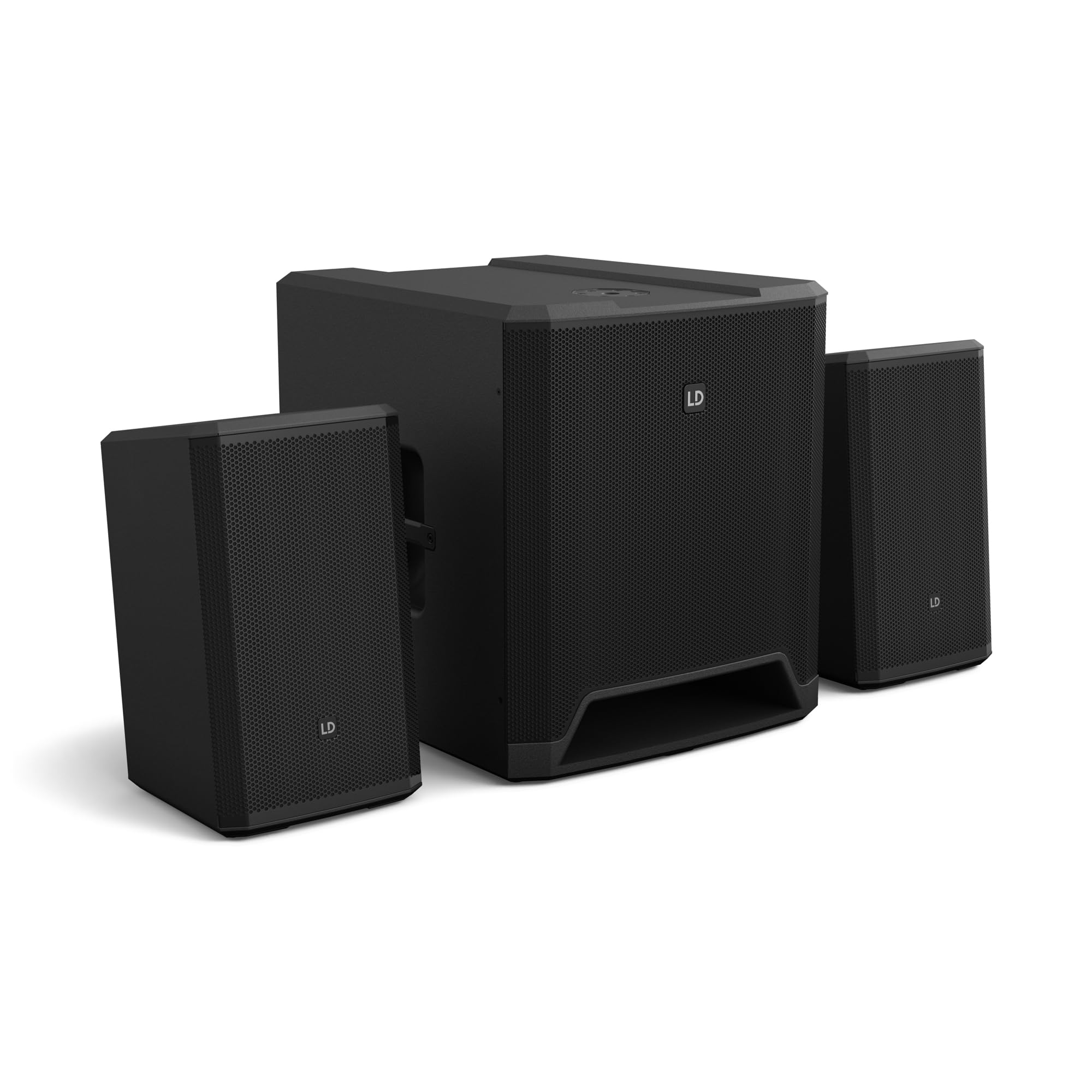
그림 1: 이상view of the LD Systems DAVE 15 G4X PA System components.
2. 안전 지침
감전, 화재 또는 부상을 예방하려면 항상 다음 안전 예방 조치를 준수하세요.
- 전원 공급 장치 볼륨을 확인하십시오.tage는 장치의 정격과 일치합니다.
- 본 제품을 비나 습기에 노출시키지 마십시오.
- c를 열지 마세요asing; 모든 서비스는 자격을 갖춘 인력에게 의뢰하세요.
- 안정되고 평평한 표면에 장치를 놓으십시오.
- 장치 주변에 적절한 환기가 이루어지도록 하세요.
- 장치 위에 물건을 올려놓지 마십시오.
- 제품을 청소하거나 이동하기 전에 전원을 차단하십시오.
3. 설정
Proper setup is crucial for optimal performance and safety. Follow these steps to assemble your DAVE 15 G4X system:
3.1 포장 풀기 및 배치
- Carefully unpack all components: one 15-inch subwoofer and two 8-inch satellite speakers.
- 서브우퍼를 안정적이고 평평한 표면에 놓으십시오.
- Position the satellite speakers. They can be placed on speaker stands (not included) or mounted on a T-stand above the subwoofer (accessories sold separately).

그림 2: 예ample of a stereo setup with one satellite speaker mounted on a pole above the subwoofer. Speaker pole not included.

그림 3: 예ample of a stereo setup with both satellite speakers on separate poles. Speaker poles not included.

그림 4: 예ample of a cluster mode setup with both satellite speakers mounted on a T-stand above the subwoofer. Speaker pole not included.
3.2 스피커 연결
- Connect the two satellite speakers to the "SAT LEFT" and "SAT RIGHT" outputs on the rear panel of the subwoofer using appropriate speaker cables.
- Ensure secure connections.

Figure 5: Rear panel connections of the DAVE 15 G4X subwoofer, including power input, satellite outputs, and various audio inputs.
3.3 전원 연결
- Connect the supplied power cable to the "POWER INPUT" on the subwoofer's rear panel.
- Plug the other end into a suitable AC power outlet.
- 전원에 연결하기 전에 전원 스위치가 "OFF" 위치에 있는지 확인하십시오.
4. 믹서 작동
The DAVE 15 G4X features an integrated 6-channel mixer for connecting various audio sources. Familiarize yourself with the control panel:

그림 6: 상세 view of the DAVE 15 G4X mixer control panel, showing input controls, EQ, reverb, and mode selection.
4.1 Input Channels 1 & 2 (Mono)
- 입력 유형 선택: Use the "SELECT" button to toggle between Microphone (MIC), High-Impedance Instrument (HI-Z), or Line-level (LINE) input.
- 게인 컨트롤 : Adjust the "HIGH" knob for input sensitivity.
- 2밴드 EQ: Use the "LOW" and "HIGH" knobs to adjust bass and treble frequencies for each channel.
- 리버브: Select one of three reverb presets (SMALL, LARGE, PLATE) and adjust the "REVERB" knob for the desired effect level.
4.2 Input Channels 3 & 4 (Stereo Line)
- These inputs are designed for stereo line-level sources such as keyboards, synthesizers, or drum machines.
- Adjust the "INPUT 3/4" knob for the overall volume of these channels.
4.3 Input Channels 5 & 6 (Digital/Bluetooth)
- SPDIF 입력: Connect a digital audio source via the SPDIF TOSLINK input on the rear panel.
- 블루투스 페어링 : Press and hold the "HOLD TO LINK" button to activate Bluetooth pairing mode. 검색 "LD Systems DAVE 15 G4X" on your device and connect.
- 소스 선택: Use the "SOURCE" button to switch between SPDIF and Bluetooth inputs.
- Adjust the "INPUT 5/6" knob for the overall volume of these channels.
4.4 마스터 컨트롤
- 메인 볼륨: The large "MAIN" knob controls the overall output volume of the system.
- SUB Volume: Adjust the "SUB" knob to control the volume level of the subwoofer.
- 높은 볼륨: Adjust the "HIGH" knob to control the volume level of the satellite speakers.
- 모드 사전 설정: Use the "SELECT" button under "MODE" to choose between different setup presets (e.g., Stereo, Cluster Mode) for optimized sound dispersion.
5. 유지관리
Regular maintenance ensures the longevity and optimal performance of your DAVE 15 G4X PA system.
- 청소: 부드럽고 마른 천으로 표면을 닦으세요. 잘 지워지지 않는 얼룩은 약간 거친 천으로 닦아내세요.amp cloth can be used, followed by a dry cloth. Avoid abrasive cleaners or solvents, as they may damage the polyurea coating.
- 통풍: Ensure that all ventilation openings remain clear of dust and debris to prevent overheating.
- 저장: When not in use for extended periods, store the system in a dry, dust-free environment. Consider using protective covers or bags (accessories sold separately) to prevent damage.
- 케이블 관리 : 모든 케이블에 마모나 손상 흔적이 있는지 정기적으로 점검하십시오. 손상된 케이블은 즉시 교체하십시오.
6. 문제 해결
If you encounter issues with your DAVE 15 G4X system, refer to the following common problems and solutions:
6.1 사운드 출력 없음
- 전원 확인: Ensure the system is powered on and the power cable is securely connected. Verify the "POWER" indicator light is illuminated.
- 볼륨 레벨: Confirm that the "MAIN," "SUB," and "HIGH" volume knobs are turned up. Check individual channel gain controls.
- 입력 선택: Ensure the correct input source is selected for the active channel (e.g., MIC, HI-Z, LINE, SPDIF, Bluetooth).
- 케이블 연결: Verify all audio cables (input sources, satellite speakers) are correctly and securely connected.
- 소스 장치: Check if your audio source device (microphone, instrument, media player) is functioning correctly and outputting sound.
6.2 왜곡되거나 불분명한 소리
- 입력 이득: Reduce the input gain for the affected channel if the "SIGNAL" or "LIMIT" indicator lights are constantly red.
- 마스터 볼륨: Lower the "MAIN" volume if the overall sound is distorted.
- EQ 설정: Adjust the EQ (LOW, HIGH) settings on individual channels to improve clarity.
- 케이블 품질: 고품질의 차폐 오디오 케이블을 사용하고 있는지 확인하십시오.
6.3 블루투스 연결 문제
- 페어링 모드 : Ensure the DAVE 15 G4X is in Bluetooth pairing mode (press and hold "HOLD TO LINK").
- 장치 가시성: Make sure Bluetooth is enabled on your source device and it is discoverable.
- 거리: Keep your Bluetooth device within the effective range of the PA system.
- 간섭: 간섭을 일으킬 수 있는 다른 무선 장치에서 멀리 떨어지세요.
- 장치 삭제 : If previously paired, try "forgetting" the DAVE 15 G4X on your device and re-pairing.
7. 사양
Detailed technical specifications for the LD Systems DAVE 15 G4X PA System:
| 특징 | 사양 |
|---|---|
| 모델명 | LDS-DAVE15G4X |
| 스피커 유형 | Powered 2.1 PA System |
| 서브우퍼 크기 | 15인치 |
| 위성 스피커 크기 | 2 x 8 인치 |
| 최대 출력 전력 | 2060 와트 |
| 믹서 채널 | 6-Channel Integrated Mixer |
| 연결 기술 | Bluetooth, SPDIF TOSLINK, XLR, 1/4" Jack, RCA |
| 장착 유형 | Floor Standing (Subwoofer), Pole Mount (Satellites) |
| 제품 치수(서브우퍼) | 20"D x 19"W x 21"H(대략) |
| 품목 무게 | 119 pounds (total system approximate) |
| 포함된 구성 요소 | LDDAVE15G4X (Subwoofer, 2 Satellites, Power Cable) |
| DSP 기술 | DynX DSP (Gen.2), FIR Filters |
| 캐비닛 소재 | Durable Polyurea Coating |
8. 보증 정보
Warranty terms and conditions for the LD Systems DAVE 15 G4X PA System are typically provided with your purchase documentation or can be found on the official LD Systems web사이트. 보증 청구를 위해 구매 증빙 자료를 보관해 주세요.
자세한 보증 정보는 다음을 방문하십시오. LD Systems official web대지 또는 공인 대리점에 문의하십시오.
9. 고객 지원
Should you require technical assistance, service, or have questions regarding your LD Systems DAVE 15 G4X PA System, please contact LD Systems customer support or your local authorized dealer.
For further support and resources, please visit the LD Systems official web대지.
Ask a question about this manual
Ask about setup, troubleshooting, compatibility, parts, safety, or missing instructions. Manuals+ will review the question and use this page’s manual context to help answer it.