
1. 안전 정보
Please read all safety instructions carefully before using the BORUIT RJ28 Mini Flashlight. Keep this manual for future reference.
- 광선을 직접 쳐다보지 마십시오. 강한 빛은 일시적인 시력 장애나 눈 손상을 일으킬 수 있습니다.
- 손전등을 어린이의 손이 닿지 않는 곳에 보관하십시오.
- Do not disassemble or modify the flashlight. This may cause damage and void the warranty.
- 제공된 Type-C 충전 케이블이나 인증된 동등 제품만 사용하세요.
- 손전등을 극한의 온도나 직사광선에 장시간 노출시키지 마세요.
- The flashlight has an IP66 water resistance rating, meaning it is protected against powerful water jets. It is not designed for submersion.
2. 제품 오버view
The BORUIT RJ28 is a compact and versatile EDC (Everyday Carry) flashlight designed for various applications, from daily tasks to outdoor emergencies.
주요 특징
- 슈퍼 미니 사이즈: Extremely compact body (6.4 cm length x 1.9 cm diameter), weighing only 35g.
- 강력한 조명: Main LED provides up to 410 lumens with a maximum illumination distance of 50 meters.
- Versatile Side Light: Features RGB side light for ambient lighting, signaling, or warning.
- 다중 조명 모드: 4 main light modes (Strong, Low, Medium, SOS) and 17 side light modes (White Strong/Low, various colored lights, colored breathing light, red-blue flashing warning light).
- 편리한 충전: Type-C charging port, full charge in approximately 110 minutes.
- 배터리 표시기: Red light for charging, green light for full charge.
- 내구성 있는 구조: Made from high-quality aluminum alloy, anti-drop, and IP66 water-resistant.
- 실용적인 디자인 : Integrated clip for hands-free use and magnetic base for attachment to metal surfaces.
패키지 내용
- BORUIT RJ28 Mini Flashlight
- USB-C 충전 케이블
- Pocket Clip (pre-installed or separate)
- Keychain Ring
- 사용자 설명서

Image: BORUIT RJ28 Mini Flashlight showing package contents including the flashlight, USB-C cable, clip, and keychain, along with product dimensions.
3. 설정
초기 충전
- 손전등에서 Type-C 충전 포트를 찾으세요.
- 제공된 USB-C 케이블을 손전등과 호환되는 USB 전원(예: 벽면 어댑터, 컴퓨터 USB 포트)에 연결하십시오.
- The battery indicator light will illuminate 빨간색 충전 중.
- 완전히 충전되면 표시등이 켜집니다. 녹색. A full charge takes approximately 110 minutes.
- Disconnect the charging cable after the light turns green.

Image: The BORUIT RJ28 Mini Flashlight connected to a Type-C charging cable, showing the red indicator light for charging.
4. 사용 설명서
The BORUIT RJ28 features a main front light and a multi-color side light, each with distinct operating modes.
메인 라이트 작동
The main light is controlled by a dedicated button, typically located near the front of the flashlight.
- 켜기/끄기: Press and hold the main light button for approximately 0.5 seconds to turn the main light on or off.
- 사이클 모드: While the main light is on, short press the button to cycle through modes: Strong → Low → Medium → SOS.
사이드 라이트 작동
The side light, featuring white and RGB options, is controlled by a separate button, usually located on the side.
- 켜기/끄기: Press and hold the side light button for approximately 0.5 seconds to turn the side light on or off.
- 사이클 모드: While the side light is on, short press the button to cycle through modes: White Strong → White Low → Red → Green → Blue → Orange → Yellow → Cyan → Purple → Red Breathing → Green Breathing → Blue Breathing → Orange Breathing → Yellow Breathing → Cyan Breathing → Purple Breathing → Red-Blue Flashing (Warning Light).
자기 기능
The flashlight features a magnetic base, allowing it to be securely attached to metal surfaces for hands-free illumination.
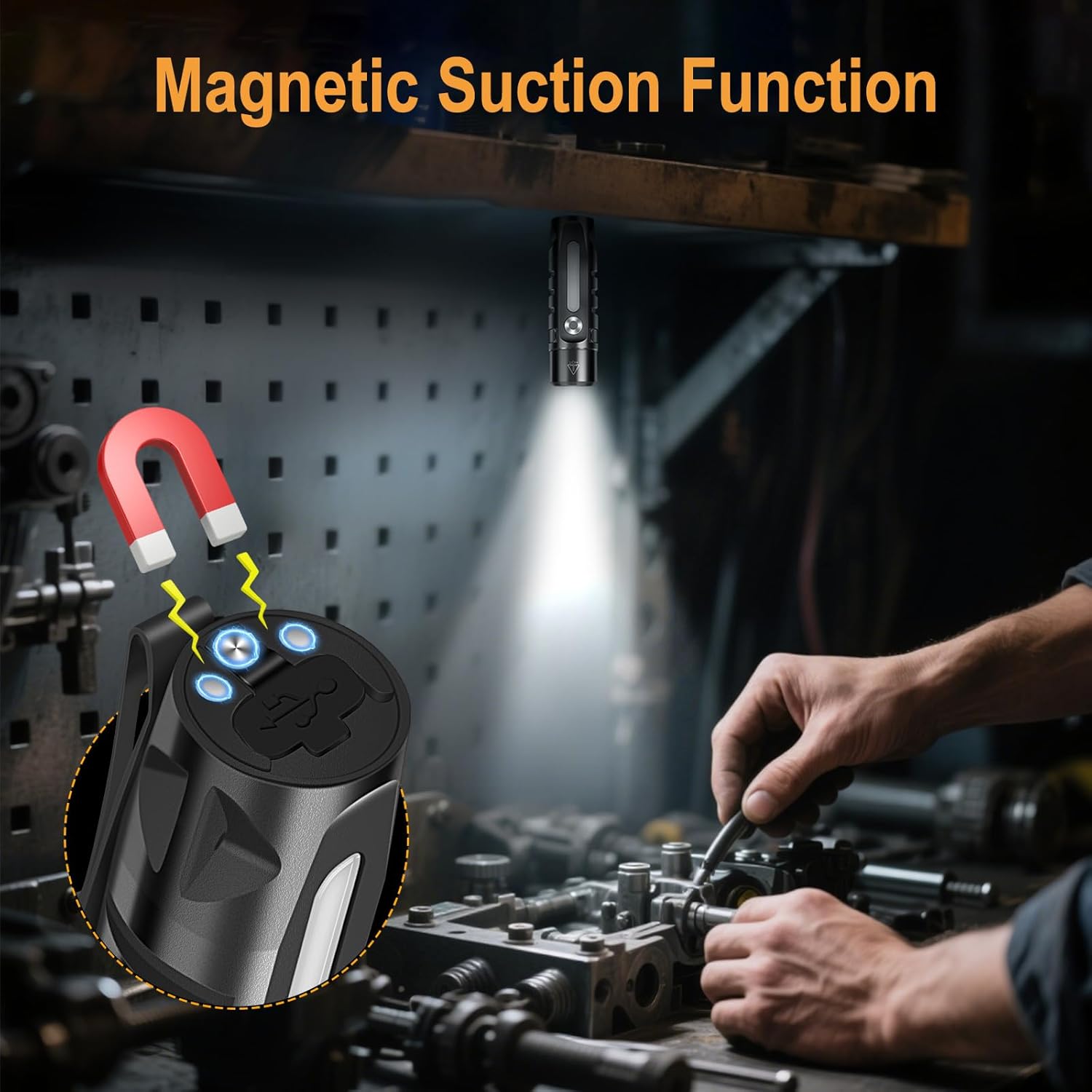
Image: The BORUIT RJ28 Mini Flashlight attached magnetically to a metal surface, providing downward illumination for repair work.
Clip Usage
The integrated clip provides versatile attachment options, such as clipping onto a hat brim, backpack strap, or pocket.
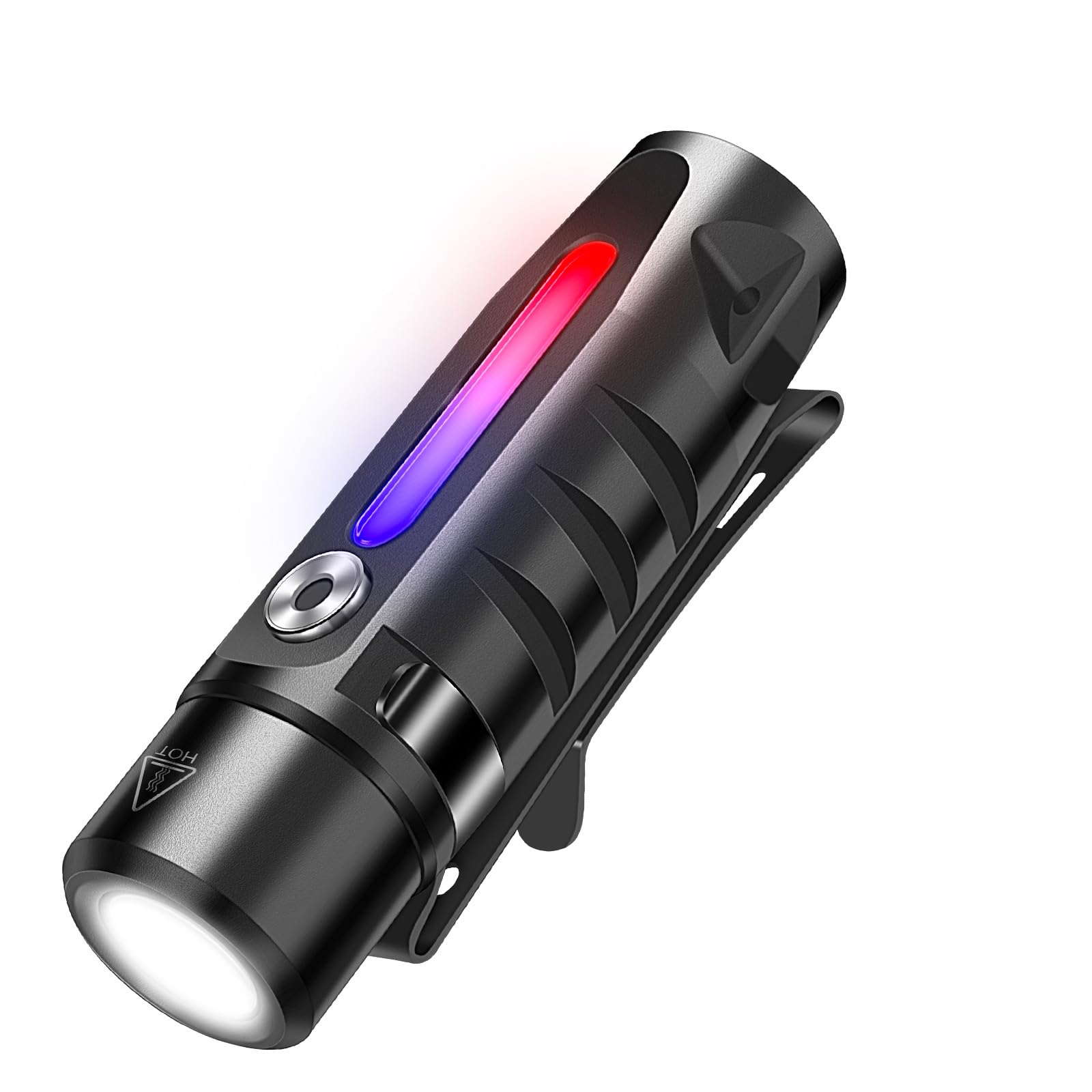
Image: Demonstrations of the BORUIT RJ28 Mini Flashlight being used with its portable clip as a hat lamp, signal lamp on a backpack, and service lamp on a shirt pocket.
다양한 응용 프로그램

Image: Four scenarios showing the BORUIT RJ28 Mini Flashlight in use: everyday carry in a pouch, outdoor walking at night, dog walking, and repairing an engine.
5. 유지관리
Proper maintenance ensures the longevity and optimal performance of your BORUIT RJ28 Mini Flashlight.
- 청소: 손전등 본체를 부드러운 천으로 닦으세요.amp 천. 연마성 세척제나 용매를 사용하지 마십시오.
- 저장: Store the flashlight in a cool, dry place away from direct sunlight and extreme temperatures. If storing for extended periods, charge the battery to about 50% every 3-6 months to maintain battery health.
- 배터리 관리 : 배터리를 자주 완전히 방전하지 마세요. 배터리 표시등이 전력 부족을 나타내면 즉시 재충전하세요.
- 방수 기능: IP66 방수 등급을 유지하려면 충전 포트 덮개가 단단히 닫혀 있는지 확인하십시오.
6. 문제 해결
If you encounter issues with your BORUIT RJ28 Mini Flashlight, refer to the following common problems and solutions:
| 문제 | 가능한 원인 | 해결책 |
|---|---|---|
| 손전등이 켜지지 않습니다. | 배터리가 부족합니다. 잘못된 작동. | 손전등을 완전히 충전하세요. 전원 버튼을 0.5초간 길게 누르세요. |
| 손전등이 충전되지 않습니다. | 충전 케이블이 제대로 연결되지 않았습니다. 케이블 또는 전원 공급 장치에 문제가 있습니다. | USB-C 케이블이 완전히 삽입되었는지 확인하세요. 다른 USB-C 케이블이나 전원 어댑터를 사용해 보세요. |
| 광 출력이 어둡습니다. | 배터리가 부족합니다. 잘못된 모드를 선택했습니다. | 손전등을 충전하세요. Cycle through modes to select a brighter setting. |
문제가 지속되면 고객 지원팀에 문의하세요.
7. 사양
| 특징 | 사양 |
|---|---|
| 상표 | 보루잇 |
| 모델 번호 | V8-1 (RJ28) |
| 치수(길이 x 너비 x 높이) | 6.4 x 1.9 x 1.9cm (19P x 19L x 64H 밀리미터) |
| 무게 | 35그램 |
| 재료 | 알류미늄 |
| 배터리 | 1 Lithium-ion (200 mAh) - included |
| 충전 포트 | C타입 |
| 충전량tage | 5V 1A |
| 메인 조명 밝기 | 최대 410 루멘스 |
| Max Illumination Distance | 50 미터 |
| 방수성 | IP66 |
| 특별 기능 | Multiple lighting modes, Clip, Magnetic base, RGB side light, SOS, Colored breathing light |
| 인증 | CE |
에너지 라벨 정보

Image: Energy label for BORUIT V8-1 (RJ28) showing energy efficiency class G and 5 kWh/1000h consumption. For more details, scan the QR code or visit eprel.ec.europa.eu/qr/1514000.
8. 보증 및 지원
보증 정보는 구매 시 판매점에서 제공하는 약관을 참조하십시오. 보증 청구를 위해 구매 증빙 자료를 보관하십시오.
If you require technical assistance or have questions not covered in this manual, please contact the retailer or BORUIT customer support through their official web사이트 또는 연락처 채널.