
Redmi Redmi Pad 2 Wi-Fi + Cellular
Redmi Pad 2 Wi-Fi + Cellular User Manual
Model: Redmi Pad 2 Wi-Fi + Cellular
1. 서론
Welcome to the Redmi Pad 2 Wi-Fi + Cellular user manual. This guide provides essential information to help you get started with your new tablet, understand its features, and ensure optimal performance. Please read this manual thoroughly before using your device.
The Redmi Pad 2 offers a vibrant 2.5K display, powerful MediaTek Helio G100-Ultra processor, long-lasting 9000mAh battery, and supports an Active Pen for enhanced productivity and creativity. With HyperOS 2 and AI-powered features, your tablet experience is designed to be intuitive and efficient.

이미지: 오버view of the Redmi Pad 2's key features, including its 2.5K display, cellular connectivity, immersive audio, 9000mAh battery, HyperOS 2, AI-Powered capabilities, and MediaTek Helio G100-Ultra processor.
2. 초기 설정
2.1 언박싱 및 패키지 구성품
Your Redmi Pad 2 package should contain the following items:
- 레드미 패드 2 태블릿 컴퓨터
- 전원 어댑터
- USB Type-C 케이블
- SIM 이젝터 도구
2.2 장치 충전
Before first use, fully charge your Redmi Pad 2. Connect the USB Type-C cable to the tablet's charging port and the power adapter, then plug the adapter into a wall outlet. The tablet supports 18W fast charging.
2.3 전원 켜기/끄기
- 전원을 켜려면: Redmi 로고가 나타날 때까지 전원 버튼을 길게 누릅니다.
- 전원을 끄려면: 전원 버튼을 길게 누른 다음, 화면에 나오는 옵션에서 '전원 끄기'를 선택하세요.
2.4 SIM 카드 삽입(셀룰러 모델)
For cellular connectivity, insert a nano-SIM card using the provided SIM ejector tool.
- 태블릿 측면에서 SIM 카드 트레이를 찾으세요.
- SIM 꺼내기 도구를 트레이 옆에 있는 작은 구멍에 넣고 트레이가 튀어나올 때까지 살짝 누르세요.
- 나노 SIM 카드를 금색 접점이 아래를 향하도록 트레이에 놓으세요.
- 트레이를 태블릿에 조심스럽게 밀어 넣어 딸깍 소리가 나면서 제자리에 고정되도록 합니다.

이미지: 측면 view of the Redmi Pad 2, illustrating the location of the SIM card tray and physical buttons.
2.5 Wi-Fi에 연결하기
- 이동하다 설정 > 와이파이.
- Wi-Fi를 켭니다.
- 목록에서 원하는 네트워크를 선택하세요.
- 메시지가 표시되면 비밀번호를 입력하고 탭하세요. 연결하다.
2.6 구글 계정 설정
Follow the on-screen prompts to set up your Google account. This is necessary to access the Google Play Store, synchronize data, and use various Google services.
3. 레드미 패드 2 사용 방법
3.1 Navigation and User Interface (HyperOS 2)
Your Redmi Pad 2 runs on HyperOS 2, based on Android, providing a smooth and intuitive user experience. Swipe gestures and on-screen buttons allow for easy navigation between apps and settings.
3.2 디스플레이 기능
Experience crystal-clear visuals on the 11-inch 2.5K (2560x1600 pixels) display with a 90Hz refresh rate for smooth scrolling and animations. The display offers up to 600 nits of brightness for clear visibility in various lighting conditions.

Image: The Redmi Pad 2's 2.5K Crystal Clear Display, highlighting its sharp resolution and vibrant color reproduction.
3.3 오디오 경험
The tablet features quad speakers with Dolby Atmos support, delivering an immersive audio experience for movies, music, and games.

Image: The Redmi Pad 2 demonstrating its immersive audio capabilities with quad speakers and Dolby Atmos technology.
3.4 Active Pen Support
The Redmi Pad 2 supports an Active Pen (sold separately) for precise input. Use it for note-taking, sketching, marking up documents, and navigating the interface with ultra-low latency and 4096 pressure sensitivity levels.

Image: The Redmi Pad 2 demonstrating Active Pen support for creative tasks, instant answers, effortless note-taking, and handwriting recognition.

Image: A close-up of the Redmi Smart Pen in use, detailing its features such as seamless writing, millisecond-level latency, 4096 pressure sensitivity, 10g activation force, and 12 hours of continuous writing.
3.5 AI 기반 기능
Leverage AI capabilities like 검색하려면 동그라미를 치세요 for instant information retrieval and Gemini AI for personalized assistance, enhancing productivity and entertainment.

Image: The Redmi Pad 2 demonstrating AI-powered features, specifically 'Circle to Search' for instant answers.
3.6 카메라 사용
The tablet is equipped with an 8MP rear camera and a 5MP front camera, suitable for video calls and casual photography. Video capture resolutions include FHD 1080p and HD 720p.
3.7 저장 공간 및 성능
The Redmi Pad 2 comes with 8GB RAM and 256GB internal storage (UFS 2.2 for fast loads). Storage can be expanded up to 2TB using a microSD card (sold separately).

Image: The Redmi Pad 2 highlighting its storage and RAM capabilities, including up to 16GB RAM, 256GB UFS 2.2 storage, and 2TB expandable storage.
Powered by the MediaTek Helio G100-Ultra processor, the tablet delivers efficient performance for multitasking, gaming, and media consumption.
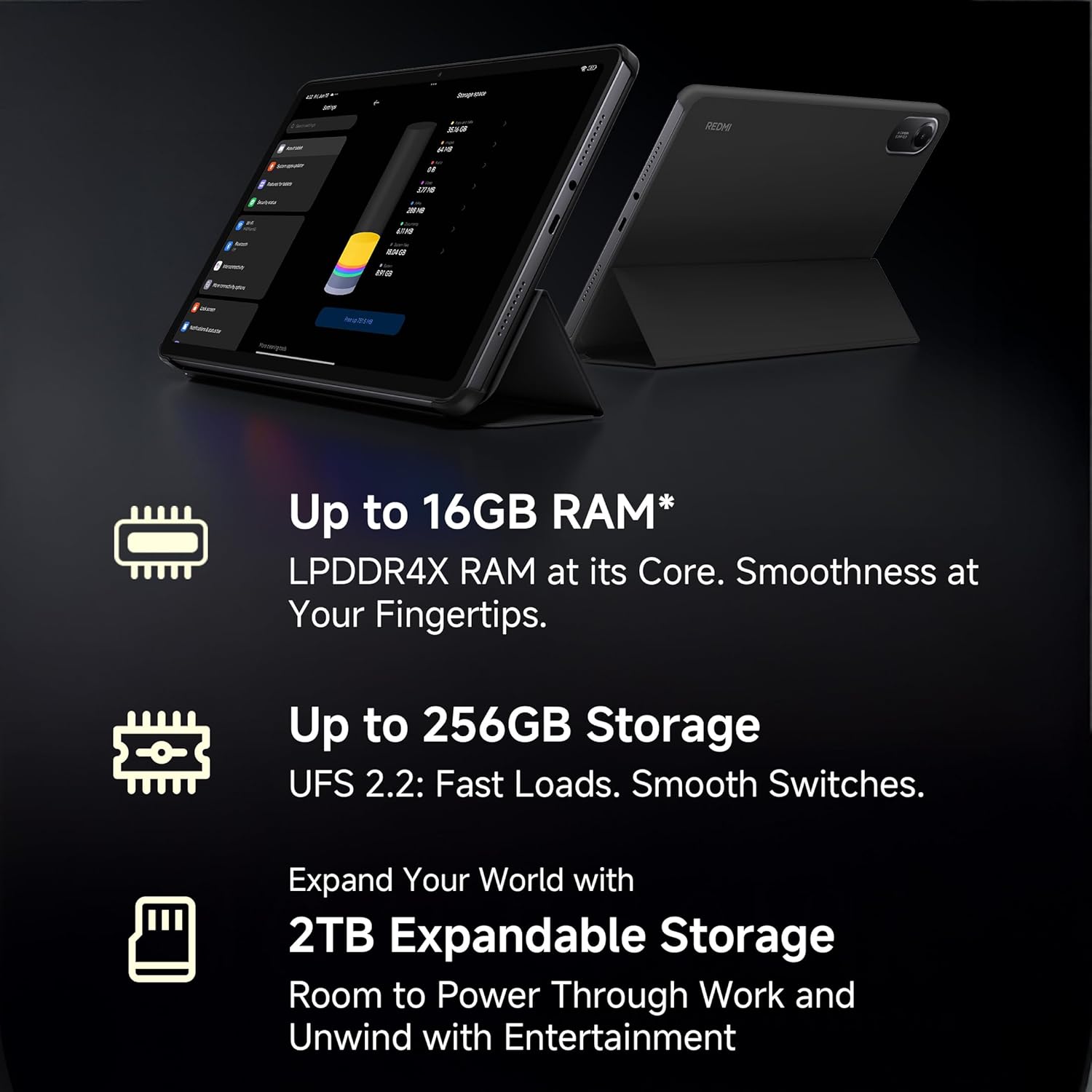
Image: A visual representation of the advanced MediaTek Helio G100-Ultra processor, emphasizing its performance capabilities.
3.8 연결성
Stay connected with Wi-Fi (802.11a/b/g/n/ac) and cellular connectivity. The tablet also features Bluetooth for connecting accessories and a USB 2.0 Type-C port for charging and data transfer.

Image: The Redmi Pad 2 demonstrating its cellular connectivity, allowing users to stay connected anytime, anywhere.
4. 유지관리 및 관리
4.1 태블릿 청소
Use a soft, lint-free cloth to clean the screen and body of your Redmi Pad 2. Avoid using harsh chemicals or abrasive materials that could damage the display or finish.
4.2 배터리 관리
9000mAh 배터리는 장시간 사용을 가능하게 합니다. 배터리 수명을 연장하려면 다음을 참고하세요.
- 극한의 온도를 피하세요.
- 배터리가 완전히 방전되기 전에 자주 충전하세요.
- 최적의 충전을 위해 정품 충전기와 케이블을 사용하세요.

Image: The Redmi Pad 2 highlighting its XL 9000mAh battery, capable of providing up to 19 hours of binge-watching, 22 hours of discoveries, and 10 hours of gaming.
4.3 소프트웨어 업데이트
태블릿에 최신 기능, 보안 패치 및 성능 향상이 적용되도록 정기적으로 소프트웨어 업데이트를 확인하고 설치하세요. 자세한 내용은 다음 링크를 참조하세요. 설정 > 태블릿에 대하여 > 시스템 업데이트.
4.4 저장 공간 최적화
주기적으로 다시view 그리고 불필요한 것을 삭제하세요 files, apps, and media to maintain optimal performance. Utilize cloud storage or the expandable storage option for large files.
5. 문제 해결
이 섹션에서는 Redmi Pad 2 사용 중 발생할 수 있는 일반적인 문제에 대해 설명합니다.
5.1 장치 전원이 켜지지 않음
- 배터리가 충전되어 있는지 확인하십시오. 태블릿을 충전기에 최소 30분 동안 연결해 두세요.
- 전원 버튼을 10~15초간 길게 눌러 강제 재시작을 실행하세요.
5.2 연결 문제 (Wi-Fi/셀룰러)
- 와이파이: 설정에서 Wi-Fi가 활성화되어 있는지 확인하세요. 공유기를 다시 시작하세요. 네트워크를 삭제하고 다시 연결하세요.
- 셀룰러: Ensure the SIM card is correctly inserted and activated. Check your mobile data settings. Restart the tablet.
5.3 느린 성능
- 백그라운드에서 실행 중인 사용하지 않는 애플리케이션을 닫습니다.
- 앱의 캐시 데이터를 지웁니다.
- 충분한 여유 저장 공간을 확보하세요.
- 태블릿을 정기적으로 다시 시작하세요.
5.4 Active Pen Not Responding
- Ensure the Active Pen is charged (if applicable).
- Check Bluetooth connection for the pen in tablet settings.
- 태블릿을 다시 시작하십시오.
6. 사양
| 특징 | 세부 사항 |
|---|---|
| 상표 | 레드미 |
| 모델명 | Redmi Pad 2 Wi-Fi + Cellular |
| 운영 체제 | Android, HyperOS 2 |
| 프로세서 | MediaTek Helio G100-Ultra (2.2 GHz) |
| 그래픽 코프로세서 | 말리-G57 MC2 |
| 숫양 | 8GB (XNUMX기가바이트) |
| 내부 저장소 | 256GB (XNUMX기가바이트) |
| 확장 가능한 스토리지 | Yes (up to 2TB) |
| 화면 크기 | 11인치(27.94cm) |
| 디스플레이 해상도 | 2560x1600 픽셀(2.5K) |
| 디스플레이 유형 | 액정표시장치 |
| 새로 고침 빈도 | 90Hz |
| 최대 밝기 | 600 Nits |
| 후방 카메라 | 8 MP |
| 전면 카메라 | 5 MP |
| 배터리 용량 | 9000mAh |
| 배터리 평균 수명 | 10시간 |
| 연결성 | Wi-Fi (802.11a/b/g/n/ac), Cellular |
| 인간 인터페이스 | 스타일러스 펜을 지원하는 터치스크린 |
| 오디오 잭 | 3.5mm (XNUMXmm) |
| 치수(길이 x 너비 x 두께) | 25.5L x 16.6W x 0.7Th Centimeters |
| 품목 무게 | 519그램 |
| 색상 | 하늘색 |
7. 보증 정보
The Redmi Pad 2 Wi-Fi + Cellular comes with a 1년 제조사 보증. Please retain your proof of purchase for warranty claims. For detailed terms and conditions, refer to the warranty card included in your product packaging or visit the official Redmi web대지.
8. 고객 지원
For further assistance, technical support, or service inquiries, please contact Redmi customer support. You can find contact information on the official Redmi web사이트 또는 기기 설정 내의 지원 섹션을 통해서도 문의할 수 있습니다.
제조업체: BYD (India) Private Limited, Xiaomi
제조업체 연락처 정보: BYD (India) Private Limited, Developed Plot No. OZ 7, Sipcot, Oragadam, Sriperambudur, Kancheepuram, Tamil Nadu 602105, India
For online support, visit the official Redmi India Support Page.
관련 문서Redmi Pad 2 Wi-Fi + Cellular


Ask a question about this manual
Ask about setup, troubleshooting, compatibility, parts, safety, or missing instructions. Manuals+ will review the question and use this page’s manual context to help answer it.