
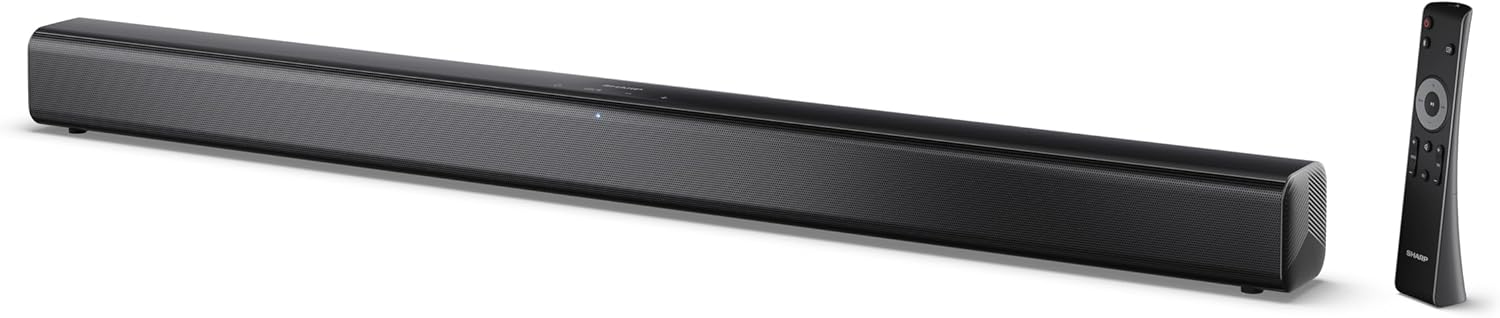
Image 0.1: The SHARP HT-SB145 2.0 Channel Soundbar shown alongside its remote control.
1. 서론
This manual provides essential instructions for the safe and efficient operation of your SHARP HT-SB145 2.0 Channel Soundbar. Please read this manual thoroughly before use and retain it for future reference.
2. 안전 정보
감전, 화재 또는 장치 손상을 방지하려면 다음 안전 예방 조치를 준수하세요.
- 이 기기를 물이 떨어지거나 튀는 곳에 두지 마십시오.
- 꽃병 등 액체가 들어 있는 물건을 기기 위에 올려놓지 마십시오.
- 충분한 환기를 유지하세요. 환기구를 막지 마세요.
- 라디에이터, 난방 조절기, 스토브 또는 기타 장치(다음을 포함)와 같은 열원 근처에 설치하지 마십시오. amp열을 생성하는 발전기.
- 전원 코드가 밟히거나 끼지 않도록 보호하세요.
- 제조사가 지정한 부속품/액세서리만 사용하세요.
- 번개 폭풍 시 또는 장기간 사용하지 않을 때는 기기의 플러그를 뽑아두세요.
- 모든 서비스는 자격을 갖춘 서비스 담당자에게 의뢰하세요.
3. 패키지 내용
아래 나열된 모든 품목이 패키지에 포함되어 있는지 확인하세요.
- 샤프 HT-SB145 사운드바
- 원격 제어
- 전원 케이블
- 벽면 장착 브래킷(2)
- 나사 및 벽 플러그 (설치용)
- AAA 배터리 (2)
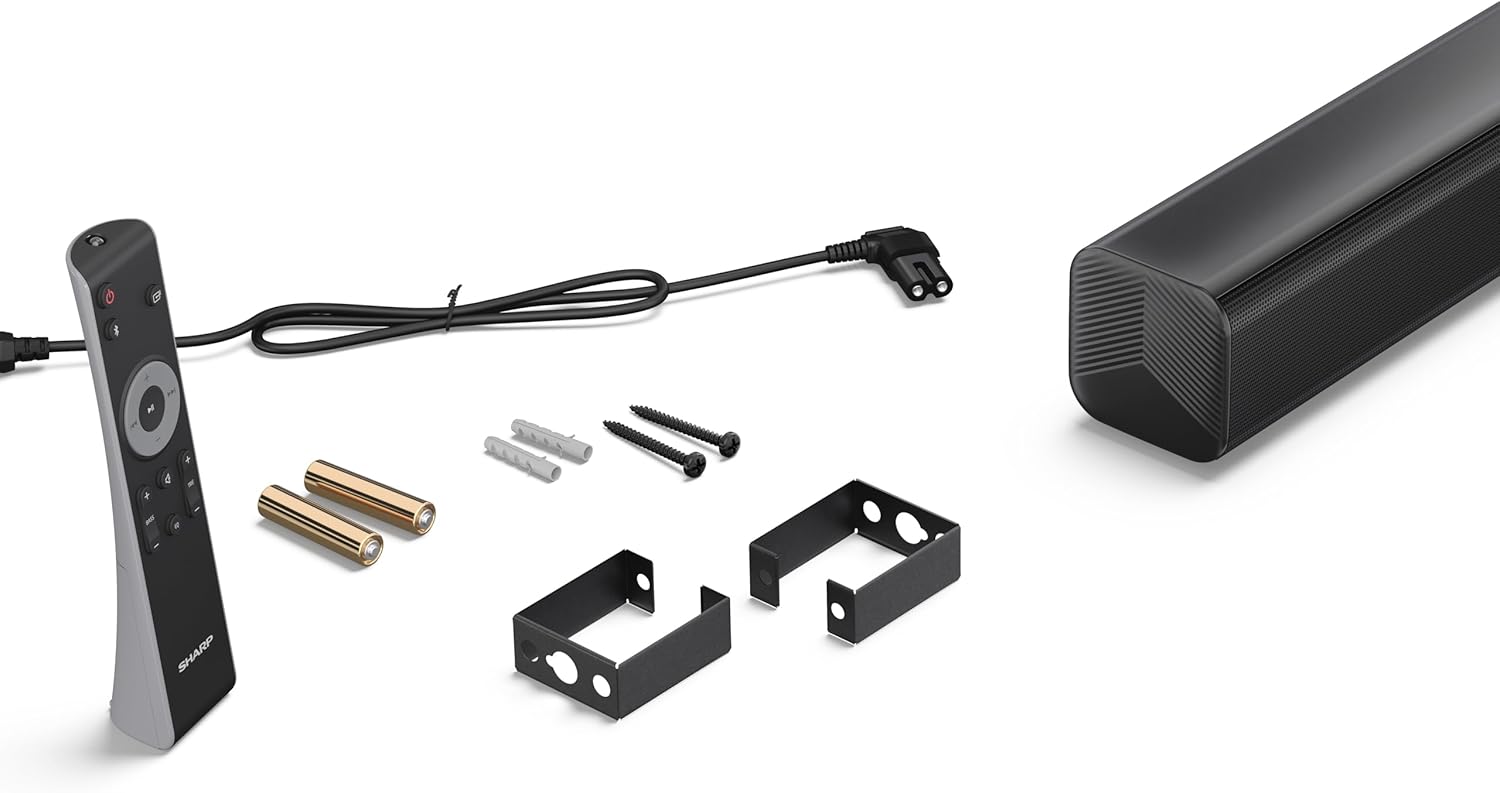
Image 3.1: Contents of the SHARP HT-SB145 Soundbar package, including the soundbar, remote control, power cable, wall mount brackets, screws, and two AAA batteries.
4. 제품 오버view
4.1 전면 및 상단 View

이미지 4.1: 앞면 view of the SHARP HT-SB145 Soundbar, showcasing the speaker grille and the central LED indicator.
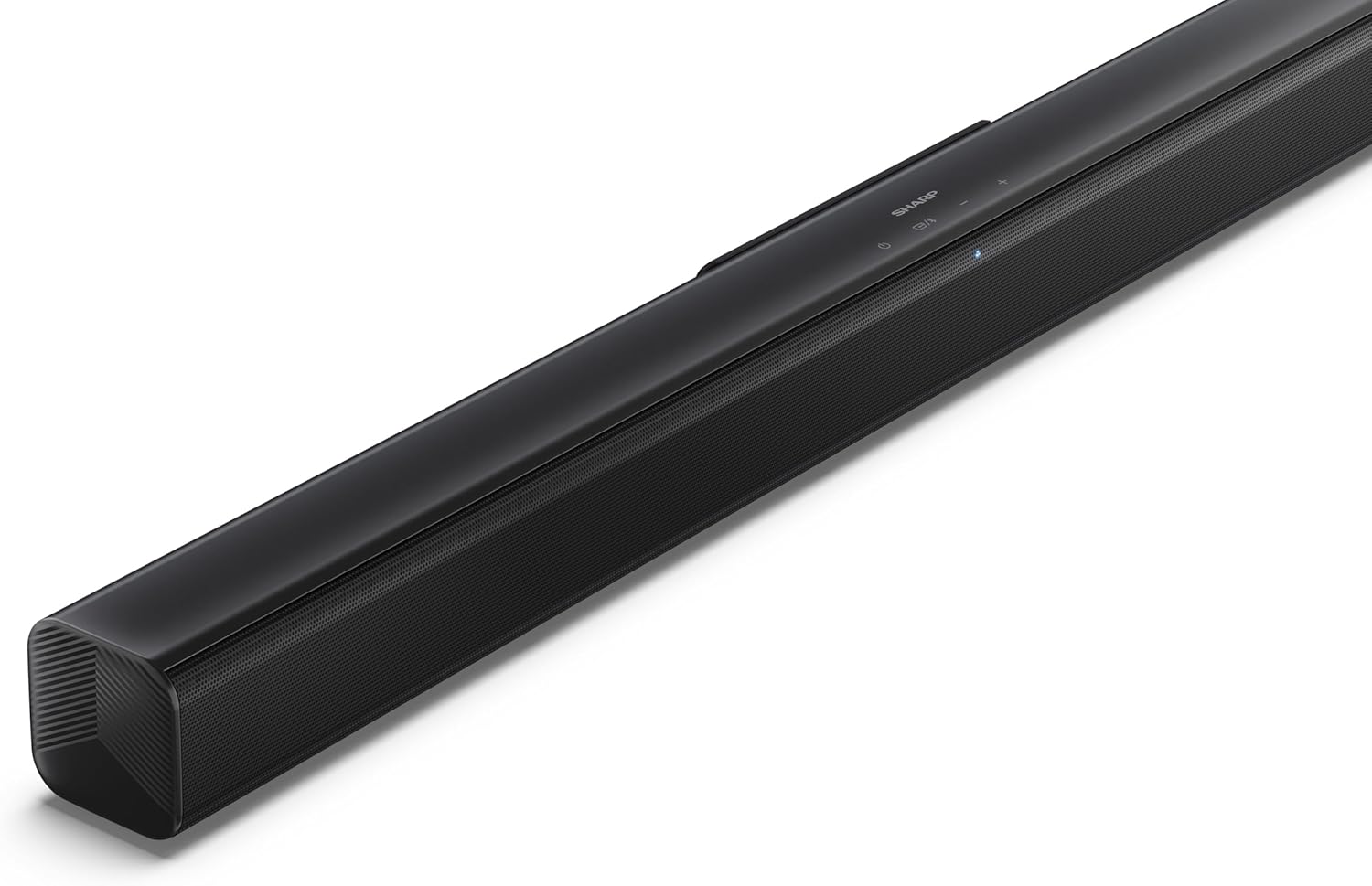
이미지 4.2: 경사진 상단 view of the soundbar, highlighting the integrated control buttons for power, source selection, and volume adjustment, along with the SHARP logo.

Image 4.3: Close-up of the top-mounted control panel, showing the power button, source/Bluetooth button, and volume up/down buttons.
4.2 후면 패널 연결

이미지 4.4: 후면 view of the soundbar, displaying the various input ports and power connection.

이미지 4.5: 상세 view of the rear panel connections, including OPTICAL input, USB port (5V 500mA), AUX input, and HDMI ARC (TV) port.
5. 설정
5.1 배치 옵션
The SHARP HT-SB145 Soundbar offers flexible placement options:
- 탁상 배치: Place the soundbar on a stable, flat surface in front of your TV. Ensure it does not obstruct the TV's remote sensor.
- 벽면 장착: Use the provided wall mount brackets to attach the soundbar to a wall below your TV. Refer to section 5.4 for detailed wall mounting instructions.

Image 5.1: The soundbar positioned on a media console beneath a television, demonstrating a typical tabletop setup.
5.2 전원 연결
- Connect the power cable to the AC IN port on the rear of the soundbar.
- 전원 케이블의 다른 쪽 끝을 벽면 콘센트에 꽂습니다.
5.3 오디오 연결
사운드바를 TV 또는 기타 오디오 소스에 연결하려면 다음 방법 중 하나를 선택하십시오.
- HDMI ARC/CEC (권장):
Connect an HDMI cable (not included) from the HDMI ARC port on the soundbar to the HDMI ARC port on your TV. This connection allows for audio return and control via your TV remote.
- 광학:
Connect an optical cable (not included) from the OPTICAL port on the soundbar to the optical digital output on your TV or audio source.
- 보조:
Connect a 3.5mm audio cable (not included) from the AUX port on the soundbar to the headphone jack or audio output on your TV or audio source.
5.4 벽면 장착
벽에 안전하게 설치하려면 다음 단계를 따르세요.
- Determine the desired mounting location on the wall, ensuring it is level and within reach of power and audio cables.
- Mark the positions for the two wall mount brackets using a pencil. The distance between the brackets should match the mounting points on the soundbar.
- Drill pilot holes at the marked positions. Insert the wall plugs if mounting into drywall or plaster.
- Secure the wall mount brackets to the wall using the provided screws.
- Carefully attach the soundbar to the mounted brackets. Ensure it is securely seated.
6. 사용 설명서
6.1 전원 켜기/끄기
- 를 누르세요 힘 사운드바 또는 리모컨의 버튼을 눌러 기기를 켜거나 끌 수 있습니다.
6.2 소스 선택
를 누르세요 원천 button on the soundbar or remote control repeatedly to cycle through the available input sources:
- HDMI ARC : HDMI ARC를 통해 연결된 TV의 오디오 출력용입니다.
- 광학: 광케이블로 연결된 기기의 오디오 출력용입니다.
- 보조: For audio from a device connected via 3.5mm audio cable.
- 블루투스: 무선 오디오 스트리밍용.
- USB: For audio playback from a USB drive.
6.3 볼륨 조절
- 를 누르세요 볼륨 + 버튼을 눌러 볼륨을 높입니다.
- 를 누르세요 볼륨- 버튼을 눌러 볼륨을 줄입니다.
6.4 블루투스 페어링
- Turn on the soundbar and select the Bluetooth source. The LED indicator will flash, indicating pairing mode.
- 스마트폰, 태블릿 또는 기타 기기에서 Bluetooth를 활성화하세요.
- 검색 "SHARP HT-SB145" in your device's Bluetooth list and select it to pair.
- Once paired, the LED indicator on the soundbar will glow steadily. You can now stream audio wirelessly.
6.5 USB 재생
The soundbar supports MP3/WAV audio playback from a USB drive.
- Insert a USB drive containing MP3/WAV audio files into the USB port on the rear of the soundbar.
- 소스 버튼을 사용하여 USB 소스를 선택하십시오.
- Playback will begin automatically. Use the remote control to navigate tracks (if supported).
The USB port also provides 5V 500mA for charging compatible devices.
7. 유지관리
- 청소: 부드럽고 마른 천으로 사운드바 표면을 닦으십시오. 액체 세척제나 연마성 재질은 사용하지 마십시오.
- 저장: 장기간 보관할 경우, 전원 콘센트에서 플러그를 뽑고 서늘하고 건조한 곳에 보관하세요.
8. 문제 해결
| 문제 | 가능한 원인 | 해결책 |
|---|---|---|
| 전원이 없습니다 | 전원 케이블이 연결되지 않았거나 콘센트가 작동하지 않습니다. | 전원 케이블이 안전하게 연결되어 있고 콘센트가 작동하는지 확인하세요. |
| 소리가 나지 않습니다 | Incorrect input source selected, volume too low, or cable connection issue. | Select the correct input source. Increase volume. Check audio cable connections. |
| 블루투스 페어링 실패 | 사운드바가 페어링 모드가 아니거나 기기가 너무 멀리 떨어져 있습니다. | Ensure soundbar is in Bluetooth pairing mode (flashing LED). Move device closer. Try re-pairing. |
| 리모컨이 작동하지 않습니다 | Batteries depleted or obstructed signal. | 배터리를 교체하십시오. 리모컨과 사운드바 사이에 장애물이 없는지 확인하십시오. |
9. 사양
| 특징 | 세부 사항 |
|---|---|
| 모델명 | HT-SB145 |
| 스피커 유형 | 사운드바 |
| 채널 | 2.0채널 |
| 최대 출력 전력 | 150 와트 |
| 블루투스 버전 | 5.3 |
| 연결성 | HDMI ARC/CEC, Optical, AUX, Bluetooth, USB |
| USB 재생 | MP3 / WAV |
| USB 충전 출력 | 5V 500mA |
| 제품 크기(L x W x H) | 80cm x 6.2cm x 6.3cm(31.5인치 x 2.4인치 x 2.5인치) |
| 품목 무게 | 1.4킬로그램(3.1파운드) |
| 포함된 구성 요소 | Remote Control, Power Cable, Wall Mount Brackets, AAA Batteries |

Image 9.1: Diagram illustrating the dimensions of the SHARP HT-SB145 Soundbar: 800mm length, 63mm height, and 63mm depth.
10. 보증 및 지원
보증 정보 및 기술 지원은 제품에 동봉된 보증 카드를 참조하거나 샤프 공식 웹사이트를 방문하십시오. web사이트. 보증 청구를 위해 구매 증빙 자료를 보관하세요.
For further assistance, contact Sharp customer service.