
1. 서론
This manual provides essential information for the proper setup, operation, and maintenance of your Piegricdiat SF3000 Portable Handheld HD Gaming Set. Please read this manual thoroughly before using the device to ensure optimal performance and user safety. The SF3000 is a versatile handheld device designed for gaming, multimedia playback, and emergency charging.
2. 제품 오버view
The SF3000 features a compact design with a 4.5-inch IPS HD display, dual-core processor, and a 3000 mAh battery. It supports multiple emulators for a wide range of retro games and offers additional functionalities such as an e-book reader, video player, and emergency power bank.
2.1 장치 구성 요소

그림 1: 전면 view of the SF3000 Handheld Gaming Set.
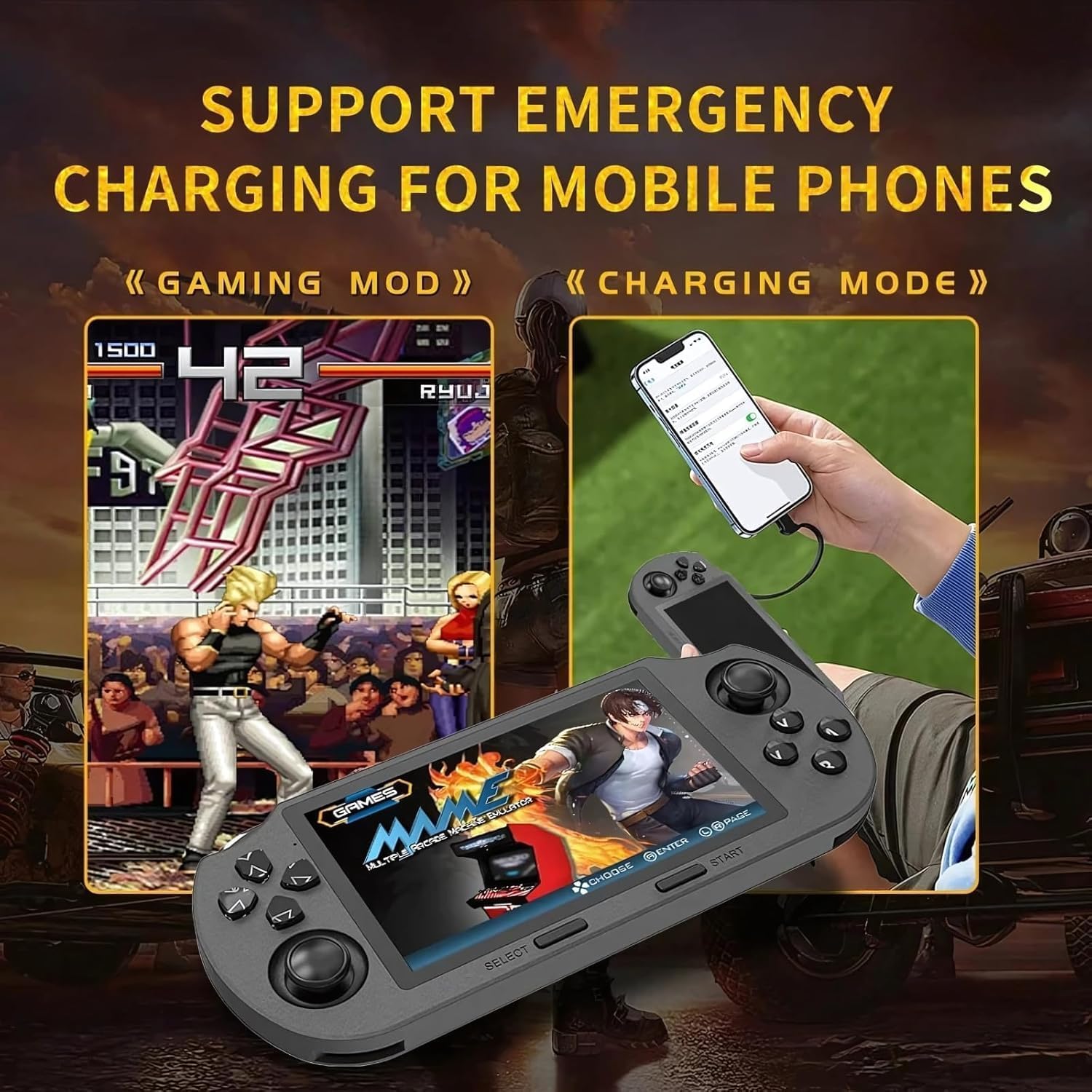
Figure 2: Labeled controls and ports on the SF3000.
- 방향 패드: Directional input for navigation and gameplay.
- 아날로그 스틱: Two analog sticks for precise movement in games.
- Function Buttons (A, B, X, Y): Primary action buttons for gameplay.
- 선택 버튼: Used for menu selections and in-game functions.
- 시작 버튼: Used to start games and pause.
- Bumper Buttons (L, R): Located on the top edge for additional controls.
- 전원 버튼: 장치를 켜거나 끕니다.
- TF 카드 슬롯 : For inserting the 64GB TF card containing games.
- C 형 포트 : 충전 및 데이터 전송용입니다.
- 헤드폰 잭: 3.5mm 오디오 출력 포트.
- 볼륨 +/- : Buttons to adjust audio volume.

그림 3: 뒤로 view of the SF3000, showing the integrated stand.
- 통합 스탠드: 손을 사용하지 않고 조작할 수 있도록 뒷면에 위치해 있습니다. view주고받음.
- L2/R2 버튼: Additional shoulder buttons on the back for extended control.
3. 설정
3.1 초기 충전
Before first use, fully charge the SF3000. Connect the included USB Type-C cable to the device's Type-C port and the other end to a compatible USB power adapter (not included) or a computer's USB port. The charging indicator will show the charging status. A full charge typically takes 3-4 hours.
3.2 전원 켜기/끄기
- 전원을 켜려면: Slide the 'ON' switch located on the top edge of the device. The screen will illuminate, displaying the welcome screen.
- 전원을 끄려면: Slide the 'OFF' switch. The device will shut down.
4. 사용 설명서
4.1 메뉴 탐색
Use the D-Pad or the left analog stick to navigate through the main menu and game lists. Press the 'A' button (or 'Enter' as indicated on-screen) to select an option or launch a game. Use the 'B' button (or 'Return') to go back to the previous menu.
4.2 게임하기
The SF3000 supports various emulators including MAME, PS1, FC, SFC, and GBC. To play a game:
- From the main menu, select the desired emulator (e.g., 'PlayStation', 'Family Computer').
- Browse the list of available games using the D-Pad or analog stick.
- Select a game by pressing the 'A' button. The game will begin to load.
- Once loaded, use the D-Pad, analog sticks, and function buttons (A, B, X, Y, L, R, L2, R2) for gameplay. Refer to the specific game's controls for detailed instructions.
- To exit a game or access in-game menus (if available), press the 'Start' button.
4.3 볼륨 조절
Adjust the game volume using the Volume +/- buttons located on the top edge of the device.
5. 멀티미디어 기능
Beyond gaming, the SF3000 offers additional multimedia functionalities:

Figure 4: Icons representing multimedia features including video playback, digital photo album, and e-book reading.
- 전자책 리더기: Access and read e-books directly on the device.
- 비디오 플레이어: 호환되는 비디오 재생 files.
- Digital Photo Album: View 저장된 이미지.
- 비상 전화 충전기: The device can function as an emergency power bank for mobile phones. Connect your mobile phone to the SF3000 using a compatible USB cable via the Type-C port.

Figure 5: The SF3000 being used to emergency charge a mobile phone.
6. 유지관리
- 청소: 부드럽고 마른 천을 사용하여 기기를 닦으세요. 액체 세척제나 연마재는 사용하지 마세요.
- 저장: 본 기기는 직사광선과 극한의 온도를 피해 시원하고 건조한 곳에 보관하세요.
- 배터리 관리 : 배터리 수명을 연장하려면 기기를 자주 완전히 방전시키지 마십시오. 장기간 사용하지 않더라도 정기적으로 기기를 충전하십시오.
7. 문제 해결
- 장치가 켜지지 않음: Ensure the device is fully charged. Check the power switch position.
- 게임이 로드되지 않습니다: Verify that the TF card is properly inserted. Some games may require specific emulator settings (not user-adjustable in this manual).
- 화면 문제: If the screen is unresponsive or displays abnormalities, try restarting the device.
- 충전 문제: Ensure the Type-C cable and power adapter are functioning correctly.
8. 사양
| 특징 | 사양 |
|---|---|
| 화면 크기 | 4.5 인치 |
| 디스플레이 유형 | IPS HD LCD |
| CPU | 듀얼코어 1.2GHz |
| 메모리 저장 용량 | 64GB (TF 카드) |
| 배터리 용량 | 3000mAh |
| 근무시간 | 5~7시간 |
| 전원 | 배터리 구동 |
| 인터페이스 | C형 |
| 재료 | 플라스틱 |
| 제품 치수 | 7.4 x 3.6 x 3.6 인치 |
| 지원되는 에뮬레이터 | MAME, PS1, FC, SFC, GBC (and more) |
9. 안전 정보
어린이는 어른의 감독 하에 이 장치를 사용해야 합니다.
10. 공식 제품 영상
SF3000 Portable Handheld HD Gaming Set Overview
이 영상은 일반적인 내용을 제공합니다.view of the SF3000 Portable Handheld HD Gaming Set, demonstrating its features and functionality. It highlights the device's design, screen quality, and game selection interface.