
ClokoWe HY300PRO+
클로코위 미니 프로젝터 사용 설명서
Model: HY300PRO+
소개
This manual provides detailed instructions for the safe and efficient operation of your CLOKOWE Mini Projector. Please read this manual thoroughly before using the product and retain it for future reference. The CLOKOWE Mini Projector is a portable device designed for versatile projection, featuring built-in streaming apps, Wi-Fi 6, Bluetooth 5.2, 180° rotation, and automatic keystone correction.

Image: The CLOKOWE Mini Projector, a compact white cylindrical device with a lens, shown projecting content onto a curved screen displaying various streaming app logos and a movie scene.
상자 안에 무엇이 들어있나요?
포장을 풀 때 모든 품목이 있는지 확인하세요.
- CLOKOWE Mini Projector (Model: HY300PRO+)
- 전원 코드
- HDMI 케이블
- 원격 제어
- 사용 설명서 (본 문서)
제품 특징
The CLOKOWE Mini Projector offers a range of features for enhanced view경험:
- 내장된 스트리밍 앱: Access platforms like YouTube, Disney+, and more directly via Wi-Fi.
- 다양한 연결성: Supports wireless mirroring (iPhone, Android, tablet, laptop) and wired connections (HDMI, USB).
- 180도 회전 가능한 투영 방식: The projector body can rotate 180° for flexible projection angles, including ceiling projection.
- 자동 키스톤 보정: Ensures aligned visuals automatically.
- 수동 초점: Allows for fine-tuning image clarity.
- Wi-Fi 6 및 블루투스 5.2: Provides fast, stable wireless streaming and audio pairing with external speakers.
- 매우 휴대하기 편리한 디자인: Compact size (3.73 × 3.73 × 6.17 inches) and lightweight (0.77 lb).
- High Clarity Display: 8000 Lux brightness, supports 1080P display, with a 0.9:1 short throw ratio.
- 사용자 지정 가능한 배경화면: Upload personal background images via USB.
- 자동 차단 타이머: Set a timer for controlled usage.

Image: A visual representation of the projector's built-in app store, showing various streaming service icons like Netflix, YouTube, Spotify, and Prime Video on a projected screen.

Image: A family watching a movie projected onto the ceiling of a bedroom, demonstrating the 180° rotation feature for ceiling projection.
설치 가이드
1. 초기 배치 및 전원 공급
- 프로젝터를 안정적이고 평평한 표면에 놓으십시오.
- 프로젝터에 전원 코드를 연결한 다음 전원 콘센트에 꽂으세요.
- 프로젝터나 리모컨의 전원 버튼을 눌러 전원을 켜세요.
2. Adjusting Projection Angle (180° Rotation)
The projector features a 180° rotatable body, allowing projection onto walls, screens, or ceilings without needing a tripod.
- Gently rotate the projector body to achieve the desired projection angle.
- Ensure the lens is facing the intended projection surface.
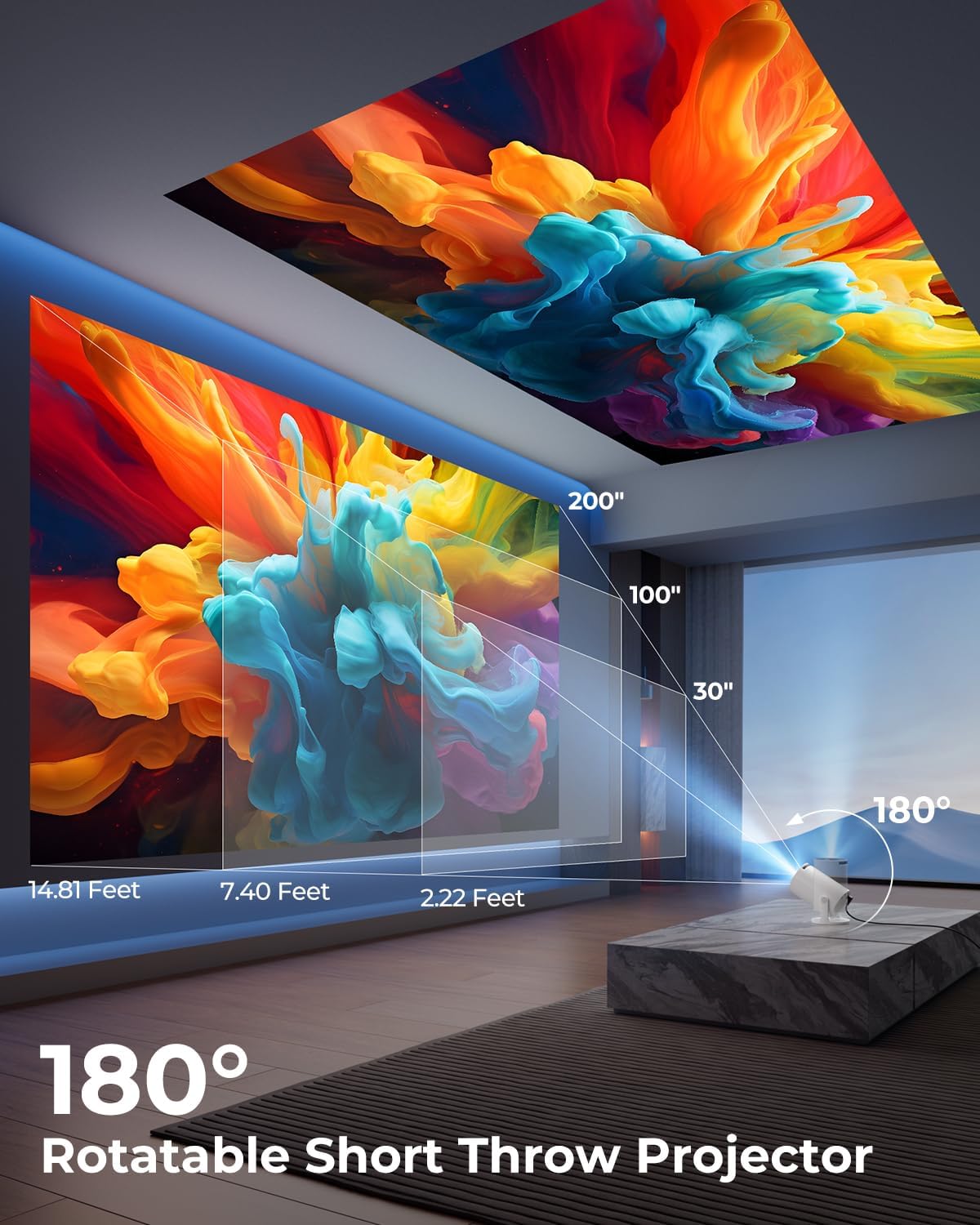
Image: A diagram illustrating the 180° rotation capability of the projector and various projection distances (30", 100", 200") with corresponding throw distances in feet.
3. 초점 및 핵심 수정
- 자동 키스톤 보정: The projector will automatically adjust the image to be rectangular. If further adjustment is needed, navigate to the settings menu.
- 수동 초점: 이미지가 선명하고 깨끗해질 때까지 렌즈 주위의 초점 링을 돌립니다.

Image: A projected image on a wall demonstrating automatic keystone correction and manual focus adjustments, with icons for ±45° Auto Keystone, Manual Focus, and 50%-100% Zoom.
4. Network and Bluetooth Connection
- Wi-Fi 연결:
- 프로젝터의 "설정" 메뉴로 이동하세요.
- "네트워크" 또는 "Wi-Fi 설정"을 선택하세요.
- Choose your Wi-Fi network from the list and enter the password. The projector supports Wi-Fi 6 (2.4G and 5G).
- 블루투스 연결 :
- "설정"으로 이동하여 "블루투스"를 선택하세요.
- Bluetooth를 활성화하고 사용 가능한 장치를 검색합니다.
- 목록에서 Bluetooth 스피커나 헤드폰을 선택하여 페어링하세요.

Image: A projected image showing Wi-Fi 6 and Bluetooth 5.2 connectivity, with a smartphone mirroring content to the projector and a soundbar connected via Bluetooth.
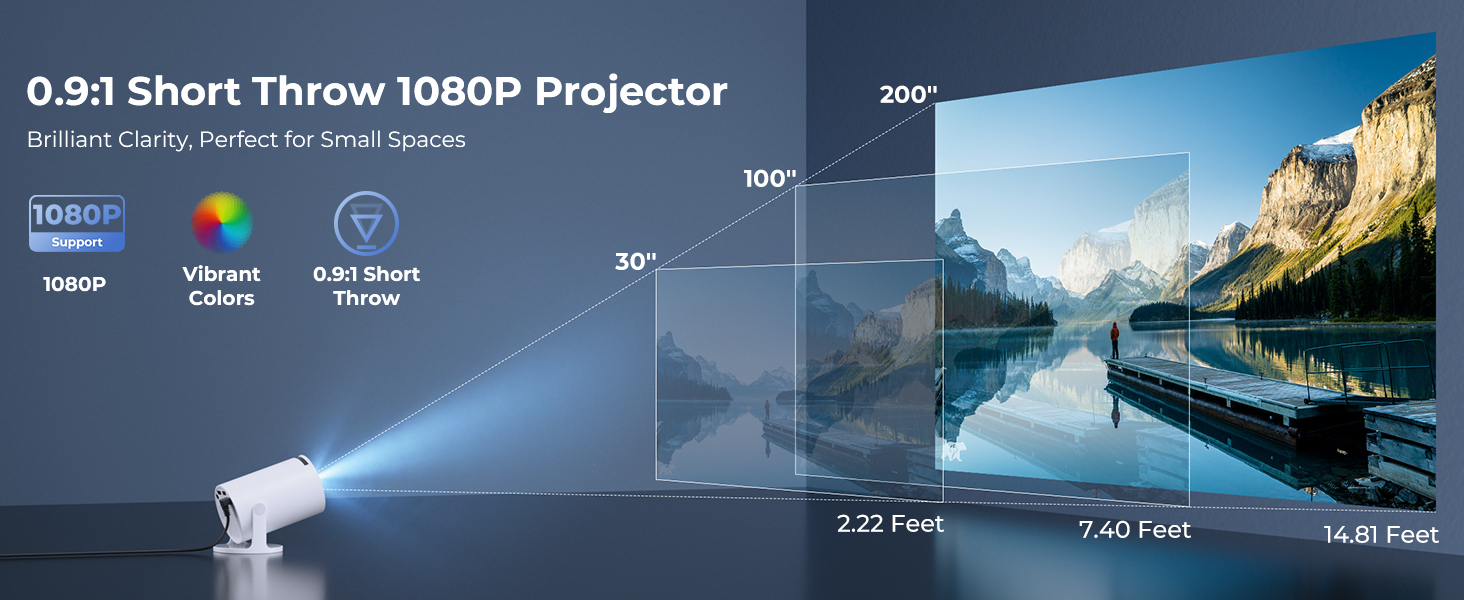
Image: A visual demonstrating Bluetooth 5.2 audio connection, showing the projector wirelessly paired with headphones and a portable speaker.
작동 지침
1. 인터페이스 탐색
- Use the provided remote control to navigate through menus and select options.
- Basic navigation buttons are also available on the projector unit.
2. Using Built-in Apps
- Once connected to Wi-Fi, access the main interface to find pre-installed streaming applications.
- Select an app (e.g., YouTube, Disney+) and log in with your credentials to start streaming.
3. 화면 미러링
The projector supports wireless mirroring from compatible smartphones, tablets, and laptops.
- 기기와 프로젝터가 동일한 Wi-Fi 네트워크에 연결되어 있는지 확인하십시오.
- Select the "Screen Mirroring" or "Wireless Display" option on the projector's menu.
- On your mobile device, activate its screen mirroring feature (e.g., AirPlay for iOS, Smart View for Android) and select the projector from the list of available devices.
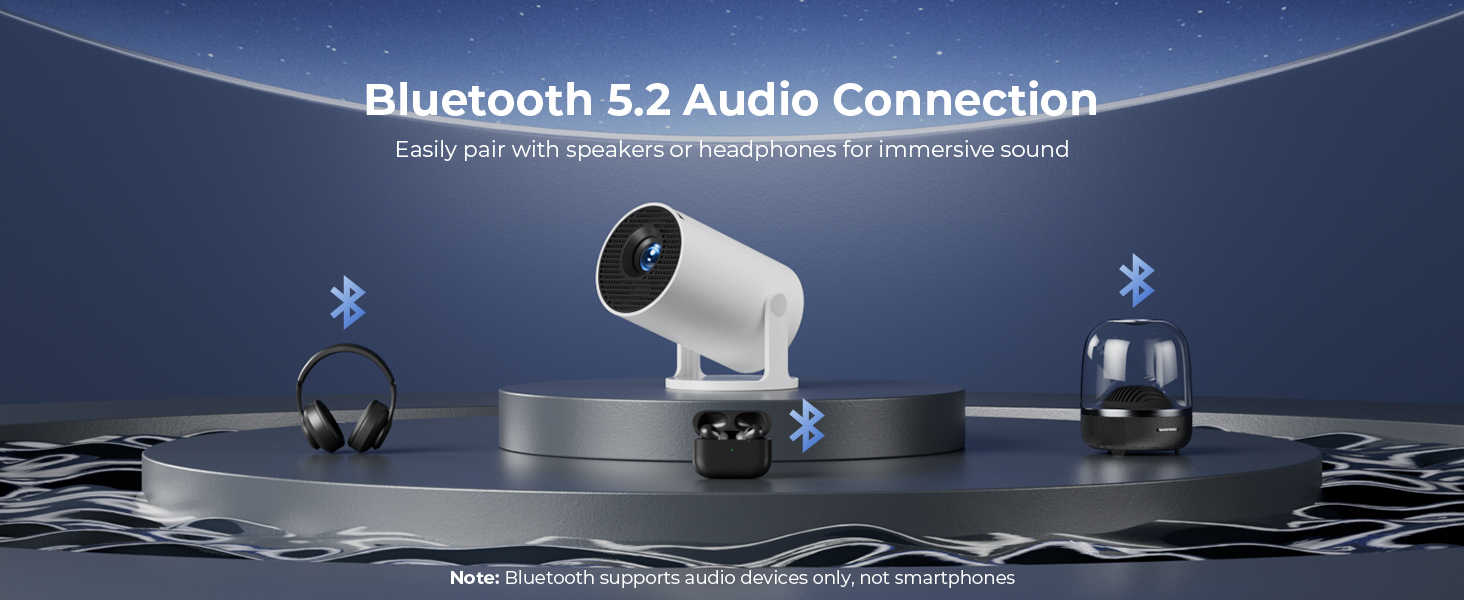
Image: A diagram illustrating Dual-Band Wi-Fi 6 connection for faster, smoother screen mirroring from various devices like smartphones, tablets, and laptops to the projector.
4. Wired Connections (HDMI/USB)
- Connect devices like game consoles, TV sticks, or computers using the HDMI port.
- USB 포트를 사용하여 미디어를 재생하세요 files directly from a USB drive or to upload custom wallpapers.
- To select the input source, press the "Source" button on the remote control and choose HDMI or USB.
이미지: 클로즈업 view of the projector's rear panel, highlighting the HDMI, USB, and power ports, along with an ON/OFF switch and manual focus ring.
5. Custom Wallpapers and Timer
- Custom Wallpapers: Insert a USB drive containing your desired background images. Navigate to the settings to select and apply them.
- 자동 차단 타이머: Access the system settings to set a timer for the projector to automatically power off after a specified duration.
유지
- 렌즈 청소: 안경 렌즈 전용으로 제작된 부드럽고 보풀 없는 천을 사용하십시오. 연마성 세척제나 용제를 사용하지 마십시오.
- 외부 청소: Wipe the projector's exterior with a soft, dry cloth. For stubborn marks, lightly damp천에 물을 적셔요.
- 통풍: 과열을 방지하려면 프로젝터의 통풍구가 막히지 않도록 하세요.
- 저장: 장기간 사용하지 않을 경우 프로젝터를 직사광선과 극한 온도를 피해 시원하고 건조한 곳에 보관하세요.
문제 해결
| 문제 | 가능한 원인 | 해결책 |
|---|---|---|
| 이미지가 없거나 흐릿하게 보입니다. | Incorrect focus; lens cap on; input source not selected; projector too far/close. | Adjust manual focus; remove lens cap; select correct input source; adjust projection distance. |
| 이미지가 사다리꼴 모양이거나 왜곡되었습니다. | 프로젝터가 화면에 수직이 아닙니다. | Utilize automatic keystone correction or manually adjust in settings. Ensure projector is on a level surface. |
| 소리가 나지 않거나 볼륨이 작음 | Volume too low; external audio device not connected/paired; projector's internal speaker off. | Increase volume on projector/source device; ensure Bluetooth speaker is paired; check audio settings. |
| 리모콘이 응답하지 않음 | Batteries low/dead; obstruction between remote and projector; remote sensor blocked. | Replace batteries; ensure clear line of sight to projector's IR sensor. |
| Wi-Fi 연결 문제 | 잘못된 비밀번호; 범위를 벗어남; 네트워크 간섭. | Re-enter password; move projector closer to router; restart router and projector. |
명세서
| 특징 | 세부 사항 |
|---|---|
| 모델 번호 | HY300PRO+ |
| 상표 | 클로코위 |
| 제품 치수 | 3.73 x 6.17 x 3.73 인치 |
| 품목 무게 | 1.61파운드(0.73kg) |
| 디스플레이 해상도 | 1280 x 720 (1080P 지원) |
| 명도 | 8000 럭스 |
| 연결 기술 | Bluetooth 5.2, HDMI, USB, Wi-Fi 6 (2.4G & 5G) |
| 특별 기능 | Built-in Apps, Digital Keystone Correction, Short Throw (0.9:1), 50%-100% Zoom, 180° Rotatable Projection, Mini Portable Design |
| 추천 용도 | Home Cinema, Gaming, Business, Education |
보증 및 지원
The CLOKOWE Mini Projector includes 2-years factory support. For technical assistance, troubleshooting, or warranty claims, please contact ClokoWe customer support through the retailer where the product was purchased or visit the official ClokoWe web연락처 정보 사이트.
보증 확인을 위해 구매 증빙서류를 보관하세요.
Ask a question about this manual
Ask about setup, troubleshooting, compatibility, parts, safety, or missing instructions. Manuals+ will review the question and use this page’s manual context to help answer it.