
1. 서론
This manual provides detailed instructions for the safe and proper installation, operation, and maintenance of your BEISHI Full Motion TV Wall Mount. This mount is designed to securely hold TVs ranging from 37 to 75 inches, with a maximum weight capacity of 132 lbs (60 kg), and supports VESA patterns up to 600x400mm. It offers extensive adjustability including 180° swivel, +5°/-20° tilt, and 90° screen rotation for optimal view유연성.
Please read this manual thoroughly before beginning installation to ensure a safe and successful setup. Keep this manual for future reference.
2. 안전 정보
본 제품을 부적절하게 설치하거나 사용할 경우 심각한 부상이나 손해가 발생할 수 있습니다. 다음 안전 수칙을 준수해 주십시오.
- 중량 용량: Do not exceed the maximum weight capacity of 132 lbs (60 kg). Ensure your TV's weight, including accessories, is within this limit.
- 화면 크기: 이 거치대는 37인치에서 75인치 사이의 TV에 적합합니다.
- 벽 유형: This mount is designed for installation on wood studs (8", 12", 14" spacing), concrete, or brick walls. 건식벽체에만 설치하지 마십시오.
- VESA 호환성: Verify your TV's VESA mounting pattern (distance between mounting holes on the back of the TV) is compatible with this mount (Min 100x100mm to Max 600x400mm).
- 전문적인 설치: 설치 과정이나 벽 종류에 대해 확신이 서지 않는다면 자격을 갖춘 전문가에게 문의하십시오.
- 도구: 적절한 도구를 사용하고 모든 지침을 주의 깊게 따르십시오.
- 어린이들: 설치 과정 중에는 어린이가 설치 장소에 접근하지 못하도록 하십시오.
- 손상: 부품이 손상되었거나 누락된 경우 거치대를 사용하지 마십시오. 교체 부품은 고객 지원팀에 문의하십시오.
3. 패키지 내용
Please check that all components are present and undamaged before beginning installation. Refer to the image below for a visual representation of the included parts.

Image 3.1: All components included with the BEISHI Full Motion TV Wall Mount.
- 벽판 조립체
- TV 브래킷 암 (2개)
- Extension Arms (2 pieces)
- 장착 하드웨어 키트(나사, 앵커, 와셔, 스페이서)
- 버블 레벨
- 케이블 타이
- 설치 템플릿
4. 설치 지침
4.1 설치 전 체크리스트
- Confirm your TV's weight is less than 132 lbs (60 kg).
- TV의 VESA 패턴이 100x100mm에서 600x400mm 사이인지 확인하십시오.
- Identify your wall type (wood stud, concrete, or brick). Ensure stud spacing is compatible (8", 12", or 14").
- Gather necessary tools: drill, stud finder, pencil, measuring tape, screwdriver, socket wrench.
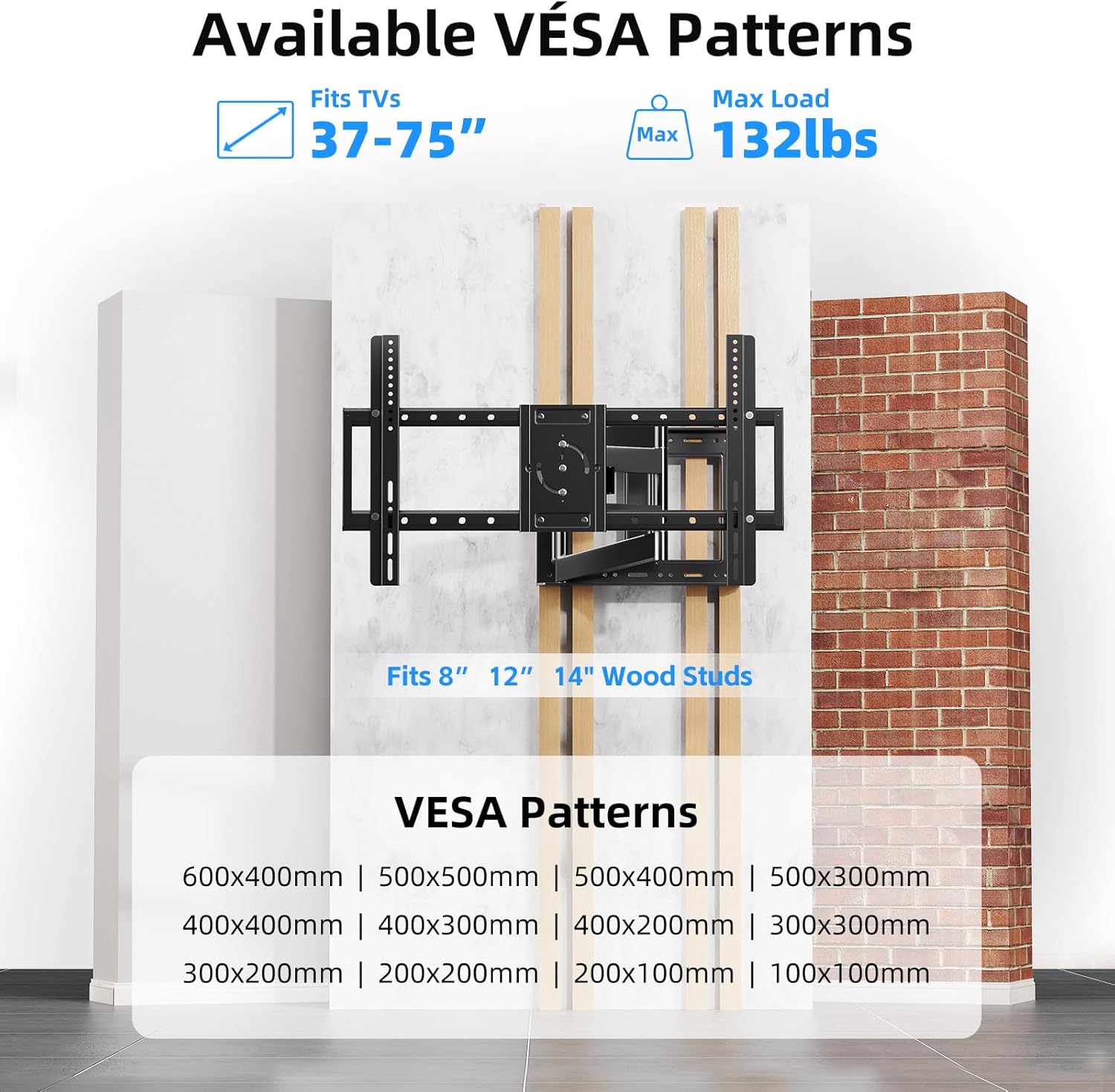
Image 4.1: VESA compatibility and supported wall types for installation.
4.2 단계별 설치
The following video provides a visual guide for the installation process:
Video 4.1: Step-by-step product installation guide for the BEISHI TV Wall Mount.
- 드릴 구멍 표시하기: Use the provided installation template to mark the desired drilling locations on your wall. Ensure the template is level.
- 구멍 뚫기: Drill pilot holes at the marked locations. The drill bit size will depend on your wall type and the anchors provided.
- Inserting Anchors: Insert the appropriate wall anchors into the drilled holes. For wood studs, lag bolts are typically used directly.
- Mounting Wall Plate: Secure the wall plate assembly to the wall using the provided screws and a socket wrench. Use the bubble level to ensure it is perfectly horizontal.
- Attaching Extension Arms: If your TV requires a wider VESA pattern, attach the extension arms to the main wall plate assembly. Secure them with the provided screws.
- TV에 TV 브래킷 부착하기: Lay your TV face down on a soft, clean surface. Attach the TV bracket arms to the back of your TV using the appropriate screws and spacers from the hardware kit. Ensure they are securely fastened.
- 벽면 플레이트에 TV 장착하기: Carefully lift the TV and hook the TV bracket arms onto the wall plate assembly. Secure the TV to the mount using the safety screws or locking mechanisms.

Image 4.2: The BEISHI TV wall mount fully installed and extended.
5. Operating Your TV Wall Mount
Your BEISHI Full Motion TV Wall Mount offers versatile adjustments for optimal viewing. The following video demonstrates the key features:
비디오 5.1: 끝view of the BEISHI TV Wall Mount's features, including extension, swivel, and tilt capabilities.
5.1 확장 및 수축
The mount features an extra-long extension arm that allows the TV to extend from 2.6 inches to 40.9 inches from the wall. Gently pull or push the TV to achieve the desired distance. Ensure smooth movement and avoid sudden forceful actions.

Image 5.1: The mount's extension capability, ranging from 2.4 to 36.4 inches.
5.2 회전 조절
The mount allows for a 180° left-right swivel. Gently pivot the TV to the desired viewing angle. This feature is useful for viewing from different areas within a room.
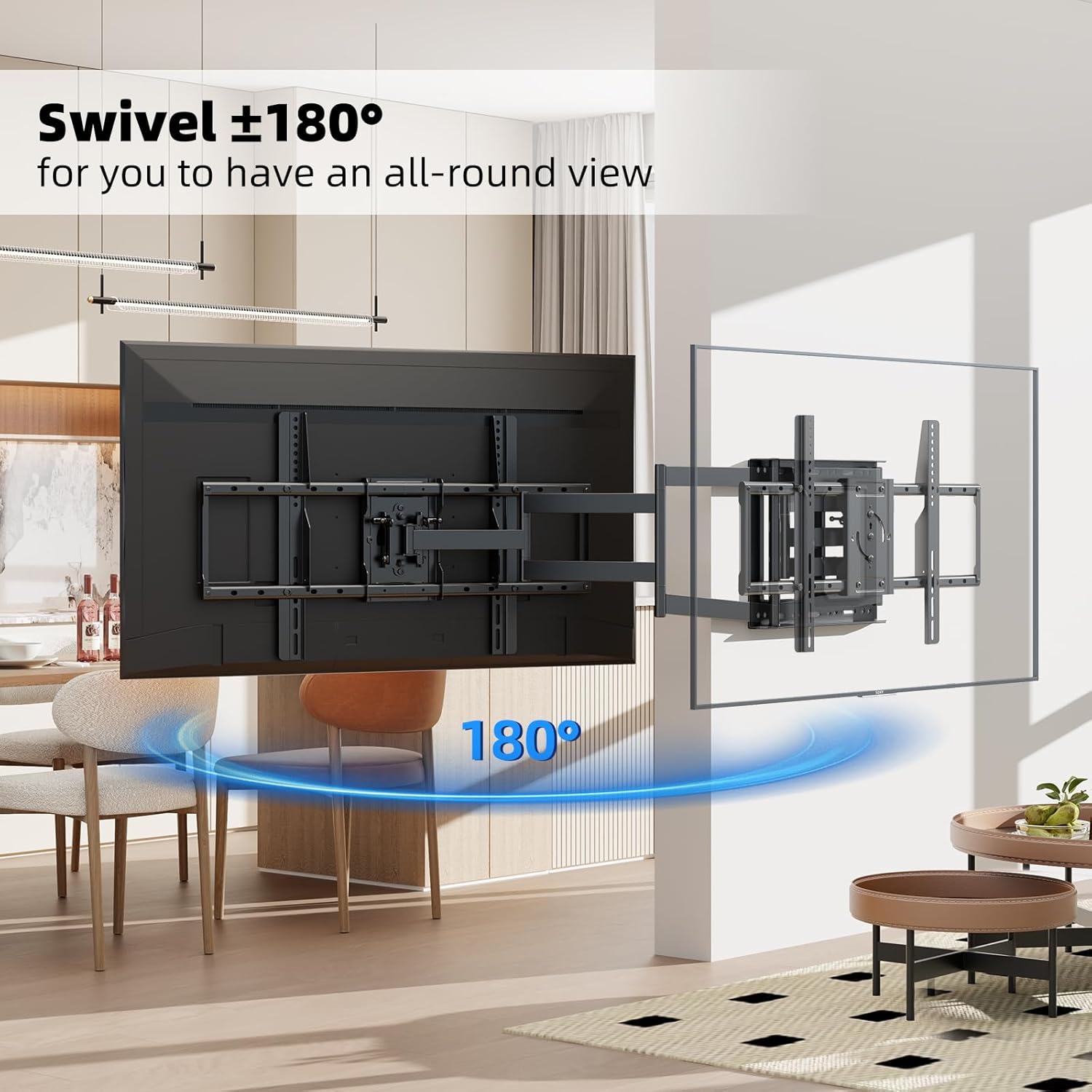
Image 5.2: The 180° swivel feature of the TV wall mount.
5.3 기울기 조정
Adjust the TV's vertical angle by tilting it +5° upwards or -20° downwards. This helps reduce glare and optimize viewing comfort. The tilt mechanism can be adjusted using the provided tools or by hand, depending on the specific design.

Image 5.3: The tilt adjustment range of +5° to -20°.
5.4 화면 회전
The TV screen can be rotated 90° for switching between horizontal and vertical orientations. This feature is useful for specific applications like live broadcasting, online meetings, or gaming. Ensure the rotation mechanism is securely locked after adjustment.
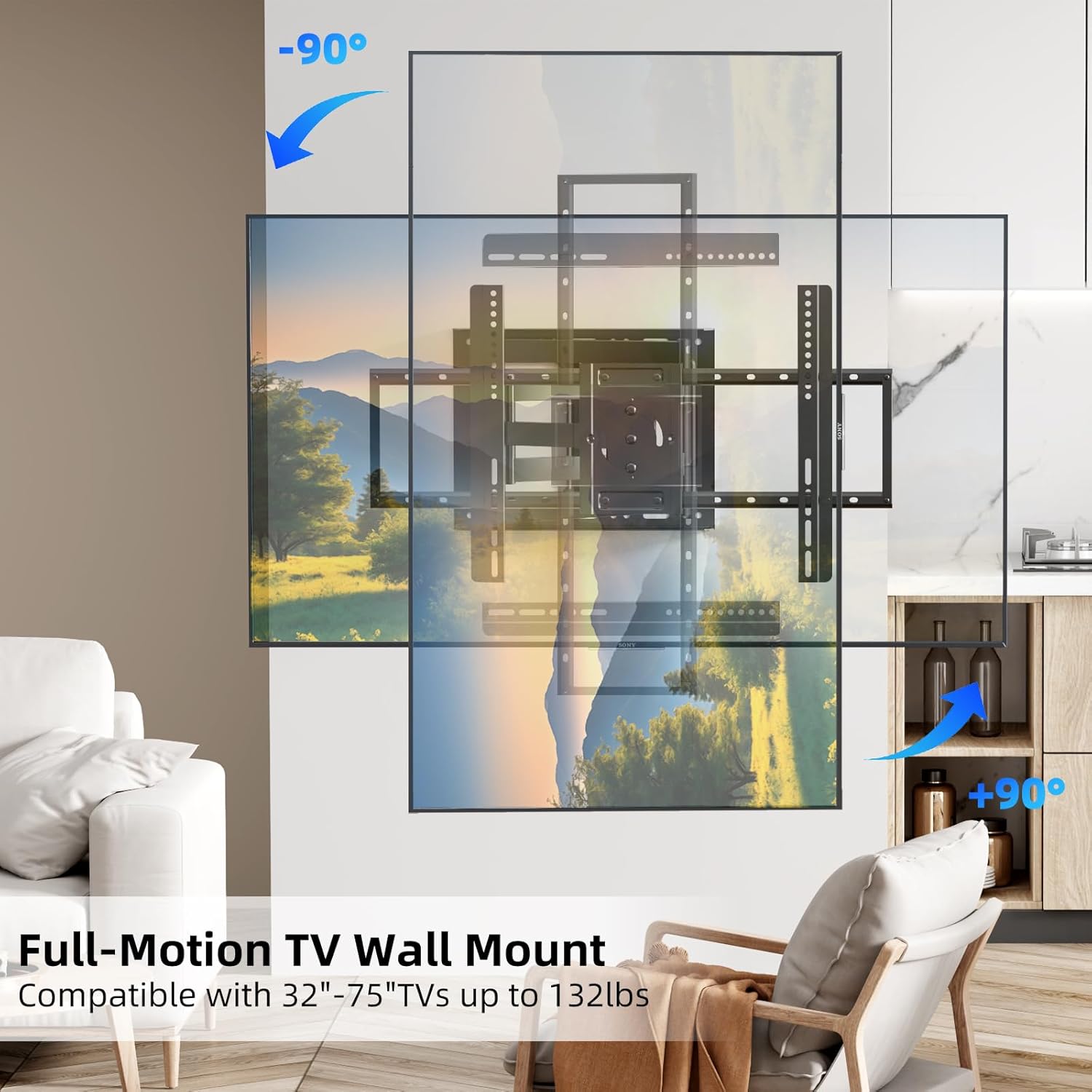
Image 5.4: The 90° screen rotation capability of the mount.
6. 유지관리
Regular maintenance ensures the longevity and safe operation of your TV wall mount:
- 청소: 먼지를 제거하려면 부드럽고 마른 천으로 거치대를 닦으십시오. 연마성 세척제나 용제를 사용하지 마십시오.
- 정기 점검: Periodically check all screws and bolts to ensure they are tight. Over time, vibrations or adjustments can cause fasteners to loosen.
- 움직임: If the mount's movement becomes stiff, apply a small amount of silicone-based lubricant to the pivot points. Do not use oil-based lubricants.
- 손상 검사: Inspect the mount for any signs of wear, corrosion, or damage. If any issues are found, discontinue use and contact customer support.
7. 문제 해결
If you encounter any issues with your BEISHI TV Wall Mount, refer to the following common problems and solutions:
- 산이 수평이 아닙니다. Use the integrated bubble level or a separate level to check the wall plate. If it's off, slightly loosen the mounting bolts, adjust, and re-tighten.
- TV를 옮기는 데 어려움이 있습니다. Ensure all adjustment screws are not overtightened. If movement is still stiff, apply a small amount of silicone lubricant to the joints.
- TV가 불안정해요: Double-check all mounting screws on both the wall plate and the TV brackets. Ensure they are securely tightened. Verify that the wall type and anchors used are appropriate for the TV's weight.
- 잃어버린 부분들: Refer to the 'Package Contents' section. If parts are missing, contact BEISHI customer support immediately.
8. 제품 사양
| 특징 | 사양 |
|---|---|
| 상표 | 베이시 |
| 모델 | B0F98ZTHGF |
| TV 크기 호환성 | 37-75 인치 |
| 최대 하중 용량 | 132파운드(60kg) |
| VESA 호환성 | 100x100mm ~ 600x400mm |
| 스위블 범위 | 180° (left-right) |
| 기울기 범위 | +5° / -20° |
| 화면 회전 | 90° |
| 벽에서 연장된 부분 | 2.6인치에서 40.9인치까지 |
| 재료 | 합금강 |
| 색상 | 검은색 |
| 품목 무게 | 18.46파운드 |
| 벽 호환성 | Wood Studs (8", 12", 14"), Concrete, Brick |
9. 보증 및 고객 지원
BEISHI products are manufactured to high-quality standards. For warranty information, technical support, or to inquire about replacement parts, please refer to the product packaging or contact BEISHI customer service through their official channels. You can also visit the BEISHI Store on Amazon 자세한 내용은.


