
1. 서론
The EDIFIER MP330 is a portable Bluetooth speaker designed to deliver a high-quality audio experience with its retro aesthetic and advanced features. It supports Hi-Res audio and offers versatile connectivity options.

Image: The EDIFIER MP330 portable Bluetooth speaker, showcasing its brown finish and integrated leather handle.
2. 패키지 내용
다음 항목에 대한 상자를 체크해 주세요.
- EDIFIER MP330 Speaker x 1
- USB-C-USB-C 케이블 x 1
- 빠른 시작 가이드 x 1
- Important Safety Information x 1

Image: A visual representation of the EDIFIER MP330 speaker and its included accessories: USB-C cable, quick start guide, and safety information.
3. 제품 오버view
3.1 컨트롤 및 포트
The EDIFIER MP330 features intuitive controls and essential ports for various audio sources.
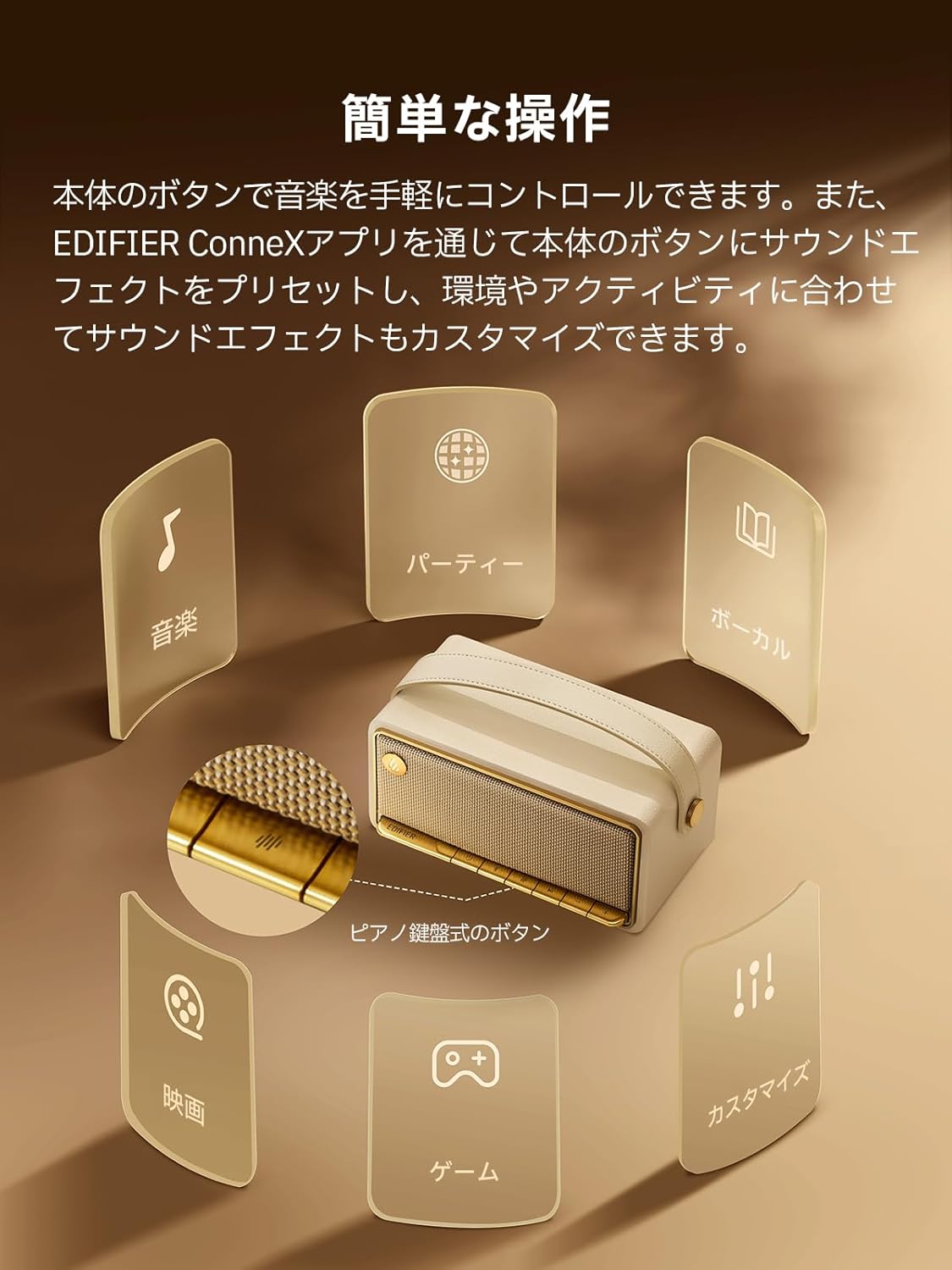
Image: A diagram illustrating the control buttons and indicator lights on the EDIFIER MP330 speaker, showing their functions for power, mode selection, playback, and volume.
- 전원 버튼: 전원을 켜거나 끄려면 길게 누릅니다.
- 모드 버튼: Short press to cycle through Bluetooth, USB-C, and microSD card input modes.
- 재생/일시 정지 버튼: 짧게 누르면 오디오를 재생하거나 일시 정지합니다.
- 볼륨 높이기/다음 트랙 버튼: 짧게 누르면 볼륨이 커지고, 길게 누르면 다음 트랙이 됩니다.
- 볼륨 낮추기/이전 트랙 버튼: 짧게 누르면 볼륨이 낮아지고, 길게 누르면 이전 트랙으로 돌아갑니다.
- USB-C 포트: For charging and audio input.
- microSD 카드 슬롯 : 오디오 재생을 위해 files directly from a microSD card.
4. 설정
4.1 스피커 충전
Before first use, fully charge the speaker using the provided USB-C cable and a compatible power adapter (not included). The indicator light will show charging status.
4.2 전원 켜기/끄기
- 전원을 켜려면 전원 표시등이 켜질 때까지 전원 버튼을 길게 누르십시오.
- 전원을 끄려면 전원 표시등이 꺼질 때까지 전원 버튼을 길게 누르십시오.
4.3 블루투스 페어링
Bluetooth를 통해 장치를 연결하려면:
- Power on the MP330 speaker. The Bluetooth indicator will flash, indicating it is in pairing mode.
- 기기(스마트폰, 태블릿 등)에서 Bluetooth를 활성화하고 사용 가능한 기기를 검색하세요.
- Select "EDIFIER MP330" from the list of devices.
- 연결되면 Bluetooth 표시등이 계속 켜져 있습니다.
4.4 멀티포인트 연결
The MP330 supports connecting to two Bluetooth devices simultaneously. After connecting the first device, put the speaker back into pairing mode and connect the second device. You can then switch between audio sources by pausing playback on one device and starting it on the other.

Image: Two mobile phones displaying music playback interfaces, indicating a multipoint Bluetooth connection to the EDIFIER MP330 speaker.
4.5 스테레오 페어링(TWS)
For an enhanced stereo sound experience, you can pair two MP330 speakers together:
- Ensure both MP330 speakers are powered on and not connected to any Bluetooth device.
- On one speaker, press and hold the Bluetooth button until it enters TWS pairing mode (indicator light will flash a specific pattern).
- The two speakers will automatically connect to each other. One speaker will become the left channel and the other the right.
- 페어링이 완료되면 4.3절에 설명된 대로 블루투스를 통해 기기를 기본 스피커에 연결하십시오.

Image: Two EDIFIER MP330 speakers, one black and one ivory, positioned to illustrate stereo pairing, with a Bluetooth logo and arrows indicating connection.
5. 사용 설명서
5.1 입력 모드 전환
Short press the Mode button to switch between Bluetooth, USB-C, and microSD card input modes. The indicator light will change color to reflect the active mode.
5.2 USB-C 오디오 재생
Connect the MP330 to your computer using the provided USB-C cable. The speaker will automatically switch to USB-C audio mode. Select "EDIFIER MP330" as the audio output device on your computer.

Image: A diagram showing the EDIFIER MP330 speaker connected to a computer via a USB-C cable, indicating USB-C audio playback.
5.3 microSD Card Playback
오디오가 포함된 microSD 카드를 삽입하세요. files into the microSD card slot. The MP330 will automatically switch to microSD card mode and begin playback.

Image: A diagram illustrating how to insert a microSD card into the dedicated slot on the EDIFIER MP330 speaker.
5.4 Using the EDIFIER Connex App
Download the EDIFIER Connex app to unlock extended features and customize your listening experience. The app allows you to:
- 입력 소스를 전환합니다.
- 재생을 제어합니다.
- Customize sound effects (equalizer presets or custom settings).
- Access the electronic user manual and other settings.

Image: Multiple smartphone screens displaying the EDIFIER Connex app interface, highlighting various control and customization options for the speaker.
6. 유지관리
To ensure the longevity and optimal performance of your EDIFIER MP330 speaker, follow these maintenance guidelines:
- 청소: Use a soft, dry cloth to clean the speaker's surface. Avoid using abrasive cleaners, solvents, or strong chemicals, as they may damage the finish.
- 저장: 스피커는 직사광선, 극한 온도, 높은 습도를 피해 서늘하고 건조한 곳에 보관하세요.
- 물 노출: The speaker is not waterproof. Avoid exposing it to water, rain, or excessive moisture.
- 손질: 스피커를 조심스럽게 다루십시오. 떨어뜨리거나 강한 충격을 주지 마십시오.
- 배터리 관리 : 배터리 수명을 최적화하려면 배터리를 자주 완전히 방전시키지 마십시오. 장기간 보관할 경우 몇 달에 한 번씩 배터리를 약 50% 정도 충전하십시오.
7. 문제 해결
If you encounter issues with your EDIFIER MP330 speaker, refer to the following common troubleshooting steps:
- 전원 없음:
- 스피커가 완전히 충전되었는지 확인하십시오.
- Check if the power button is pressed and held correctly to turn on the device.
- 소리 없음:
- Verify the volume level on both the speaker and your connected device.
- Ensure the correct input mode (Bluetooth, USB-C, microSD) is selected.
- 블루투스를 사용하는 경우 스피커가 기기와 제대로 페어링되고 연결되었는지 확인하십시오.
- If using a microSD card, ensure the card is inserted correctly and contains playable audio files.
- 블루투스 페어링 문제:
- 스피커가 블루투스 페어링 모드인지 확인하세요(표시등이 깜빡임).
- 기기에서 Bluetooth를 비활성화했다가 다시 활성화하세요.
- 스피커를 기기 가까이로 옮기고 잠재적인 간섭원으로부터 멀리 떨어뜨려 놓으세요.
- 기기의 블루투스 설정에서 스피커 연결을 해제했다가 다시 연결해 보세요.
- Stereo Pairing Not Working:
- TWS 페어링을 시작하기 전에 두 스피커 모두 다른 블루투스 장치에 연결되어 있지 않은지 확인하십시오.
- TWS 페어링 단계를 주의 깊게 따르세요(섹션 4.5).
- 앱 연결 문제:
- Ensure Bluetooth is enabled and the speaker is connected to your device.
- Update the EDIFIER Connex app to the latest version.
- 스피커와 장치를 다시 시작하세요.
If the problem persists after trying these steps, please contact Edifier customer support for further assistance.
8. 사양
Detailed technical specifications for the EDIFIER MP330 speaker:

Image: A comparison chart highlighting key specifications of the EDIFIER MP330 and MP230 models, including output power, Bluetooth version, battery capacity, playback time, and Hi-Res audio support.
| 특징 | 사양 |
|---|---|
| 모델명 | MP330 |
| 스피커 유형 | 휴대용 스피커 |
| 재료 | 목재(MDF) |
| 색상 | 갈색 |
| 출력 전력 | 40W RMS |
| 블루투스 버전 | 6.0 |
| 배터리 용량 | 4800mAh |
| 재생 시간 | 최대 19시간(50% 볼륨) |
| 주파수 응답 | 53Hz-40kHz |
| 고해상도 오디오 | Supported (up to 24bit/96kHz) |
| 연결성 | Bluetooth, USB-C, microSD card |
| 치수(폭 x 깊이 x 높이) | 20.7 x 11.6 x 10.1cm |
| 무게 | 1.13kg |
| 제어 방법 | 앱, 푸시 버튼 |
| 신호 대 잡음비(S/N) | 85데시벨 |

Image: A technical drawing showing the dimensions (width, depth, height) and weight of the EDIFIER MP330 speaker.
9. 보증 및 지원
For warranty information, please refer to the warranty card included in your product packaging or visit the official Edifier website. If you require technical support or have questions about your EDIFIER MP330 speaker, please contact Edifier customer service through their official channels.
교장 공식 Web대지: www.edifier.com


