
1. 서론
This manual provides detailed instructions for the installation, operation, and maintenance of your Ctronics 4K Outdoor Security Camera (Model 550C-Z30B-4K). This camera features a 4K sensor, 30x optical zoom, AI-powered human/vehicle/pet detection with auto-tracking, advanced night vision, dual-band Wi-Fi, and flexible storage options. Please read this manual thoroughly before use to ensure proper setup and functionality.
2. 안전 정보
- 전원 어댑터가 해당 지역의 전압에 적합한지 확인하십시오.tage 및 현재 요구 사항.
- 카메라를 극한의 온도, 습도 또는 부식성 환경에 노출시키지 마십시오.
- Avoid direct exposure of the lens to strong light sources to prevent damage.
- 유지관리나 설치를 수행하기 전에 전원을 분리하세요.
- 카메라와 액세서리를 어린이의 손이 닿지 않는 곳에 보관하세요.
3. 패키지 내용
패키지에 모든 품목이 들어 있는지 확인하세요.
- Ctronics 4K 실외 보안 카메라
- 사용 설명서
- 장착 나사
- 전원 어댑터
- Stand (for mounting)
4. 제품 오버view
The Ctronics 4K Outdoor Security Camera is designed for robust outdoor surveillance, featuring a durable full-metal body and advanced imaging capabilities.
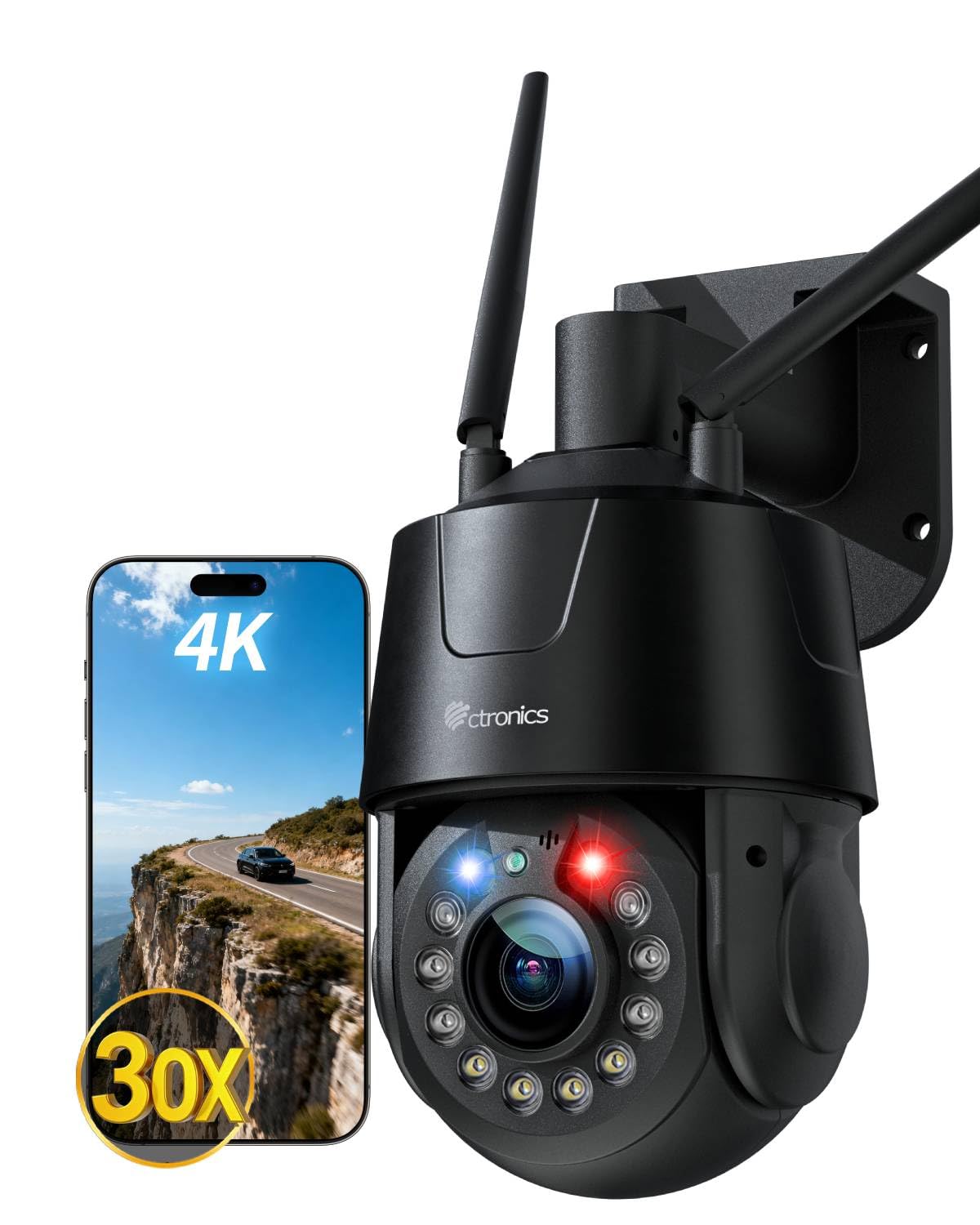
이미지: 이상view of the Ctronics 4K Outdoor Security Camera, highlighting its 4K resolution and night vision features.
5. 설정
5.1 물리적 설치
The camera supports both wall and ceiling mounting. Choose a location that provides optimal viewing coverage and is within reach of a power source.
- 장착 위치 선택: Identify a suitable outdoor location, ensuring a clear line of sight and protection from direct impact.
- 드릴 구멍: Use the provided mounting template (if applicable) or the camera base to mark and drill pilot holes for the mounting screws.
- 스탠드 고정: Attach the camera stand securely to the wall or ceiling using the provided mounting screws.
- 카메라 부착: Mount the camera onto the secured stand. Adjust the angle as needed.
5.2 전원 연결
Connect the provided power adapter to the camera's power input port and then plug it into a standard electrical outlet. Ensure the connection is secure and protected from weather elements.
5.3 네트워크 연결
The camera supports both wired Ethernet and dual-band (2.4G/5G) Wi-Fi connectivity.

Image: The camera illustrating its support for both 2.4G/5G Wi-Fi and wired Ethernet connections for flexible setup.
- 유선 연결: 라우터의 이더넷 케이블을 카메라의 이더넷 포트에 연결합니다.
- 무선 연결(Wi-Fi):
- Bluetooth Quick Pairing: For initial setup, use the Ctronics APP and follow the on-screen instructions for Bluetooth quick pairing. This simplifies connecting the camera to your Wi-Fi network.
- Wi-Fi 수동 설정: If Bluetooth pairing is not used, connect your smartphone to the same Wi-Fi network (2.4GHz or 5GHz) you intend to use for the camera. Open the Ctronics APP, add the camera, and follow the prompts to enter your Wi-Fi credentials.
5.4 앱 설치 및 초기 설정
- 앱 다운로드 : 검색 "Ctronics APP" in your mobile app store (iOS or Android) and install it.
- 계정 등록: 앱을 열고 새 계정을 등록하거나 이미 계정이 있다면 로그인하세요.
- 장치 추가: Tap the "+" icon to add a new device. Select your camera model and follow the in-app instructions for pairing.
- 설정 구성: After successful pairing, you can configure basic settings such as device name, time zone, and initial recording preferences.
6. 카메라 작동
6.1 라이브 View 및 재생
실시간 영상 피드를 시청하고 다시 보기view 기록된 footage through the Ctronics APP or compatible PC client.

Image: Demonstrating the flexible compatibility of the camera with both mobile applications and PC client software for live streaming and playback.
- 살다 View: Select the camera from your device list in the app to view 실시간 피드.
- 재생: Navigate to the playback section in the app to access recorded videos stored on your microSD card, NVR, FTP, or cloud storage.
6.2 AI 감지 및 자동 추적
The camera utilizes advanced AI to distinguish between humans, vehicles, and pets, reducing false alarms. It can automatically track detected subjects.

Image: The camera's smart detection feature identifying and tracking a person and a pet within its field of view.
- 감지 활성화: In the app settings, enable AI detection for humans, vehicles, or pets as required.
- Activate Auto Tracking: Turn on the auto-tracking feature. When a detected subject moves, the camera will automatically pan and tilt to follow it, keeping it centered.
6.3 30x Optical Zoom
The camera features a 30x optical zoom lens, allowing for clear magnification of distant objects without loss of image quality.

Image: A visual representation of the camera's 30x optical zoom capability, showing a distant car magnified clearly.
- 수동 확대/축소: Use the zoom controls in the live view interface of the app to manually adjust the optical zoom.
- Smart 3D Zoom: When auto-tracking is active, the camera can automatically adjust its zoom level to maintain a clear view of the tracked subject.
6.4 야간 투시 모드
The camera offers multiple night vision modes for clear surveillance in low-light conditions.

Image: The camera's night vision capabilities, including 50m full-color mode and 150m infrared (IR) mode for comprehensive nighttime coverage.
- 풀컬러 야간 투시경: Six high-brightness LEDs provide full-color vision up to 50 meters.
- 적외선(IR) 야간 투시경: Provides black and white vision up to 150 meters in complete darkness.
- 스마트 모드 : The camera can automatically switch between IR and full-color modes based on detected motion or ambient light.
6.5 Red-Blue Alarm Lights and Custom Sounds
The camera features red-blue warning lights and customizable siren sounds to actively deter intruders.
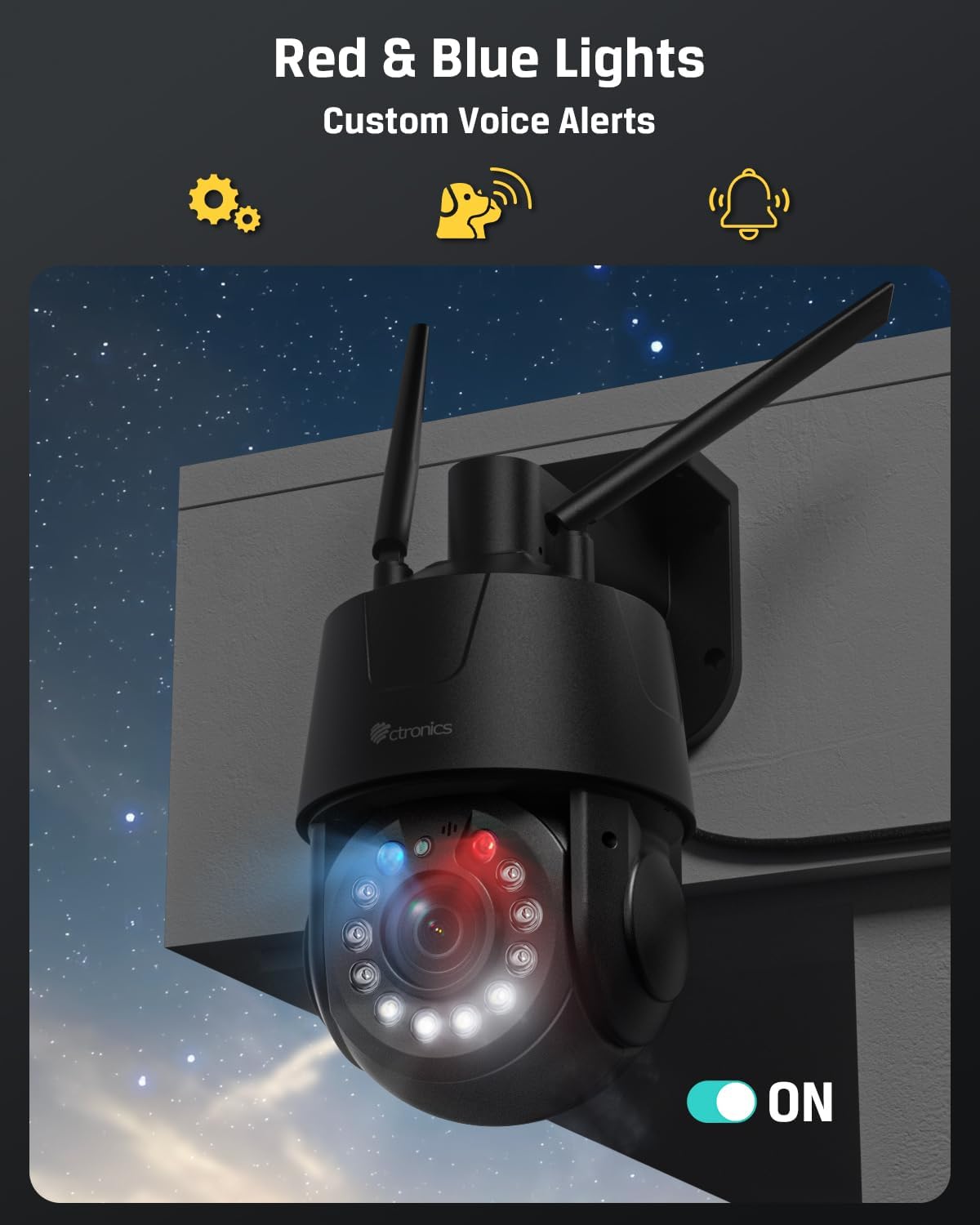
Image: The camera's red and blue alarm lights activated, indicating an alert or deterrent function.
- 알람 활성화: In the app settings, configure the camera to activate red-blue lights and/or siren sounds upon detection of motion or specific AI events.
- Customize Sounds: Upload or record custom alarm sounds through the app.
6.6 Preset Positions and Patrol Routes
Define specific viewing angles and automated patrol paths for comprehensive area coverage.

이미지: 항공 사진 view illustrating the camera's ability to cover a large area using 32 preset points and 2 programmable patrol routes.
- 사전 설정 설정: Manually adjust the camera to a desired position, then save it as a preset point in the app. Up to 32 preset positions can be configured.
- Create Patrol Routes: Define a sequence of preset points to create a patrol route. The camera will automatically cycle through these points. Up to 2 patrol routes can be configured.
6.7 저장 옵션
The camera supports various storage methods for recorded footage.

Image: The camera showcasing its multiple storage options, including cloud, FTP, NVR/ONVIF, and support for a 256GB TF (microSD) card.
- MicroSD 카드: Insert a microSD card (up to 256GB, not included) into the designated slot for local storage.
- FTP/NAS: Configure FTP or NAS storage settings in the app to save recordings to a network server.
- NVR: Connect the camera to a compatible Network Video Recorder (NVR) for centralized recording.
- 클라우드 스토리지: Subscribe to Ctronics cloud storage services for off-site backup of your recordings.
6.8 호환성
The camera is compatible with various protocols and systems for integration into existing security setups.
- ONVIF : Supports ONVIF protocol for compatibility with third-party NVRs and surveillance software.
- RTSP: Provides an RTSP stream for integration with media players and custom surveillance solutions.
7. 유지관리
- 청소: 깨끗한 화질을 유지하려면 부드럽고 마른 천으로 카메라 렌즈를 정기적으로 닦으세요. 독한 화학 약품을 사용하지 마세요.
- 펌웨어 업데이트: Check the Ctronics APP periodically for available firmware updates. Keeping the firmware updated ensures optimal performance and access to new features.
- 전원 주기: If the camera experiences issues, try power cycling it by disconnecting and reconnecting the power adapter.
8. 문제 해결
8.1 카메라가 Wi-Fi에 연결되지 않음
- 카메라가 Wi-Fi 라우터 범위 내에 있는지 확인하세요.
- 앱에 Wi-Fi 비밀번호를 정확하게 입력했는지 확인하세요.
- Check if your router is broadcasting on 2.4GHz or 5GHz, and ensure the camera is attempting to connect to the correct band.
- 라우터와 카메라를 다시 시작하세요.
8.2 이미지가 없거나 이미지 품질이 좋지 않음
- Ensure the power adapter is properly connected and the camera is powered on.
- 카메라 렌즈에 먼지나 얼룩이 있는지 닦아주세요.
- Check your network connection speed. A slow connection can affect live view 품질.
- Verify that the camera's resolution settings in the app are appropriate for your network bandwidth.
8.3 자동 추적 기능이 작동하지 않음
- Ensure AI detection for humans/vehicles/pets is enabled in the app settings.
- Verify that the auto-tracking feature is activated.
- 카메라 시야에 방해물이 있는지 확인하세요. view that might interfere with detection.
8.4 Recordings Not Saving
- If using a microSD card, ensure it is properly inserted, formatted, and has sufficient free space.
- If using cloud storage, verify your subscription status and network connection.
- For FTP/NAS/NVR, check network connectivity and configuration settings.
9. 사양
| 특징 | 사양 |
|---|---|
| 모델명 | 550C-Z30B-4K |
| 실내/실외 사용 | 집 밖의 |
| 비디오 캡처 해상도 | 3840(4K) |
| 효과적인 스틸 해상도 | 8 MP |
| 광학 줌 | 30배 |
| 나이트 비전 범위 | 150 Meters (IR), 50 Meters (Color) |
| 연결 기술 | Wired, Wireless (2.4G/5G Wi-Fi, Bluetooth, Ethernet) |
| 연결 프로토콜 | Ethernet, ONVIF, RTSP, Wi-Fi |
| 저장 옵션 | Micro SD (max 256GB), FTP, NAS, Cloud, NVR |
| 컨트롤러 유형 | Ctronics 앱 |
| 장착 유형 | 벽 마운트, 천장 마운트 |
| 재료 | 금속 |
| 방수 레벨 | 방수 (IP66) |
| 전원 | 코드형 전기(12V, 12W) |
| 품목 치수(L x W x H) | 5.91 x 5.51 x 11.02 인치 |
| 품목 무게 | 3.78파운드 |
| 프레임 속도 | 초당 15프레임 |
| 비디오 인코딩 | H.265 |
| 경고 유형 | 오디오 및 모션 |
| 특별 기능 | 2-Way Audio, All-Metal Construction, HD Resolution, PTZ Technology |
10. 보증 및 지원
10.1 보증 정보
Ctronics products typically come with a limited warranty covering manufacturing defects. Please refer to the warranty card included in your package or visit the official Ctronics web해당 지역 및 구매일에 적용되는 구체적인 보증 약관은 웹사이트를 참조하십시오.
10.2 고객 지원
For technical assistance, troubleshooting, or any questions regarding your Ctronics 4K Outdoor Security Camera, please contact Ctronics customer support. Contact details can usually be found on the official Ctronics website or within the Ctronics APP.
- 온라인 지원: Ctronics 공식 웹사이트를 방문하세요. web자주 묻는 질문(FAQ), 지원 문서 및 문의 양식을 위한 사이트입니다.
- 이메일 지원: 제품 포장 또는 Ctronics 설명서를 참조하십시오. web고객 지원 이메일 주소 사이트.