
소개
This manual provides detailed instructions for the setup, operation, maintenance, and troubleshooting of your Black Shark A3 Smartwatch. Please read this manual carefully before using the device to ensure proper functionality and longevity.
The Black Shark A3 Smartwatch is designed to enhance your daily life with its advanced features, including a vibrant display, Bluetooth calling, extensive sports tracking, and comprehensive health monitoring.
상자 안에 무엇이 들어있나요?
- Black Shark A3 Smartwatch
- 충전 케이블
- 사용자 설명서

Image: The Black Shark A3 Smartwatch, its charging cable, and the user manual as packaged.
제품 끝view
The Black Shark A3 Smartwatch features a sleek design with a 1.53-inch full-touch display and a durable build.
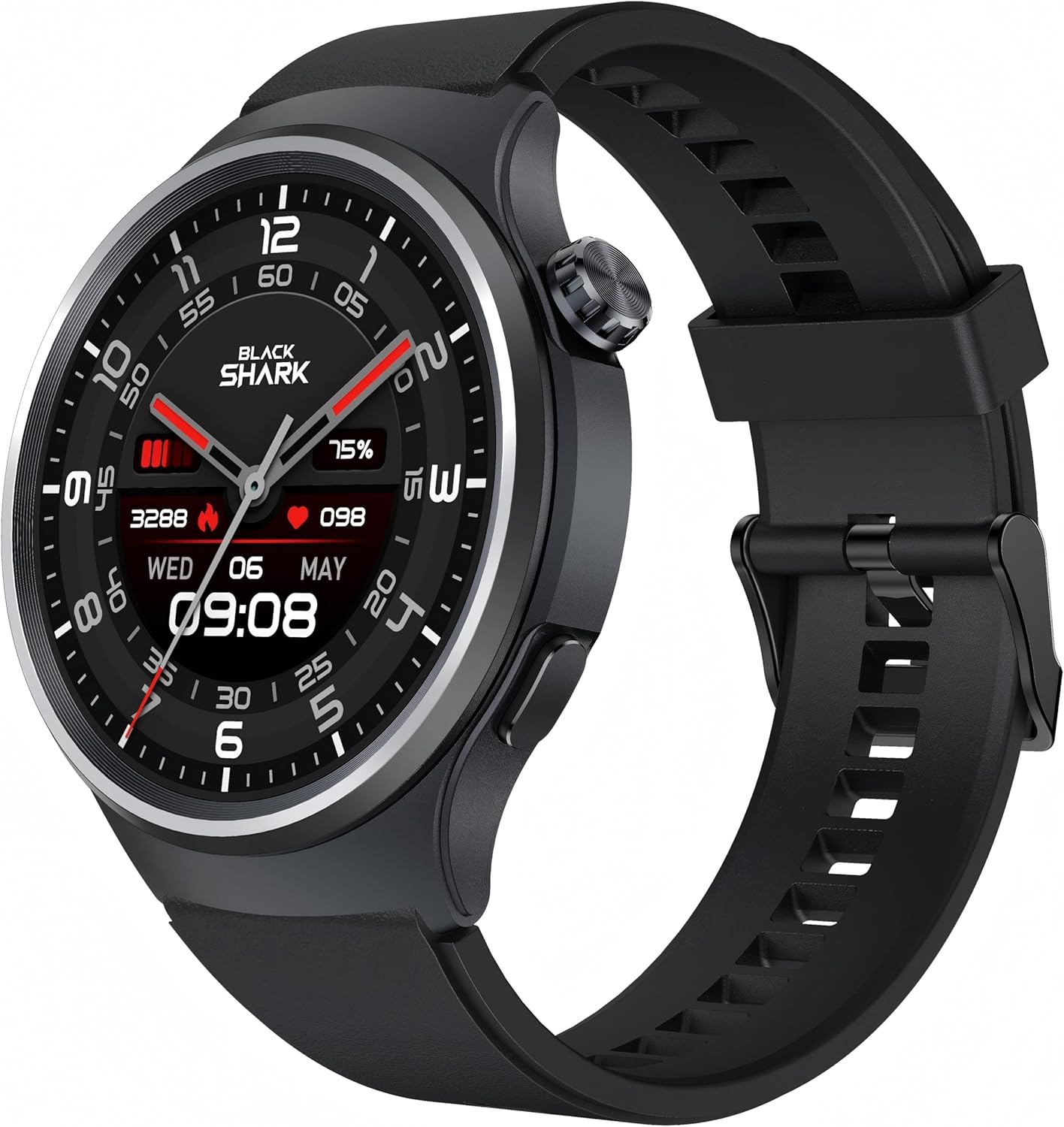
이미지: 자세한 view of the Black Shark A3 Smartwatch, highlighting its round display and side button.
주요 특징
- 1.53-inch Full-Touch Display: Vibrant 360x360 resolution with 600 nits brightness and 60Hz refresh rate for clear visuals.
- ENC Bluetooth Calling: Dual-mode Bluetooth (BLE 5.3 + BT3.0) with noise-canceling for clear calls.
- 14일간의 배터리 수명: Extended usage on a single charge due to an ultra-low-power chip.
- 120개 이상의 스포츠 모드: 다양한 신체 활동에 대한 종합적인 추적 기능.
- 3ATM 방수 기능: Suitable for swimming and exposure to rain.
- 연중무휴 24시간 건강 모니터링: Tracks heart rate, blood oxygen, sleep patterns, and stress levels.

이미지: 오버view of the Black Shark A3 Smartwatch's main features, including its display, calling capabilities, battery life, water resistance, watch face options, and sports modes.
설정
1. 스마트워치 충전하기
Before initial use, fully charge your Black Shark A3 Smartwatch. Connect the magnetic charging cable to the charging contacts on the back of the watch and plug the USB end into a power adapter (not included) or a computer's USB port.
- A full charge provides up to 14 days of regular use.
- 시계 화면에 충전 표시기가 나타납니다.

Image: The smartwatch screen showing a full battery indicator, emphasizing its 14-day battery life.
2. 앱 설치 및 페어링
To unlock the full potential of your Black Shark A3 Smartwatch, download and install the companion application on your smartphone. The app is compatible with Android 9.0 / iOS 14.0 and above.
- Scan the QR code in the quick start guide (if provided) or search for "Black Shark Smartwatch App" in your device's app store.
- 애플리케이션을 설치하고 계정을 만들거나 로그인하세요.
- 스마트폰에서 블루투스를 활성화하세요.
- Open the app and follow the on-screen instructions to pair your Black Shark A3 Smartwatch. Ensure the watch is powered on and discoverable.
- 휴대폰과 스마트워치 모두에서 페어링 요청을 확인하세요.
시계와 휴대폰이 페어링되면 시간, 날짜, 알림을 포함한 모든 데이터가 동기화됩니다.
작동 지침
기본 탐색
- 터치 스크린: Swipe left/right, up/down to navigate through menus and widgets. Tap to select an option.
- 측면 버튼: Press to wake the screen, return to the watch face, or access the app list. Long press for power options.
블루투스 통화
The Black Shark A3 supports Bluetooth calling, allowing you to make and receive calls directly from your wrist.
- 전화 받기: 전화가 오면 시계 화면에서 녹색 전화 아이콘을 탭하세요.
- 전화 걸기: Access the dial pad or contacts through the watch's menu to initiate a call.
- ENC 기술: Environmental Noise Cancellation ensures clear audio during calls.
알림
Receive real-time notifications for calls, messages, and app alerts directly on your smartwatch. Ensure notification permissions are enabled in the companion app on your phone.
스포츠 모드
The watch offers over 120 sports modes to track your workouts accurately. Select your desired activity from the sports menu to begin tracking metrics such as duration, distance, calories burned, and heart rate.

Image: Visual representation of the diverse sports modes supported by the smartwatch, from running to swimming.
건강 모니터링
The Black Shark A3 continuously monitors your health metrics throughout the day and night.
- 심박수: 지속적인 심박수 모니터링은 심혈관 건강에 대한 통찰력을 제공합니다.
- 혈중 산소(SpO2): 혈액 산소 포화도를 측정합니다.
- 수면 추적: 깊은 수면, 얕은 수면, 깨어있는 시간 등 수면 패턴을 분석합니다.
- 스트레스 모니터링: 스트레스 수준을 추적하여 건강 관리에 도움을 줍니다.

Image: An illustration of the smartwatch's health tracking capabilities, including heart rate, blood oxygen, and sleep analysis.
사용자 정의 가능한 시계 모드
Personalize your smartwatch with over 240 stylish watch faces available through the companion app. Choose from minimalist, mechanical, and sporty designs, or customize with your own photos.

Image: A selection of the numerous watch faces available for the Black Shark A3 Smartwatch, demonstrating customization options.
방수성
The Black Shark A3 Smartwatch features 3ATM water resistance, making it suitable for daily use, including handwashing, rain, and swimming. Avoid hot water, saunas, or diving, as extreme temperatures or high-velocity water may compromise the seal.
Image: The smartwatch shown in water, illustrating its 3ATM water resistance for various activities.
유지
- 청소: 시계 화면과 스트랩은 부드럽고 마른 천으로 정기적으로 닦아주세요. 잘 지워지지 않는 얼룩은 약간 거친 천을 사용하세요.amp 천으로 닦아낸 후 완전히 말리세요.
- 화학 물질을 피하세요: 독한 화학 물질, 세척 용제 또는 강력한 세제를 사용하지 마십시오. 이러한 물질은 시계의 마감재나 내부 부품을 손상시킬 수 있습니다.
- 충전 연락처: 효율적인 충전을 위해 시계 뒷면의 충전 접점을 깨끗하고 건조하게 유지하세요.
- 저장: 장시간 사용하지 않을 경우 시계를 서늘하고 건조한 곳에 보관하세요.
문제 해결
시계가 켜지지 않음
- 시계가 완전히 충전되었는지 확인하세요. 충전기에 최소 30분 동안 연결해 두세요.
- 강제 재시작을 시도하려면 측면 버튼을 몇 초 동안 길게 누르십시오.
휴대폰과 페어링할 수 없습니다
- 휴대폰에서 Bluetooth가 활성화되어 있고 시계가 범위 내에 있는지 확인하세요.
- 휴대폰과 스마트워치를 모두 다시 시작하세요.
- 시계가 이미 다른 기기와 페어링되어 있는지 확인하십시오. 필요한 경우 연결을 해제하십시오.
- Clear the Bluetooth cache on your phone (Android) or reset network settings (iOS) if issues persist.
- 동반 앱이 최신 버전으로 업데이트되었는지 확인하세요.
부정확한 건강 데이터
- 손목뼈에서 손가락 한 개 너비 정도 떨어진 위치에 시계가 손목에 꼭 맞게 착용되었는지 확인하십시오.
- 시계 뒷면의 센서를 깨끗하게 유지하세요.
- Environmental factors and individual physiological differences can affect accuracy.
알림을 받지 못했습니다
- Verify that the watch is successfully connected to your phone via Bluetooth.
- 휴대폰 설정에서 해당 앱의 알림 권한을 확인하세요.
- 앱이 백그라운드에서 실행 중인지, 배터리 최적화 설정에 의해 종료되지 않았는지 확인하세요.
명세서
| 특징 | 사양 |
|---|---|
| 모델명 | Black Shark A3 |
| 상표 | 블랙 샤크 |
| 화면 크기 | 1.53 인치 |
| 디스플레이 해상도 | 360x360 |
| 명도 | 600니트 |
| 새로 고침 빈도 | 60Hz |
| 방수성 | 3ATM |
| 배터리 수명 (일반 사용 시) | 최대 14일 |
| 연결 기술 | Bluetooth (BLE 5.3 + BT3.0) |
| 운영 체제 호환성 | 안드로이드 9.0 / iOS 14.0 이상 |
| 품목 무게 | 6.7 온스 |
| 치수 | 4.21 x 4.21 x 2.68인치(패키지) |
보증 및 지원
Your Black Shark A3 Smartwatch comes with a standard manufacturer's warranty. For detailed warranty terms and conditions, please refer to the warranty card included in your product packaging or visit the official Black Shark web대지.
If you encounter any issues or require technical assistance, please contact Black Shark customer support through their official website or the contact information provided in the companion app.
최신 업데이트, FAQ 및 지원 자료는 다음 웹사이트를 방문하세요. Black Shark Official Store on Amazon