1. 제품 오버view
The Generic TK16 Smart Watch is designed to assist you in monitoring various health and fitness metrics. It features step counting, temperature tracking, heart rate monitoring, and an alarm clock function. This manual provides detailed instructions for setup, operation, and maintenance of your device.
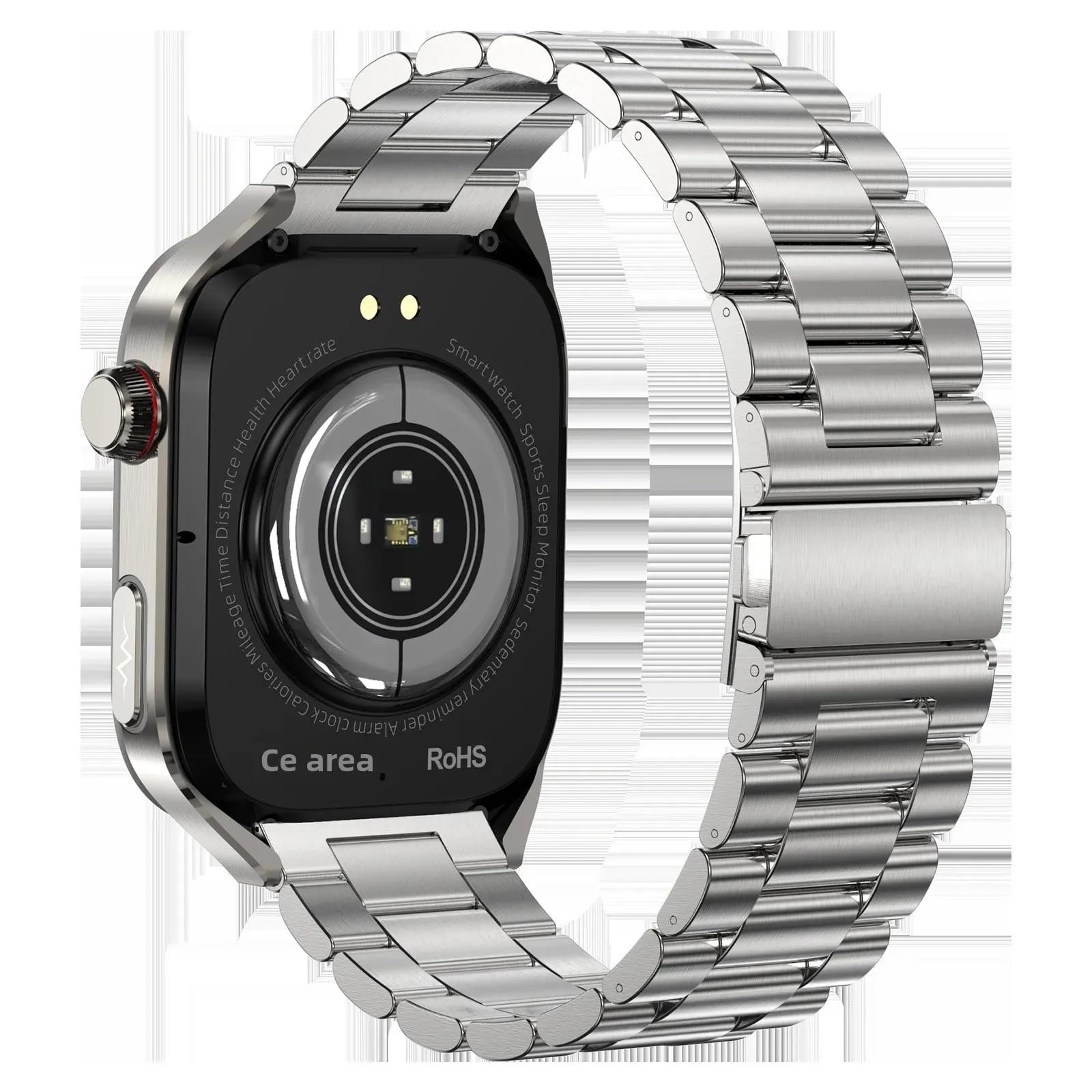
Image: The TK16 Smart Watch, featuring a silver casing and a steel band, displaying a digital watch face.
2. 설정
2.1 언박싱 및 초기 충전
패키지를 열면 모든 구성품이 들어 있는지 확인하세요.
- TK16 스마트 워치
- 충전 케이블
- 시계 밴드
- 사용 설명서 (본 문서)
Before first use, fully charge the smart watch. Connect the charging cable to the charging port on the back of the watch and plug the USB end into a compatible power adapter (not included) or a computer's USB port. The watch display will indicate charging status.
2.2 시계줄 부착하기
Align the pins on the watch band with the corresponding holes on the watch casing. Gently push the pin inwards and slide the band into place until the pin locks securely. Repeat for the other side of the watch band.
2.3 앱 설치 및 페어링
The TK16 Smart Watch operates with a companion application on your smartphone. 검색 the recommended app (refer to packaging or quick start guide for app name) in your device's app store (Google Play Store for Android, Apple App Store for iOS). Install the app and follow the on-screen instructions to pair your watch via Bluetooth. Ensure Bluetooth is enabled on your smartphone.
3. 사용 설명서
3.1 기본 컨트롤
- 전원 버튼: Press and hold to power on/off. Short press to wake the screen or return to the watch face.
- 터치스크린: Swipe left/right, up/down to navigate menus and features. Tap to select options.
3.2 인터페이스 탐색
From the main watch face:
- 강타 아래에 to access quick settings (e.g., brightness, do not disturb).
- 강타 up 에게 view 알림.
- 강타 왼쪽 to access main menu applications (e.g., health monitoring, activity tracking, alarm).
- 강타 오른쪽 에게 view widgets or frequently used features.
3.3 주요 특징
3.3.1 Fitness Tracking (Step Counting, Calorie Stopwatch)
The watch automatically tracks your daily steps and estimates calorie expenditure. Access the activity tracking interface by swiping through the main menu. The calorie stopwatch feature allows you to monitor calories during specific activities.

Image: The smart watch screen displaying activity rings, showing progress for steps, calories burned, and distance covered.
3.3.2 Health Monitoring (Heart Rate, Temperature, Women's Health)
The TK16 Smart Watch includes sensors for heart rate and temperature monitoring. To take a reading, navigate to the respective health monitoring app on the watch. Ensure the watch is snug on your wrist for accurate measurements. The watch also supports women's health monitoring features, accessible through the companion app after initial setup.

Image: The smart watch display showing various health metrics including heart rate, blood oxygen levels, and daily step count.
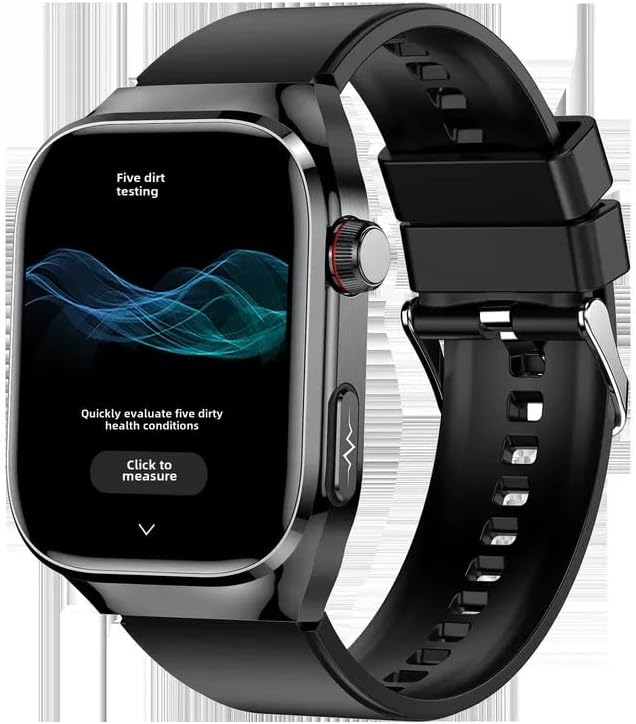
Image: A smart watch screen displaying a health assessment interface with a prominent 'Click to measure' button, indicating a health check function.
3.3.3 알람 시계
Set alarms directly on the watch or through the companion app. Navigate to the 'Alarm' function in the watch's menu, then add or modify alarm times. The watch will vibrate to alert you at the set time.
3.3.4 기타 기능
The TK16 Smart Watch also includes an Always On Display, audio recording capabilities, and an accelerometer for motion tracking. These features can be configured and accessed via the watch's settings or the companion app.
4. 유지관리
4.1 청소
Regularly clean your smart watch to ensure optimal performance and hygiene. Use a soft, lint-free cloth to wipe the screen and casing. 끈적끈적한 먼지의 경우 약간 damp천에 물을 묻혀 닦으세요. 강한 화학 물질이나 연마재는 기기를 손상시킬 수 있으므로 사용하지 마세요.
4.2 충전 중
Charge the watch using the provided charging cable. Ensure the charging contacts on the watch and cable are clean and dry before connecting. Avoid overcharging the device; disconnect once fully charged.
4.3 보관
When not in use for extended periods, store the smart watch in a cool, dry place away from direct sunlight and extreme temperatures. It is recommended to charge the watch to about 50% before storing to preserve battery health.
5. 문제 해결
- 시계 전원이 켜지지 않음: Ensure the watch is fully charged. If it still doesn't power on, try holding the power button for 10-15 seconds.
- 스마트폰과 페어링할 수 없습니다: Check that Bluetooth is enabled on your phone and the watch. Ensure the watch is within range. Try restarting both the watch and your phone. If issues persist, try reinstalling the companion app.
- 부정확한 건강 측정값: 손목에 시계가 너무 꽉 조이거나 너무 헐렁하지 않게 편안하게 착용되었는지 확인하십시오. 시계 뒷면의 센서를 청소하십시오. 격렬한 운동 중에는 측정을 피하십시오.
- 화면이 반응하지 않음: Try restarting the watch by holding the power button. If the screen remains unresponsive, ensure the battery is not completely drained.
6. 사양
| 특징 | 사양 |
|---|---|
| 상표 | 일반적인 |
| 모델 | 티케이16 |
| 화면 크기 | 2.04인치 |
| 모양 | 둥근 |
| 운영 체제 | Android Wear 1.0, 1.1, 1.3, 1.4, 1.5 |
| 메모리 저장 용량 | 32GB (XNUMX기가바이트) |
| 연결 기술 | 블루투스 |
| 배터리 용량 | 650 Amp 시간 |
| 특별 기능 | Accelerometer, Activity Tracker, Alarm Clock, Always On Display, Audio Recording |
| GPS | GPS 없음 |
| 품목 무게 | 0.66파운드(10.6온스) |
| 패키지 크기 | 5.91 x 3.94 x 1.57 인치 |
| ASIN | B0F8MM2R86 |
| 첫 번째 이용 가능 날짜 | 14년 2025월 XNUMX일 |
| 제조업체 | 중국 |
7. 보증 및 지원
보증 정보 및 기술 지원에 대한 문의는 구매 시 제공된 설명서를 참조하시거나 판매점/제조업체에 직접 문의해 주십시오. 보증 청구를 위해 구매 증빙 자료를 보관해 주십시오.


