1. 서론
Thank you for choosing the Ströme Gliding Grille Bladeless 2-in-1 Tower Fan and Air Purifier. This innovative appliance combines efficient air circulation with advanced air purification, providing a healthier and more comfortable indoor environment. Please read this manual thoroughly before use to ensure proper operation and maintenance.
2. 안전 지침
화재, 감전 또는 부상의 위험을 줄이려면 항상 다음 기본 안전 예방 조치를 따르세요.
- 전원 공급 장치가 볼륨과 일치하는지 확인하십시오.tage 기기에 지정되어 있습니다.
- 손상된 코드나 플러그로 팬을 작동하지 마십시오.
- 제품을 물이나 기타 액체에 가까이 두지 마십시오.
- Do not insert fingers or objects into the grille while the fan is operating.
- 청소 또는 유지 보수를 하기 전에 선풍기의 전원을 뽑으십시오.
- 이 제품은 실내에서만 사용하세요.
- 어린이의 손이 닿지 않는 곳에 보관하세요.
3. 패키지 내용
패키지에 모든 품목이 들어 있는지 확인하세요.
- Ströme Gliding Grille Bladeless 2-in-1 Tower Fan and Air Purifier
- 원격 제어
- 사용자 설명서
4. 제품 오버view
Familiarize yourself with the components of your new appliance.
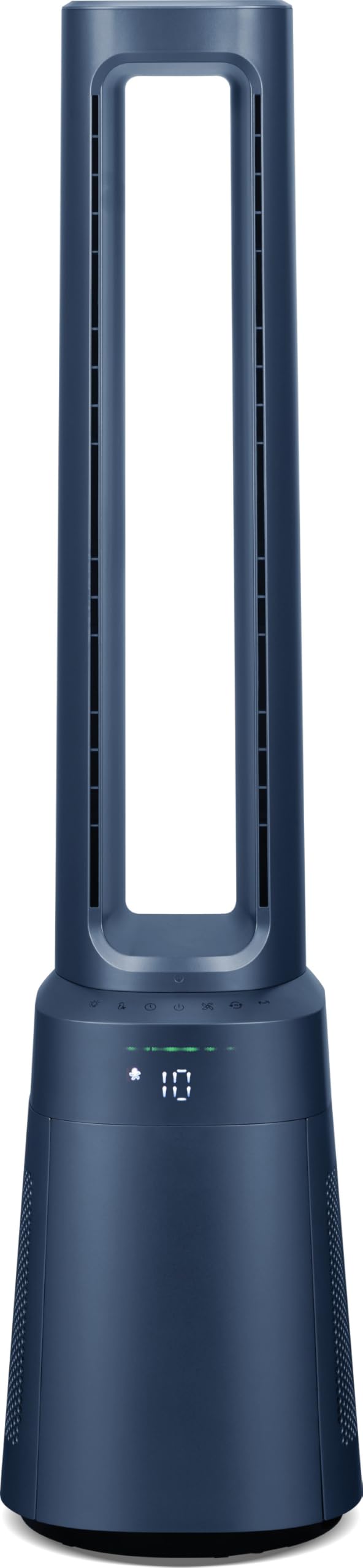
그림 4.1: 전면 view of the Ströme Gliding Grille Bladeless 2-in-1 Tower Fan and Air Purifier, showing the sleek, dark blue bladeless design and the digital display on the base.

그림 4.2: 측면 view of the Ströme Gliding Grille Bladeless 2-in-1 Tower Fan and Air Purifier, highlighting its slim profile and air intake grille.

Figure 4.3: Close-up of the touch control panel and LED display, showing various function icons and the current fan speed setting.

그림 4.4: View of the open filter compartment, revealing the HEPA H13 filter ready for installation or replacement.
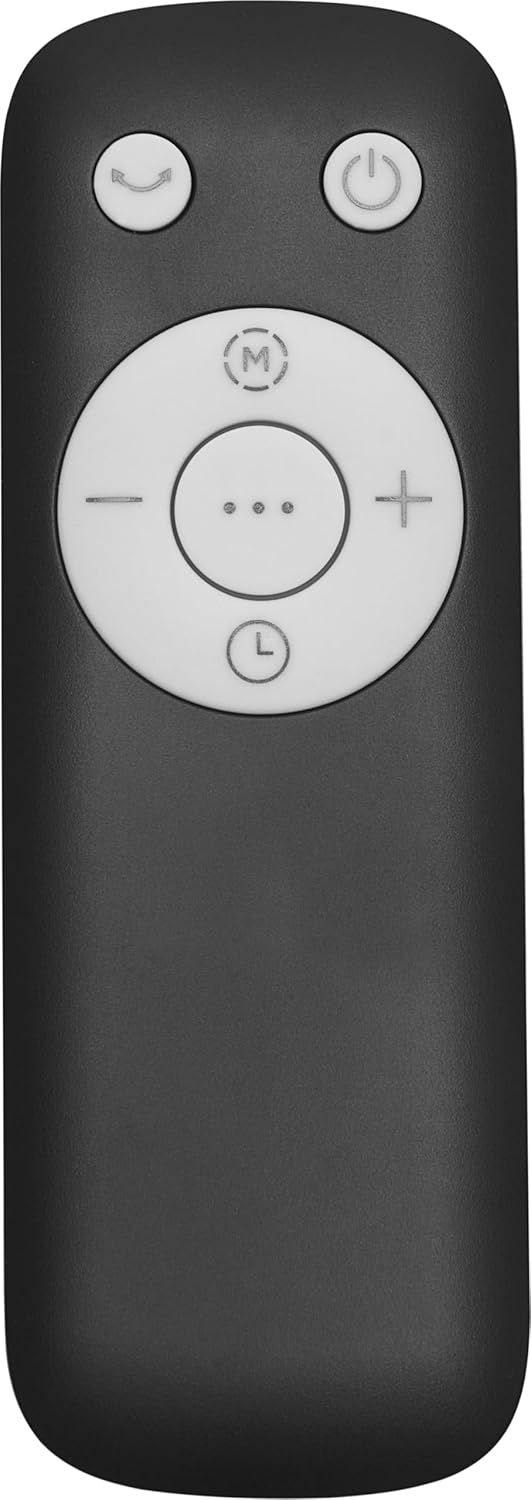
Figure 4.5: The compact remote control with clearly labeled buttons for power, oscillation, mode selection, and fan speed adjustment.
5. 설정
- 짐 풀기: 제품과 모든 부속품을 포장에서 조심스럽게 꺼내세요. 포장은 나중에 보관하거나 운반할 때를 대비해 보관해 주세요.
- 필터 설치 :
- Locate the filter compartment cover on the lower part of the fan (refer to Figure 4.4).
- Open the cover and insert the HEPA H13 filter(s) according to the 'FRONT' markings.
- 덮개를 단단히 닫으십시오.
- 놓기: Place the fan on a firm, level surface. Ensure there is adequate space around the unit for proper air intake and circulation. Avoid placing it near curtains or other objects that could obstruct airflow.
- 전원 연결: 전원 코드를 표준 전기 콘센트에 꽂으세요.
6. 사용 설명서
The fan can be controlled via the touch panel on the unit or the magnetic remote control.
6.1. 전원 켜기/끄기
- 를 누르세요 전원 버튼 () 터치 패널이나 리모컨의 전원을 켜거나 끕니다.
6.2. 팬 속도 조절
- 사용하세요 '+' 그리고 '-' buttons on the remote or the corresponding icons on the touch panel to adjust the fan speed. There are 10 speed levels available.
6.3. 진동 함수
- 를 누르세요 진동 버튼 () to activate or deactivate the 60° oscillation feature, which distributes air evenly.
6.4. 타이머 설정
- 를 누르세요 타이머 버튼 () to set the automatic shut-off timer. The timer can be set for up to 12 hours.
7. 모드 및 설정
The fan offers three distinct operating modes:
- 일반 모드: Standard operation with adjustable fan speeds.
- 야간 모드: Designed for quiet operation during sleep. The fan speed will automatically decrease, and the display will dim or turn off after 60 seconds of inactivity.
- 베이비 모드 : Provides gentle airflow and purification, ideal for sensitive environments.
모드를 전환하려면 누르세요. 모드 버튼 (제어판이나 리모컨에 있습니다.
7.1. Digital Air Quality Display
The LED screen displays real-time air quality information. The display automatically turns off after 60 seconds of inactivity to save energy and reduce light disturbance, especially in Night Mode. The unit also features a memory function that recalls your last settings upon restart.
8. 유지관리
정기적인 유지관리를 통해 가전제품의 최적의 성능과 수명을 보장할 수 있습니다.
8.1. 외부 청소
- 청소하기 전에는 항상 선풍기의 플러그를 뽑으세요.
- 부드러운 d로 외부 표면을 닦으십시오.amp 천. 연마성 세척제나 용매를 사용하지 마십시오.
- 내부 구성품에 물이 들어가지 않도록 주의하세요.
8.2. HEPA 필터 교체
The Ströme Gliding Grille uses two HEPA H13 filters for effective air purification. The filters are not washable and must be replaced periodically.
- The filter life depends on usage and air quality. Replace filters when the air quality indicator consistently shows poor readings despite operation, or approximately every 6-12 months.
- To replace, open the filter compartment cover (refer to Figure 4.4), remove the old filters, and insert new ones, ensuring correct orientation.
- 사용한 필터는 책임감 있게 폐기하십시오.
9. 문제 해결
If you encounter issues, refer to the following table before contacting support.
| 문제 | 가능한 원인 | 해결책 |
|---|---|---|
| 팬이 켜지지 않음 | 전원 공급이 없습니다 | 전원 코드가 작동하는 콘센트에 단단히 꽂혀 있는지 확인하세요. |
| 약한 기류 | Filters are dirty or blocked | Check and replace the HEPA filters if necessary. Ensure air intake is not obstructed. |
| 비정상적인 소음 | Obstruction in the air outlet or base | Turn off and unplug the unit. Carefully check for any foreign objects and remove them. |
| 리모컨이 작동하지 않습니다 | 배터리가 소모되었거나 잘못 삽입되었습니다. | Replace the remote control batteries (sold separately) and ensure correct polarity. |
10. 사양
| 특징 | 사양 |
|---|---|
| 상표 | 스트뢰메 |
| 모델명 | Gliding Grille Bladeless 2-in-1 |
| 색상 | 파란색 |
| 제품 치수 | 25.5 x 25.5 x 105.6cm |
| 재료 | 플라스틱 |
| 속도의 수 | 10 |
| 소음 수준 | 59.8데시벨 |
| 장착 유형 | 플로어 마운트 |
| 제어 유형 | 리모컨, 터치 패널 |
| 권장 제품 사용 | 주거용 |
| 폼 팩터 | 탑 |
| 공기 정화 | 2x HEPA H13 Filters |
| 진동 각도 | 60° |
| 시간제 노동자 | 12시간 |
11. 보증 및 지원
This Ströme product comes with a standard manufacturer's warranty. For detailed warranty information, please refer to the warranty card included with your purchase or visit the official Ströme website. For technical support, troubleshooting assistance, or to inquire about replacement parts, please contact your retailer or the Ströme customer service department.