
1. 서론
This manual provides detailed instructions for the installation, operation, and maintenance of your youkey S320 Wire-Free MagCam Security Camera. The S320 is a versatile indoor/outdoor 2K battery-powered camera featuring dual-band WiFi 6, a magnetic mount for easy placement, color night vision, and intelligent person/pet detection. Please read this manual thoroughly before using the product to ensure proper function and safety.
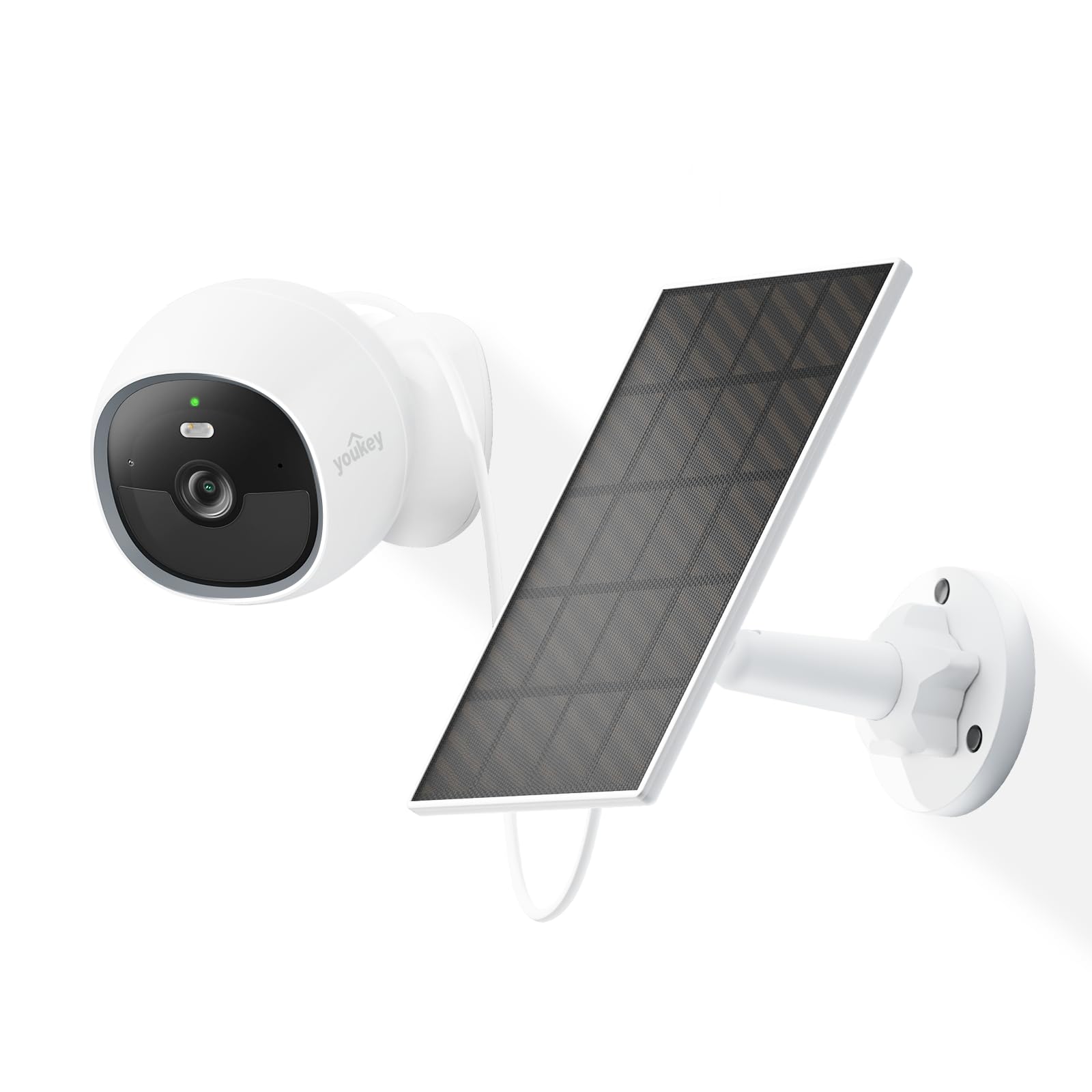
Image: The youkey S320 Wire-Free MagCam Security Camera, showcasing its compact design and magnetic base.
2. 패키지 내용
패키지에 모든 구성품이 들어 있는지 확인하십시오. 누락되거나 손상된 구성품이 있는 경우 고객 지원 센터로 문의하십시오.
- youkey S320 Wire-Free MagCam Security Camera
- 마그네틱 마운팅 베이스
- Screw Mounting Kit (screws and wall anchors)
- USB 충전 케이블
- 빠른 시작 가이드
3. 제품 오버view
Familiarize yourself with the components of your S320 camera.

이미지: 오버view diagram highlighting key features of the youkey S320 camera, including its lens, LED indicator, and mounting points.
카메라 구성 요소:
- 카메라 렌즈: Captures 2K QHD video.
- LED 표시등: Displays camera status (e.g., charging, connected, recording).
- 마이크로폰: 음성 입력 및 양방향 통신용입니다.
- 스피커: 오디오 출력 및 양방향 통신용입니다.
- PIR 모션 센서 : Detects motion for alerts and recording.
- 충전 포트: 내장 배터리 충전용 USB 포트.
- 재설정 버튼: 카메라를 공장 설정으로 재설정하는 데 사용됩니다.
4. 설정
4.1. 카메라 충전
Before initial use, fully charge the camera's built-in 6400mAh battery. Connect the USB charging cable to the camera's charging port and a standard USB power adapter (not included). The LED indicator will show charging status.
4.2. 앱 다운로드
다운로드 youkey Life app from the Apple App Store or Google Play Store. Create an account or log in if you already have one.
4.3. 카메라 페어링
- Open the youkey Life app and tap the '+' icon to add a new device.
- 화면의 지시에 따라 카메라 전원을 켜고 페어링 모드로 진입하세요.
- The camera uses Bluetooth for initial setup and then connects to your home Wi-Fi network (2.4GHz or 5GHz Wi-Fi 6 supported).
- Ensure your Wi-Fi network credentials are correct.

Image: A smartphone screen showing a successful link confirmation, illustrating the easy setup process with Dual Band WiFi 6 and Bluetooth.
4.4. 설치
The youkey S320 offers flexible installation options for both indoor and outdoor use.
마그네틱 마운팅:
For quick and easy placement on metal surfaces, attach the camera directly to the magnetic mounting base. This allows for simple angle adjustments.
나사 장착:
For non-magnetic surfaces or more secure installation, use the provided screw mounting kit. Mark the desired location, drill pilot holes, insert wall anchors (if necessary), and secure the mounting base with screws. Then, attach the camera to the base.

Image: The magnetic mount and screw pack components for the youkey S320 camera, demonstrating versatile installation options.
Solar Panel Integration (Optional):
To provide continuous power and eliminate the need for manual charging, connect the youkey SP3 Solar Panel (sold separately) to the camera. Ensure the solar panel is positioned to receive at least 1 hour of direct sunlight daily for optimal performance. The SP3 solar panel is IP65 weather-resistant, suitable for outdoor conditions.

Image: The youkey S320 camera mounted outdoors next to a youkey SP3 solar panel, illustrating continuous power capability.
5. 카메라 작동
5.1. 라이브 View
Access the live video feed from your camera through the youkey Life app. This allows real-time monitoring of your property.
5.2. 녹음 및 재생
The camera automatically records events triggered by motion detection. Recordings are stored on the built-in 8GB eMMC storage or in the cloud (subscription may apply for extended cloud features). You can review 기록된 footag전자 앱을 통해.

Image: The youkey S320 camera with an overlay indicating its 8GB eMMC built-in storage for reliable performance and seamless playback.
5.3. 동작 감지 및 알림
The S320 features NueraMind AI Detection for accurate person and pet detection, reducing false alarms. You can customize detection zones within the app to focus on specific areas of interest.

Image: A child and a dog in a driveway, with icons indicating NueraMind Smart AI Detection for persons and pets.
Receive instant thumbnail notifications on your smartphone when motion is detected, allowing you to quickly assess the situation without opening the app.

Image: A smartphone displaying multiple instant thumbnail notifications from the youkey Life app, showing detected events.
5.4. 양방향 오디오
Utilize the built-in microphone and speaker for clear two-way communication through the app. This allows you to speak to visitors or deter intruders remotely.

Image: A child playing outdoors, with a speech bubble indicating two-way audio communication through the camera.
5.5. 야간 투시경
The S320 provides color night vision for clear footage even in low-light conditions, enhanced by a F1.6 aperture. Built-in spotlights can activate upon motion detection to illuminate the area and deter unwanted activity.

Image: A family enjoying an evening outdoors, viewed through a smartphone screen, demonstrating the camera's color night vision capability.
6. 유지관리
6.1. 배터리 관리
The 6400mAh battery provides extended operation. For continuous power, especially in outdoor installations, consider pairing with the youkey SP3 Solar Panel. Monitor battery levels through the youkey Life app.
6.2. 카메라 청소
Periodically clean the camera lens and body with a soft, dry cloth to ensure optimal image quality and prevent dust buildup. Do not use harsh chemicals or abrasive materials.
6.3. 펌웨어 업데이트
Ensure your camera's firmware is up to date for the best performance and security features. The youkey Life app will notify you of available updates and guide you through the process.
7. 문제 해결
If you encounter issues with your youkey S320 camera, refer to the following common solutions:
- 카메라가 Wi-Fi에 연결되지 않음: Ensure your Wi-Fi network is 2.4GHz or 5GHz and within range. Check Wi-Fi password. Try resetting the camera.
- 비디오 품질이 좋지 않음: 와이파이 신호 강도를 확인하세요. 카메라 렌즈가 깨끗하고 장애물이 없는지 확인하세요.
- 배터리가 빠르게 소모됨: Reduce the frequency of motion detection events or live view usage. Ensure the solar panel (if used) is receiving adequate sunlight.
- 동작 감지가 작동하지 않습니다: Verify that motion detection is enabled in the app settings. Check detection zones and sensitivity levels.
- 오디오 없음: Ensure microphone and speaker permissions are enabled in the app and on your smartphone. Check camera volume settings.
For further assistance, contact youkey customer support.
8. 사양

Image: A detailed infographic outlining the key specifications and features of the youkey S320 camera.
| 특징 | 사양 |
|---|---|
| 모델 | S320 |
| 해결 | 2.5K QHD |
| 분야 View (시야) | 150° |
| 나이트 비전 | Color Night Vision (F1.6 aperture), Infrared Light (10m), White Light (5m) |
| 배터리 용량 | 6400mAh |
| 연결성 | Dual Band Wi-Fi 6 (2.4GHz & 5GHz), Bluetooth |
| 저장 | Built-in 8GB eMMC, Cloud Storage option |
| 내후성 | IP65 |
| 발각 | NueraMind AI (Human Body, Pet Detection), Customizable Zones |
| 오디오 | 양방향 대화 |
| 호환성 | Alexa와 연동, Google Home과 연동 |
9. 보증 및 지원
9.1. 보증 정보
Your youkey S320 Wire-Free MagCam Security Camera is covered by a limited warranty. Please refer to the official youkey web구체적인 보증 약관 및 조건은 해당 사이트 또는 구매 문서를 참조하세요.
9.2. 고객 지원
For technical support, troubleshooting, or warranty claims, please contact youkey customer service through the following channels:
- Web대지: Visit the official youkey webFAQ 및 지원 리소스를 위한 사이트입니다.
- 이메일: Refer to your product packaging or the youkey web고객 지원 이메일 주소 사이트입니다.
- 앱 내 지원: Access support options directly within the youkey Life application.