
소개
The ASUS TUF Gaming VG249QM5A is a 23.8-inch Full HD monitor designed for an enhanced gaming experience. It incorporates a 240Hz refresh rate and 0.3ms response time, alongside AMD FreeSync™ Premium and NVIDIA® G-SYNC® compatibility for smooth visuals. This monitor offers improved color performance, Gaming AI features, and convenient control via the DisplayWidget Center.
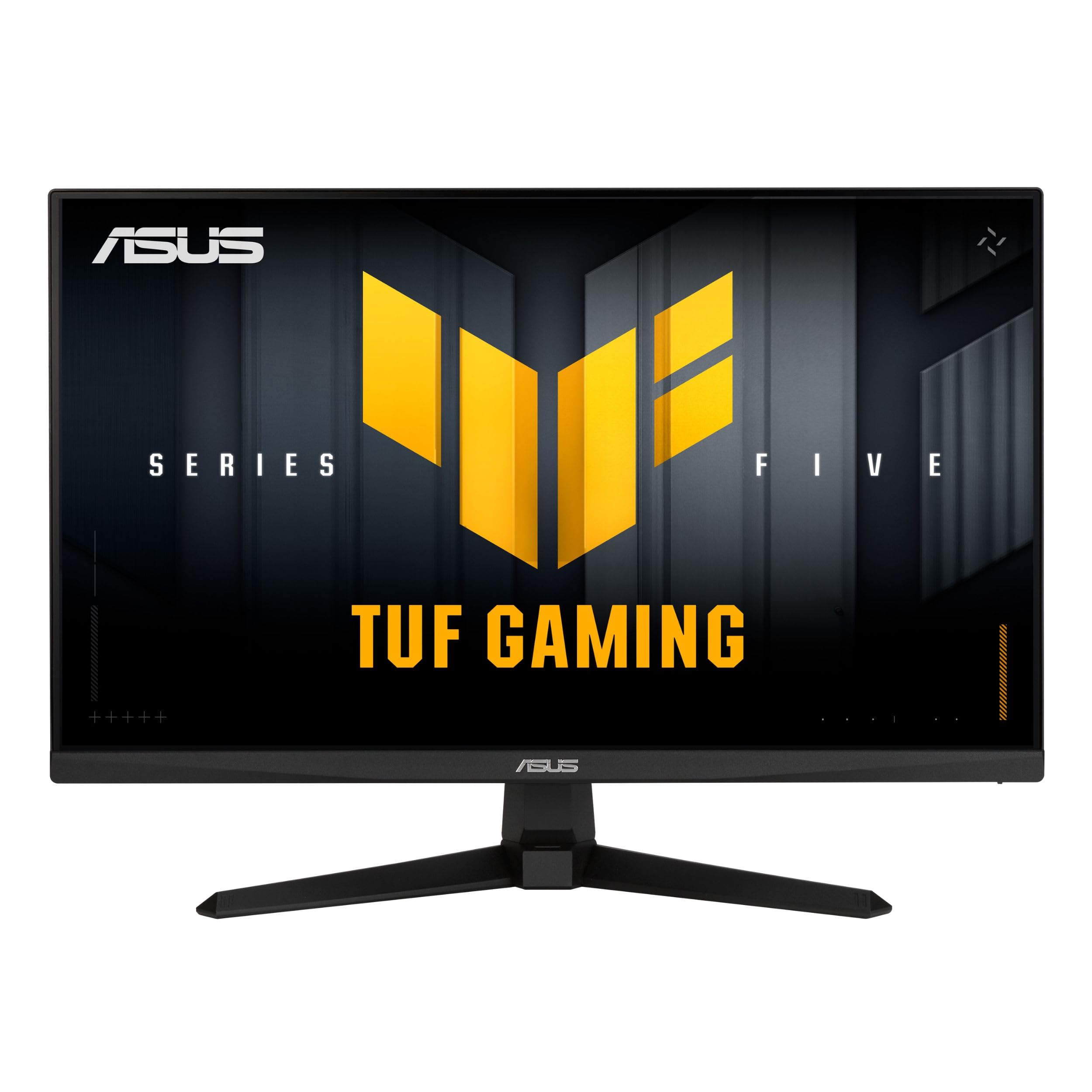
이미지: 앞면 view of the ASUS TUF Gaming VG249QM5A monitor.
상자 안에 무엇이 들어있나요?
Verify that all the following items are present in your product packaging:
- ASUS TUF Gaming VG249QM5A Monitor
- 디스플레이포트 케이블
- L자 드라이버
- 전원 코드
- 빠른 시작 가이드
- 보증 카드
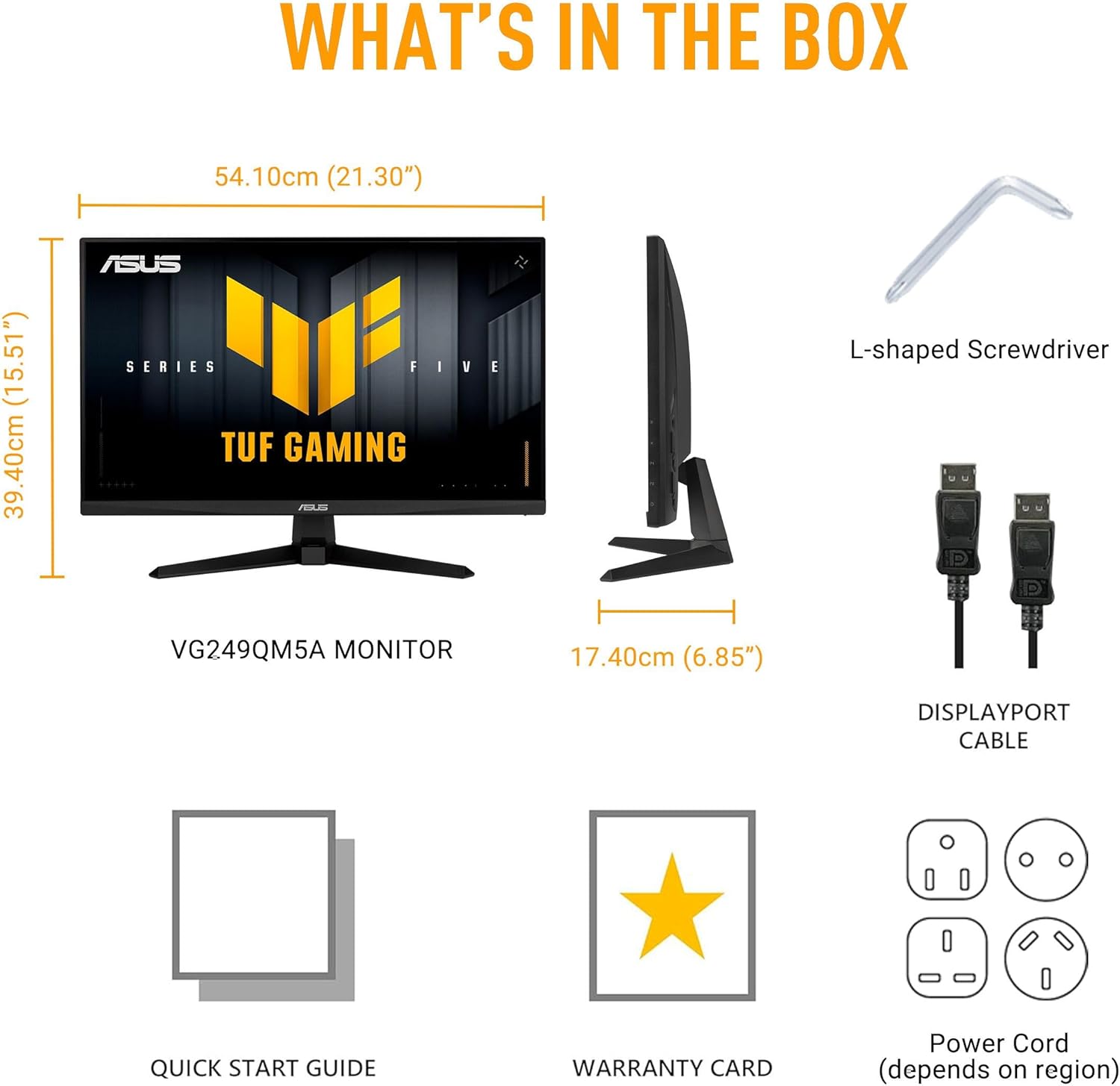
Image: Diagram showing the monitor, DisplayPort cable, L-shaped screwdriver, power cord, quick start guide, and warranty card included in the box.
설정
1. 모니터 조립
Carefully remove the monitor and its components from the packaging. Attach the stand base to the stand neck, then secure the assembled stand to the back of the monitor panel. Ensure all connections are firm.
2. 케이블 연결하기
모니터와 컴퓨터에 필요한 케이블을 연결합니다.
- 전원 코드: Connect one end of the power cord to the monitor's power input and the other end to a power outlet.
- 디스플레이포트 케이블: For optimal performance, connect the included DisplayPort cable from your computer's graphics card to the DisplayPort input on the monitor.
- HDMI 케이블: Alternatively, you can use HDMI cables to connect to the monitor's HDMI 2.0 ports.
- 이어폰 잭: 오디오 출력을 위해 헤드폰이나 외부 스피커를 이어폰 잭에 연결하세요.

Image: The monitor connected to a desktop computer with various cables.

이미지: 클로즈업 view of the monitor's rear ports, including two HDMI 2.0 ports, one DisplayPort, and an earphone jack.
모니터 작동
주요 성능 특징
- 빠른 IPS 패널: 생생한 색상과 폭넓은 경험을 경험하세요 view각도를 나타냅니다.
- 240Hz 재생률: Provides extremely fluid visuals for fast-paced gaming.
- 0.3ms Response Time (min): Minimizes motion blur and ghosting for sharp images.
- G-SYNC 호환 및 FreeSync 프리미엄: Ensures tear-free and stutter-free gameplay by synchronizing the monitor's refresh rate with your GPU's frame rate.
- Extreme Low Motion Blur Sync (ELMB SYNC): Enables ELMB simultaneously with variable refresh rate technologies, further reducing ghosting and tearing.
- 99% sRGB 색역: Delivers accurate and rich color reproduction.

Image: Infographic highlighting key upgrades including speed (0.3ms, 240Hz), fluidity (FreeSync Premium, G-SYNC, ELMB SYNC), Gaming AI, colors (99% sRGB), and simplicity (DisplayWidget Center).

이미지: 모니터 화면asing a high-speed gaming scene, emphasizing its fast IPS, Full HD, 0.3ms, and 240Hz capabilities.

Image: A visual comparison demonstrating improved game fluidity with Variable Refresh Rate (VRR) enabled, highlighting G-SYNC, FreeSync Premium, and ELMB SYNC.
Gaming AI Technology
The monitor includes TUF Gaming A.I. technology with AI-powered features to enhance your gaming experience:
- 동적 십자선: 화면에 십자선을 표시하여 조준 정확도를 향상시킵니다.
- AI 비주얼: 게임 콘텐츠에 따라 시각적 설정을 최적화합니다.

Image: Demonstrations of Dynamic Crosshair (before and after) and AI Visual (before and after) features in gaming scenarios.
디스플레이위젯 센터
The DisplayWidget Center software allows for easy access to On-Screen Display (OSD) settings and monitor adjustments using your mouse. This provides a user-friendly interface for customizing various display parameters, managing firmware updates, and controlling multi-screen setups.

Image: A screenshot of the DisplayWidget Center interface, showing options for customizable settings, firmware update notifications, and multiscreen control.
Eye Care Features and Ergonomic Design
This monitor incorporates features designed to reduce eye strain during extended use and offers flexible positioning options:
- 눈부심 방지 화면: Reduces reflections from ambient light, improving visibility.
- 블루 라이트 필터: Adjustable levels to reduce harmful blue light emissions.
- 플리커 프리 기술: Eliminates screen flickering to minimize eye fatigue.
- 인체공학적 디자인: The stand allows for tilt, swivel, pivot, and height adjustments to achieve a comfortable view위치입니다.
Video: An official ASUS video demonstrating the eye care features (anti-glare, blue light filter, flicker-free) and ergonomic design of ASUS monitors, including adjustable stand functionality.
유지
모니터의 수명과 최적의 성능을 보장하려면 다음 유지 관리 지침을 따르세요.
- 화면 청소: 부드럽고 보풀이 없는 천으로 화면을 부드럽게 닦으세요. 잘 지워지지 않는 얼룩은 가볍게 닦아주세요.amp천에 물이나 특수 화면 세척제를 묻혀 닦아주세요. 강한 화학 물질이나 연마재는 사용하지 마세요.
- C 청소asing: 부드럽고 마른 천을 사용하여 모니터를 청소하십시오.asing.
- 통풍: 모니터의 통풍구가 막히지 않고 깨끗한지 확인하여 과열을 방지하십시오.
- 손질: 모니터 위에 무거운 물건을 올려놓거나 화면에 과도한 압력을 가하지 마십시오.
- 전원 끄기 : 장기간 사용하지 않을 때는 항상 모니터 전원을 끄십시오.
문제 해결
모니터에 문제가 발생하면 다음의 일반적인 문제 해결 단계를 참조하세요.
- 디스플레이/전원 없음:
- 전원 코드가 모니터와 전원 콘센트에 모두 단단히 연결되어 있는지 확인하세요.
- 모니터의 전원 버튼이 눌려 있는지 확인하세요.
- 전원 콘센트가 작동하는지 확인하세요.
- 신호 없음:
- 비디오 케이블(DisplayPort 또는 HDMI)이 모니터와 컴퓨터 그래픽 카드에 제대로 연결되어 있는지 확인하십시오.
- Ensure the correct input source is selected on the monitor (use the OSD menu).
- 컴퓨터가 켜져 있고 절전 모드가 아닌지 확인하세요.
- 이미지 품질 문제(흐릿함, 왜곡, 잘못된 색상):
- 모니터의 기본 해상도(1920x1080)와 원하는 재생 빈도(최대 240Hz)에 맞게 컴퓨터의 해상도와 재생 빈도 설정을 조정하세요.
- OSD 메뉴를 통해 모니터의 디스플레이 설정을 공장 초기값으로 재설정하십시오.
- 그래픽 카드 드라이버를 업데이트하세요.
- Check for physical damage to the video cable.
- 화면 깜빡임:
- Ensure Flicker-Free technology is enabled (if applicable via OSD or DisplayWidget Center).
- 다른 전자 장치로 인한 외부 간섭이 있는지 확인하세요.
If the issue persists after attempting these steps, please contact ASUS customer support.
명세서
| 특징 | 사양 |
|---|---|
| 상표 | 아수스 |
| 모델 번호 | VG249QM5A |
| 화면 크기 | 24인치(23.8인치) view할 수 있는) |
| 화면 해상도 | 1920x1080픽셀(풀 HD) |
| 최대 화면 해상도 | 1920 x 1080 픽셀 |
| 새로 고침 빈도 | 240Hz |
| 응답 시간 | 0.3ms(분) |
| 패널 유형 | 빠른 IPS |
| 색상 영역 | 99% sRGB |
| 적응형 동기화 기술 | G-SYNC Compatible, FreeSync Premium |
| 종횡비 | 16시 9분 |
| 화면 표면 설명 | 매트 |
| 연결성 | DisplayPort, HDMI 2.0 (x2), Earphone Jack |
| 품목 무게 | 7.5파운드 |
| 제품 크기(LxWxH) | 6.9 x 21.3 x 15.5 인치 |
| 색상 | 검은색 |
보증 및 지원
The ASUS TUF Gaming VG249QM5A monitor typically comes with a 3년 제조사 보증. Please refer to the included Warranty Card for specific terms, conditions, and registration details.
기술 지원, 드라이버 다운로드 또는 기타 문의 사항은 ASUS 공식 지원 페이지를 방문해 주십시오. web대지:
When contacting support, have your monitor's model number (VG249QM5A) and serial number readily available.