
1. 서론
Thank you for choosing the Leapwell Portable Bluetooth Desktop CD Player, Model L-CD202B. This device offers versatile audio playback options, including CD, Bluetooth, FM Radio, USB, AUX, AB Repeat, and Optical modes. Designed for both home and portable use, it features integrated speakers and a rechargeable battery. This manual provides essential information for safe and effective operation of your new CD player.
2. 안전 정보
- 사용하기 전에 모든 지침을 읽고 향후 참고를 위해 보관하세요.
- 기기를 비, 습기 또는 극한의 온도에 노출시키지 마세요.
- 라디에이터, 열 조절기, 스토브 또는 기타 열을 발생시키는 장치와 같은 열원 근처에 장치를 두지 마십시오.
- 제조사가 지정한 부속품/액세서리만 사용하세요.
- 마른 천으로만 닦으십시오.
- 통풍구를 막지 마십시오.
- 전원 코드가 밟히거나 끼지 않도록 보호하세요.
- 번개가 칠 때나 장기간 사용하지 않을 때에는 장치의 플러그를 뽑아두십시오.
- 모든 서비스는 자격을 갖춘 서비스 담당자에게 의뢰하세요.
3. 상자 안에 무엇이 들어있나요?
짐을 풀 때 모든 품목이 모두 들어 있고 상태가 양호한지 확인하세요.
- Leapwell Portable CD Player
- 원격 제어
- USB-C 충전 케이블
- 3.5mm AUX 케이블
- 사용 설명서
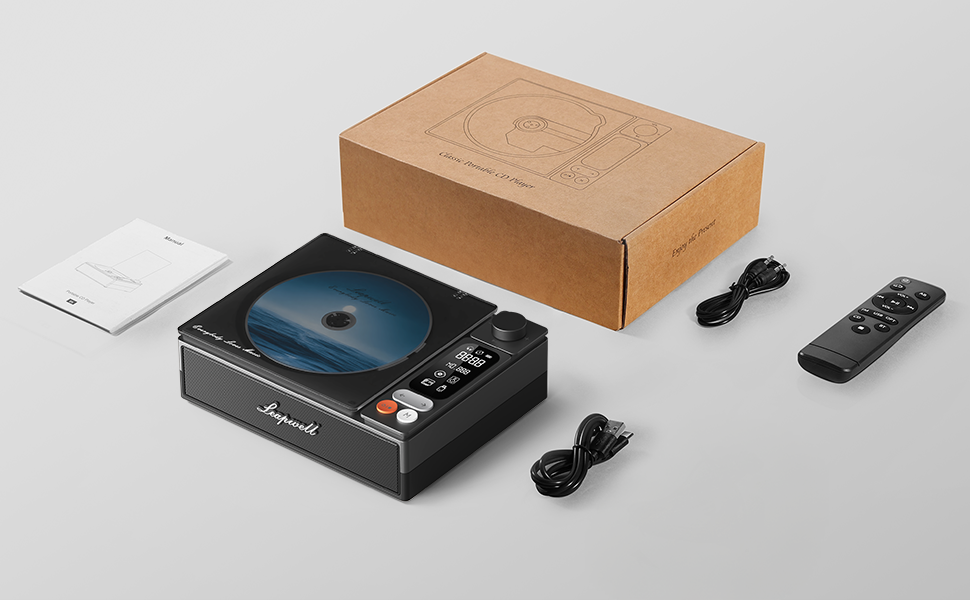
Image: All components included in the Leapwell CD Player package, including the player, remote, cables, and manual.
4. 제품 오버view
The Leapwell L-CD202B is a compact and versatile audio device designed for various listening preferences.

이미지: 앞면 view of the Leapwell Portable Bluetooth Desktop CD Player with a CD inserted and the dust cover open.
주요 특징:
- 7가지 재생 모드: Supports CD Play, Bluetooth (Receive & Transmit), FM Radio, USB, AUX, AB Repeat, and Optical Mode.
- 하이파이 스피커 시스템: Features an independent sound cavity design and inner magnetic speaker unit for enhanced sound detail and bass.
- 블루투스 5.1 : Allows seamless connection to mobile phones, tablets, and external Bluetooth speakers or headphones.
- 충전식 배터리: Built-in USB-C fast-charging battery provides 4-5 hours of playback.
- 클래식 디자인 : Retro square design with a translucent CD dust cover, volume knob, and a 2.4-inch LCD display.
- 광 출력: For connecting to external decoders for lossless audio.
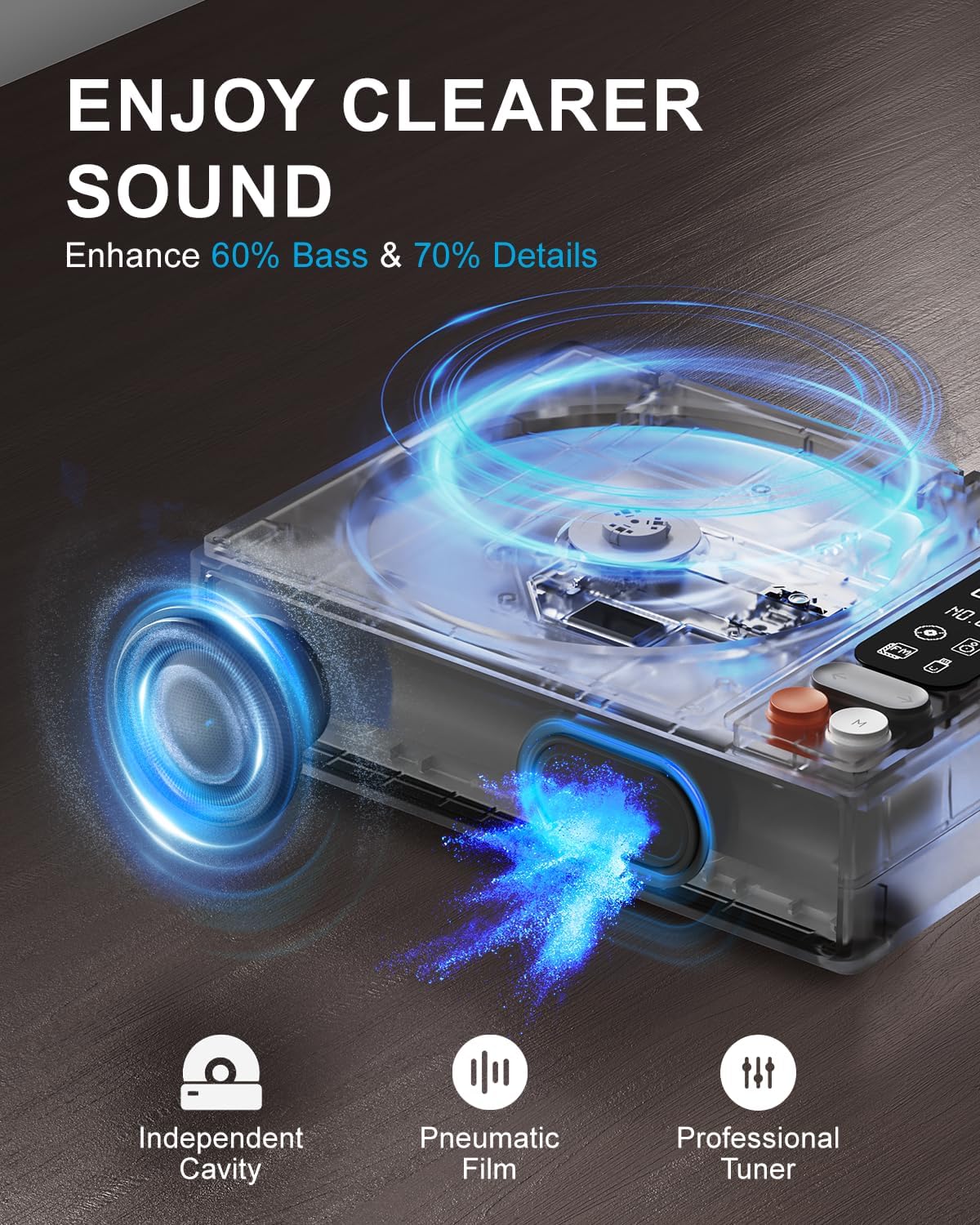
Image: Diagram illustrating the internal speaker design with independent cavity and pneumatic film for enhanced bass and sound detail.

이미지: 클로즈업 view of the Leapwell CD Player highlighting its classic design, volume knob, and digital display.
5. 설정
5.1 장치 충전
Before first use, fully charge the CD player using the provided USB-C cable. Connect the USB-C end to the player's charging port and the other end to a 5V-2A USB power adapter (not included) or a computer's USB port. Charging via a computer's USB port will be slower.

Image: The Leapwell CD Player shown outdoors with battery indicators, emphasizing its portability and rechargeable battery.
5.2 전원 켜기/끄기
기기를 켜려면 전원 버튼을 길게 누르세요. 전원을 끄려면 전원 버튼을 다시 길게 누르세요.
5.3 CD 넣기
- Gently lift the translucent dust cover.
- Place a CD onto the spindle, ensuring it is centered and flat.
- Close the dust cover. The player will begin reading the CD automatically or after selecting CD mode.
Video: Demonstration of loading a CD into the Leapwell CD Player and initiating playback. The video also shows the Bluetooth pairing process.
6. 작동 모드
The Leapwell CD Player supports multiple audio playback modes. Use the 'M' (Mode) button on the device or remote control to switch between modes.
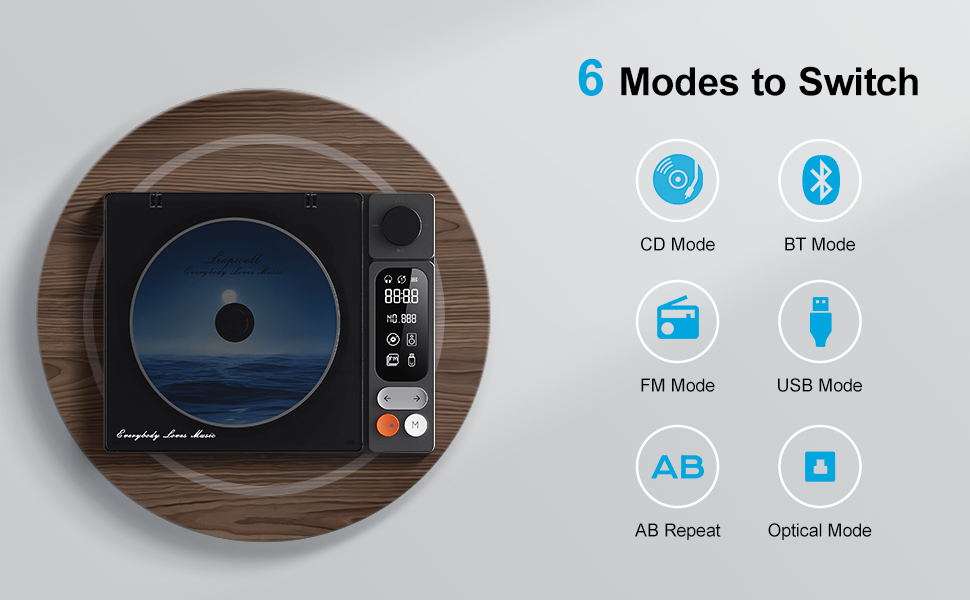
Image: Visual representation of the six main operating modes: CD, Bluetooth, FM, USB, AB Repeat, and Optical.
6.1 CD Play Mode
After loading a CD, the player will typically detect it and begin playback. Use the play/pause, next/previous track buttons, and the volume knob to control playback.
6.2 블루투스 모드
The device supports both Bluetooth Receive and Transmit modes.
- 수신 모드: Allows you to connect your mobile phone or tablet to the CD player and use its built-in speakers for audio output. Activate Bluetooth mode on the CD player, then search for 'CD player' on your external device's Bluetooth settings and pair.
- 전송 모드: Enables the CD player to connect to external Bluetooth speakers or headphones. Activate Bluetooth mode on the CD player, then put your external Bluetooth device into pairing mode. The CD player will search and connect.

Image: A smartphone wirelessly connected to the Leapwell CD Player via Bluetooth, demonstrating the receive mode functionality.

Image: A woman enjoying music through Bluetooth headphones connected to the Leapwell CD Player, illustrating the transmit mode.
6.3 FM 라디오 모드
Switch to FM Radio mode. Use the next/previous track buttons to scan for radio stations. The display will show the current frequency.
6.4 USB 모드
오디오가 포함된 USB 플래시 드라이브를 삽입합니다. files into the USB port. The player will automatically switch to USB mode and begin playback. Use the track control buttons to navigate.
6.5 AUX 모드
Connect an external audio device (e.g., smartphone, MP3 player) to the CD player's AUX input using the provided 3.5mm AUX cable. Switch to AUX mode to play audio from the connected device through the CD player's speakers.
6.6 AB Repeat Mode
This mode allows you to repeat a specific section of audio. During playback, press the AB Repeat button once to set point A, and press it again to set point B. The player will continuously repeat the section between A and B. Press a third time to cancel.
6.7 Optical Mode
Connect the CD player to an external decoder or amplifier via an optical fiber cable (not included) using the optical output port. Switch to Optical mode to transmit digital audio for enhanced sound quality.

Image: The Leapwell CD Player connected to an external audio amplifier using an optical cable, demonstrating the optical output feature.
7. 컨트롤
The CD player features intuitive controls for easy operation:
- 볼륨 노브: 볼륨 레벨을 조정하려면 돌립니다.
- 재생/일시 정지 버튼: 재생을 시작하거나 일시 중지합니다.
- 다음/이전 트랙 버튼: 다음 또는 이전 트랙/방송국으로 건너뜁니다.
- 모드(M) 버튼: Switches between different playback modes.
- LCD 화면: Displays track information, mode, time, and battery status.
- 원격 제어: Provides convenient access to all functions from a distance of up to 15 feet.
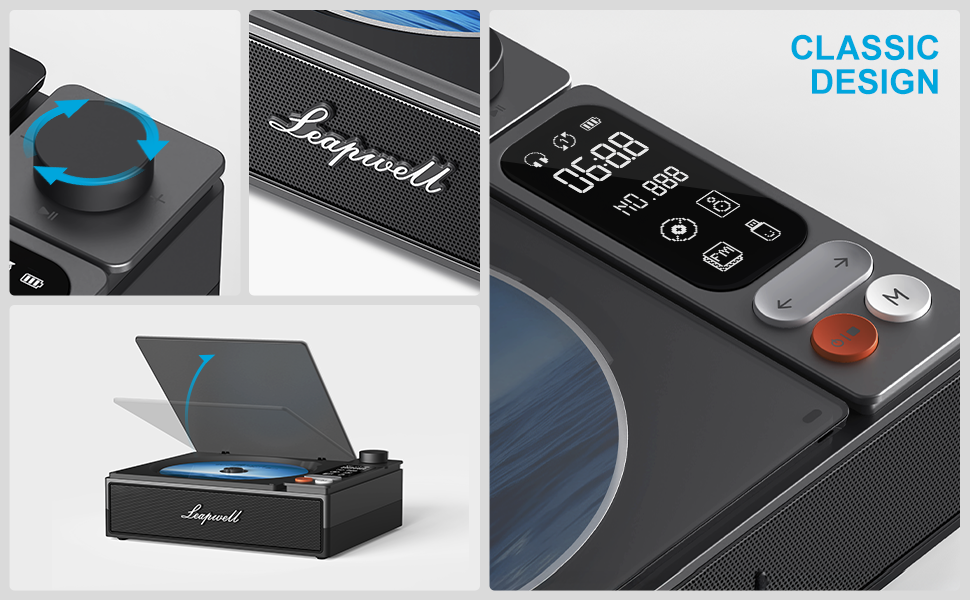
이미지: 상세 view of the control panel, including the volume knob, playback buttons, mode button, and LCD display.
8. 유지관리
8.1 장치 청소
Wipe the exterior of the CD player with a soft, dry cloth. Do not use liquid cleaners or abrasive materials. Keep the CD compartment free of dust and debris. Avoid touching the optical lens.
8.2 CD 케어
Handle CDs by their edges. Store them in their cases to prevent scratches and dust accumulation. Clean dirty CDs with a soft, lint-free cloth, wiping from the center outwards.
9. 문제 해결
If you encounter issues with your Leapwell CD Player, refer to the following common problems and solutions:
- 전원 없음: 장치가 충전되어 있거나 전원에 연결되어 있는지 확인하세요.
- CD가 재생되지 않음: Check if the CD is inserted correctly and is clean. Ensure the device is in CD Play mode.
- 소리 없음: Adjust the volume. Check if external speakers/headphones are properly connected or paired via Bluetooth. Ensure the correct mode is selected.
- 블루투스 연결 문제: Ensure the CD player is in Bluetooth mode and your external device's Bluetooth is enabled and in pairing mode. Try restarting both devices.
- 충전하면서 사용할 수 있나요? Yes, it can. Please unplug the power when not in use for a long time.
- Can it connect to Bluetooth headphones? Yes, it can. It can also connect to a mobile phone and play music.
- Can it be charged via a computer's USB port? Yes, it can. However, charging will be very slow. It is recommended to use a 5V-2A adapter for charging.
10. 사양
| 제품 치수 | 7.3 x 5.7 x 2.5 인치 |
| 품목 무게 | 1.4파운드 |
| 모델명 | L-CD202B |
| 색상 | 검은색 |
| 연결 기술 | 보조 입력, 블루투스, 광 입력, USB |
| 특별 기능 | Anti-Skip Protection, Auto Power-Off, Bluetooth, Portable, Rechargeable |
| 배터리 | 1개의 리튬 이온 배터리(포함) |
11. 보증 및 지원
Leapwell CD Players come with lifelong technical support and 24/7 professional customer service. For any inquiries or assistance, please contact Leapwell customer support through the official channels provided at the time of purchase or on the Leapwell web대지.