
ILEBYGO B0F83Q1HHT
ILEBYGO Mini Projector B0F83Q1HHT User Manual
Model: B0F83Q1HHT
1. 서론
Thank you for choosing the ILEBYGO Mini Projector B0F83Q1HHT. This portable projector is designed to provide a versatile entertainment experience with its Android 13 operating system, WiFi 6, Bluetooth 5.0, 1080P Full HD resolution with 4K support, 320 ANSI lumens brightness, 270-degree rotation, auto keystone correction, and autofocus. This manual provides essential information for setting up, operating, and maintaining your projector.
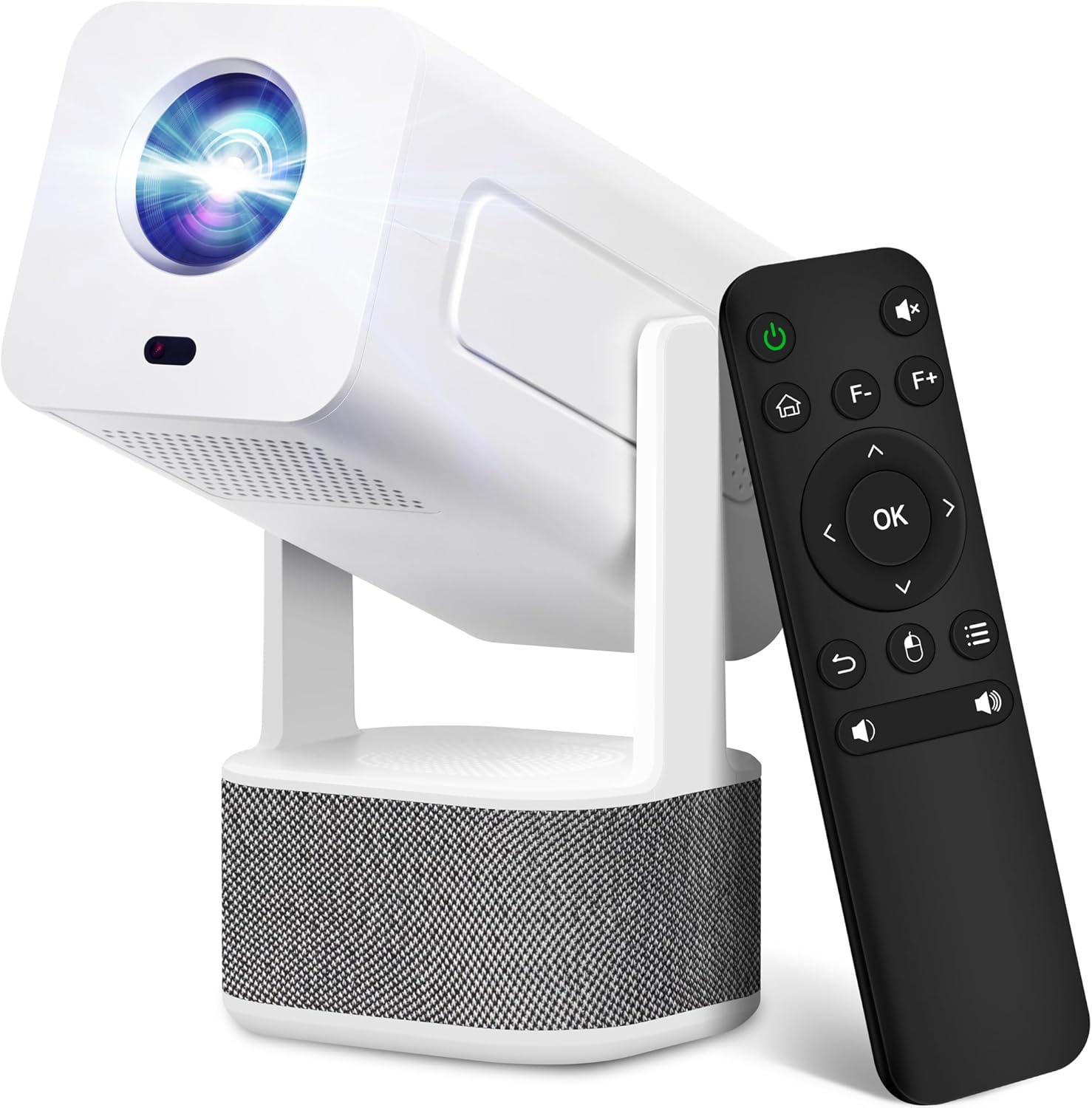
Image 1.1: ILEBYGO Mini Projector and Remote Control
The ILEBYGO Mini Projector B0F83Q1HHT offers a projection size ranging from 30 to 200 inches, making it suitable for various environments from small rooms to outdoor settings. Its dual 5W speakers deliver integrated audio, and multiple connectivity options ensure compatibility with a wide range of devices.
2. 상자 안에 무엇이 들어있나요?
택배 내용물을 확인해 주세요. 누락된 품목이나 손상된 품목이 있을 경우 고객 지원 센터로 문의해 주세요.
- 1x ILEBYGO Mini Projector
- 1x 사용자 설명서
- 1x 전원 어댑터
- 1x 원격 제어
3. 설정 가이드
3.1. 전원 켜기
- 프로젝터의 DC 입력 포트에 전원 어댑터를 연결하십시오.
- 전원 어댑터를 벽면 콘센트에 꽂으세요.
- 프로젝터나 리모컨의 전원 버튼을 눌러 장치를 켜세요.

Image 3.1: Projector Connectivity Ports (DC, HDMI, USB, Audio)
3.2. Initial Placement and Adjustment
The projector features a 270-degree rotatable design, allowing flexible placement.
- 프로젝터를 안정된 표면에 놓으십시오.
- Adjust the projector's angle to direct the image onto your desired projection surface (wall, screen, ceiling).
- The projector will automatically perform keystone correction and autofocus to optimize the image clarity and shape.
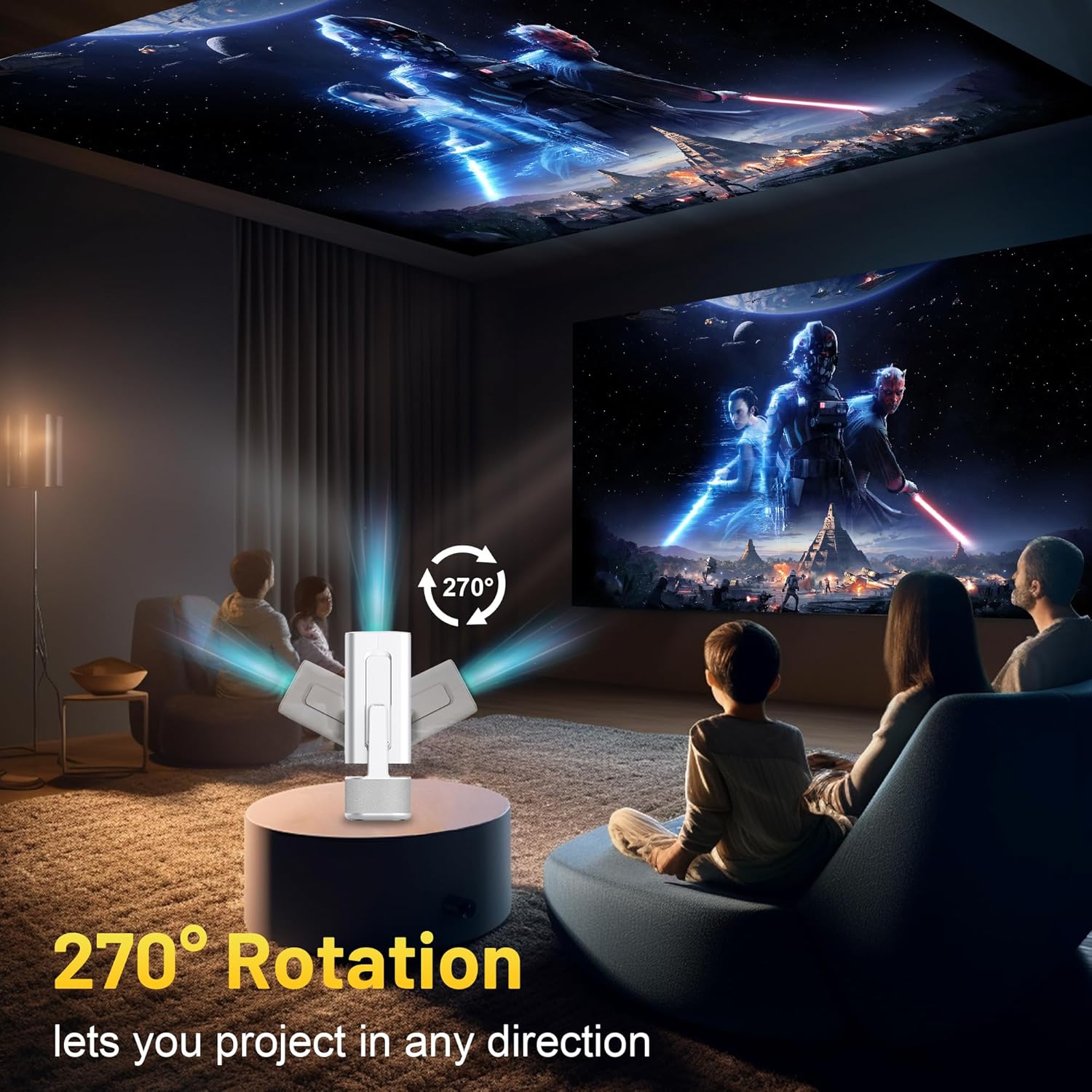
Image 3.2: 270-Degree Rotation Capability
3.3. 네트워크 연결 (Wi-Fi)
To access online content and streaming services, connect the projector to a Wi-Fi network.
- 홈 화면에서 '설정'으로 이동하세요.
- '네트워크 및 인터넷'을 선택하세요.
- Wi-Fi를 켜고 목록에서 원하는 네트워크를 선택하세요.
- 메시지가 나타나면 Wi-Fi 비밀번호를 입력하고 연결하세요.

Image 3.3: Dual Band WiFi 6 and Bluetooth 5.0
3.4. 블루투스 페어링
Pair Bluetooth devices like external speakers or headphones for enhanced audio.
- 홈 화면에서 '설정'으로 이동하세요.
- '연결된 기기' 또는 '블루투스'를 선택하세요.
- 블루투스를 켜세요.
- Bluetooth 장치를 페어링 모드로 전환합니다.
- Select your device from the list of available devices on the projector screen to pair.
4. 사용 설명서
4.1. 항해
Use the included remote control to navigate the projector's interface. The directional buttons, 'OK' button, 'Back' button, and 'Home' button are primary controls.
4.2. App Usage (Android 13)
The projector runs on Android 13 and comes with pre-installed streaming applications.
- From the home screen, select the desired application (e.g., Netflix, YouTube, Prime Video).
- 필요한 경우 계정 자격 증명을 사용하여 로그인하세요.
- Browse and play content as you would on any Android smart device.
- Additional apps can be downloaded from the Google Play Store.

Image 4.1: Built-in Android 13 System with Apps
4.3. 화면 미러링/캐스팅
Mirror content from your smartphone, tablet, or computer wirelessly.
- 프로젝터와 기기가 동일한 Wi-Fi 네트워크에 연결되어 있는지 확인하십시오.
- On the projector, select the screen mirroring/casting application (e.g., Miracast, AirPlay).
- On your mobile device, enable screen mirroring or casting and select the projector from the list of available devices.
4.4. 외부 장치 연결 (HDMI, USB)
Connect external devices such as laptops, gaming consoles, or USB drives.
- HDMI : Connect an HDMI cable from your device to the HDMI port on the projector. Select the HDMI input source from the projector's input menu.
- USB: Insert a USB drive into the USB port. The projector's file manager will typically open automatically, allowing you to browse and play media files.

Image 4.2: Multi-Device Compatibility
4.5. 이미지 조정
The projector features automatic adjustments for convenience.
- 자동 키스톤 보정: The projector automatically corrects vertical image distortion. If manual adjustment is needed, navigate to 'Settings' > 'Projection Settings' > 'Keystone Correction'.
- 자동 초점 : The image will automatically focus when the projector is moved or powered on. Manual focus adjustment can be found in 'Settings' > 'Projection Settings' > 'Focus'.
- 줌: Adjust the projection size from 50% to 100% without moving the projector. This setting is typically found in 'Settings' > 'Projection Settings' > 'Zoom'.

Image 4.3: Auto Keystone Correction and Autofocus
5. 유지관리
5.1. 청소
- 렌즈: 부드럽고 보풀이 없는 광학 렌즈 전용 천을 사용하세요. 연마재나 강한 화학 물질은 사용하지 마세요.
- 외부: 프로젝터 외부는 부드럽고 마른 천으로 닦으세요. 액체 세척제를 기기에 직접 사용하지 마세요.
- 통풍: 과열을 방지하기 위해 통풍구에 먼지나 방해물이 없는지 확인하세요.
5.2. 보관
When not in use, store the projector in a cool, dry place away from direct sunlight and extreme temperatures. Use the original packaging or a protective case to prevent dust accumulation and physical damage.
6. 문제 해결
일반적인 문제와 해결 방법은 아래 표를 참조하세요.
| 문제 | 가능한 원인 | 해결책 |
|---|---|---|
| 전원이 없습니다 | Power cable not connected; Power outlet malfunction | 전원 케이블이 제대로 연결되어 있는지 확인하세요. 다른 콘센트에 연결해 보세요. |
| 이미지 없음 | 잘못된 입력 소스; 장치가 연결되지 않았습니다; 프로젝터가 대기 모드입니다 | Select correct input source (HDMI, USB). Ensure external device is powered on and connected. Press power button to wake projector. |
| 흐릿한 이미지 | Out of focus; Keystone not corrected | Allow autofocus to adjust. Manually adjust focus in settings if needed. Check keystone correction settings. |
| 소리가 나지 않습니다 | Volume too low; Muted; External audio device not connected/paired | Increase volume. Unmute projector. Ensure Bluetooth audio device is paired and connected, or external speakers are properly connected via audio jack. |
| Wi-Fi 연결 문제 | Incorrect password; Network interference; Router issues | Wi-Fi 비밀번호를 확인하세요. 프로젝터를 라우터 가까이로 이동하세요. 라우터를 재시작하세요. |
| 블루투스 페어링 실패 | Device not in pairing mode; Interference; Device too far | Ensure Bluetooth device is in pairing mode. Keep devices close. Turn off other Bluetooth devices to reduce interference. |
7. 사양
| 특징 | 세부 사항 |
|---|---|
| 상표 | 일레비고 |
| 모델 | B0F83Q1HHT |
| 디스플레이 해상도 | 1920 x 1080 (Full HD), 4K Support |
| 명도 | 320 ANSI 루멘스 |
| 연결 기술 | Bluetooth 5.0, HDMI, USB, Wi-Fi 6 (2.4G+5G) |
| 운영 체제 | 안드로이드 13 |
| 특별 기능 | Auto Keystone Correction, Autofocus, 270° Rotation, Built-in Dual 5W Speakers |
| 투사 크기 | 30~200인치 |
| 종횡비 | 16:9 / 4:3 |
| 품목 무게 | 2.72파운드 |
| 패키지 크기 | 13.54 x 5.39 x 5.2 인치 |
8. 보증 및 지원
The ILEBYGO Mini Projector B0F83Q1HHT comes with a standard manufacturer's warranty. Please refer to the warranty card included in your package for specific terms and conditions.
For technical support, troubleshooting assistance, or warranty claims, please contact ILEBYGO customer service through the retailer's platform or the contact information provided in your product documentation.
Ask a question about this manual
Ask about setup, troubleshooting, compatibility, parts, safety, or missing instructions. Manuals+ will review the question and use this page’s manual context to help answer it.