
소개
Thank you for choosing the hygger Aquarium Cooling Fan. This compact cooling fan is designed to help manage water temperature in your aquarium, especially during warmer periods. It features adjustable fan speeds, a timer function, and flexible angle adjustment for efficient cooling. Please read this manual thoroughly before use to ensure proper operation and maintenance.
설치 지침
- 제품 포장 풀기: Carefully remove all components from the packaging. Verify that you have the fan unit(s), controller, and power adapter.
- 수족관에 부착: The fan features an easy-to-install clip-on design. Attach the fan securely to the rim of your aquarium. This fan is compatible with aquarium walls up to 11mm thick, suitable for both frameless and framed tanks.
- 각도 조정: The fan's airflow angle can be adjusted by 180°. Position the fan to direct airflow across the water surface for optimal evaporative cooling.
- 구성 요소 연결: Connect the fan(s) to the controller, and then connect the controller to the power adapter.
- 전원 켜기: 전원 어댑터를 적합한 전기 콘센트에 연결하십시오.

Image: The fan unit demonstrating its 180° angle adjustment capability and the clip-on attachment suitable for aquarium walls up to 11mm. An independent switch is also visible on the side of the fan unit.
작동 지침
전원 켜기/끄기
Each fan head has an independent switch located on its side. Use these switches to turn individual fans on or off as needed, without having to unplug the main power adapter.
5단 속도 조절
The external controller allows you to select from 5 different fan speeds to suit various environmental conditions and cooling requirements. Higher speeds provide stronger airflow and greater cooling.
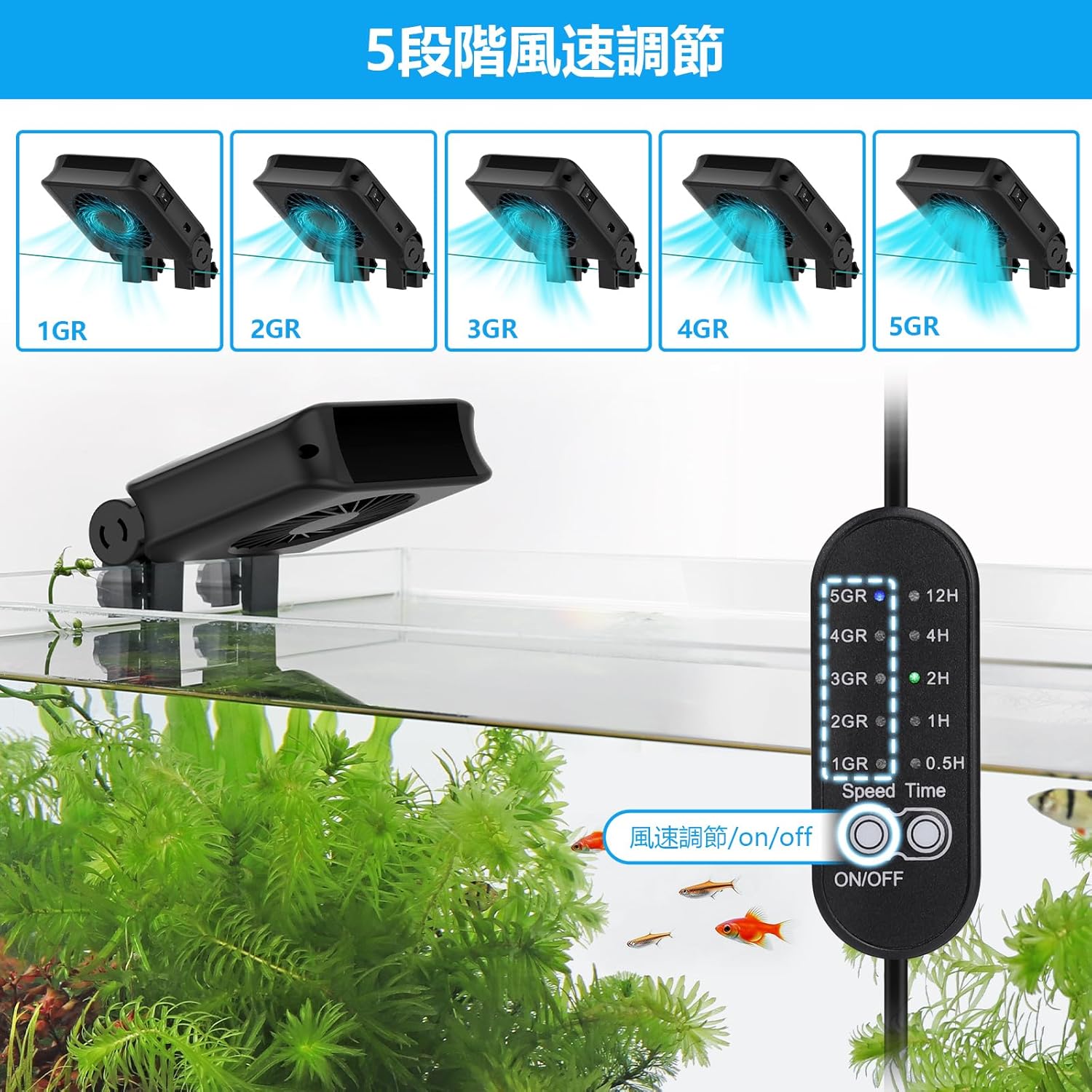
Image: The controller displaying the five fan speed settings (1GR to 5GR) and the corresponding fan icons indicating increasing 공기 흐름.
5-Timer Function
The controller also includes a timer function, allowing you to set the fan to operate for specific durations: 0.5, 1, 2, 4, or 12 hours. This feature is useful for automatic shutdown, for example, when ambient temperatures drop at night or when air conditioning is active, eliminating the need for manual intervention.
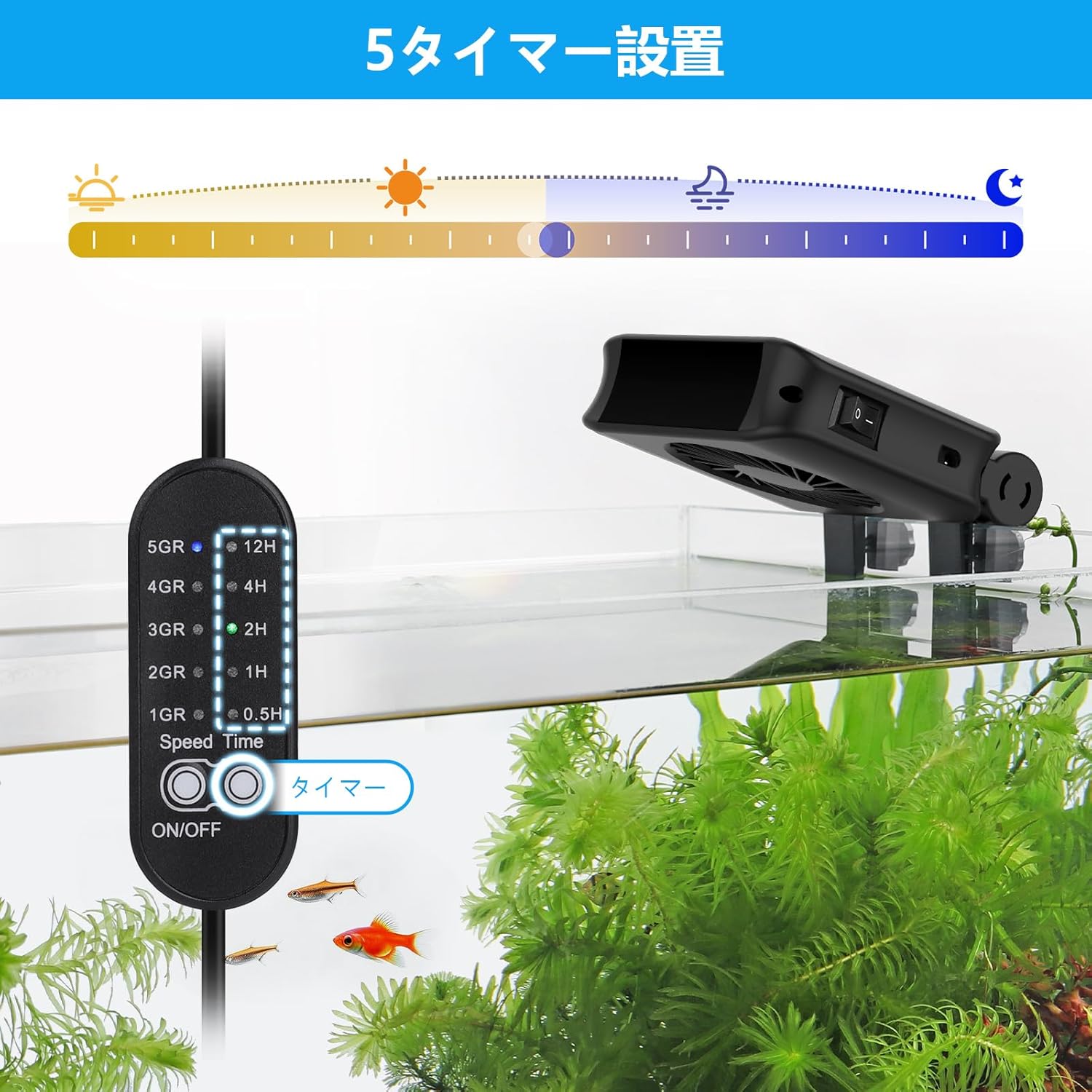
Image: The controller displaying the five timer settings (0.5H, 1H, 2H, 4H, 12H) with an illustration of day and night cycles.
Water Temperature Management
This cooling fan lowers water temperature through evaporative cooling. In conditions of 30°C (80%RH), it can lower water temperature by approximately 3°C. Note that cooling efficiency is affected by environmental humidity: it is less effective in high humidity and more effective in low humidity.

Image: The fan blowing cool air over an aquarium, with a graphic indicating a decrease in water temperature, illustrating its function for summer water temperature management.
유지
수위 모니터링
Due to the evaporative cooling process, water in your aquarium will evaporate more quickly than usual. It is crucial to regularly monitor the water level and replenish it as needed to maintain stable water parameters for your aquatic life.
온도 모니터링
Continuous operation of the fan may cause the water temperature to drop too low, which can be harmful to certain aquatic species. Frequent water temperature checks are recommended to ensure it remains within the optimal range for your aquarium inhabitants.
청소
Periodically inspect the fan blades and housing for dust or debris accumulation. Gently clean with a soft, dry cloth. Ensure the fan is unplugged before cleaning.
문제 해결
- 팬이 켜지지 않음:
- 전원 어댑터가 컨트롤러와 작동하는 콘센트에 제대로 꽂혀 있는지 확인하십시오.
- Check that the independent switch on the side of the fan head is in the 'ON' position.
- Verify that the controller is not set to a timer duration that has already expired.
- 불충분한 냉각:
- Increase the fan speed setting on the controller.
- Ensure the fan is positioned correctly to direct airflow across the water surface.
- High ambient humidity can reduce cooling effectiveness. Consider using a dehumidifier in the room if humidity is consistently high.
- Ensure the aquarium is not exposed to direct sunlight or other heat sources.
- 과도한 소음:
- Check that the fan is securely mounted and not vibrating against the aquarium rim.
- Inspect fan blades for any obstructions or damage.
- Ensure the fan is clean and free of dust accumulation.
명세서
| 특징 | 세부 사항 |
|---|---|
| 제품 모델 번호 | BJP-HG051 |
| 색상 | 검은색 |
| 크기 | 2팬 |
| 특별 사용 | 실내 |
| 배터리 사용 | 아니요 |
| Compatible Tank Wall Thickness | 최대 11mm |
| 팬 속도 | 5단계 |
| 타이머 설정 | 0.5시간, 1시간, 2시간, 4시간, 12시간 |
| 각도 조정 | 180° |
| ASIN | B0F7XRW67S |
| 첫 번째 가능한 날짜 | 8년 2025월 XNUMX일 |

이미지: 자세한 view of the fan's internal structure, emphasizing its strong airflow and quiet operation due to a pure copper motor.
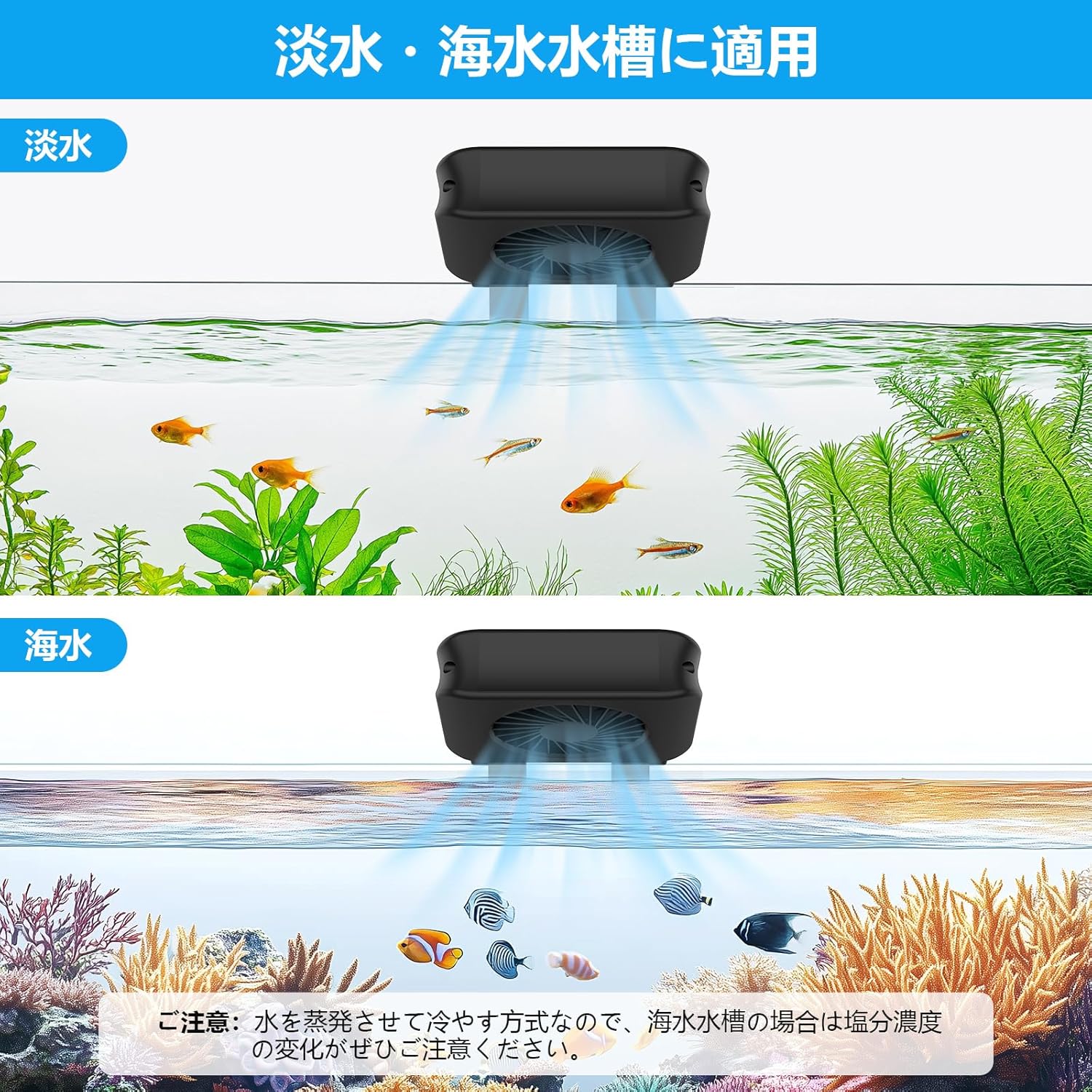
Image: The fan installed on both a freshwater and a saltwater aquarium, indicating its versatility. A note reminds users to monitor salinity changes in saltwater tanks due to evaporation.
보증 정보
hygger pays meticulous attention to product quality and is committed to customer satisfaction. In the unlikely event of an issue, we will respond responsibly and sincerely for one year from the date of purchase. Please retain your proof of purchase for warranty claims.
지원하다
For further assistance, troubleshooting not covered in this manual, or warranty inquiries, please contact hygger customer support through the retailer where you purchased the product or visit the official hygger web연락처 정보 사이트.