
소개
구매해주셔서 감사합니다asing the hygger Aquarium Cooling Fan. This manual provides essential information for the safe and efficient operation of your new cooling fan. Please read it thoroughly before use and retain it for future reference.
제품 특징
- 온도 조절: This compact cooling fan is designed for effective summer temperature management. It can lower water temperature by approximately 3°C at 30°C (80% RH). Cooling efficiency varies with usage and environmental conditions; higher humidity reduces effectiveness, while lower humidity increases it.
- 5단 속도 조정: The fan offers 5 distinct speed settings, allowing for adaptable use across various environmental conditions and seasons.
- 5 타이머 설정: An integrated timer function provides options for 0.5, 1, 2, 4, or 12 hours of operation via the external controller. This feature enables automatic fan shutdown, eliminating the need for manual intervention.
- 180° 각도 조정: Compatible with both frameless and framed aquariums up to 30cm, the fan's airflow angle can be adjusted by 180° to ensure wide-area cooling.
- 독립 스위치: The fan unit features an independent side switch for convenient power control, removing the necessity to unplug the power adapter each time.
- 간편한 설치: Designed with a simple clip-on mechanism, the fan is suitable for aquarium walls up to 11mm thick. This design simplifies setup compared to more complex chiller systems.
- 증발 냉각: The fan operates by utilizing evaporative cooling to reduce water temperature. This process increases water evaporation from the aquarium, necessitating regular monitoring of water levels and replenishment. Frequent water temperature checks are also recommended to prevent overcooling.
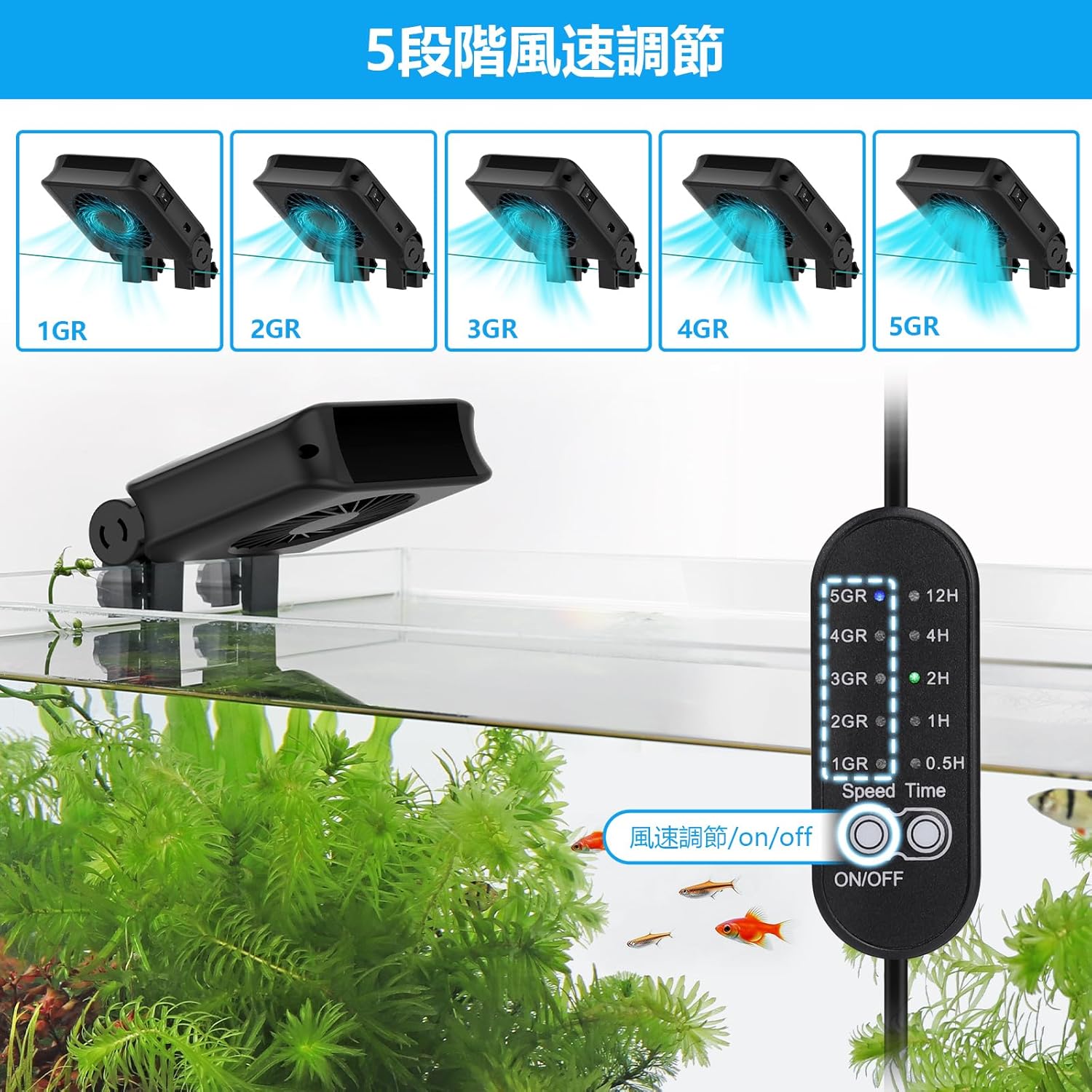
Image: Fan controller displaying 5 speed settings.
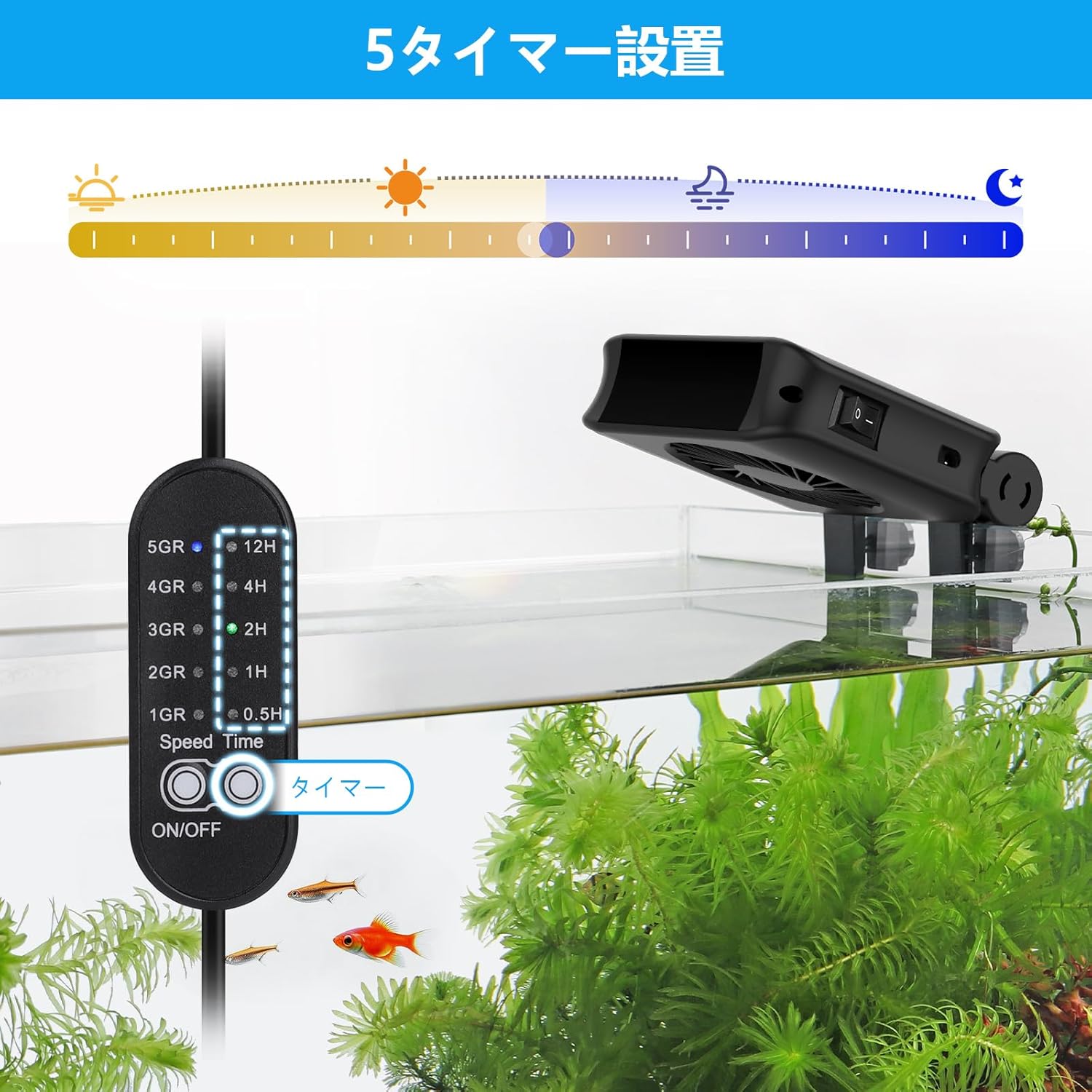
Image: Fan controller displaying 5 timer settings.

Image: Fan installed on an aquarium, demonstrating cooling airflow.

Image: Fan showing 180-degree angle adjustment and clip installation mechanism.

Image: Close-up of the fan's blades and motor.
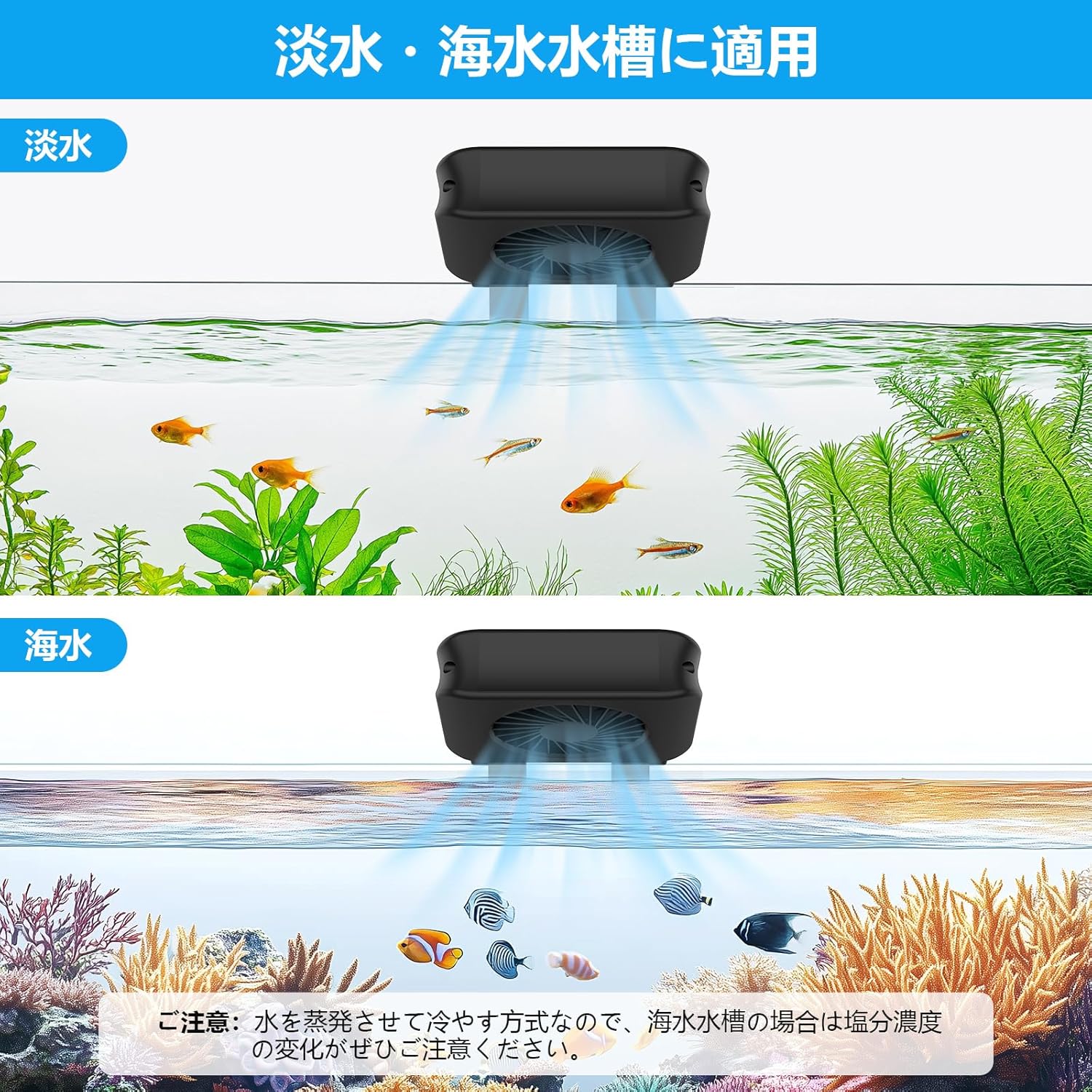
Image: Fan shown in use with both freshwater and saltwater aquariums.
패키지 내용
- Aquarium Cooling Fan (1 unit)
- 외부 컨트롤러
- 전원 어댑터
- 사용 설명서
안전 지침
안전한 작동을 보장하고 손상을 방지하려면 다음 안전 지침을 준수하세요.
- 전원 공급 장치 볼륨을 확인하십시오.tage matches the fan's requirements before plugging in.
- Do not immerse the fan, controller, or power adapter in water. This product is not submersible.
- 기기를 어린이와 애완동물이 닿지 않는 곳에 보관하세요.
- Always unplug the fan from the power outlet before performing any maintenance, cleaning, or if any malfunction occurs.
- Do not operate the fan if the power cord, plug, or any part of the unit is damaged. Contact customer support for assistance.
- Ensure adequate ventilation around the fan to prevent overheating.
- 이 제품은 실내 수족관용으로만 설계되었습니다.
설정
설치
- Identify a suitable location on your aquarium rim. The fan's clip is designed for tank walls up to 11mm thick.
- Loosen the adjustment screws on the fan's clip.
- Position the fan securely on the aquarium rim, ensuring the fan blades are clear of obstructions and the airflow is directed towards the water surface.
- Tighten the adjustment screws to firmly secure the fan in place.
- Adjust the fan's angle (up to 180°) to optimize airflow across the water surface for maximum cooling efficiency.
전원 연결
- Connect the fan cable to the designated port on the external controller.
- 전원 어댑터를 외부 컨트롤러에 연결하십시오.
- 전원 어댑터를 적합한 전기 콘센트에 연결하십시오.
작동 지침
전원 켜기/끄기
Use the independent switch located on the side of the fan unit to turn the device on or off. This allows for quick control without disconnecting the power adapter.
속도 조절
The external controller provides 5 fan speed settings. Press the speed button on the controller to cycle through the available settings (indicated as 1GR to 5GR) to achieve your desired airflow.
타이머 기능
To utilize the timer function, press the timer button on the external controller. You can select operating durations of 0.5, 1, 2, 4, or 12 hours. The fan will automatically power off once the selected time has elapsed.
유지
Regular maintenance ensures optimal performance and longevity of your cooling fan.
- 정기 청소: Always unplug the fan before cleaning. Use a soft, dry cloth to gently wipe the fan blades and housing. Do not use abrasive cleaners, solvents, or immerse the unit in water.
- 수위 모니터링: As the fan uses evaporative cooling, water in your aquarium will evaporate faster than usual. Regularly check the water level and replenish it with dechlorinated water to maintain stable water parameters.
- Water Temperature Monitoring: Frequently monitor the aquarium water temperature using a reliable thermometer to prevent overcooling, especially during cooler periods or when the fan is set to higher speeds for extended durations.
문제 해결
일반적인 문제와 해결 방법은 아래 표를 참조하세요.
| 문제 | 가능한 원인 | 해결책 |
|---|---|---|
| 팬이 켜지지 않음 | No power, switch off, faulty connection | Check power adapter connection, ensure fan's independent switch is ON, test power outlet, ensure controller is connected correctly. |
| 냉각이 부족합니다 | Low fan speed, obstructed airflow, high ambient humidity | Increase fan speed, ensure no obstructions block airflow, adjust fan angle, note that high humidity reduces evaporative cooling efficiency. |
| Excessive water evaporation | Normal operation for evaporative cooling | Regularly monitor water levels and replenish as needed. This is an expected effect of the cooling mechanism. |
| 선풍기가 시끄럽거나 진동이 심합니다. | Loose mounting, dust buildup on blades | Ensure the fan is securely mounted to the aquarium rim. Unplug and gently clean fan blades if dust or debris is present. |
명세서
| 특징 | 세부 사항 |
|---|---|
| 모델 번호 | BJP-HG051 |
| 색상 | 검은색 |
| 팬 수량 | 1 팬 |
| Applicable Tank Wall Thickness | 최대 11mm |
| 속도 설정 | 5단계 |
| 타이머 설정 | 0.5시간, 1시간, 2시간, 4시간, 12시간 |
| 각도 조정 | 180° |
| 특별 사용 | 실내 수족관 |
| 배터리 사용 | 아니요 |
보증 및 지원
hygger offers a 1-year warranty from the date of purchase against manufacturing defects. If a problem occurs, hygger is committed to providing sincere and responsible support for one year from the purchase date. For technical support, warranty claims, or any inquiries, please contact hygger customer service through their official web제품을 구매한 사이트 또는 소매점에 문의하십시오. 보증 확인을 위해 구매 증빙 자료를 보관하십시오.