
소개
The WOWOBONTOY WL K170 RC Helicopter is a high-performance, remote-controlled aircraft designed for hobby enthusiasts. Featuring a realistic UH-60L Black Hawk design, this model offers a stable and user-friendly flying experience with advanced features like a 6-axis gyro, one-key takeoff/landing, and intuitive 4-channel controls. This manual provides essential information for the safe and effective operation, maintenance, and troubleshooting of your WL K170 RC Helicopter.
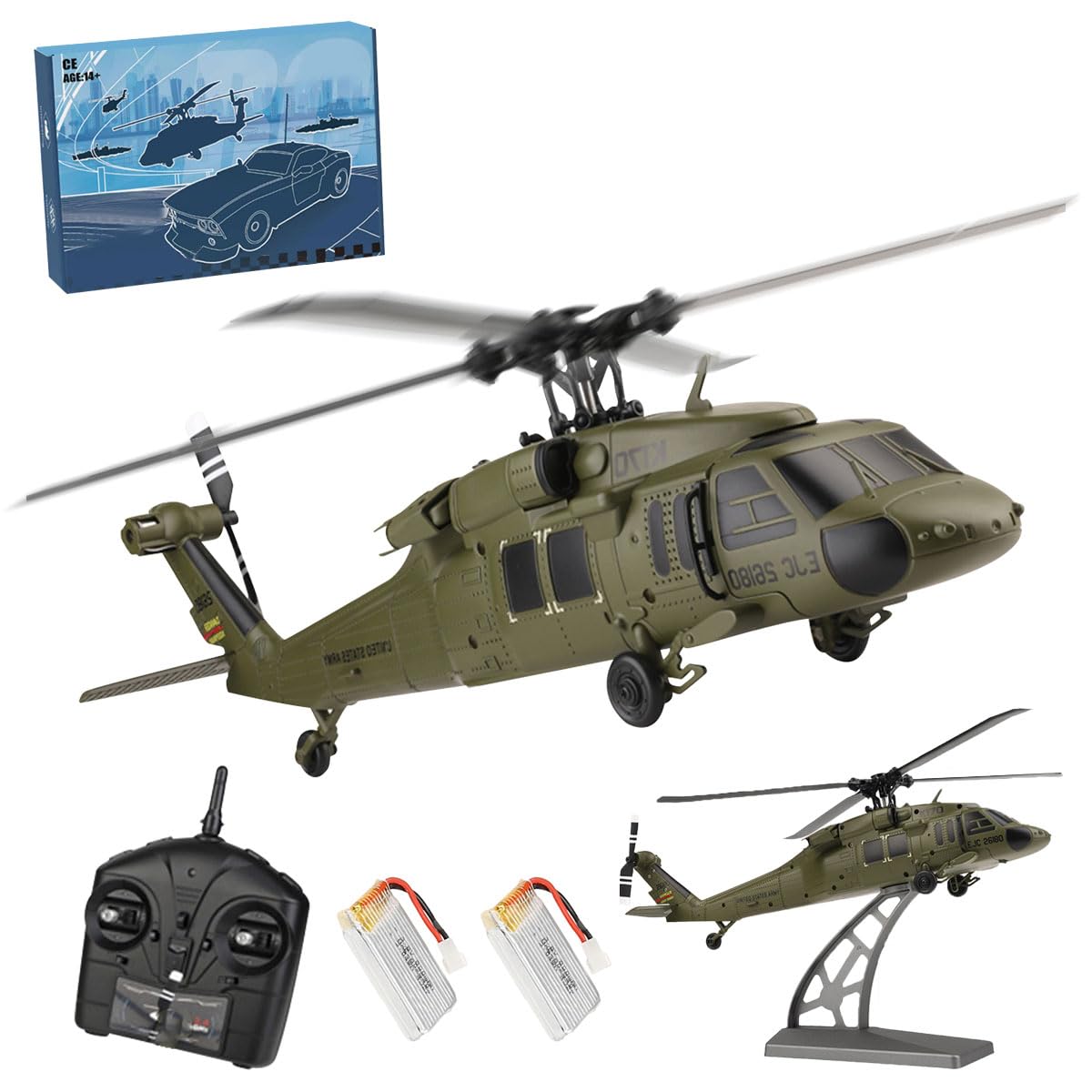
Image: The WOWOBONTOY WL K170 RC Helicopter, a detailed replica of the UH-60L Black Hawk, displayed on its stand.
안전 지침
Always prioritize safety when operating the RC helicopter. Failure to follow these guidelines may result in injury or damage to the product.
- 연령 권장 사항: This product is recommended for users 12 years and up. Adult supervision is advised for younger users.
- 비행 환경: Fly in open, clear areas away from people, animals, buildings, power lines, and water. Avoid flying in strong winds or adverse weather conditions.
- 비행 전 점검: Before each flight, ensure all components are securely attached, batteries are fully charged, and the remote control is properly linked to the helicopter.
- 프로펠러 안전: 회전하는 프로펠러에 손, 얼굴, 헐렁한 옷이 닿지 않도록 하십시오. 프로펠러는 심각한 부상을 초래할 수 있습니다.
- 배터리 취급: Use only the specified battery type. Do not overcharge or short-circuit batteries. Disconnect the battery after use and store it safely.
- 비상 정지 : 리모컨의 비상 정지 기능을 숙지하십시오.
상자 안에 무엇이 들어있나요?
Upon unboxing your WOWOBONTOY WL K170 RC Helicopter, verify that all components are present:
- RC Simulated Helicopter Model (UH-60L)
- 2.4G 4CH Remote Controller
- Rechargeable Flight Battery (Quantity may vary based on package)
- USB 충전 케이블
- 디스플레이 스탠드
- Helipad (Landing Pad)
- 예비 로터 블레이드
- Spare Tail Rotor
- 예비 장비
- 드라이버
- 사용자 설명서

Image: Key internal components and accessories of the WL K170 helicopter, including motors, gears, and the flight battery.
Video: An unboxing and initial setup demonstration of the WL K170 RC Helicopter, showing the contents of the package and basic assembly.
설치 지침
1. 비행 배터리 충전
- Carefully remove the flight battery from the helicopter.
- Connect the flight battery to the USB charging cable.
- USB 충전 케이블을 적합한 USB 전원(예: 컴퓨터 USB 포트, USB 벽면 어댑터)에 꽂습니다.
- The indicator light on the USB charger will show the charging status (refer to charger instructions for specific light indications).
- 완전히 충전되면 충전기에서 배터리를 분리하세요.
2. 리모컨에 배터리 설치하기
- 리모컨 뒷면의 배터리 덮개를 엽니다.
- Insert the required number of AA batteries (not included) into the compartment, ensuring correct polarity (+/-).
- 배터리 덮개를 단단히 닫으세요.
3. Installing the Flight Battery in the Helicopter
- Open the battery compartment on the helicopter.
- Carefully insert the charged flight battery into the compartment.
- 배터리 커넥터를 헬리콥터의 전원 포트에 연결하십시오.
- 배터리 칸을 닫습니다.
4. 헬리콥터와 리모컨 페어링
- 헬리콥터를 평평하고 수평인 표면에 놓으세요.
- Turn on the helicopter's power switch. The indicator lights on the helicopter will flash.
- 리모컨의 전원 스위치를 켭니다.
- Move the left throttle stick (Mode 2) all the way up, then all the way down.
- The indicator lights on both the helicopter and remote controller will become solid, indicating successful pairing.
작동 지침
리모콘 오버view

Image: The 2.4 GHz four-channel remote control unit.

Image: Detailed diagram of the remote control, labeling each button and joystick function.
- 1. 전원 스위치: 리모컨을 켜거나 끕니다.
- 2. 전원 LED: Indicates power status and pairing.
- 3. Speed Conversion: Adjusts flight speed modes (e.g., beginner, intermediate, advanced).
- 4. One-Key Takeoff / One-Key Landing: 자동 이륙 또는 착륙을 시작합니다.
- 3 + 4. Emergency Stop: Pressing both buttons simultaneously activates an emergency stop.
- 5. 안테나: Transmits control signals.
- 6. Throttle/Directional Rocker (Left Stick): 고도(상하) 및 좌우 회전(요)을 제어합니다.
- 7. Left / Right / Front / Rear Joystick (Right Stick): Controls pitch (forward/backward) and roll (left/right side flight).
- 8. Front and Rear Trim Key: 앞뒤 이동을 조정합니다.
- 9. Fine-tune Keys Around: 좌우 드리프트를 조정합니다.
- 10. Long Press to Boot / Right and Left Hand Switch: Used for initial power-on and switching between control modes (Mode 1/Mode 2).
기본 비행 운영
- 이륙하다: After pairing, press the One-Key Takeoff button (4) or slowly push the left throttle stick (6) upwards to lift off.
- 고도 제어: Use the left throttle stick (6) to increase (up) or decrease (down) altitude.
- 방향 제어: Use the right joystick (7) to move the helicopter forward, backward, left, or right.
- 회전(요): Move the left throttle stick (6) left or right to rotate the helicopter clockwise or counter-clockwise.
- 착륙: Press the One-Key Landing button (4) for an automatic descent, or slowly pull the left throttle stick (6) downwards until the helicopter lands.
- 트리밍: If the helicopter drifts without input, use the trim keys (8, 9) to stabilize its hover.
Video: A demonstration of the WL K170 RC Helicopter in flight, showcasing its stability and maneuverability with the remote control.
유지
Regular maintenance ensures the longevity and optimal performance of your WL K170 RC Helicopter.
- 청소: After each flight, gently wipe the helicopter with a soft, dry cloth to remove dust and debris. Avoid using water or chemical cleaners.
- 프로펠러 검사: Regularly check the main and tail rotor blades for any signs of damage (cracks, bends). Damaged blades can affect flight stability and safety. Replace them with spare parts as needed using the provided screwdriver.
- 모터 케어: The 1106 brushless main motor and 720 coreless tail motor are designed for durability. Keep them free from obstructions.
- 배터리 보관: Store flight batteries in a cool, dry place, away from direct sunlight and extreme temperatures. Do not store fully charged or fully discharged for extended periods.
- 구성 요소 확인: Periodically inspect all screws and connections to ensure they are secure.

Image: Close-up of the helicopter's aerodynamic design, highlighting the quadruple propeller blades, which should be regularly inspected for damage.
문제 해결
If you encounter issues with your WL K170 RC Helicopter, refer to the following common problems and solutions:
| 문제 | 가능한 원인 | 해결책 |
|---|---|---|
| 헬리콥터가 리모컨에 반응하지 않습니다. | Not paired, low battery (helicopter or remote), remote out of range. | Re-pair the helicopter and remote. Charge helicopter battery. Replace remote batteries. Ensure within 100m control distance. |
| Helicopter cannot take off or lacks power. | Low flight battery, damaged propellers, motor issue. | Fully charge flight battery. Inspect and replace damaged propellers. Contact support if motor issue suspected. |
| 헬리콥터가 제자리 비행 중 표류합니다. | Needs trimming, uneven surface during takeoff, damaged propellers. | Use trim keys on the remote. Ensure takeoff from a flat surface. Check and replace damaged propellers. |
| Helicopter is unstable in flight. | Damaged propellers, incorrect flight mode, environmental factors (wind). | Inspect and replace damaged propellers. Ensure 6G mode is active for beginners. Fly in calm conditions. |
| 저용량tag전자 경고. | Flight battery is low. | Land the helicopter immediately and charge the flight battery. |
명세서
- 모델: WL K170
- 제품 크기: 10.45 x 10.24 x 2.83 인치
- 품목 무게: 10.9 온스
- 메인 모터 : 1106 Brushless Motor (11200Kv)
- 꼬리 모터: 720 코어리스 모터
- 제어 채널: 4채널
- 빈도: 2.4GHz
- 비행 모드: 6-axis gyro (6G mode for stability)
- 비행용 배터리 : 3.8V 800mAh 20C High Voltage High Rate Battery
- 충전 중: USB 충전 플러그
- 비행 시간: 최대 8분 (대략)
- 제어 거리: 약 100m
- 추천 연령: 12세 이상

Image: Illustration highlighting the brushless main motor and coreless tail motor, key components for the helicopter's performance.
보증 및 지원
For warranty information, technical support, or replacement parts, please contact WOWOBONTOY customer service directly through the retailer where the product was purchased or visit the official WOWOBONTOY website. Please have your model number (WL K170) and purchase details ready when contacting support.