
1. 서론
This manual provides essential information for the safe and efficient operation of your Optoma GT4000UHD Ultra-Short Throw 4K UHD Home Cinema Laser Projector. Please read it thoroughly before using the product and retain it for future reference.
The Optoma GT4000UHD is designed to deliver high-quality 4K UHD visuals for various entertainment purposes, including console gaming, PC gaming, and streaming video content. Its ultra-short throw capability allows for large images from a minimal distance.
2. 안전 정보
프로젝터 손상을 방지하고 사용자의 안전을 확보하려면 다음 안전 예방 조치를 준수하세요.
- 환기구를 막지 마십시오. 프로젝터 주변에 공기가 충분히 흐르도록 하십시오.
- l을 사용할 때 프로젝터 렌즈를 직접 쳐다보지 마십시오.amp 켜져 있습니다. 밝은 빛은 눈에 손상을 줄 수 있습니다.
- 프로젝터를 직사광선이 비치는 곳, 열원 근처, 습도가 높거나 먼지가 많은 환경에 두지 마십시오.
- 프로젝터와 함께 제공된 전원 어댑터만 사용하세요.
- 번개가 칠 때나 장기간 사용하지 않을 때는 전원 코드를 뽑아 두세요.
- Do not attempt to open or service the projector yourself. Refer all servicing to qualified personnel.
3. 패키지 내용
패키지에 모든 품목이 들어 있는지 확인하세요.
- Optoma GT4000UHD Projector
- 전원 코드
- 원격 제어
- 사용 설명서 (본 문서)
4. 제품 오버view
4.1 프로젝터 전면 및 상단 View
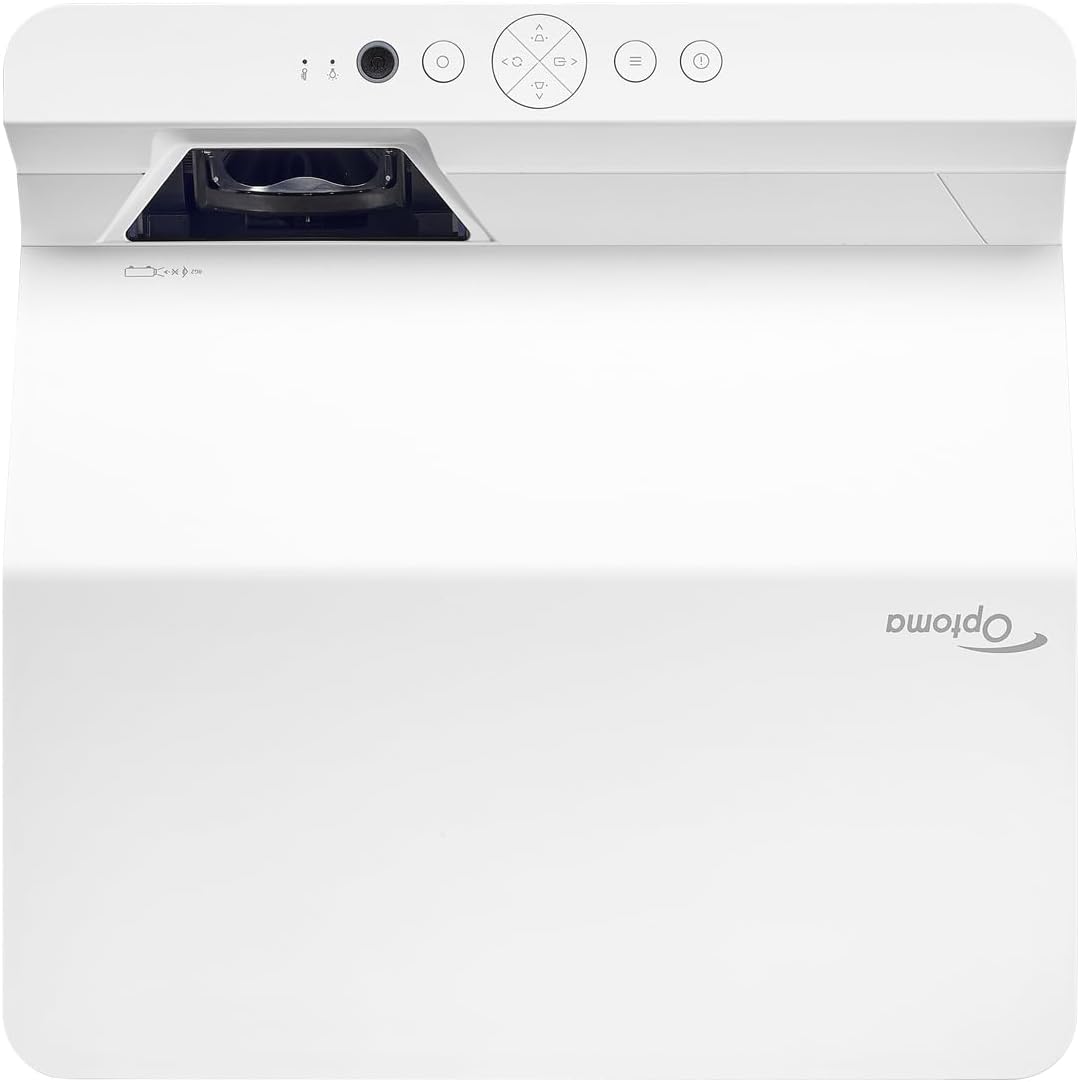
설명: 이 이미지는 상단과 전면을 보여줍니다. view of the Optoma GT4000UHD projector. The ultra-short throw lens is visible at the front, along with basic control buttons on the top panel. The Optoma logo is prominently displayed.
4.2 후면 패널 및 연결성
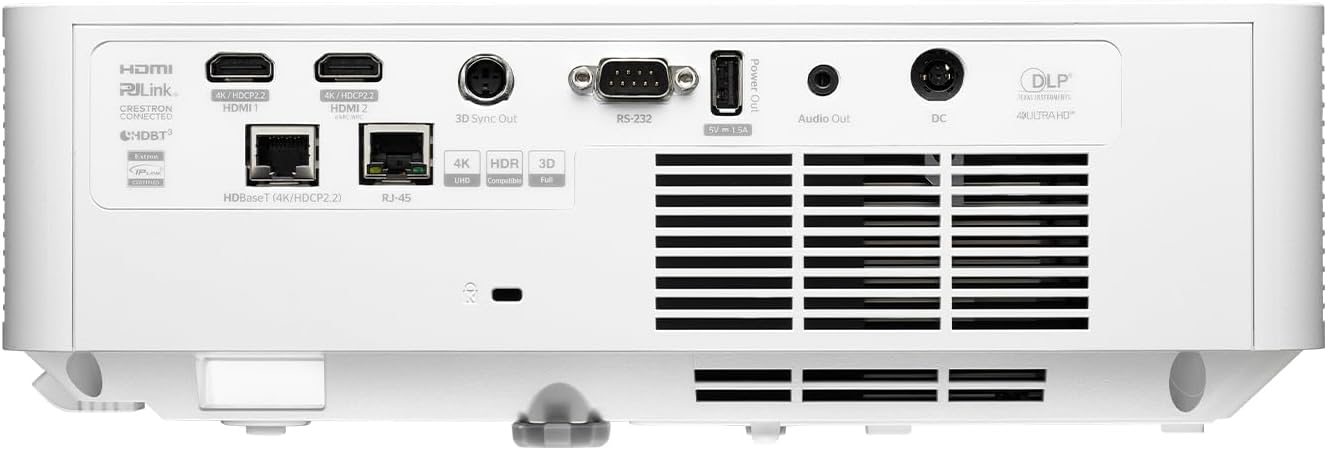
설명: This image shows the rear panel of the Optoma GT4000UHD projector, highlighting its connectivity options. Ports include HDMI, HDBaseT, RJ-45, 3D Sync Out, RS232, Audio Out, and DC power input.
4.3 리모컨
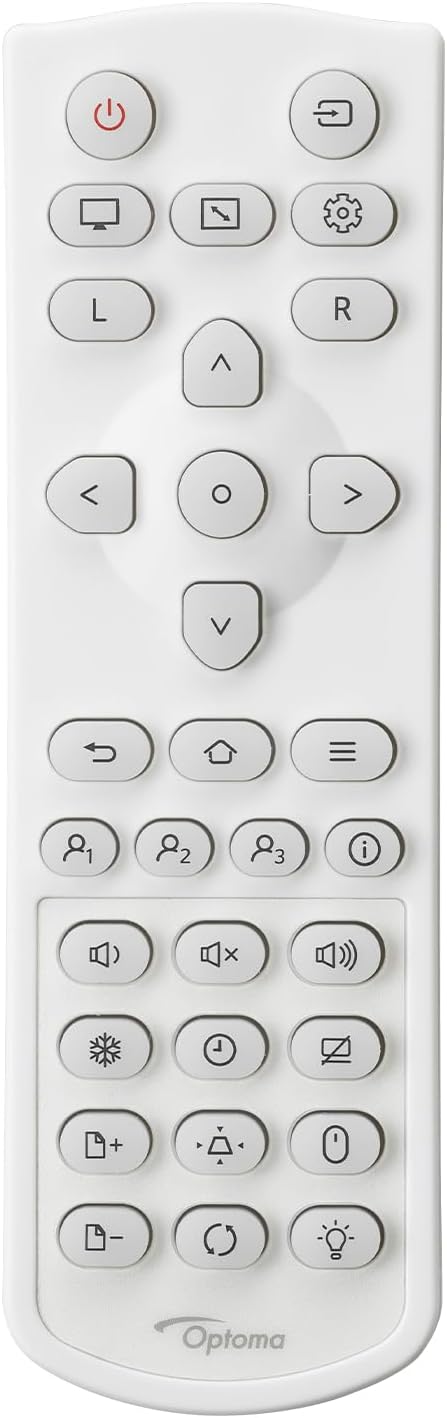
설명: This image displays the remote control for the Optoma GT4000UHD projector. It features buttons for power, source selection, menu navigation, volume control, and other functions.
5. 설정
5.1 프로젝터 배치
The GT4000UHD is an ultra-short throw projector, capable of producing large images from a very short distance. Place the projector on a stable, flat surface directly in front of your screen or wall.
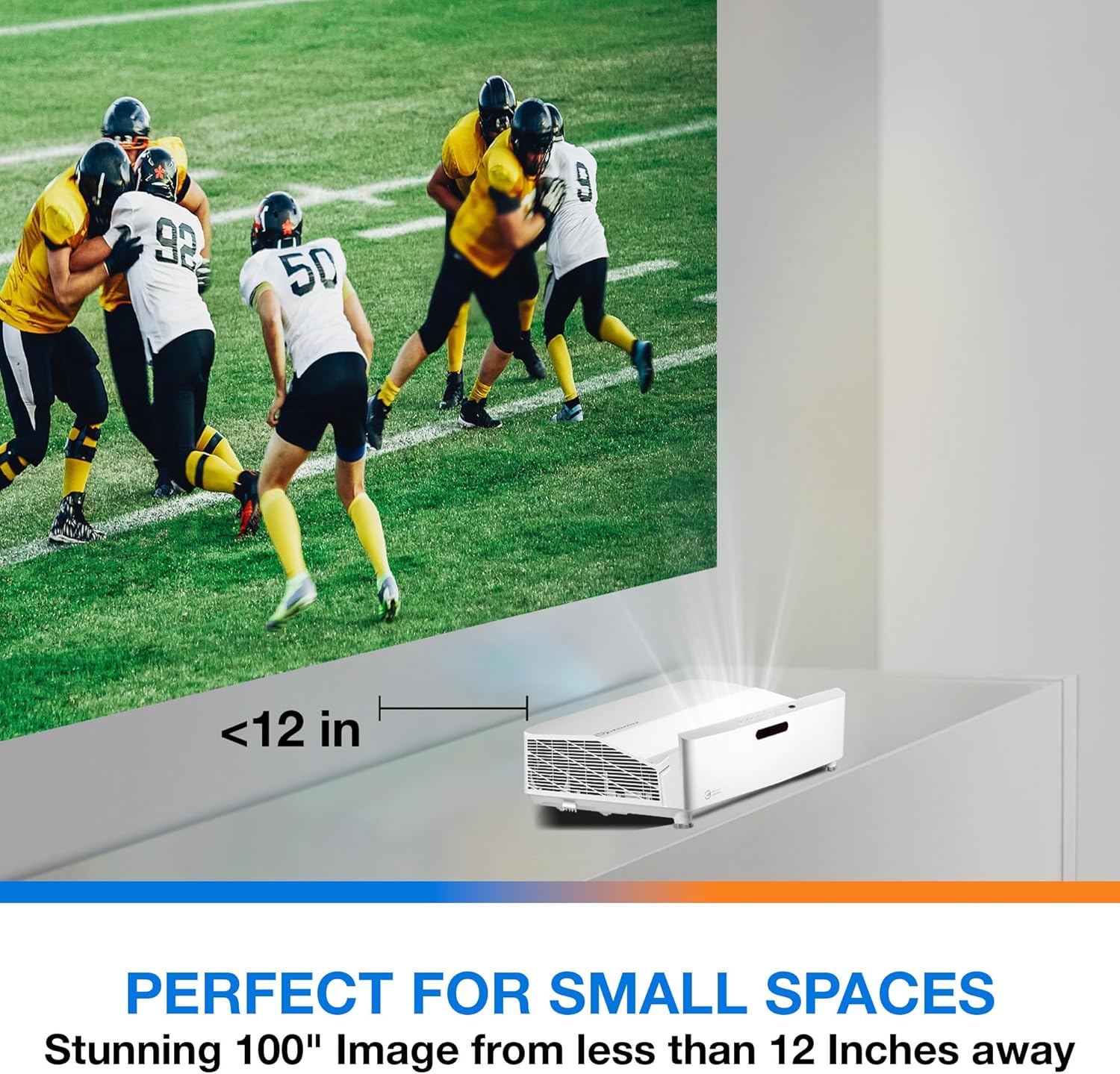
설명: This image illustrates the ultra-short throw capability of the GT4000UHD, showing it projecting a 100-inch image from less than 12 inches away from the projection surface. This allows for flexible placement in small spaces.
- For a 100-inch image, position the projector approximately 10-12 inches (25-30 cm) from the projection surface.
- Ensure the projector is level to avoid image distortion. Use the adjustable feet if necessary.
5.2 장치 연결
Connect your video sources (e.g., gaming console, Blu-ray player, streaming device) to the projector's HDMI ports. For network control or HDBaseT connectivity, use the respective ports on the rear panel.
- HDMI : Connect HDMI cables from your source devices to the HDMI 1 or HDMI 2 ports.
- 오디오 출력: For external audio systems, connect an audio cable from the Audio Out port to your sound system.
- 힘: Connect the power cord to the DC input on the projector and then to a power outlet.
5.3 전원 켜기/끄기
- 전원 켜기: 프로젝터나 리모컨의 전원 버튼을 누르세요. 전원 표시등이 켜집니다.
- 전원 끄기 : Press the power button again. A confirmation message may appear; confirm to shut down the projector.
6. 사용 설명서
6.1 기본 작업
- 소스 선택: Use the 'Source' button on the remote control to cycle through available input sources (HDMI 1, HDMI 2, etc.).
- 메뉴 탐색: Use the 'Menu' button to access settings. Use the arrow keys and 'OK' button to navigate and select options.
- 볼륨 조절: Adjust the volume using the dedicated volume buttons on the remote control.
6.2 Image Adjustment (4-Corner Geometric Correction)
The GT4000UHD features 4-Corner Adjustment for precise image alignment, especially useful when the projector is not perfectly perpendicular to the screen.
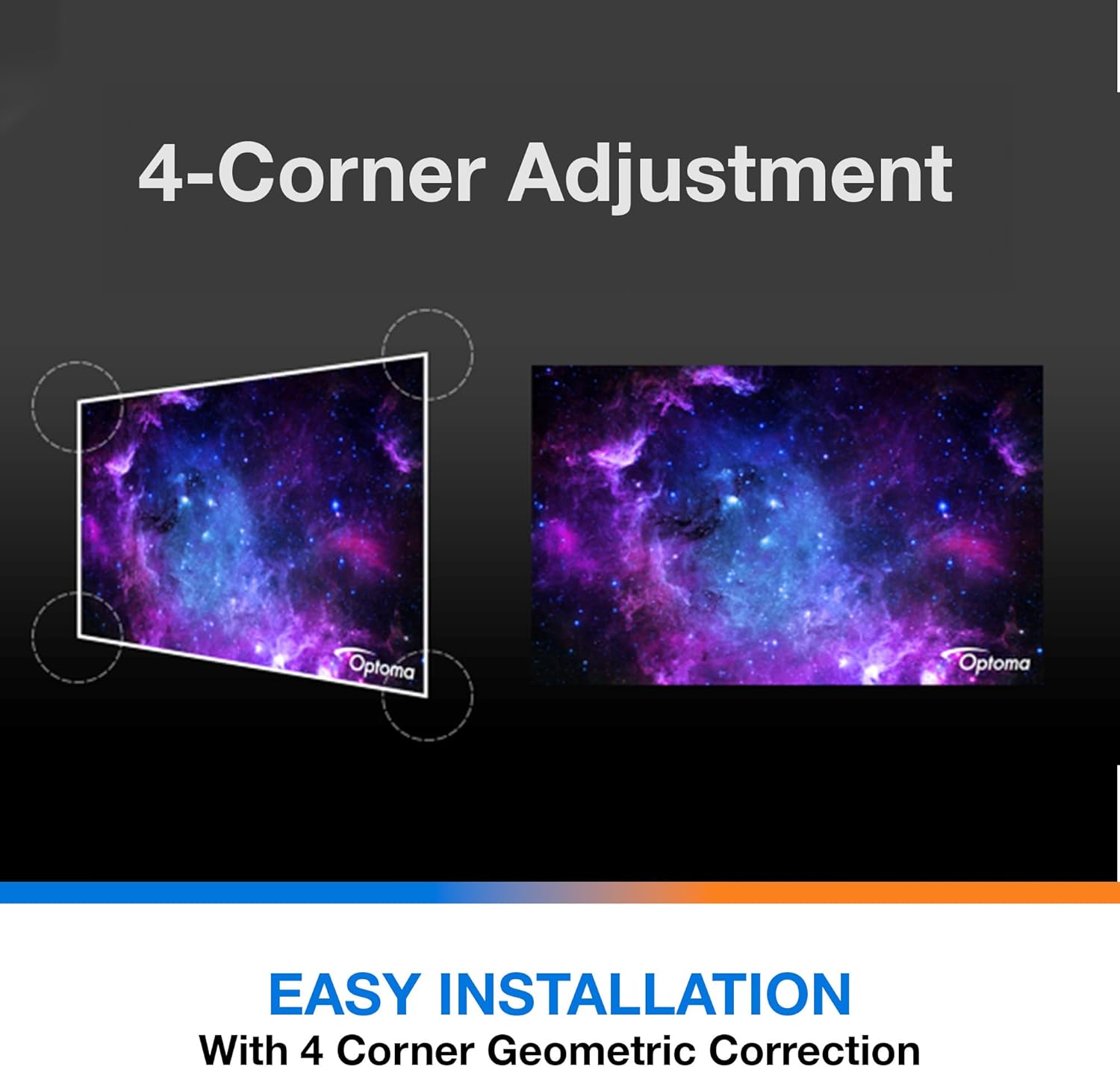
설명: This diagram illustrates the function of 4-Corner Adjustment. It shows a trapezoidal, distorted image being geometrically corrected to form a perfect rectangular projection, ensuring easy installation and optimal view주고받음.
- Access the 'Image' or 'Geometric Correction' menu.
- Select '4-Corner Adjustment' and use the arrow keys to individually adjust each corner of the projected image until it forms a perfect rectangle.
6.3 향상된 게임 모드
The projector includes an Enhanced Gaming Mode to minimize input lag, providing a more responsive gaming experience.
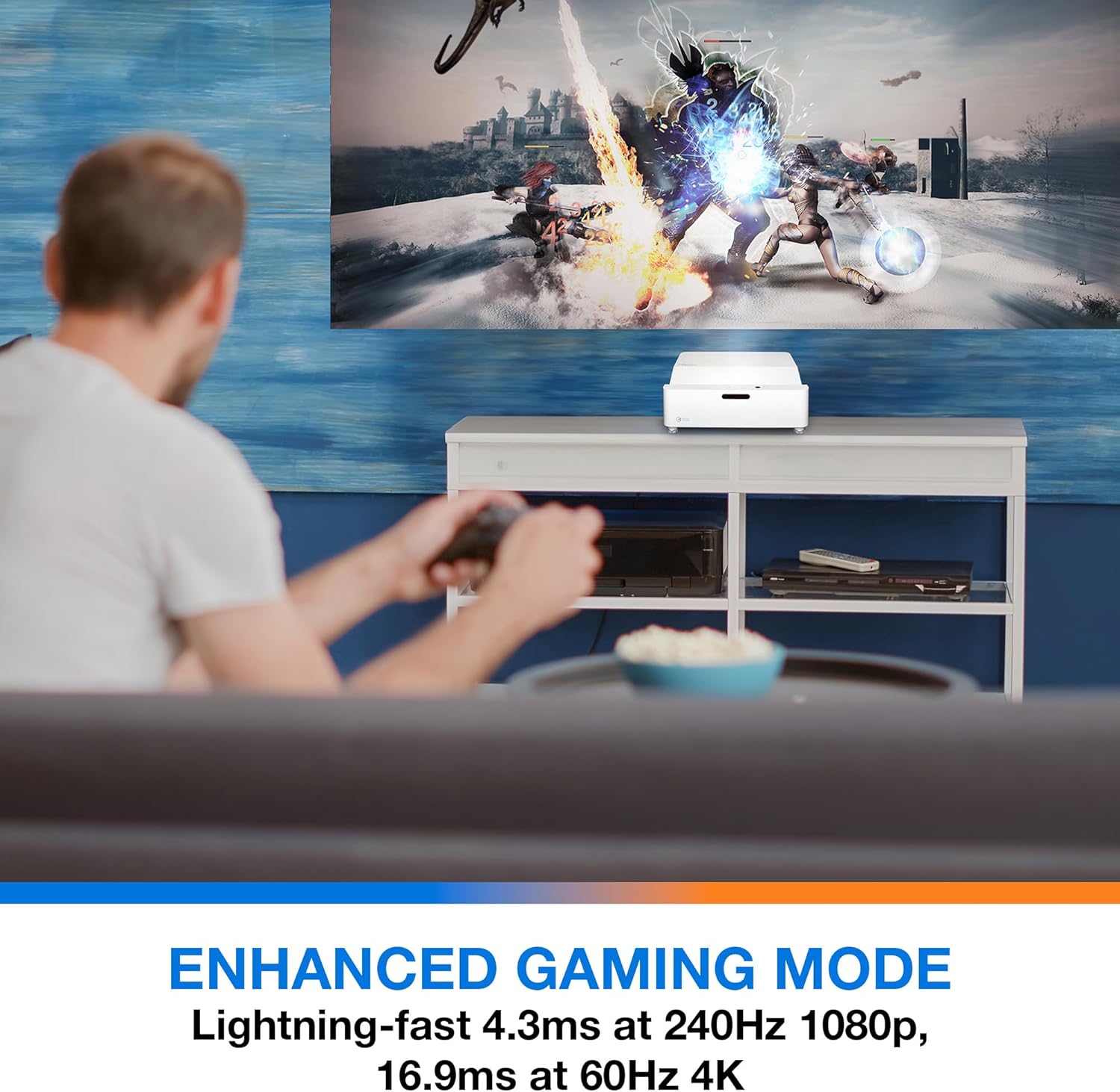
설명: This image shows a user engaged in gaming with the Optoma GT4000UHD projector, highlighting the Enhanced Gaming Mode. This mode offers low input lag for a responsive gaming experience.
- To activate, navigate to the 'Display' or 'Picture Mode' settings in the menu and select 'Gaming Mode'.
- This mode optimizes the projector for fast-paced action, reducing input latency to as low as 4.3ms at 240Hz 1080p, or 16.9ms at 60Hz 4K.
6.4 Firmware Updates (FOTA Integration)
The projector supports Firmware Over-The-Air (FOTA) updates, allowing for convenient software enhancements.
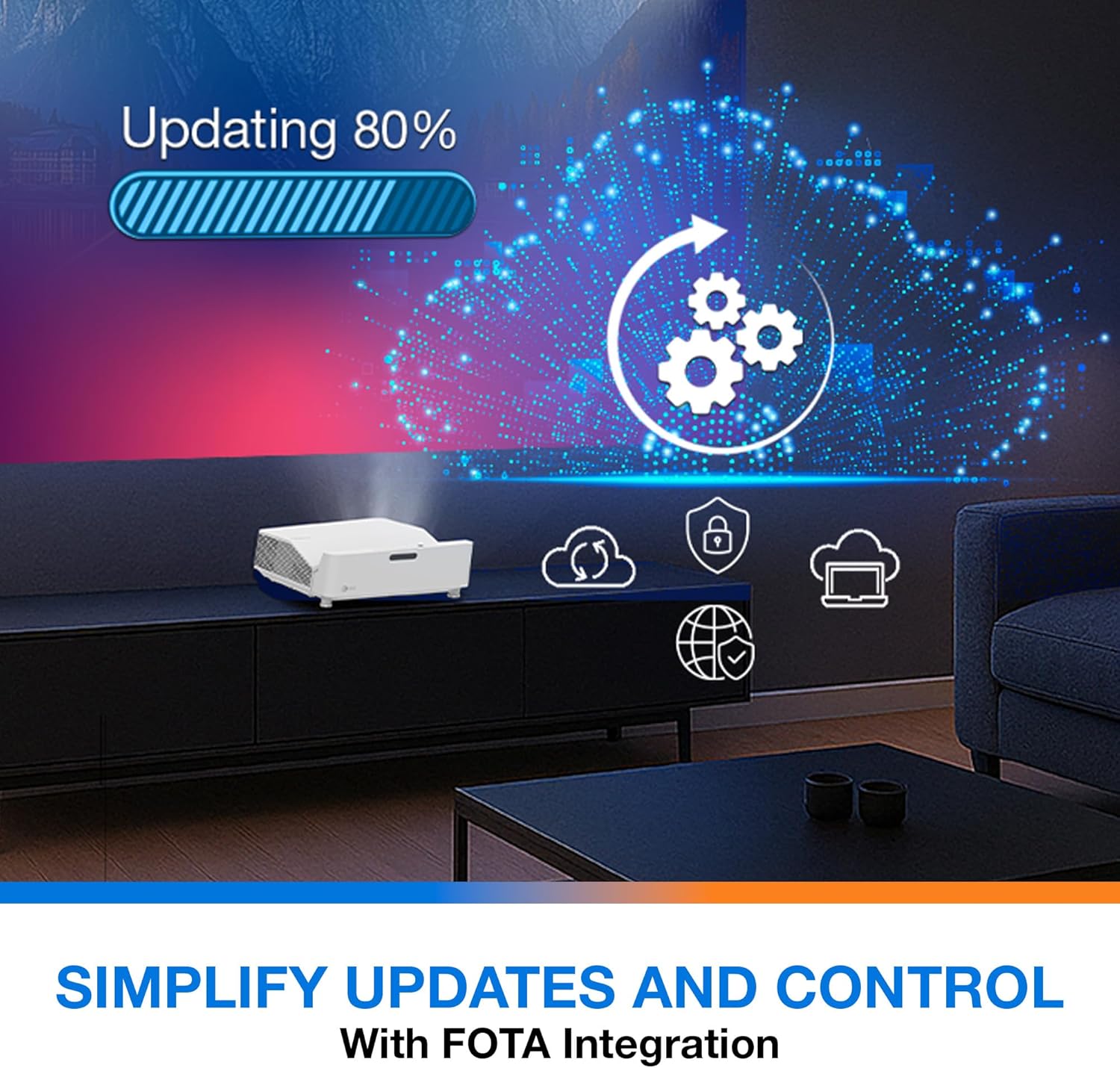
설명: This image depicts the FOTA (Firmware Over-The-Air) integration feature, showing a progress bar for an update and cloud icons representing simplified updates and control for the projector.
- Ensure the projector is connected to the internet via its network port.
- Check for updates in the 'System' or 'About' menu. Follow on-screen prompts to download and install any available firmware updates.
7. 유지관리
- 렌즈 세척: 광학 표면 전용으로 제작된 부드럽고 보풀 없는 천으로 렌즈를 살살 닦아주세요. 연마성 세척제는 사용하지 마세요.
- 통풍: Regularly check and clean the air vents to prevent dust buildup, which can affect performance and lifespan.
- 저장: 장기간 사용하지 않을 경우, 프로젝터를 서늘하고 건조한 곳에 보관하고 먼지로부터 보호하세요.
8. 문제 해결
문제가 발생하면 다음의 일반적인 해결책을 참조하세요.
| 문제 | 가능한 원인 | 해결책 |
|---|---|---|
| 이미지가 표시되지 않음 | Power cable loose, incorrect input source, source device off | Check power connections, select correct input source, ensure source device is on. |
| Image distorted/not rectangular | Projector not level, keystone/corner adjustment needed | Adjust projector position, use 4-Corner Adjustment feature. |
| 오디오 없음 | Volume too low, external audio system not connected/selected | Increase volume, check external audio connections and settings. |
| 리모컨이 작동하지 않습니다 | 배터리가 방전되었거나 리모컨과 프로젝터 사이에 장애물이 있는 경우 | 배터리를 교체하고, 장애물을 제거하고, 시야를 확보하십시오. |
If the problem persists, contact Optoma customer support.
9. 사양
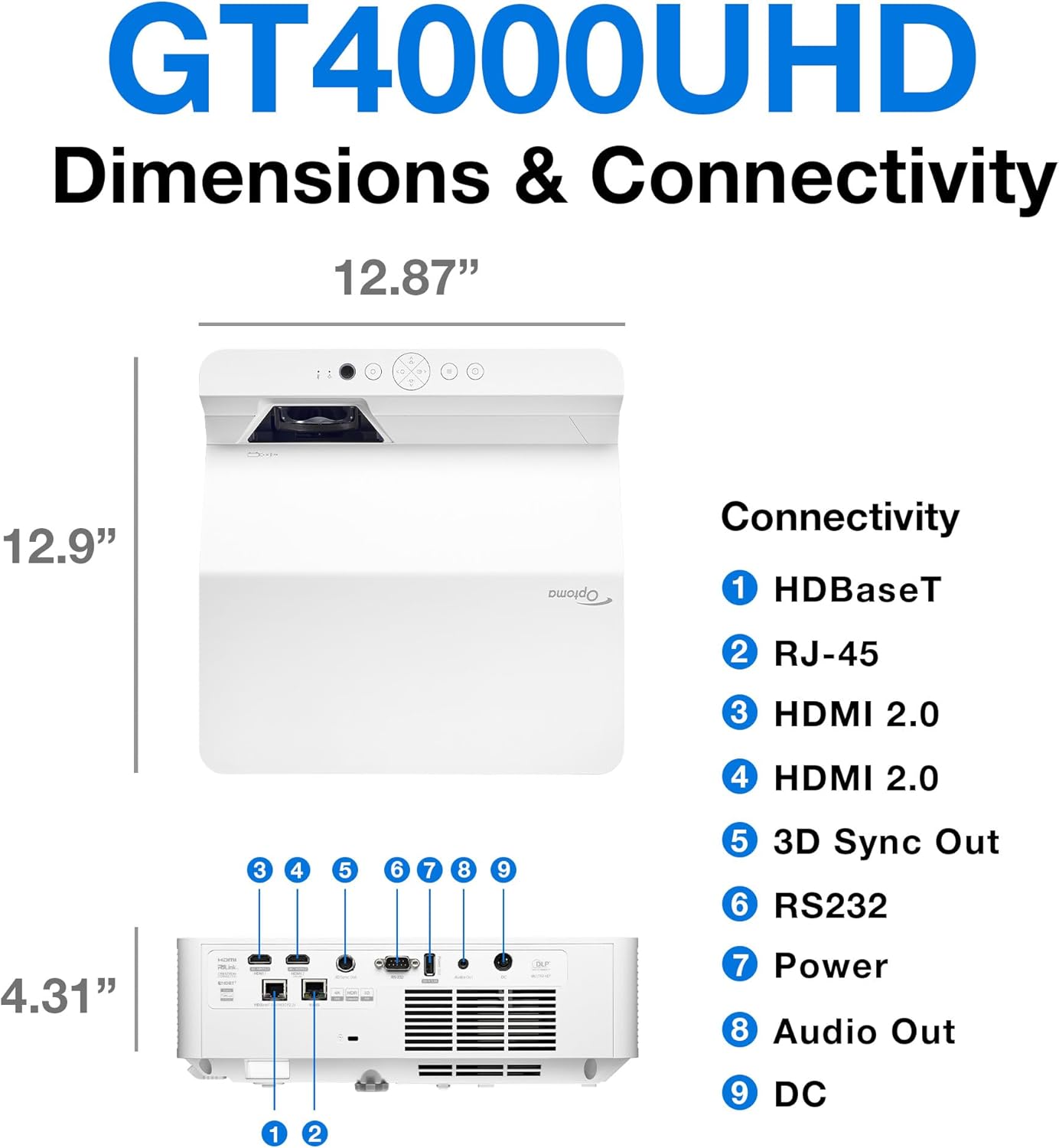
설명: This image provides a detailed diagram of the Optoma GT4000UHD projector, including its dimensions (12.87" x 12.9" x 4.31") and a labeled overview of its connectivity ports such as HDBaseT, RJ-45, HDMI 2.0, 3D Sync Out, RS232, Power, Audio Out, and DC.
| 특징 | 사양 |
|---|---|
| 모델명 | GT4000UHD |
| 상표 | 옵토마 |
| 디스플레이 해상도 | 3840 x 2160(4K UHD) |
| 명도 | 4,000루멘 |
| 연결 기술 | HDMI, RCA |
| 특징 | 초단초점 |
| 추천 용도 | 게임, 홈시네마 |
| 최대 이미지 크기 | 100 인치 |
| 최소 투사 거리 | 0.28 미터 |
| 최대 투사 거리 | 0.56 미터 |
| 품목 무게 | 9.8 파운드 |
| 장착 유형 | 탁상 마운트 |
10. 보증 및 지원
10.1 보증 정보
The Optoma GT4000UHD projector comes with a 1 Year Projector Parts and Labor Manufacturer’s Warranty보증 청구를 위해 구매 증빙 서류를 보관하세요.
10.2 고객 지원
For technical assistance, troubleshooting beyond this manual, or warranty inquiries, please visit the official Optoma support website or contact their customer service department. Contact information can typically be found on the Optoma web사이트 또는 제품 포장.