
소개
The EPOS Adapt E1 True Wireless Bluetooth Earbuds are designed for both professional and personal use, offering an exceptional audio experience. They feature Microsoft Teams and Made for iPhone certifications, multi-point connectivity, and up to 50 hours of battery life. EPOS IntelligentFit™ technology ensures comfort and acoustic performance. Hybrid active noise cancellation allows for effortless concentration, making them suitable for calls, meetings, music, and travel.
상자 안에 무엇이 들어있나요?
- ADAPT E1 True Wireless Bluetooth Earbuds - Scandinavian Black
- 3 x Sizes Silicone Eartips
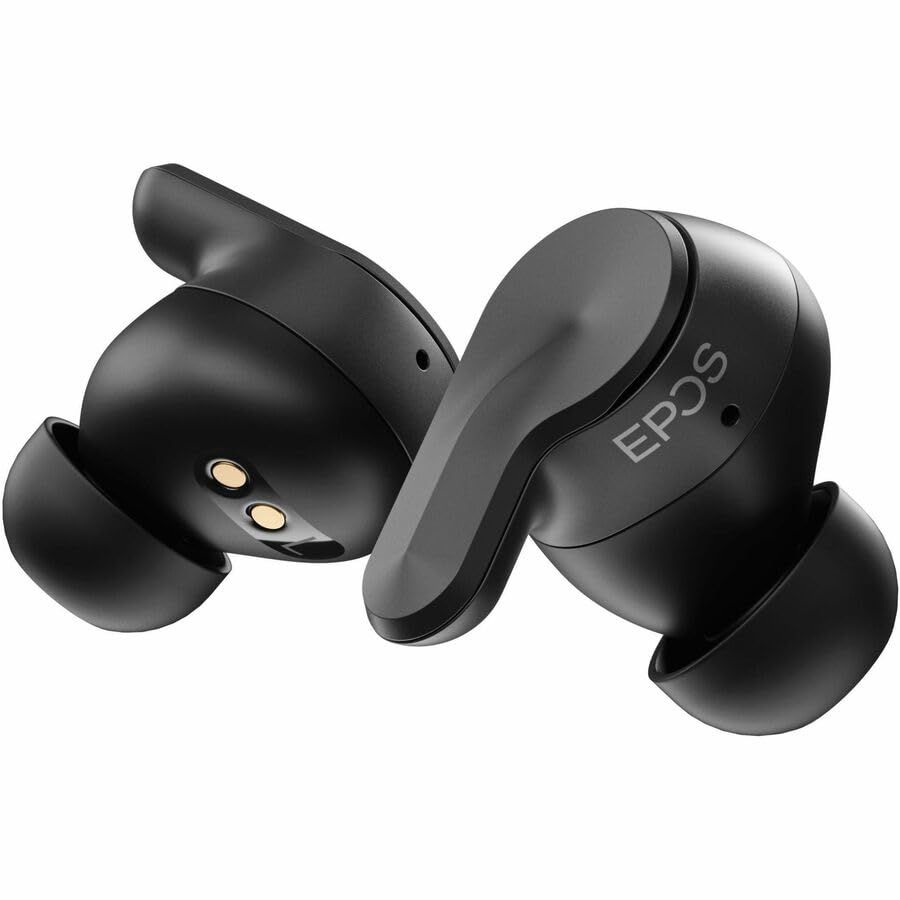
Image: EPOS Adapt E1 earbuds shown in their charging case with the USB-C charging cable connected.
제품 특징
- EPOS' unique ear tip design provides unmatched comfort and outstanding acoustic performance.
- Certified for iPhone, ensuring an exceptional user experience.
- Free software for asset management, remote updates and adhering to company policy.
- Just 5 minutes of charging gives you 1 hour of battery.
- Solo mode allows you charge one earbud and stay on the call with the other.
- Removing one earbud pauses audio, reinserting it resumes music playback effortlessly.
- Select from preset sound profiles, available on both mobile and PC.
- Enjoy quick, easy pairing with Google Fast Pair.
- Durable earbuds that are water-resistant, sweatproof, rainproof, and splashproof.
- The slim case with magnetic lid ensures earbuds and USB-C dongle stay in place.

이미지: 폭발된 view of the EPOS Adapt E1 earbud showing its internal components and the unique ear tip design.
설정
1. 이어버드와 케이스 충전
Before first use, fully charge your earbuds and the charging case. Connect the USB-C cable to the charging case and a power source. The LED indicators on the case will show charging status. A 5-minute quick charge provides 1 hour of battery life.
2. 올바른 이어팁 선택
Choose the silicone eartips that provide the best seal and comfort for your ears. Experiment with the different sizes (S, M, L) included in the box to find the optimal fit for sound quality and active noise cancellation performance.

Image: EPOS Adapt E1 earbuds resting in their open charging case, ready for use.
3. 장치와 페어링
PC의 경우: Insert the USB-C dongle into your computer's USB-C port. The earbuds will automatically pair with the dongle for a low-latency connection. Ensure the earbuds are in pairing mode (refer to quick start guide for specific steps).
For Mobile Devices (iPhone, Android): Open the charging case. The earbuds will automatically enter pairing mode. On your mobile device, go to Bluetooth settings and select 'EPOS Adapt E1' from the list of available devices. For Android, Google Fast Pair is supported for quick setup.
작동 지침
기본 제어
- 재생/일시 중지: 한쪽 이어폰을 한 번 탭하세요.
- 볼륨 조절: Swipe up or down on the earbud's touch surface.
- 전화 받기/종료: 한쪽 이어폰을 한 번 탭하세요.
- 전화 거부: 한쪽 이어버드를 길게 누르세요.
- Active Noise Cancellation (ANC)/Transparency Mode: Tap and hold either earbud to cycle through modes.
특별 기능
- 솔로 모드: Use one earbud while the other charges in the case.
- 자동 일시 정지/재개: Audio pauses when an earbud is removed and resumes when reinserted.
- 다중 지점 연결: Connect to two Bluetooth devices simultaneously (e.g., PC and smartphone).
유지
청소
Regularly clean the earbuds and charging case with a soft, dry, lint-free cloth. Do not use harsh chemicals or abrasive materials. Remove eartips and clean separately with water if necessary, ensuring they are completely dry before reattaching.
저장
사용하지 않을 때는 이어버드를 충전 케이스에 넣어 보호하고 충전 상태를 유지하십시오. 직사광선과 극한 온도 변화를 피해 서늘하고 건조한 곳에 보관하십시오.
문제 해결
- 소리가 나지 않음/음질이 나쁨: Ensure earbuds are charged, properly paired, and eartips provide a good seal. Check device volume.
- 연결 문제: Ensure Bluetooth is enabled on your device. Try unpairing and re-pairing the earbuds. Ensure the USB-C dongle is securely connected to the PC.
- 충전 문제: 충전 케이블이 케이스와 전원에 단단히 연결되어 있는지 확인하세요. 이어버드와 케이스의 충전 접점이 깨끗한지 확인하세요.
- 이어폰이 반응하지 않음: 이어버드를 재설정해 보세요(자세한 재설정 방법은 빠른 시작 가이드를 참조하세요).
명세서
| 특징 | 세부 사항 |
|---|---|
| 모델명 | 어댑트 E1 |
| 연결 기술 | 무선(블루투스 5.3) |
| 소음 제어 | 능동 소음 제거 |
| 충전 시간 | 1시간 재생을 위한 5분 |
| 방수 레벨 | 방수 |
| 제어 방법 | 앱/터치 |
| 호환 장치 | iPhone, Mobile Devices, Tablets, PC |
| 품목 무게 | 4.9온스(0.14킬로그램) |
| 제품 치수 | 4.5 x 3.5 x 2 인치 |
보증 및 지원
The EPOS Adapt E1 True Wireless Bluetooth Earbuds come with a standard manufacturer's warranty. For detailed warranty information, product support, or service requests, please visit the official EPOS web사이트를 방문하거나 고객 서비스에 문의하세요. 보장 범위를 확대하는 보호 플랜도 이용 가능합니다.