
제품 끝view
The Piegricdiat Q26 Invisible Sleep Headphones are designed for comfort and discretion, especially for side sleepers. Featuring Bluetooth 5.3 connectivity, these mini earbuds offer noise blocking capabilities and a secure fit for various activities, including sleeping and working.

This image displays the Piegricdiat Q26 Invisible Sleep Headphones from two angles. The left earbud shows the outer casing with control sensors, while the right earbud highlights the ergonomic design and ear tip for comfortable wear.
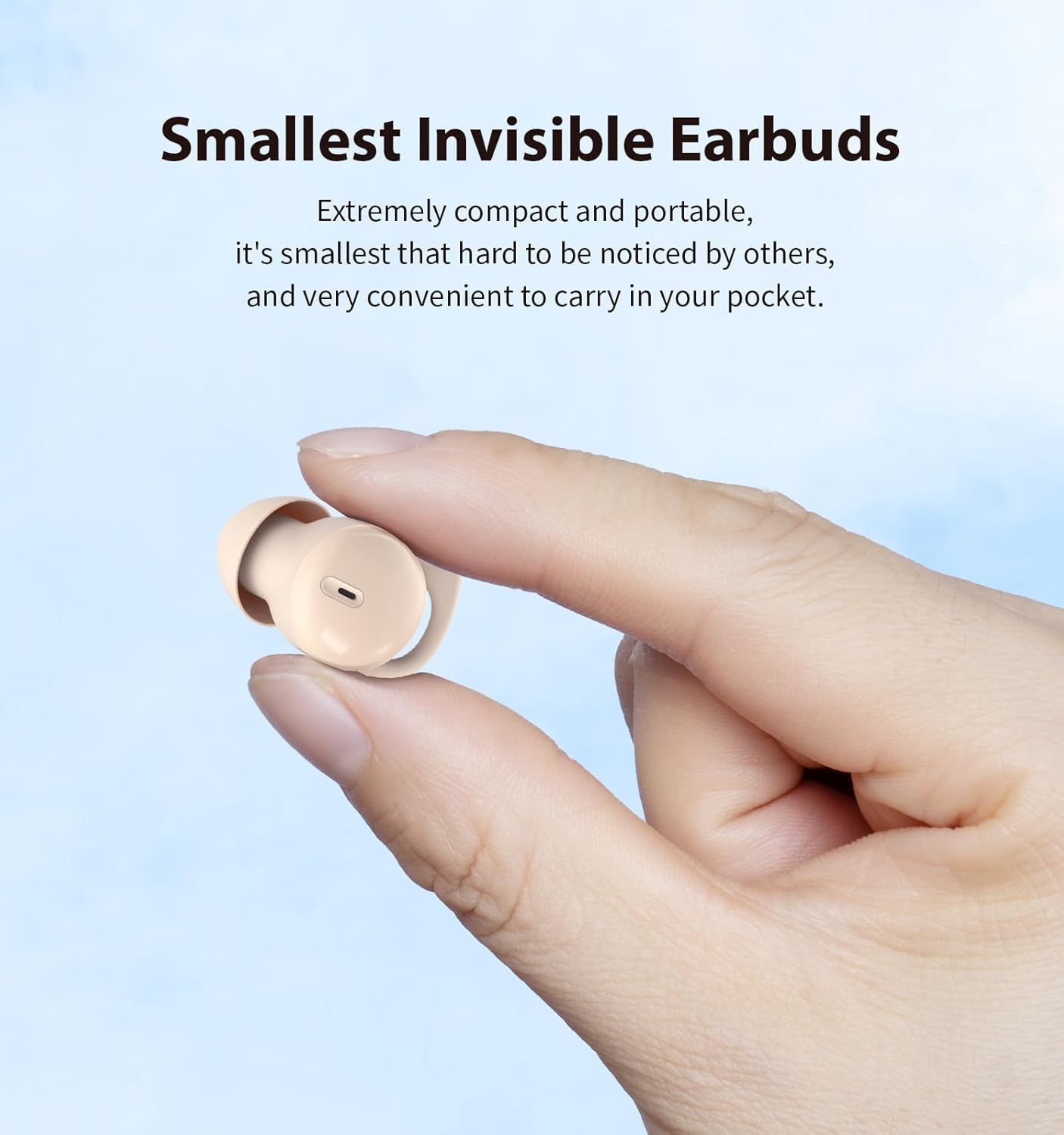
A close-up of a hand holding one Piegricdiat Q26 earbud, demonstrating its extremely compact and portable design, making it discreet and easy to carry.

This image highlights the IPX6 water resistance of the Piegricdiat Q26 earbuds, showing water droplets on the skin around the earbud, indicating protection against sweat and light rain.
설치 지침
1. 이어버드와 케이스 충전
처음 사용하기 전에 이어버드와 충전 케이스를 완전히 충전하십시오. 제공된 USB Type-C 케이블을 사용하여 충전 케이스를 전원에 연결하십시오.
- A full charge for the case typically takes 1 hour.
- The earbuds provide 6-8 hours of playback on a single charge.
- The charging case extends total battery life to approximately 40 hours.

This image shows a woman sleeping with the earbuds, alongside the charging case, illustrating the 6-8 hours of earbud battery life and 40 hours with the case, charged via Type C in 1 hour.
2. 블루투스 페어링
Follow these steps to pair your Piegricdiat Q26 earbuds with your device:
- 이어버드가 충전되어 있고 충전 케이스에 넣어져 있는지 확인하세요.
- 충전 케이스를 여세요. 이어버드가 자동으로 페어링 모드로 진입합니다.
- 기기(스마트폰, 태블릿, 노트북)에서 Bluetooth를 활성화하세요.
- 검색 available Bluetooth devices and select 'Q26' from the list.
- 연결되면 확인음이 들리고 이어버드를 사용할 준비가 됩니다.

The image displays the Piegricdiat Q26 charging case next to a smartphone screen showing a successful Bluetooth connection, highlighting the simple one-step pairing process with various devices.
3. 이어버드 착용
For optimal sound quality and comfort, ensure the earbuds are correctly inserted:
- 이어버드를 외이도에 부드럽게 삽입합니다.
- Twist and tuck the earbud to ensure a snug and secure fit. The design accommodates small ear canals and prevents falling out during movement or sleep.

A diagram demonstrating the correct method for wearing the Piegricdiat Q26 earbuds, showing the 'insert' and 'tuck' steps for a secure and comfortable fit, even for small ear canals.
작동 지침
터치 컨트롤
The Piegricdiat Q26 earbuds feature intuitive touch controls for various functions:
| 행동 | 제어 |
|---|---|
| 재생/일시정지 | Click L earbud / Click R earbud |
| 이전/다음 트랙 | Press L earbud for 2 seconds (Previous) / Press R earbud for 2 seconds (Next) |
| 전화 받기/끊기 | 클릭 / 더블클릭 |
| 전화 거부 | Press earbud for 2 seconds |
| 음성 지원 | Triple-tap earbud |
| 볼륨 높이기/낮추기 | Double-click R earbud (Volume Up) / Double-click L earbud (Volume Down) |

This graphic illustrates the easy-to-use touch controls for the Piegricdiat Q26 earbuds, detailing actions like play/pause, answer/hang up calls, previous/next track, call rejection, voice assistant, and volume adjustment.
수면 모드
The earbuds are designed for comfortable sleep, featuring a 'Sleep Mode' that prevents accidental touches and eliminates disruptive beeps, ensuring an uninterrupted night's rest.

This image illustrates the noise-blocking capability of the Piegricdiat Q26 earbuds, showing a woman sleeping undisturbed next to a snoring partner, highlighting their effectiveness for peaceful sleep.
유지
청소
- 부드럽고 마른 보푸라기 없는 천으로 이어버드와 충전 케이스를 정기적으로 청소하세요.
- 연마성 세척제, 알코올, 화학 용제는 사용하지 마세요.
- 작고 부드러운 솔이나 면봉을 사용하여 이어팁과 스피커 메시에 묻은 귀지나 이물질을 조심스럽게 제거하세요.
방수 기능(IPX6)
The earbuds are rated IPX6 water-resistant, meaning they are protected against high-pressure water jets from any direction. This makes them suitable for use during workouts or in light rain. However, they are not designed for submersion in water.
- 이어폰을 의도적으로 물에 담그지 마세요.
- 손상을 방지하려면 충전하기 전에 충전 포트가 건조한지 확인하십시오.
저장
사용하지 않을 때는 이어버드를 충전 케이스에 보관하여 먼지와 손상으로부터 보호하고 충전 상태를 유지하세요.
문제 해결
- Earbuds not powering on/off or charging: Ensure the charging case and earbuds are fully charged. Clean the charging contacts on both the earbuds and the case.
- Earbuds continuously powering off: This may indicate low battery. Fully charge both earbuds and the case. If the issue persists, try resetting the earbuds (refer to manufacturer's support for specific reset instructions).
- Connection issues (glitching, losing connection): Ensure the earbuds are within the Bluetooth range of your device. Disconnect and re-pair the earbuds. Try restarting your device.
- 흐릿한 소리: Check if the ear tips are clean and properly seated in your ear. Try different sized ear tips for a better seal.
- Sleep mode not activating: Ensure you are performing the correct touch gesture for sleep mode activation as per the operating instructions. If the function is inconsistent, a factory reset might be necessary.
- 착용감이 불편함: Experiment with different ear tip sizes to find the most comfortable and secure fit for your ears.
명세서
| 특징 | 세부 사항 |
|---|---|
| 모델 번호 | Q26 |
| 블루투스 버전 | 5.3 |
| 주파수 범위 | 20Hz - 20,000Hz |
| 오디오 드라이버 유형 | 평형 전기자 드라이버 |
| 특별 기능 | Noise Cancellation, Waterproof (IPX6) |
| 이어피스 모양 | 둥근 |
| 이어버드 배터리 수명 | 6-8시간 |
| 총 배터리 수명(케이스 포함) | 최대 40시간 |
| 충전 포트 | USB 타입-C |
| 충전 시간 | Approx. 1 hour (case) |
| 호환 장치 | 스마트폰, 태블릿, 노트북, 데스크탑, 스마트 스피커 |
| 품목 무게 | 3.84온스(0.11킬로그램) |
| 패키지 크기 | 3.43 x 3.39 x 1.34 인치 |
| 한국어: | 786570253939 |
보증 정보
Please refer to the official Piegricdiat website or the product packaging for detailed warranty terms and conditions. Typically, warranty coverage addresses manufacturing defects under normal use.
고객 지원
For further assistance, technical support, or inquiries, please visit the official Piegricdiat support page or contact their customer service directly. Contact information can usually be found on the manufacturer's web사이트 또는 제품 포장.