
1. 제품 오버view
The iDPRT MT610 Pro is a portable thermal printer designed for convenient, high-quality printing on the go. This lightweight and compact device utilizes advanced inkless technology to deliver clear, smudge-proof prints without the need for ink cartridges or ribbons. It offers versatile connectivity options and a long-lasting battery, making it ideal for various personal and professional printing needs.
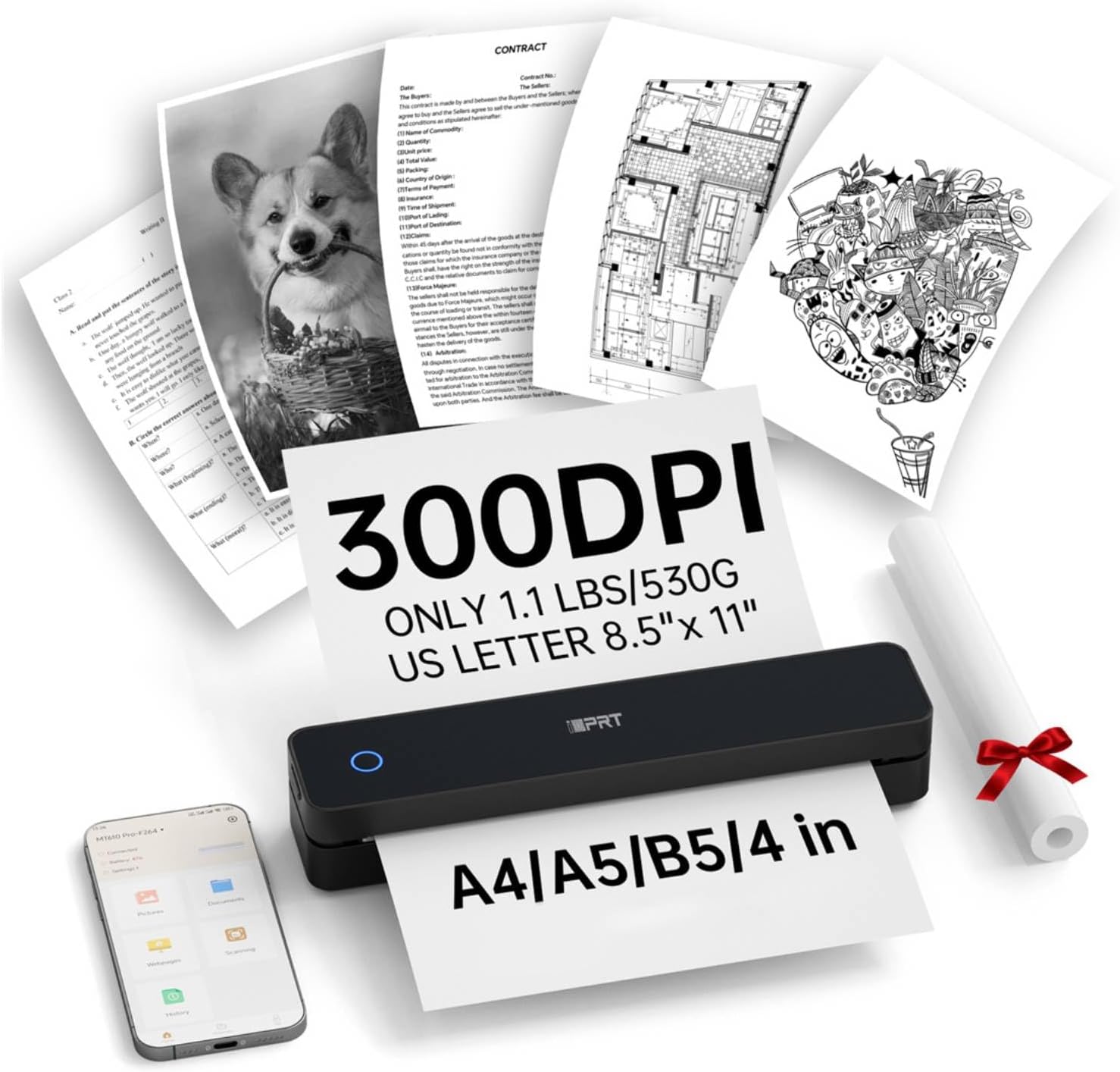
Figure 1: The iDPRT MT610 Pro Portable Thermal Printer in operation, showcasing its compact design and ability to print various document types at 300 DPI resolution.
2. 상자 안에 무엇이 들어있나요?
Upon unboxing your iDPRT MT610 Pro Portable Thermal Printer, please ensure all the following items are included:
- iDPRT MT610 Pro 휴대용 열전사 프린터
- 200 Sheets US Letter Thermal Paper (8.5"x11")
- USB-C 충전 케이블
- 사용자 설명서

Figure 2: Included 200 sheets of 8.5"x11" US Letter Thermal Paper, specifically designed for thermal printing.
3. 제품 특징
- 휴대성 있는 디자인: Weighs only 1.1 lbs (500g) and measures 10.2 x 2.2 x 1.8 inches, making it easy to carry in backpacks or briefcases.
- Advanced Inkless Technology: High-definition printing at 300 DPI resolution, producing clear, fade-resistant, and smudge-proof prints.
- 범용 장치 호환성: Seamlessly connects via Bluetooth or USB to smartphones (Android, iOS) and PCs (Windows, Mac, Linux, Chrome OS).
- "HerePrint" App: Dedicated mobile application for effortless printing from your smartphone (available on App Store or Google Play).
- 대용량 배터리: Equipped with a 2000mAh rechargeable battery, supporting up to 4 hours of continuous printing or 200 pages on a single charge.
- 다양한 용지 지원 기능: Compatible with 8.5"x11" fan-fold thermal paper.

그림 3: 상세 view of the printer's compact design, showing the Power Key, Open Key, and USB Interface, along with its dimensions.
4. 설정 가이드
4.1 전원 켜기/끄기
To power on or off the printer, press and hold the Power Key (located on the top surface) for approximately 3 seconds. The indicator light will illuminate when the device is on.
4.2 용지 적재
- Open the paper bin by pressing the Open Key (located on the side of the printer).
- Adjust the print width guides to match the width of your thermal paper (e.g., 8.5 inches for US Letter).
- Insert the thermal paper into the paper feeder. Ensure the printable side (smooth side) is facing up. For fan-fold paper, ensure the perforations align correctly.
- Close the paper bin securely.
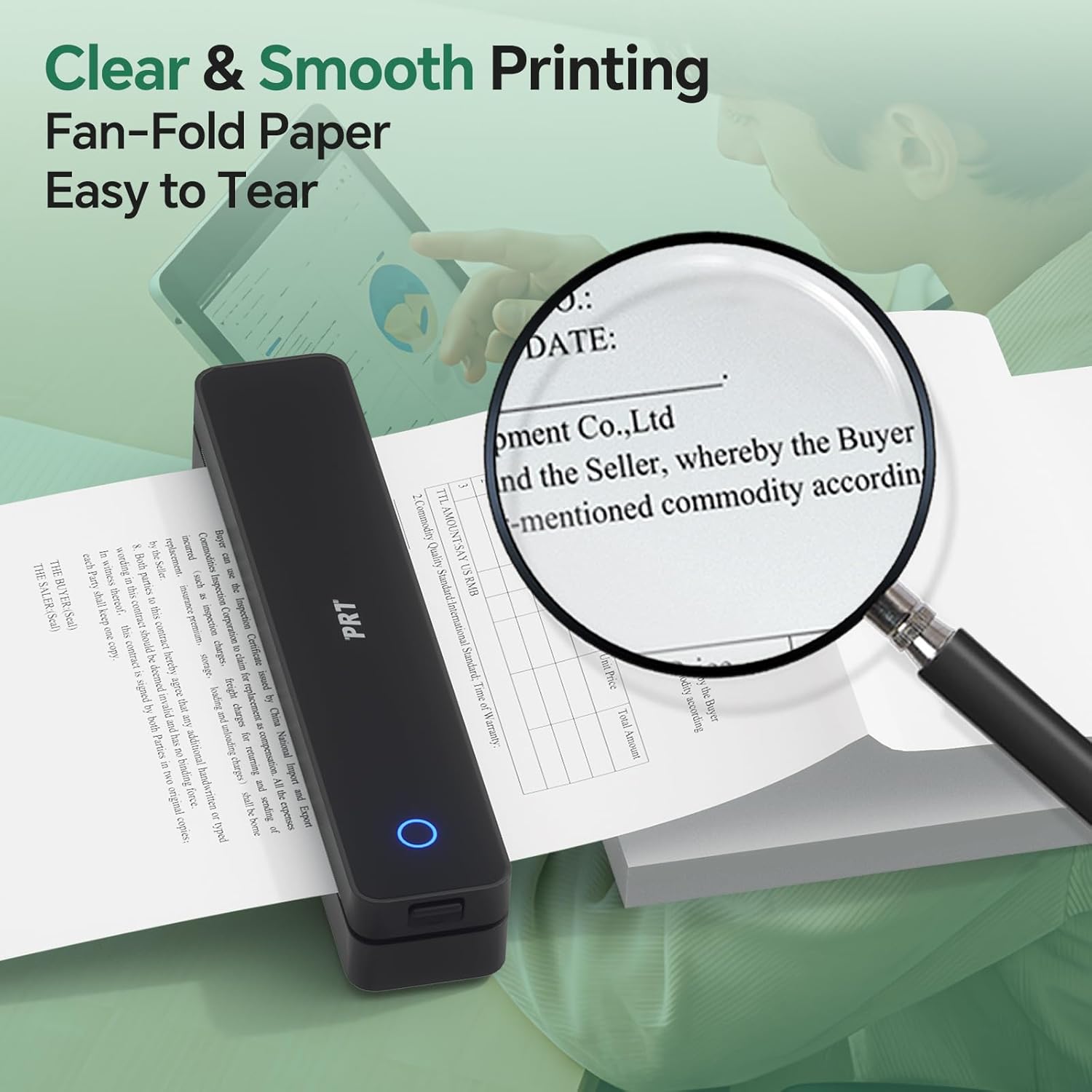
Figure 4: Demonstrates the clear and smooth printing of fan-fold paper, highlighting the easy tear-off feature.
4.3 앱 설치 및 블루투스 연결
- Download the "HerePrint" app from the App Store (iOS) or Google Play (Android). You can also scan the QR code provided in the manual or on the printer for quick access.
- 모바일 기기의 블루투스가 켜져 있는지 확인하십시오.
- Open the "HerePrint" app and follow the on-screen instructions to add and connect your iDPRT MT610 Pro printer via Bluetooth. The app will guide you through the pairing process.
Video 1: Official iDPRT guide on how to connect the MT610 printer via Bluetooth using the mobile application.
For PC connectivity, download the necessary drivers from the official iDPRT web대지: https://www.idprt.com/Driver. The printer is compatible with Windows, Mac, Linux, and Chrome OS.

Figure 5: Illustrates the printer's versatile connectivity options, including Bluetooth for mobile devices and USB for computers running various operating systems.
5. 사용 설명서
5.1 Printing from Mobile App ("HerePrint")
The "HerePrint" app provides multiple printing options:
- 문서 인쇄: Import and print various document formats (e.g., PDF, Word).
- 인쇄 이미지: Select and print images directly from your phone's gallery.
- 인쇄 Web: 콘텐츠를 바로 인쇄하세요 web 페이지.
- 주사: Use your phone's camera to scan documents or images and print them instantly.
Before printing, you can adjust settings such as print density (light, medium, heavy, dedicated) and the number of copies within the app.
5.2 Printing from PC
Once the drivers are installed and the printer is connected via USB, you can print directly from any application on your computer as you would with a standard printer. Select the iDPRT MT610 Pro from your list of available printers.
6. 유지관리
- 청소: 프린터 외부를 부드럽고 마른 천으로 정기적으로 닦아주세요. 강한 화학 약품이나 연마제를 사용하지 마십시오.
- 감열지: Use only high-quality thermal paper specifically designed for thermal printers. Do not use laser or inkjet printer paper. Store thermal paper in a cool, dry place away from direct sunlight to prevent premature fading.
- 배터리 관리 : To prolong battery life, avoid fully discharging the printer frequently. Charge the device regularly, even if not in active use.

Figure 6: Highlights the quick-dry and waterproof characteristics of the recommended thermal paper, ensuring print longevity and durability.
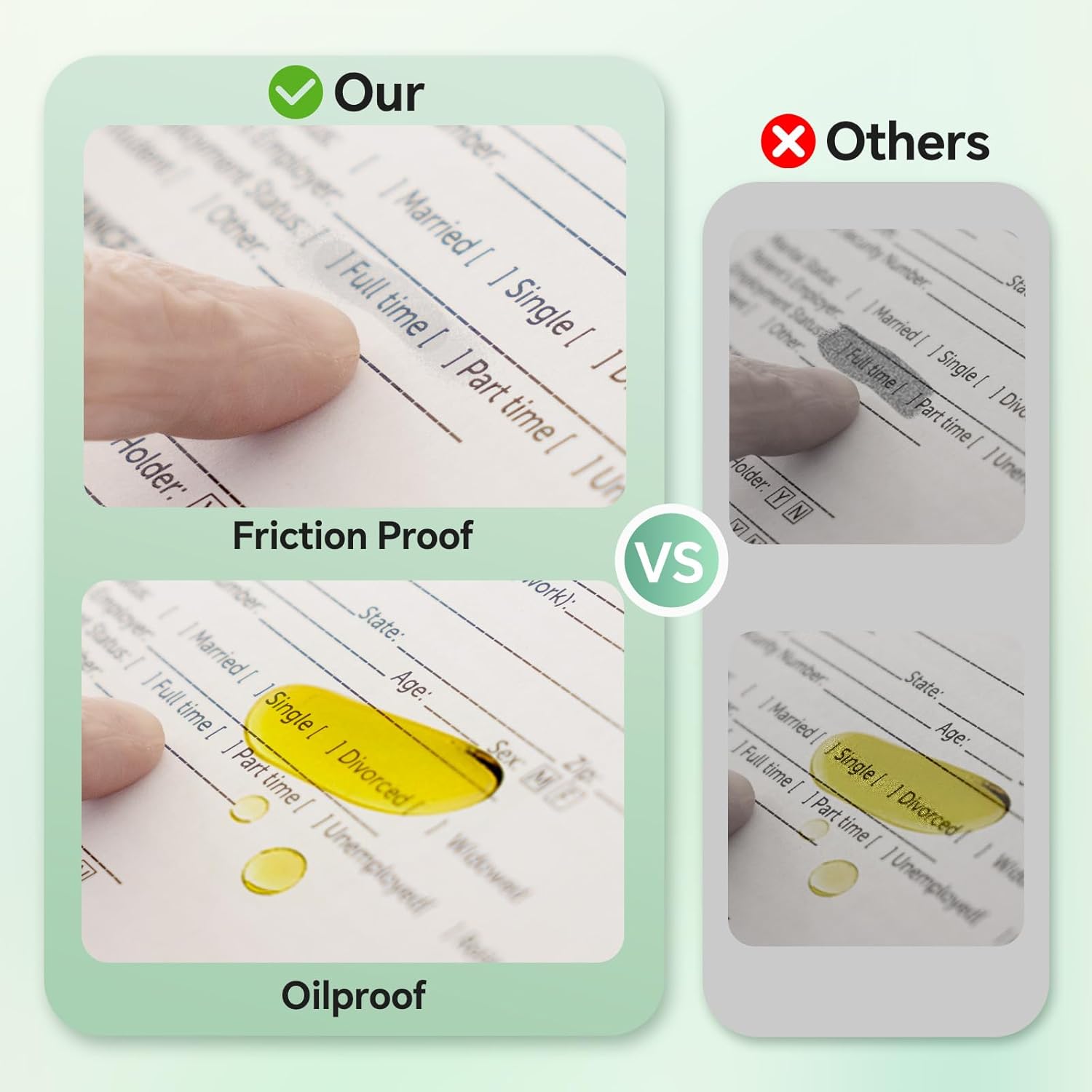
Figure 7: Illustrates the friction-proof and oil-proof qualities of the thermal paper, contributing to its smudge-proof nature.
7. 문제 해결
- Blank Printing: If the printer produces blank pages, check the orientation of the thermal paper. Ensure the smooth, printable side is facing up. Also, verify the battery level of the printer.
- "Printer is Out of Paper" Message: Ensure thermal paper is correctly installed and that there is enough paper remaining.
- 연결 문제: If unable to connect via Bluetooth, ensure Bluetooth is enabled on your device and the printer is powered on. Restarting both the printer and your device may resolve the issue.
8. 사양
- 모델: MT610 프로
- 인쇄 기술: 열전사(잉크 없음)
- 해결: 300DPI
- 치수: 10.2 x 2.2 x 1.8인치(약 259 x 56 x 46mm)
- 무게: 1.1g (500 파운드)
- 배터리: 재충전 용 2000mAh
- Continuous Printing: Up to 4 hours or 200 pages per charge
- 연결성: 블루투스, USB-C
- 용지 크기: US Letter (8.5"x11" / 210x297mm) fan-fold thermal paper
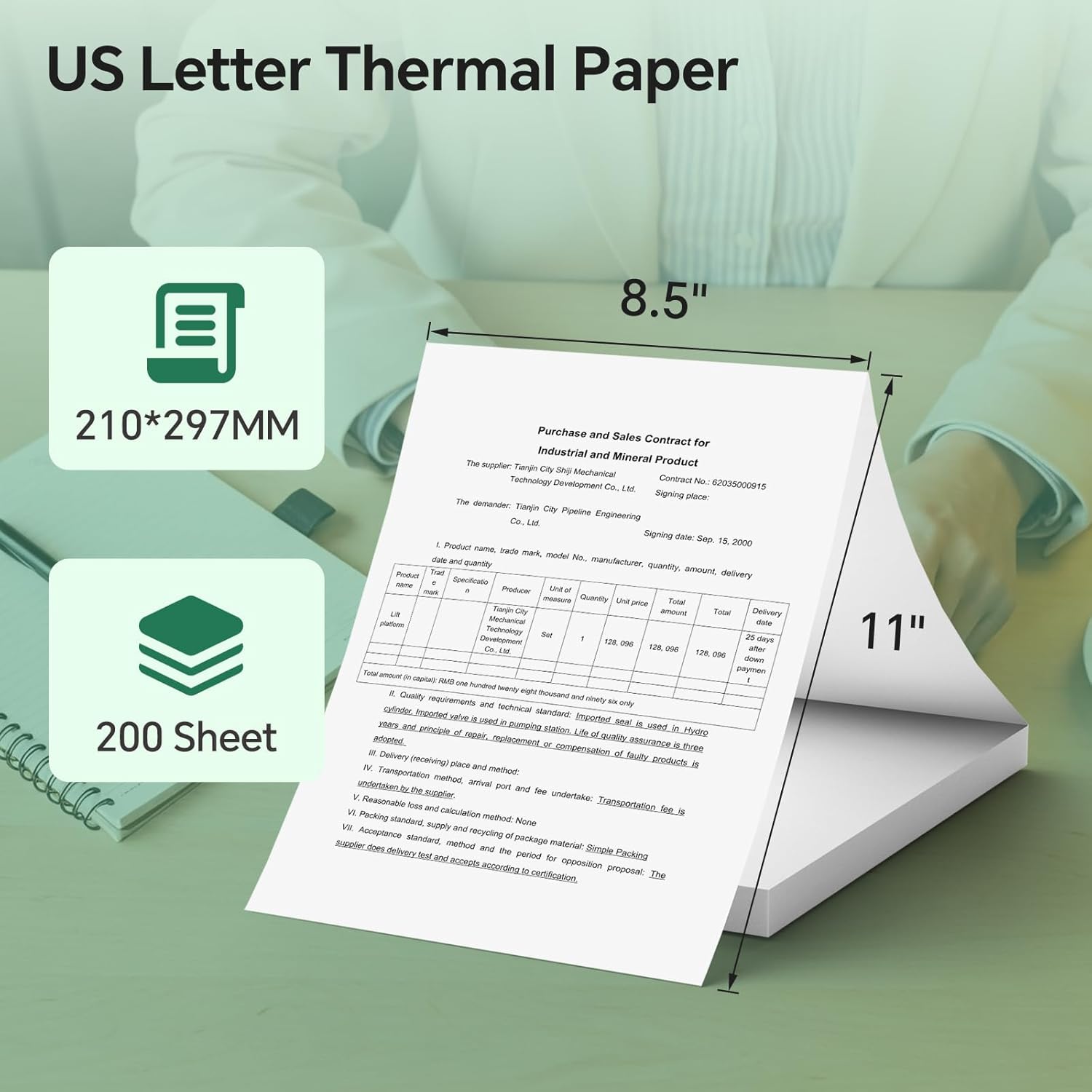
Figure 8: Details the standard US Letter thermal paper size (8.5"x11" or 210x297mm) and quantity (200 sheets) compatible with the printer.
9. 보증 및 지원
The iDPRT MT610 Pro Portable Thermal Printer comes with a 20-year warranty. For any support inquiries, please refer to the contact information provided on the product packaging or the official iDPRT website. You can also scan the QR code on the printer to activate your warranty.
For technical assistance or customer service, please contact iDPRT support via:
- 왓츠앱: +86 183 3956 8815 (Monday to Friday, 9AM-5PM EST)
- 이메일: goforhelp44@outlook.com