
소개
This manual provides essential instructions for the setup, operation, and maintenance of your KKB 4G LTE Cellular Solar Security Camera. Designed for remote monitoring in areas without Wi-Fi access, this camera utilizes 4G LTE connectivity and solar power for continuous operation. Please read this manual thoroughly before using the product to ensure proper functionality and safety.
상자 안에 무엇이 들어있나요?
- 1 x KKB 4G LTE Security Camera
- 1 x 5W 태양광 패널
- 1 x 충전 케이블
- 1 x 사용자 설명서
- Installation Accessories (screws, wall anchors, mounting bracket)
제품 끝view
주요 특징
- 4G LTE 연결: Operates independently without Wi-Fi, ideal for remote locations.
- 태양열 전원: Equipped with a 10400mAh rechargeable battery and a 5W solar panel for 365-day operation.
- 2K HD 해상도: Provides clear, crisp video footage.
- 355° 회전 및 90° 기울기: Offers comprehensive coverage and remote control via the iCam365 app.
- 컬러 나이트 비전: 어두운 환경에서의 시야 확보가 향상되었습니다.
- 양방향 오디오: 실시간 통신이 가능합니다.
- PIR 모션 센서 : Advanced detection minimizes false alarms.
- IP65 방수: 다양한 기상 조건에서 야외 사용에 적합한 내구성 있는 디자인입니다.
- Built-in SIM Card: Comes with a pre-installed SIM card and trial data plan.
카메라 부품
The KKB 4G LTE Cellular Solar Security Camera consists of the main camera unit and a separate solar panel. The camera features a lens, infrared LEDs for night vision, a PIR motion sensor, a microphone, and a speaker for two-way audio. The solar panel connects to the camera to provide continuous power.
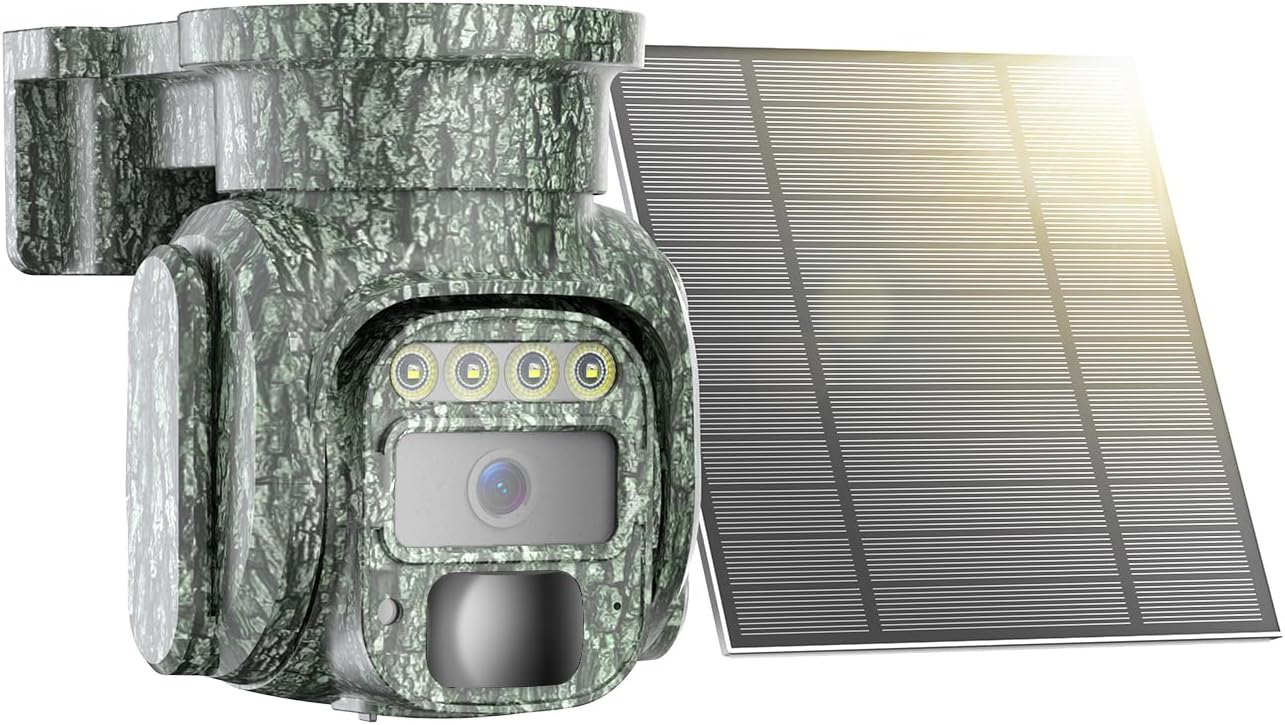
Image: The KKB 4G LTE Cellular Solar Security Camera with its accompanying solar panel.

Image: Illustration of the camera's 355-degree pan and 90-degree tilt capabilities, controlled via a smartphone app.
설정
- 초기 충전: Before first use, fully charge the camera's internal battery using the provided charging cable. This ensures the camera has sufficient power to begin operation, especially if solar charging is limited initially.
- SIM Card & MicroSD Card Installation: The camera comes with a built-in SIM card. Ensure it is activated according to the instructions provided with the camera. If using local storage, insert a MicroSD card (up to 128GB, not included) into the designated slot.
- App Download and Account Creation: Download the "iCam365" app from your smartphone's app store (Android or iOS). Follow the in-app instructions to create an account and register your camera.
- 카메라 페어링: Power on the camera. Open the iCam365 app and follow the prompts to add your new device. This typically involves scanning a QR code on the camera or packaging.
- Mounting the Camera and Solar Panel: 태양광 패널에 최적의 햇빛이 비치고 시야가 트인 장소를 선택하세요. view for the camera. Use the included installation accessories to securely mount both units. Ensure the solar panel is angled to receive maximum direct sunlight throughout the day.

Image: The KKB 4G LTE Cellular Solar Security Camera connected to its solar panel, ready for outdoor installation.
작동 지침
- 살다 View and Pan/Tilt Control: Open the iCam365 app. Select your camera to access the live video feed. Use the on-screen controls to remotely pan (355°) and tilt (90°) the camera lens to adjust your view잉 각도.
- 양방향 오디오 : 라이브 중 view, tap the microphone icon in the app to speak through the camera's speaker. Tap the speaker icon to listen to audio from the camera's location.
- 움직임 감지 및 알림: The camera's PIR motion sensor detects movement. When motion is detected, the camera will record video and send instant notifications to your smartphone via the iCam365 app. Sensitivity settings can be adjusted in the app to minimize false alarms.
- 야간 투시 모드: The camera automatically switches to night vision in low light. It supports both color night vision and infrared night vision for clear visibility in the dark.
- 비디오 녹화 및 재생: Recorded videos are saved to the installed MicroSD card or to the cloud (subscription may be required). Access and playback recorded footage directly through the iCam365 app.
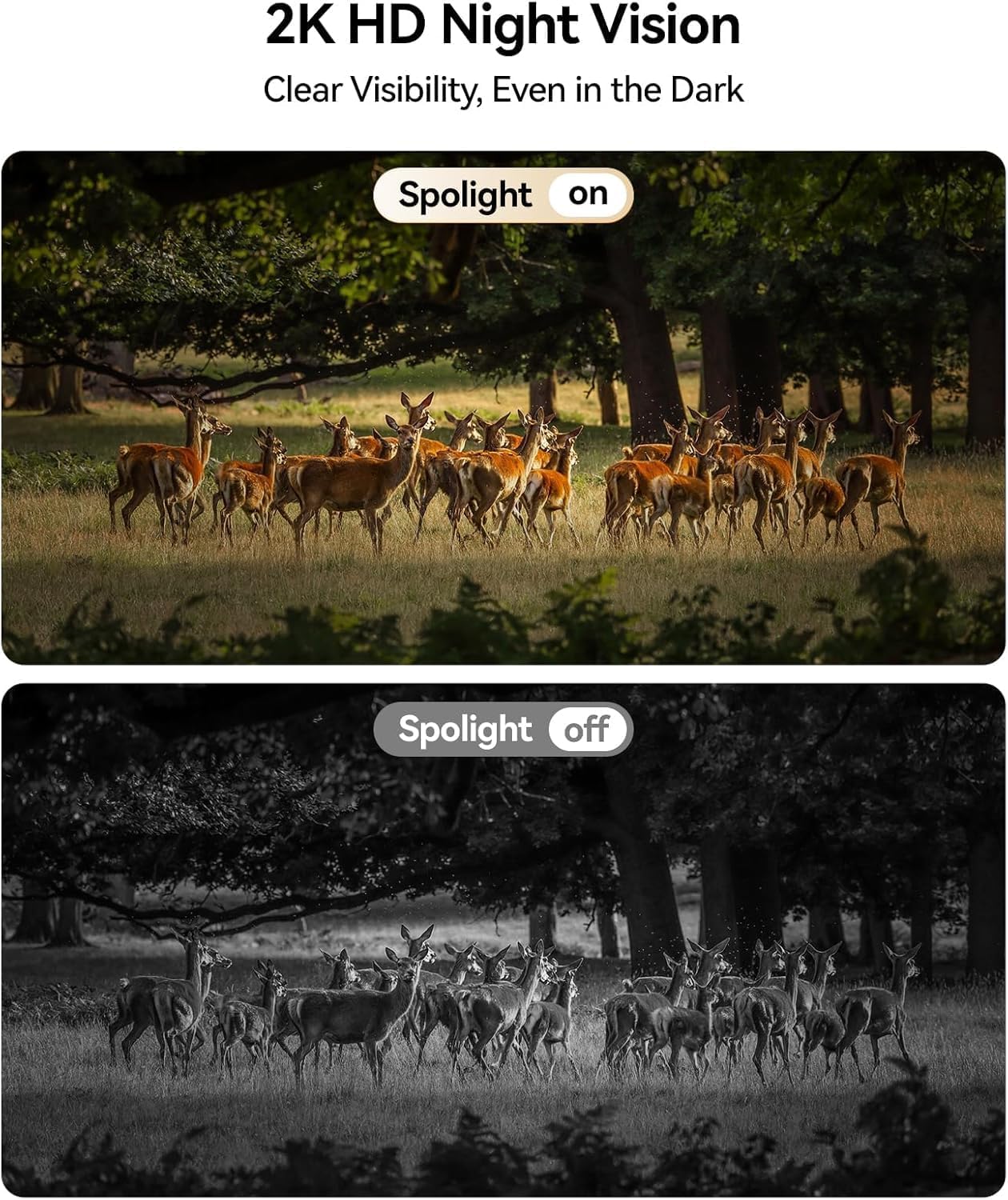
Image: Comparison of daytime and 2K HD night vision footage from the KKB camera, demonstrating clear visibility in darkness.

Image: The camera's intelligent tracking feature detecting a person and sending an instant notification to a smartphone.
유지
- 태양광 패널 청소: Regularly clean the surface of the solar panel to remove dust, dirt, and debris. A clean panel ensures maximum sunlight absorption and efficient battery charging.
- 배터리 관리: While solar-powered, extreme weather or prolonged periods of low sunlight may affect battery levels. Monitor battery status via the app and manually charge if necessary.
- 펌웨어 업데이트: Periodically check the iCam365 app for available firmware updates. Keeping your camera's firmware up-to-date ensures optimal performance, security, and access to new features.

Image: The KKB camera demonstrating its IP65 waterproof rating, suitable for all weather conditions.
문제 해결
| 문제 | 가능한 원인 | 해결책 |
|---|---|---|
| No 4G Signal | Poor cellular coverage in the area. | Relocate the camera to an area with better 4G signal strength. Check with your cellular provider for coverage maps. |
| 배터리가 빨리 소모됨 | Insufficient sunlight for solar panel; excessive motion detection; frequent live view 입장. | Ensure solar panel is clean and optimally angled towards the sun. Adjust motion detection sensitivity. Limit frequent live view access. Manually charge if needed. |
| False Motion Alarms | High sensitivity settings; environmental factors (e.g., moving branches, insects). | Adjust PIR motion detection sensitivity in the iCam365 app. Ensure the camera is not pointed at areas with constant, non-threatening movement. |
| 앱에 연결할 수 없습니다 | Incorrect pairing process; app or camera firmware outdated; poor 4G signal. | Repeat the pairing process. Ensure the app and camera firmware are updated. Verify 4G signal strength. |
명세서
- 모델 이름: 4G-RF-12
- 모델 번호: G220BM
- 연결 기술 : 4G LTE Cellular (No Wi-Fi support)
- 전원: Solar Powered (5W Solar Panel) with 10400mAh Rechargeable Battery
- 비디오 캡처 해상도: 2K
- View각도: 355° 팬, 90° 틸트
- 야간 투시경: 컬러 야간 투시경, 적외선
- 특별 기능: 2-Way Audio, HD Resolution, PTZ Technology, PIR Motion Sensor
- 실내/실외 사용: 실내, 실외
- 방수 등급: IP65
- 저장: Micro SD(최대 128GB), 클라우드 스토리지
- 제어 방법: iCam365 App (Android, iOS)
- 재료: 아크릴로니트릴 부타디엔 스티렌(ABS)
- 품목 크기: 3.7 x 5.9 x 5.6 인치
보증 및 지원
KKB provides comprehensive customer support for its products. For detailed warranty information, please refer to the warranty card included in your product packaging or visit the official KKB website. For technical assistance, KKB offers 7x24 hours professional technical support through multi-channel services, including in-app contact and email.

Image: KKB customer support team ready to assist.