
1. 서론
This manual provides detailed instructions for the installation, operation, and maintenance of your usogood D45 4MP Indoor Pet Camera. Please read this manual thoroughly before using the product to ensure correct usage and optimal performance. Keep this manual for future reference.
2. 제품 오버view
2.1 패키지 내용
- 1 x usogood D45 Indoor Security Camera
- 1 x Power Cord & 1 x Adapter
- 1 x User Manual (English/Spanish)
- 1 x 벽 걸이
- 2 x Base Screws & 2 x Base Bolts
2.2 카메라 기능
- 4MP 해상도: 선명한 영상 화질을 제공합니다.
- 듀얼 밴드 WiFi: Supports both 2.4GHz and 5GHz Wi-Fi networks for stable connectivity.
- 360° 회전 및 115° 기울기: Offers comprehensive coverage of your space.
- AI 동작 감지 및 추적: Identifies human movement and tracks subjects automatically.
- 별빛 야간 투시경: Delivers clear images in low-light conditions up to 12 meters.
- 양방향 대화: 카메라를 통해 실시간 통신이 가능합니다.
- 탐지 경보: Sounds an alarm upon motion detection to deter intruders.
- 로컬 및 클라우드 스토리지: Supports Micro SD card (up to 128GB, not included) and optional cloud storage.
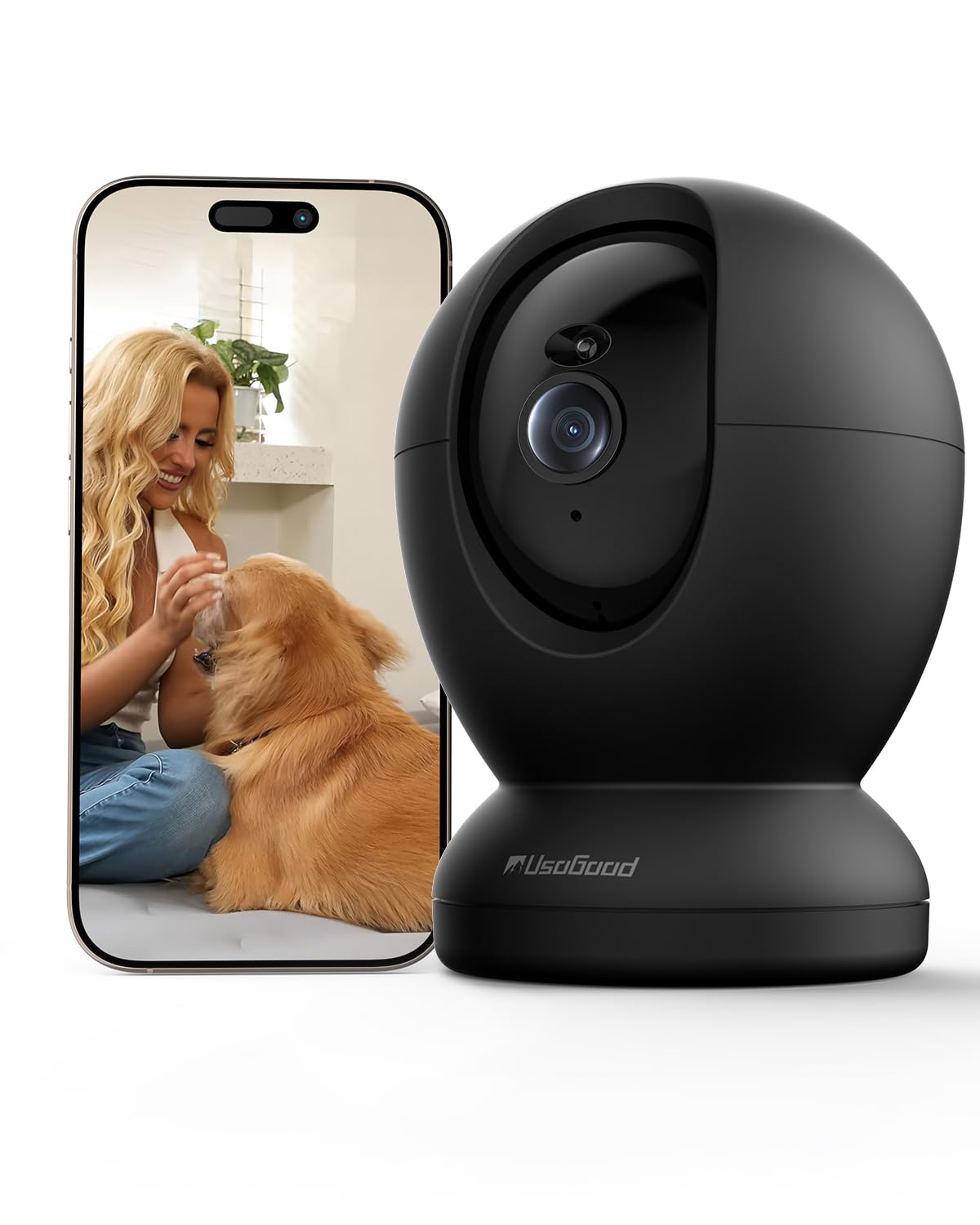
Image: The usogood D45 Indoor Pet Camera, a compact black dome-shaped device.

Image: Visual representation of the camera's applications including elderly care, child care, pet monitoring, and as an ideal gift.
3. 설정 가이드
3.1 초기 설정
- 앱 다운로드: 검색 "Canny Cam" in your smartphone's app store (iOS or Android) and download the application.
- 계정 생성: Open the Canny Cam app and follow the on-screen instructions to register a new account.
- 카메라 전원 켜기: Connect the camera to a power source using the provided power cord and adapter. The camera will initiate its self-test and indicator light will flash.
- 장치 추가: In the Canny Cam app, select "Add Device" or the "+" icon. Choose "PTZ Camera" from the device list.
- Wi-Fi에 연결: Follow the app's instructions to connect the camera to your Wi-Fi network. Ensure your phone is connected to the same Wi-Fi network (2.4GHz or 5GHz). The camera supports both bands for a more stable connection.
- QR 코드 스캔: The app will display a QR code. Position your camera to scan this QR code from your phone screen. A confirmation sound will indicate successful scanning.
- 설정 완료: Once connected, the camera will appear in your app's device list. You can then customize settings such as device name and location.

Image: The usogood D45 camera illustrating its dual-band 5G and 2.4G Wi-Fi connectivity for stable signal transmission throughout a home.
3.2 장착 옵션
The usogood D45 camera can be placed on a tabletop, shelf, or mounted to a wall or ceiling using the included wall bracket, screws, and bolts. Ensure the mounting surface is stable and secure.
4. 사용 설명서
4.1 라이브 View 및 팬/틸트 제어
- Open the Canny Cam app and select your camera from the device list to access the live video feed.
- Use the on-screen joystick or swipe gestures to remotely control the camera's pan (horizontal) and tilt (vertical) movements for a 360° view.

Image: The usogood D45 camera demonstrating its 360-degree pan and tilt functionality to cover an entire room.
4.2 양방향 대화
- 라이브 중 view, tap the microphone icon to activate two-way audio. You can speak through your phone, and your voice will be projected through the camera's speaker.
- 카메라 주변의 소리를 들으려면 스피커 아이콘을 탭하세요.
4.3 동작 감지 및 추적
- Access the camera settings in the app to enable and configure motion detection. You can set detection zones and sensitivity levels.
- Enable AI Human Detection to differentiate between humans and other moving objects, reducing false alarms.
- Activate motion tracking, and the camera will automatically follow detected movement within its field of view.
- When motion is detected, you will receive instant notifications on your smartphone.

Image: The usogood D45 camera demonstrating its 360-degree automatic tracking capability by following a dog.

Image: A smartphone displaying an instant notification from the usogood D45 camera, indicating human detection as a family enters a home.
4.4 야간 투시경
- The camera automatically switches to Starlight Night Vision mode in low-light conditions.
- This feature provides clear, detailed images up to 12 meters even in complete darkness.
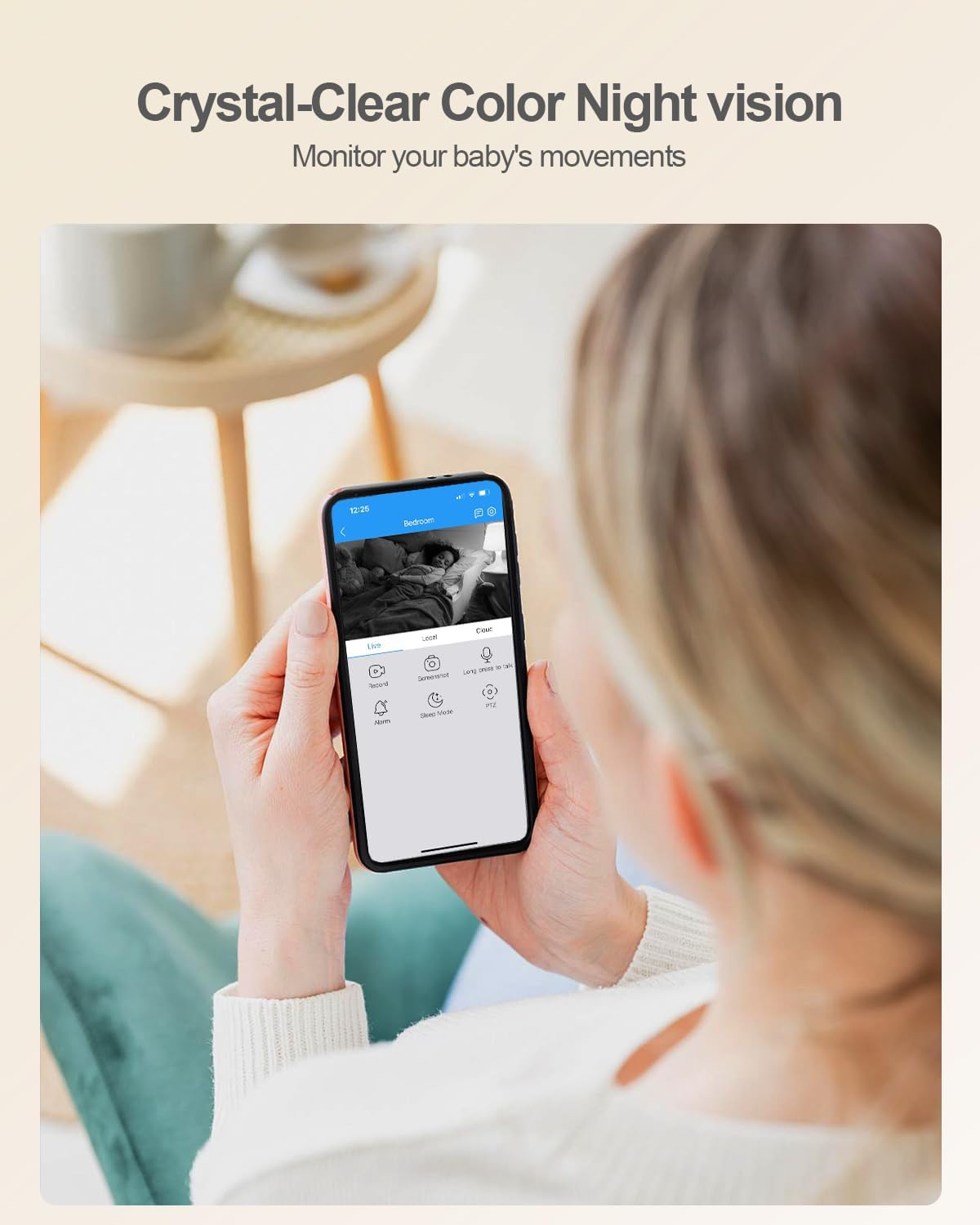
이미지: 사람 viewing a baby on their smartphone, demonstrating the usogood D45 camera's crystal-clear color night vision capability.
4.5 기록 및 저장
- The camera supports 24/7 continuous recording.
- 마이크로 SD 카드 저장: Insert a Micro SD card (up to 128GB, not included) into the camera's slot. The app will prompt you to format the card.
- 클라우드 스토리지: Optional cloud storage plans are available through the Canny Cam app for secure off-site recording.
- Review 기록된 footag앱에서 바로 실행하세요.

Image: A close-up of the usogood D45 camera highlighting its Micro SD card slot for local storage, indicating no monthly fees.

Image: A graphic illustrating the usogood D45 camera's 24/7 continuous recording capability, capturing various moments throughout the day.
4.6 멀티 디바이스 Viewing 및 공유
- The Canny Cam app allows you to view 여러 대의 카메라를 동시에 사용합니다.
- Share camera access with family members or trusted individuals via QR code within the app.

이미지: 콜라주 쇼asing the usogood D45 camera's features: automatic tracking, family sharing, multi-device viewing, and versatile placement options.
5. 유지관리
- 청소: 부드럽고 마른 천을 사용하여 카메라 렌즈와 본체를 닦으세요. 강한 화학 물질이나 연마재는 사용하지 마세요.
- 소프트웨어 업데이트: Regularly check the Canny Cam app for firmware updates to ensure optimal performance and security.
- 전원 주기: 카메라에 문제가 발생하면 10초 동안 전원 플러그를 뽑았다가 다시 꽂아보세요.
6. 문제 해결
6.1 일반적인 문제 및 해결 방법
| 문제 | 해결책 |
|---|---|
| 카메라가 Wi-Fi에 연결되지 않습니다. | Ensure your Wi-Fi password is correct. Verify the camera is within range of your router. Try restarting your router and the camera. Ensure your phone is connected to the same 2.4GHz or 5GHz network during setup. |
| 영상 품질이 좋지 않거나 지연이 발생합니다. | Check your internet connection speed. Move the camera closer to the Wi-Fi router or reduce interference from other devices. Ensure the camera lens is clean. |
| Motion detection is not working or too sensitive. | Adjust motion detection sensitivity and detection zones in the app settings. Ensure AI Human Detection is enabled if you want to filter out non-human movements. |
| 마이크로 SD 카드가 인식되지 않습니다. | Ensure the SD card is inserted correctly. Format the SD card through the Canny Cam app. Use a compatible Micro SD card (Class 10 or higher, up to 128GB). |
| 양방향 음성이 불분명합니다. | Ensure there is no obstruction near the camera's microphone or speaker. Check your phone's volume settings. Reduce background noise in the environment. |
7. 사양
| 특징 | 세부 사항 |
|---|---|
| 모델명 | 디45 |
| 비디오 캡처 해상도 | 4MP(2160P) |
| 연결 기술 | 와이파이 (2.4G 및 5G) |
| 팬/틸트 범위 | 360° 팬, 115° 틸트 |
| 나이트 비전 범위 | Up to 10 meters (Starlight Night Vision) |
| 저장 옵션 | 마이크로 SD 카드(최대 128GB), 클라우드 스토리지 |
| 전원 | 코드형 전기(5V, 9W) |
| 치수(길이 x 너비 x 높이) | 3.74 x 2.36 x 2.34 인치 |
| 품목 무게 | 12.3 온스 |
| 작동 온도 | Not specified (typically indoor use) |
| IP 등급 | IP56 |
| 호환 장치 | 스마트폰(안드로이드, iOS) |
8. 보증 및 지원
For warranty information and technical support, please refer to the official usogood website or contact usogood customer service directly. Contact details can typically be found on the product packaging or within the Canny Cam application's 'About Us' section.
보증 청구를 위해 구매 증빙서류를 보관하세요.