
소개
블랙view R30max Smartwatch is a versatile device designed to enhance your daily life with smart features and comprehensive health monitoring. This manual provides detailed instructions for setting up, operating, maintaining, and troubleshooting your smartwatch to ensure optimal performance and user experience.
상자 안에 무엇이 들어있나요?
- 검은색view R30max Smartwatch
- 실리콘 시계줄
- 자기 충전 케이블
설정
1. 스마트워치 충전하기
Before initial use, fully charge your Blackview R30max smartwatch. Connect the magnetic charging cable to the charging contacts on the back of the watch and plug the USB end into a standard USB power adapter (not included) or a computer USB port. A full charge typically takes approximately 2.5 hours.

Image: Smartwatch displaying charging status and battery life. Normal use provides over 6 days of battery, passive mode over 30 days, with a 2.5-hour charging time.
2. 앱 설치
블랙view R30max smartwatch requires a companion application for full functionality. It is compatible with smartphones running Android 6.0 or later, and iOS 9.0 or later. 검색 the 'DA FIT' app in your smartphone's app store (Google Play Store for Android, Apple App Store for iOS) and install it.
3. 기기 페어링
- 스마트폰에서 Bluetooth가 활성화되어 있는지 확인하세요.
- Open the 'DA FIT' app on your smartphone.
- Follow the on-screen instructions within the app to search for and connect to your Blackview R30max smartwatch. Confirm the pairing request on both your phone and the watch.
작동 지침
기본 탐색
The smartwatch features a 1.91-inch high-definition touchscreen and dual physical buttons. Swipe across the screen to navigate through menus, tap to select options, and use the buttons for quick access to functions or to return to the home screen.
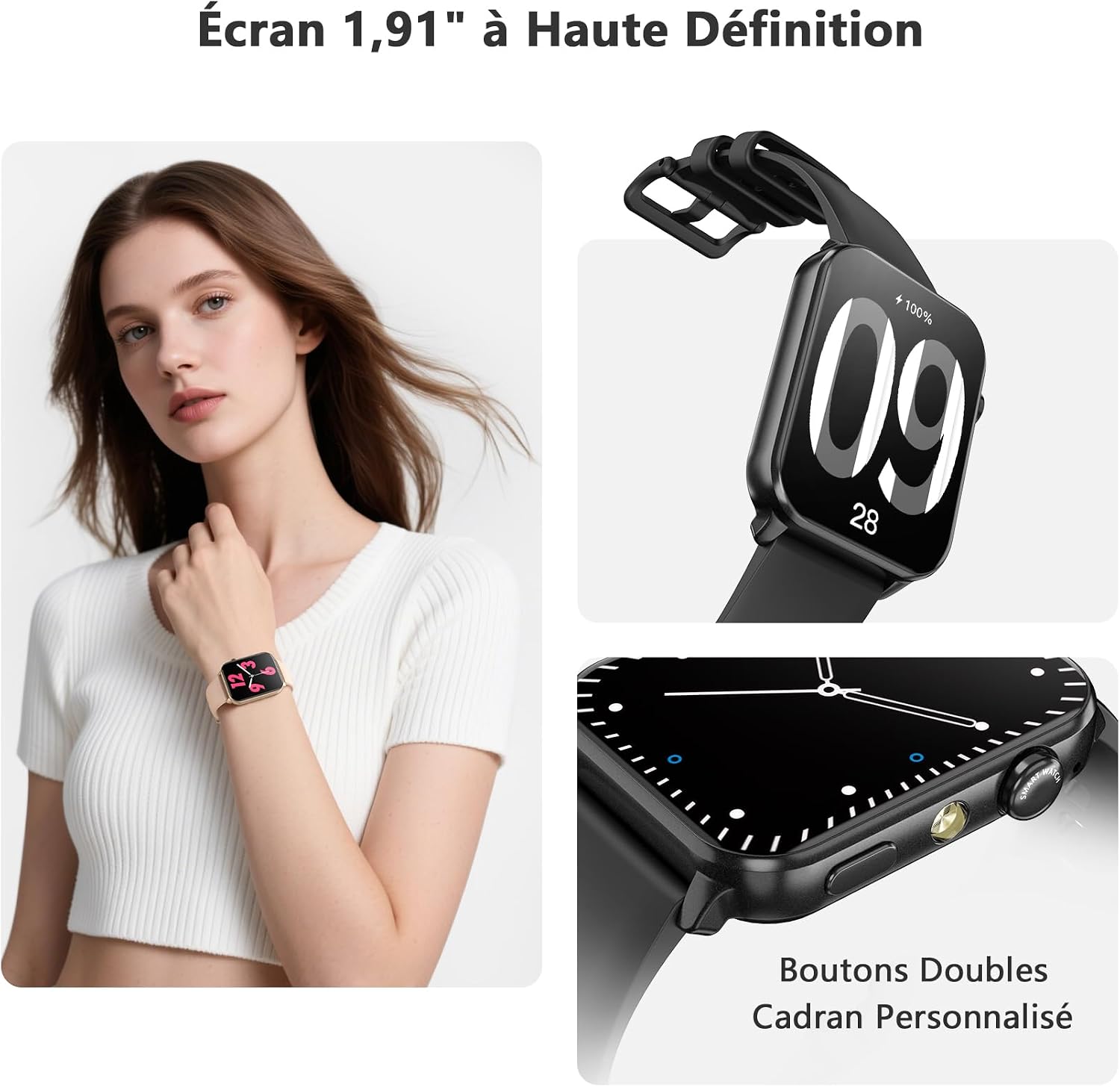
Image: The 1.91-inch high-definition screen of the Blackview R30max smartwatch, showing dual buttons and options for personalized watch faces.
Bluetooth Calling and SMS Messages
With its integrated microphone and speaker, the R30max allows you to make and receive calls directly from your wrist when connected to your smartphone via Bluetooth. You can also synchronize contacts, view call history, and receive notifications from social networks such as Facebook, WhatsApp, Instag램, 트위터.

이미지: 더 블랙view R30max smartwatch demonstrating Bluetooth call and SMS message reception capabilities.
건강 모니터링
The smartwatch provides various health monitoring features to help you maintain a healthier lifestyle:
- 심박수 모니터링 : 지속적으로 심박수를 추적합니다.
- 혈중 산소(SpO2) 모니터링: 혈중 산소 포화도를 측정합니다.
- 수면 분석: Records your sleep duration, distinguishing between light and deep sleep patterns.
- 혈압 모니터링 : 혈압 측정값을 제공합니다.
Note: This smartwatch is not a medical device. For any health concerns or medical advice, please consult a healthcare professional.

Image: Visual representation of the smartwatch's health monitoring features, including heart rate, blood oxygen, sleep analysis, and blood pressure tracking.
스포츠 모드
블랙view R30max offers over 100 sports modes to track your physical activities. It records essential data such as heart rate, steps, distance covered, and calories burned, helping you monitor your fitness progress.

Image: The smartwatch supports over 100 sports modes, illustrated with various activity icons.
사용자 지정 시계 화면
Personalize your smartwatch by choosing from a variety of pre-installed watch faces or download more through the companion app. You can also upload your favorite photos to create custom watch faces.

Image: The smartwatch offers personalized watch faces, allowing users to upload their own photos.
통합 손전등
The smartwatch features an integrated flashlight with an illumination range of up to 10 meters. This provides stable and penetrating light, useful for navigating in dark environments or finding lost items at night.
기타 기능
블랙view R30max includes additional useful features:
- 날씨 표시
- 밝기 조절
- 자명종
- 타이머와 스톱워치
- 음악 제어
- Female reminders
- 내 휴대폰 찾기 기능
- 호흡 훈련
- Raise-to-wake screen
- 계산자
- 계략
- 음성 지원
- 카메라 제어

Image: The smartwatch's interface showing a variety of applications and features.
유지
방수성
블랙view R30max smartwatch has an IP68 water resistance rating, meaning it is protected against dust and can withstand immersion in water up to 1.5 meters for a limited time. It is suitable for daily use, including hand washing, rain, and swimming. Avoid prolonged exposure to hot water or steam.
청소
Regularly clean your smartwatch and strap with a soft, dry, lint-free cloth. Avoid using abrasive materials, solvents, or harsh chemicals, as these can damage the device's finish and functionality.
배터리 관리
To maximize battery lifespan, avoid fully discharging the battery frequently. Charge the device before the battery level drops too low. Store the watch in a cool, dry place when not in use for extended periods.
문제 해결
연결 문제
- 스마트폰에서 블루투스가 켜져 있고 시계가 블루투스 범위 내에 있는지 확인하세요.
- Restart both your smartphone and the smartwatch, then attempt to pair them again through the 'DA FIT' app.
- Check if the 'DA FIT' app has necessary permissions enabled on your phone (e.g., location, notifications).
짧은 배터리 수명
- 화면 밝기와 화면 켜짐 시간을 줄이세요.
- 스마트워치에서 수신하는 알림 수를 제한하세요.
- Disable continuous heart rate monitoring or other intensive features if not needed constantly.
- Ensure the watch is fully charged (2.5 hours).
잘못된 시간 또는 날짜
- Ensure the smartwatch is properly connected and synced with the 'DA FIT' app on your smartphone. The time and date are typically synchronized automatically upon connection.
QR Code for App Not Working
- If the QR code provided in the manual or on the watch does not lead to the app, manually search for 'DA FIT' in your smartphone's app store (Google Play Store or Apple App Store).
명세서
| 모델 번호 | R30최대 |
| 표시하다 | 1.91-inch LCD or OLED Touchscreen, 280 x 320 Resolution |
| 배터리 용량 | 350 마판 리튬 이온 |
| 배터리 수명 | Up to 6 days (normal use), Over 30 days (passive mode) |
| 충전 시간 | 약 2.5시간 |
| 연결성 | 블루투스 |
| 호환성 | 안드로이드 6.0+ / iOS 9.0+ |
| 방수성 | IP68(최대 1.5미터) |
| 센서 | Heart Rate Monitor, Blood Oxygen Monitor (Oxymeter), Sleep Analysis |
| 입력 방법 | Touchscreen, Physical Buttons |
| 스트랩 소재 | 실리콘 |
| 치수 | Watch Face: 46.6mm x 37.7mm; Strap Length: Max 235mm, Min 155mm |

Image: Detailed product dimensions of the Blackview R30max smartwatch.
보증 및 지원
보증 정보
블랙view R30max smartwatch comes with a 24-month warranty from the date of purchase. This warranty covers manufacturing defects and ensures the product meets quality standards.
고객 지원
For any questions, technical assistance, or warranty claims, please contact Blackview customer service. Refer to the contact information provided with your purchase or visit the official Blackview web지원 세부 정보 사이트.