
1. 서론
The Jeecoo G10 Wireless Gaming Headset offers versatile connectivity and high-quality audio for an immersive gaming experience. It supports dual connection modes: a 2.4 GHz USB dongle for low-latency wireless connectivity and Bluetooth 5.3 for stable connections with mobile devices. This headset is compatible with multiple platforms including PC, PS5, PS4, laptops, Mac, smartphones, and Nintendo Switch. Featuring 50mm drivers, it delivers clear stereo sound, allowing users to perceive in-game audio cues effectively. The headset also includes a sensitive omnidirectional noise-canceling microphone for clear communication and an ergonomic design with a fabric suspension headband and memory protein earmuffs for comfort during extended use. A powerful 1200mAh battery provides over 50 hours of gaming time on a single charge.

Image: Jeecoo G10 Wireless Gaming Headset highlighting dual connection modes and device compatibility.
2. 상자 안에 무엇이 들어있나요?
- G10 wireless gaming headset
- 무선 USB 수신기
- 충전 케이블
- 사용자 설명서

Image: The Jeecoo G10 Wireless Gaming Headset and its included accessories.
3. 제품 오버view
컨트롤 및 기능
- 전원 켜기 / 끄기 버튼 : Press for 3 seconds to turn on/off. Double-click to open Bluetooth mode.
- 볼륨 휠: 볼륨을 높이거나 낮춥니다.
- 마이크 음소거 버튼: 마이크를 음소거하거나 음소거 해제합니다.
- Type-C 충전 포트: 헤드셋을 충전합니다.
- 유연한 마이크: The microphone arm can be adjusted for optimal voice pickup.
- 안락한 디자인: Features a fabric suspension headband and soft, breathable memory protein earmuffs for extended comfort.

Image: Multi-function controls on the Jeecoo G10 headset.

Image: AI Mic Noise Reduction feature.
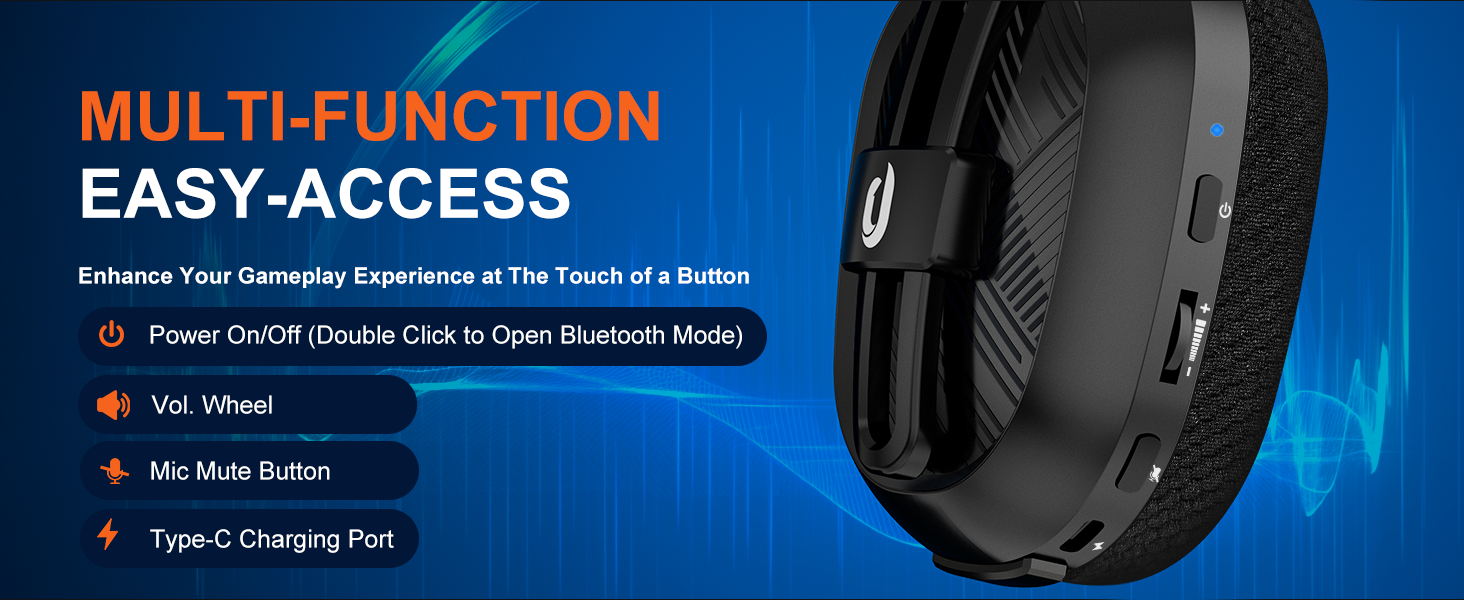
Image: Device compatibility table for the G10 headset.
4. 설정 지침
4.1. USB Adapter Mode (PC, Laptop, Macbook)
- Connect the USB adapter into a USB port on your device.
- Press the power button for 3 seconds to turn on the headset. (Note: You will hear an "adapter mode" prompt sound when the headset is turned on and successfully connected).
- Fix the settings: Go to system settings > sound settings. Choose "G10" as your Output Device and choose "G10" as your Input Device.
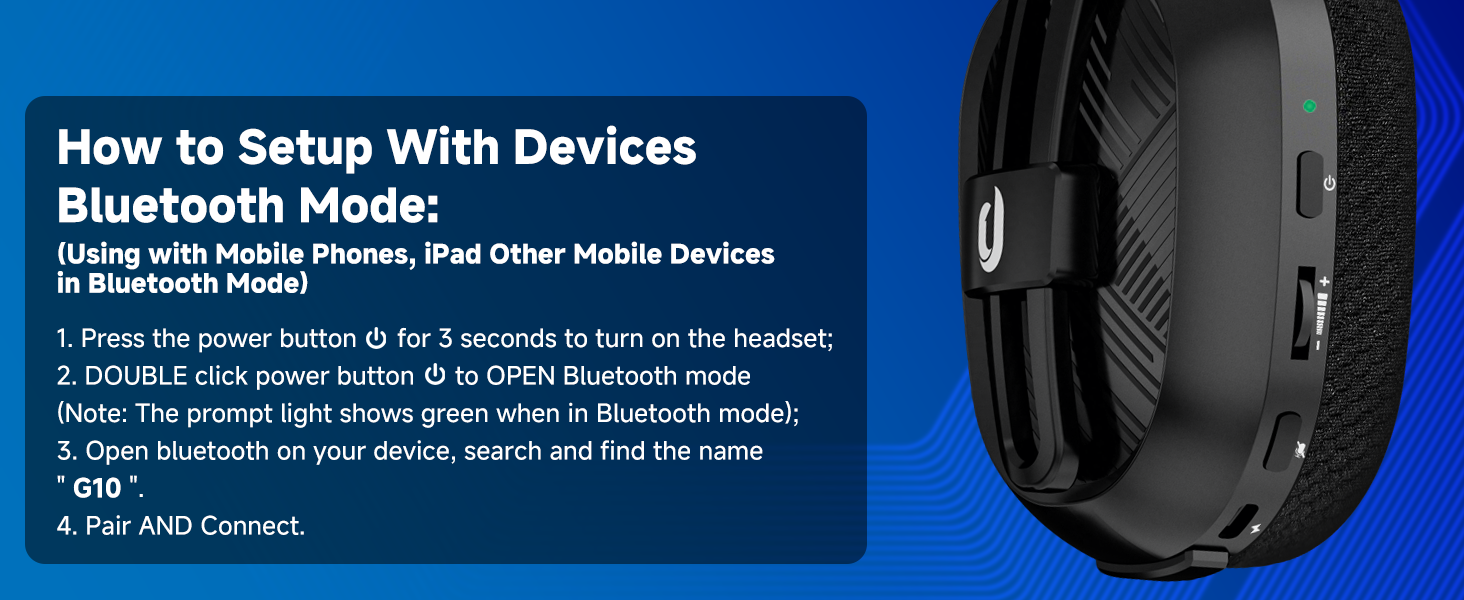
Image: PC setup for USB Adapter Mode.
4.2. USB Adapter Mode (PS4/PS5)
- Connect the USB adapter into a USB port on your PS4/PS5 console.
- Press the power button for 3 seconds to turn on the headset. (Note: You will hear an "adapter mode" prompt sound when the headset is turned on and successfully connected).
- Fix PS4/PS5 console settings: Go to main menu > settings > devices > audio devices. Set "G10" as both the Input Device and Output Device.
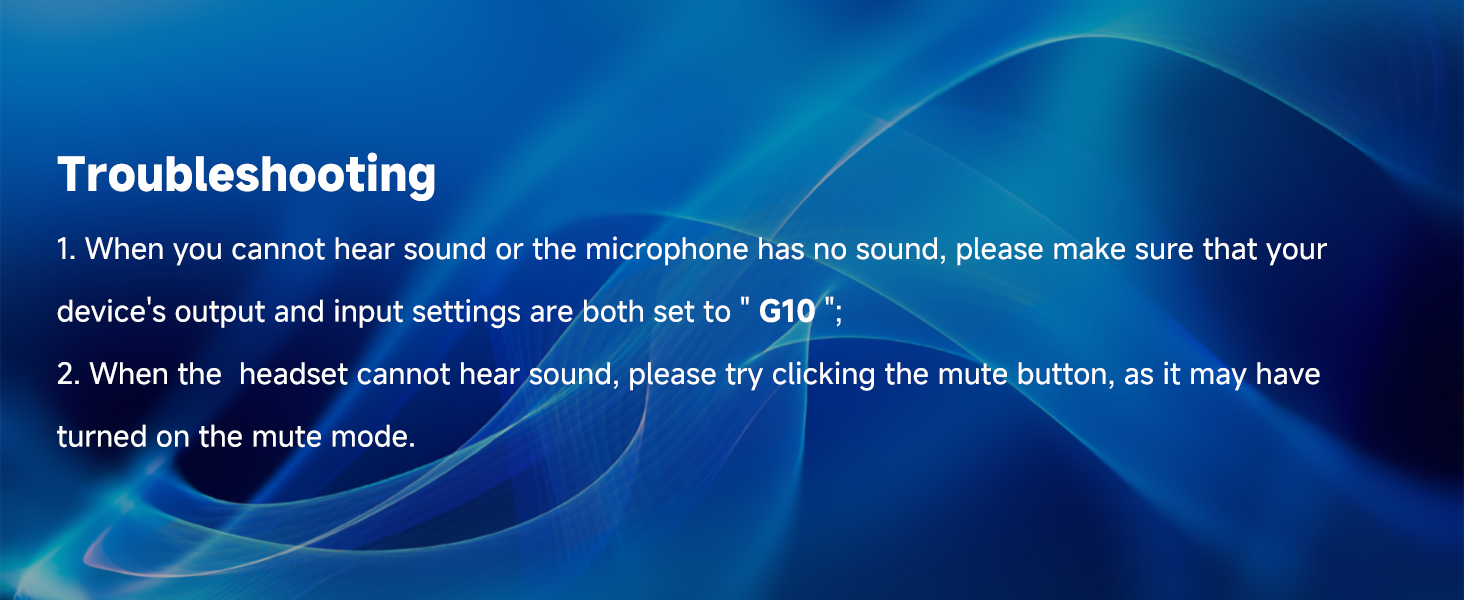
Image: PS4/PS5 setup for USB Adapter Mode.
4.3. Bluetooth Mode (Mobile Phones, iPad, Other Mobile Devices)
- Press the power button for 3 seconds to turn on the headset.
- Double-click the power button to open Bluetooth mode. (Note: The prompt light shows green when in Bluetooth mode).
- Open Bluetooth on your device, search, and find the name "G10".
- Pair and Connect.
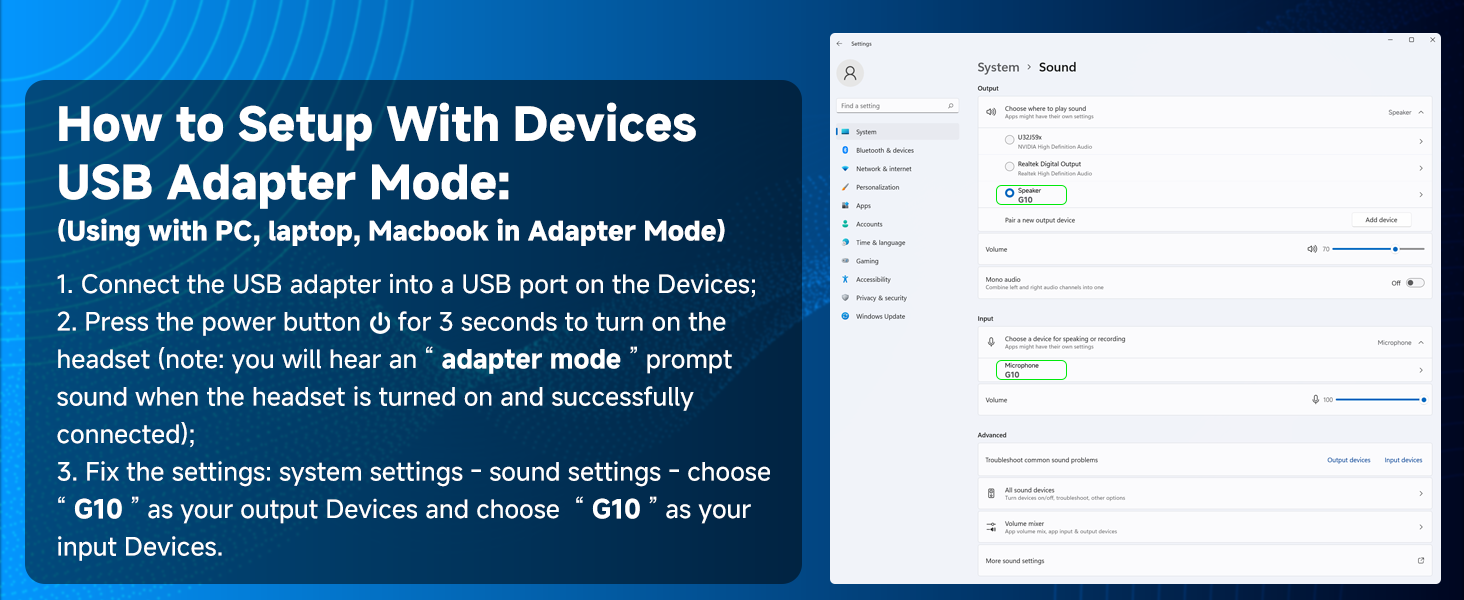
Image: Bluetooth setup for mobile devices.
비디오: 끝view of the Jeecoo G10 Wireless Gaming Headset's features and multi-platform compatibility, including setup for PC, PS5, PS4, and Nintendo Switch.
5. 사용 설명서
5.1. 볼륨 조절
Use the volume wheel located on the left earcup to increase or decrease the audio volume. Roll the wheel up to increase volume and down to decrease it.
5.2. 마이크 사용
The flexible microphone arm can be bent and positioned closer to your mouth for clearer voice pickup. Press the mic mute button on the left earcup to toggle the microphone on or off. A visual indicator may show the microphone's status.
5.3. 헤드셋 충전
Connect the provided Type-C charging cable to the charging port on the headset and to a compatible USB power source. The headset requires approximately 3 hours for a full charge, providing up to 50 hours of gaming time.

이미지: 배터리 수명 및 충전 정보.
6. 유지관리
6.1. 청소
Wipe the headset with a soft, dry cloth. Avoid using harsh chemicals or abrasive materials. For earmuffs, gently clean with a damp 필요한 경우 천으로 닦아내고 완전히 자연 건조시키십시오.
6.2. 보관
Store the headset in a cool, dry place away from direct sunlight and extreme temperatures. When storing for a long period, ensure the battery is partially charged (around 50%) to maintain battery health.
7. 문제 해결
- No Sound or Microphone Not Working: Ensure your device's output and input settings are both set to "G10".
- Headset Cannot Hear Sound: Try clicking the mute button, as it may have been accidentally turned on.
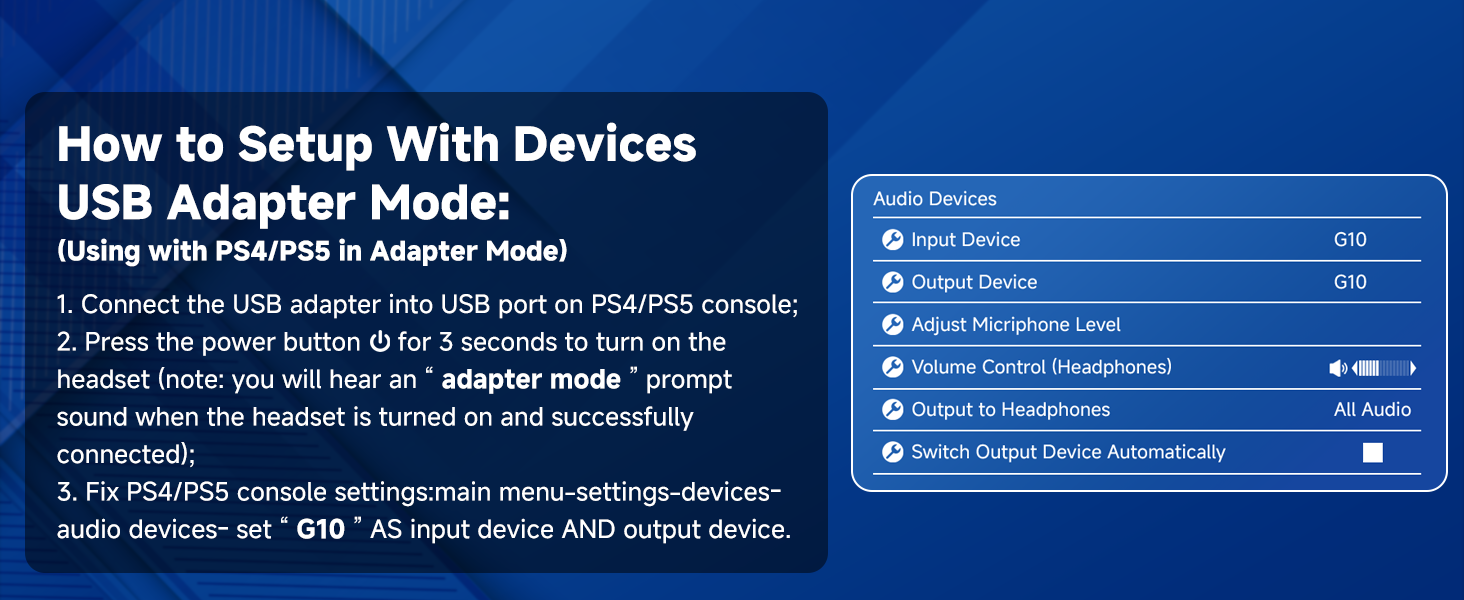
Image: Troubleshooting steps for common issues.
8. 사양
| 특징 | 사양 |
|---|---|
| 모델명 | G10 |
| 연결 기술 | Bluetooth 5.3, 2.4GHz Wireless |
| 무선 통신 범위 | 최대 49피트 |
| 오디오 드라이버 유형 | 다이내믹 드라이버(50mm) |
| 주파수 응답 | 20Hz - 20000Hz |
| 마이크 기능 | Noise Cancellation, Omnidirectional |
| 배터리 수명 | 50시간 |
| 충전 시간 | 3시간 |
| 무게 | 13.4온스(0.38킬로그램) |
| 재료 | Fabric, Memory Foam, Plastic |
| 호환 장치 | PS5, PS4, PC, Nintendo Switch, phones, laptops, Mac, iPad (Not compatible with Xbox) |
9. 보증 및 지원
For warranty information and customer support, please refer to the contact details provided in the included User Manual or visit the official Jeecoo web사이트. 보증 청구를 위해 구매 영수증을 보관하세요.