
1. 서론
This manual provides essential information for the safe and efficient use of your BOOX Go 7 ePaper Tablet. Please read it thoroughly before operating the device and retain it for future reference.

Figure 1.1: BOOX Go 7 ePaper Tablet
2. 안전 정보
- 기기를 극한의 온도, 직사광선 또는 높은 습도에 노출시키지 마세요.
- 장치를 떨어뜨리거나 강한 충격을 가하지 마십시오.
- 충전에는 제공된 USB 케이블만 사용하세요.
- Keep the device away from water and liquids, despite its water-repellent features.
- 직접 기기를 분해하거나 수리하지 마십시오. 공인 서비스 담당자에게 문의하세요.
3. 패키지 내용
패키지에 모든 품목이 들어 있는지 확인하세요.
- BOOX Go 7 ePaper Tablet
- USB 케이블
- 빠른 시작 가이드(지역에 따라 다를 수 있음)

Figure 3.1: BOOX Go 7 Package Contents
4. 디바이스 오버view
4.1 물리적 구성 요소
Familiarize yourself with the main components of your BOOX Go 7 tablet:
- E Ink Screen: 7-inch monochrome display with 300 ppi resolution.
- 프론트라이트: Adjustable illumination for reading in various lighting conditions.
- 페이지 넘기기 버튼: Ergonomically designed buttons for easy navigation.
- USB-C 포트: 충전 및 데이터 전송용입니다.
- 전원 버튼: 윗부분 가장자리에 위치해 있습니다.
- 내장 마이크: 오디오 입력용.
- 내장형 듀얼 스피커: 오디오 출력용.

Figure 4.1: Page-Turn Buttons and Water-Repellent Protection
5. 설정
5.1 초기 충전
Before first use, fully charge your BOOX Go 7 tablet. Connect the provided USB-C cable to the device and a compatible power adapter (not included) or a computer's USB port. The charging indicator will show the charging status.
5.2 전원 켜기/끄기
- 전원을 켜려면: Press and hold the Power button until the BOOX logo appears.
- 전원을 끄려면: 전원 버튼을 길게 누른 다음 화면에 나타나는 옵션에서 "전원 끄기"를 선택하세요.
- 잠들기/깨어나기: 전원 버튼을 짧게 누릅니다.
5.3 네트워크 연결(Wi-Fi)
- 홈 화면에서 위쪽에서 아래로 스와이프하면 빠른 설정 패널에 접근할 수 있습니다.
- Wi-Fi 아이콘을 탭하여 Wi-Fi를 활성화하세요.
- Wi-Fi 아이콘을 길게 눌러 Wi-Fi 설정을 엽니다.
- 목록에서 원하는 네트워크를 선택하고 메시지가 표시되면 비밀번호를 입력하세요.
- 연결되면 Wi-Fi 아이콘이 연결 성공을 나타냅니다.
6. 사용 설명서
6.1 기본 탐색
- 터치스크린: Tap, swipe, and pinch to navigate menus, open applications, and interact with content.
- 페이지 넘기기 버튼: Use the physical buttons on the side to turn pages in documents and books.
6.2 Reading Documents and Books
The BOOX Go 7 supports various document formats. Open your desired file from the library. Use the page-turn buttons or swipe gestures to navigate through pages. Adjust font size, contrast, and frontlight settings for optimal reading comfort.
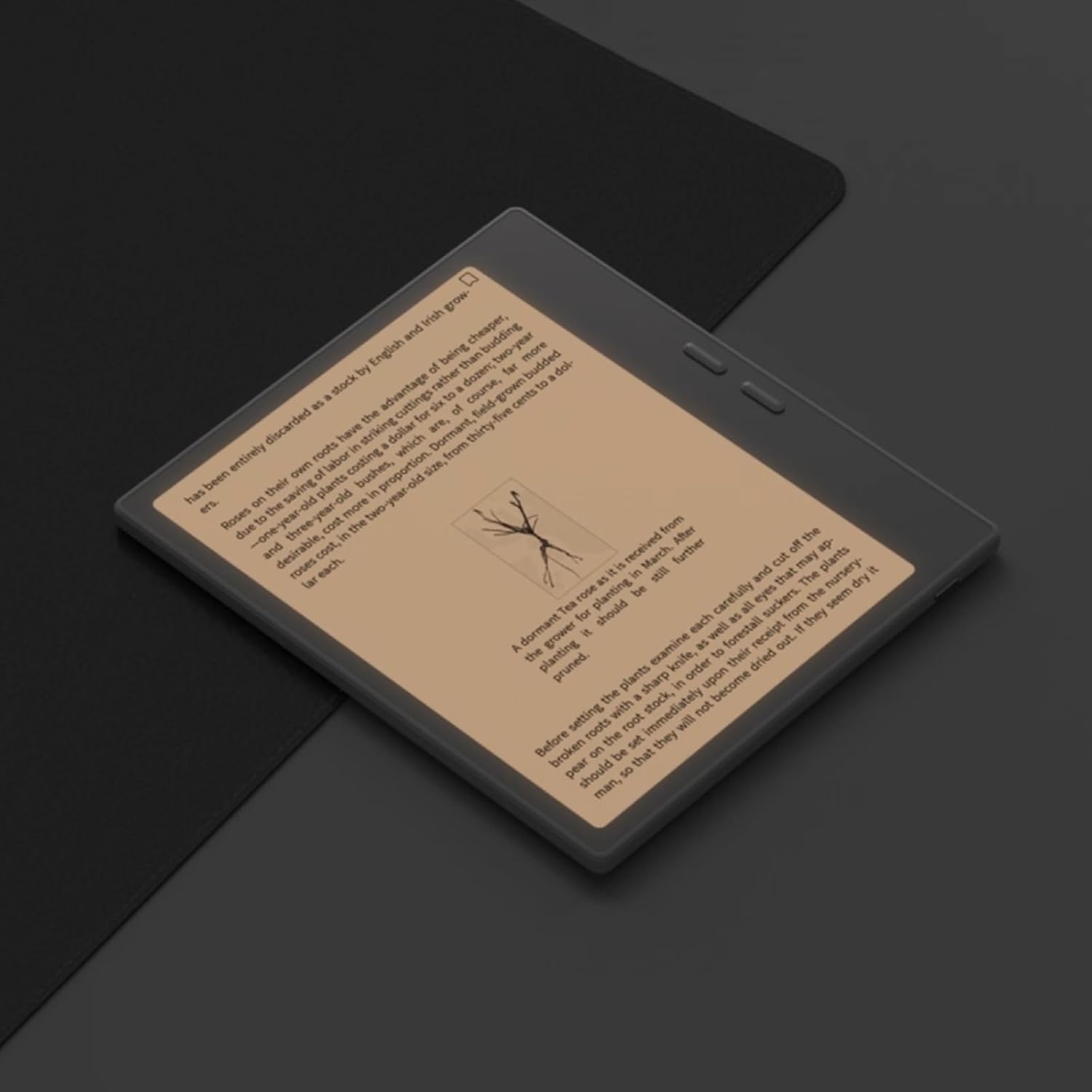
Figure 6.1: Reading with Frontlight
6.3 Using Android Applications
As an Android 13 device, the BOOX Go 7 allows installation of various applications from the Google Play Store. Navigate to the App Store, search for your desired application, and install it. Note that some applications may not be fully optimized for ePaper displays.

Figure 6.2: Various Android Applications on BOOX Go 7
6.4 필기 및 그림 그리기
Utilize the stylus (if included or purchased separately) for note-taking, sketching, and annotating documents. The device offers various templates and tools for creative and organizational tasks.

Figure 6.3: Stylus Use for Note-Taking

Figure 6.4: Handwriting to Text Conversion
7. 유지관리
7.1 장치 청소
Use a soft, lint-free cloth to gently wipe the screen and body of the device. Do not use harsh chemicals, abrasive cleaners, or excessive moisture.
7.2 소프트웨어 업데이트
Regularly check for and install software updates to ensure optimal performance and access to new features. Connect to Wi-Fi and navigate to 설정 > 시스템 > 시스템 업데이트 사용 가능한 업데이트를 확인하세요.
8. 문제 해결
- 장치가 켜지지 않음: 기기가 충전되어 있는지 확인하십시오. 전원에 연결한 후 다시 시도하십시오.
- 화면이 응답하지 않습니다: Perform a soft reset by holding the Power button for 10-15 seconds.
- Wi-Fi 연결 문제: Verify your Wi-Fi password and router settings. Try restarting your router and the device.
- 애플리케이션 충돌: Ensure applications are updated to their latest versions. Clear the app's cache or reinstall if issues persist.
9. 사양
| 상표 | 북스 |
| 모델명 | 7으로 가다 |
| 저장 용량 | 64GB (XNUMX기가바이트) |
| 화면 크기 | 7 인치 |
| 최대 디스플레이 해상도 | 300 Pixels per inch |
| 운영 체제 | 안드로이드 13 |
| 색상 | 느와르(검정) |
| 설치된 RAM 크기 | 4GB (XNUMX기가바이트) |
| 특별 기능 | USB OTG support, Expandable storage, Stylus support |
| 모델 연도 | 2025 |
| 배터리 유형 | 리튬이온 |
| 배터리 에너지 함량 | 8.8 와트시 |
| 프로세서 브랜드 | 퀄컴 |
| 프로세서 설명 | 퀄컴 스냅드래곤 |
| 카메라 | 카메라 없음 |
| 센서 유형 | 자이로스코프 |
| Item Dimensions (LxWxT) | 15.6L x 0.6W x 13.7T centimeters |
| 입력 방법 | Touchscreen with stylus |
| 그래픽 카드 설명 | 통합 |
| 호환 장치 | 첨필 |
| 디스플레이 유형 | 전자잉크 |
| 화면 해상도 | 1280 x 800 픽셀 |
| 종횡비 | 16시 10분 |
| 하드웨어 연결 | USB |
| 무선 기술 | 블루투스, Wi-Fi(802.11ax) |
| 총 USB 포트 | 1 |

Figure 9.1: BOOX Go 7 Energy Label (EPREL 링크)
10. 보증 정보
The BOOX Go 7 ePaper Tablet comes with a 2년 한정 보증. This warranty covers manufacturing defects under normal use. For specific terms and conditions, please refer to the warranty card included in your package or contact customer support.
The standard return policy allows for returns within 30 days of purchase for refund or replacement.
11. 지원
For technical assistance, troubleshooting, or warranty claims, please contact BOOX customer service. You can find support resources and submit inquiries through the official BOOX help center.
- 펌웨어 업데이트: BOOX commits to at least 3 years of firmware updates for each product.
- 클라우드 스토리지: 10 GB of free cloud storage is provided for each user.
- 응답 시간: 고객 문의는 일반적으로 24시간 이내에 답변됩니다.
자세한 내용은 다음을 방문하세요. BOOX Brand Store on Amazon.