
1. 서론
This manual provides detailed instructions for the installation, operation, and maintenance of your Ctronics 2K 3MP Wi-Fi Indoor Surveillance Camera (Model CTIPC-920C-P2). This wireless, battery-powered camera offers flexible surveillance for various indoor environments, featuring 2K 3MP resolution, infrared night vision, smart PIR motion detection, and two-way audio communication.
2. 안전 정보
Please read and follow all safety instructions carefully to prevent damage to the device or personal injury.
- 지정된 전원 어댑터와 충전 케이블만 사용하십시오.
- 카메라를 극한의 온도, 습도 또는 직사광선에 노출시키지 마세요.
- Keep the camera away from water and other liquids. This product is not waterproof.
- 카메라를 직접 분해하거나 수리하려고 하지 마십시오. 도움이 필요하시면 고객 지원 센터에 문의하십시오.
- 카메라가 떨어지지 않도록 단단히 설치했는지 확인하세요.
3. 패키지 내용
패키지에 모든 품목이 들어 있는지 확인하세요.
- Ctronics 2K 3MP Wi-Fi Indoor Surveillance Camera
- Mounting Bracket/Support
- USB 충전 케이블
- 사용 설명서 (본 문서)
- Screws and Wall Plugs (if applicable for mounting)
4. 제품 오버view
카메라의 주요 구성 요소를 숙지하세요.

이미지 4.1: The Ctronics indoor camera, highlighting its 100% wire-free and battery-powered design with a 5000mAh battery capacity. This allows for flexible placement without the need for power cables.
The camera features a compact dome design, equipped with a lens, infrared LEDs for night vision, a microphone, a speaker for two-way audio, and a reset button. It is designed for easy placement on flat surfaces or ceiling mounting using the provided bracket.
5. 설정 및 설치
5.1 카메라 충전하기
Before initial use, fully charge the camera's built-in rechargeable Lithium-ion battery using the provided USB cable and a compatible 5V power adapter. The charging indicator light will typically change color or turn off when fully charged.
5.2 앱 설치
Download the official Ctronics Pro app or HiP2P Client software to your smartphone, tablet, or PC. 검색 "Ctronics Pro" in your device's app store (Google Play Store or Apple App Store) or visit the official Ctronics website for PC client downloads.

이미지 5.1: Accessing the camera feed via the Ctronics Pro mobile app and HiP2P Client on a PC, demonstrating multi-device compatibility.
5.3 Wi-Fi에 연결하기
- Open the Ctronics Pro app and create an account or log in.
- 새로운 기기를 추가하려면 "+" 아이콘을 탭하세요.
- Follow the on-screen instructions to connect the camera to your 2.4GHz Wi-Fi network. This usually involves scanning a QR code generated by the app with the camera lens.
- 안정적인 연결을 위해 카메라가 Wi-Fi 라우터 범위 내에 있는지 확인하세요.
5.4 카메라 장착
The camera's 100% wire-free design allows for flexible placement. You can place it on a shelf, table, or mount it to a ceiling using the included support bracket. No drilling is required for tabletop placement.

이미지 5.2: Examples of flexible camera placement in different indoor environments, demonstrating its readiness for use anywhere.
6. 사용 설명서
6.1 라이브 View 그리고 녹음
연결되면 앱을 여세요. view the live feed from your camera. The camera records in 2K 3MP resolution, providing clear and stable video. You can manually record video or capture screenshots directly from the app.

이미지 6.1: Demonstrates the camera's 2K HD resolution for clear daytime footage and effective infrared night vision up to 20m.
6.2 팬/틸트/줌(PTZ) 제어
카메라 제어 viewing angle directly from the app. The camera supports 355° horizontal pan and 80° vertical tilt, allowing for comprehensive room coverage. Use the digital zoom feature to get a closer look at details.
6.3 Smart PIR Motion Detection
The camera features intelligent PIR (Passive Infrared) motion detection, designed to accurately detect human movement and reduce false alarms. When motion is detected, you will receive instant push notifications on your connected device.

이미지 6.2: Illustrates the Smart PIR Motion Detection feature, which only alerts users when relevant motion is detected, such as a person or pet.
You can adjust the motion detection sensitivity settings within the app to suit your environment and preferences.
6.4 적외선 야간 투시경
The camera is equipped with infrared LEDs for clear night vision up to 20 meters. This feature operates discreetly without bright white light, making it ideal for monitoring nurseries, pet areas, or elderly care without disturbance.
6.5 양방향 오디오
Utilize the built-in microphone and speaker for two-way communication. You can listen to what's happening in the camera's vicinity and speak through the camera to interact with family members or pets.

이미지 6.3: Depicts the two-way audio function, allowing users to communicate with individuals near the camera, fostering a sense of closeness.
6.6 저장 옵션
The camera supports multiple storage methods for your footage:
- 마이크로 SD 카드 : Supports up to 128GB Micro SD card (not included). Insert the card into the designated slot on the camera.
- 클라우드 스토리지: Optional cloud storage service available through the Ctronics Pro app for secure, remote backup of your recordings.
- FTP: 앱에서 FTP 설정을 구성하여 녹화 파일을 FTP 서버에 업로드하세요.

이미지 6.4: Highlights the flexible storage options available, including cloud, local 128GB SD card, and FTP, to keep your footag전자 안전합니다.
6.7 Custom Alarm Sounds
Personalize your camera's alarm responses by setting custom alarm sounds through the app. This allows you to choose specific alerts that fit your lifestyle or preferences.
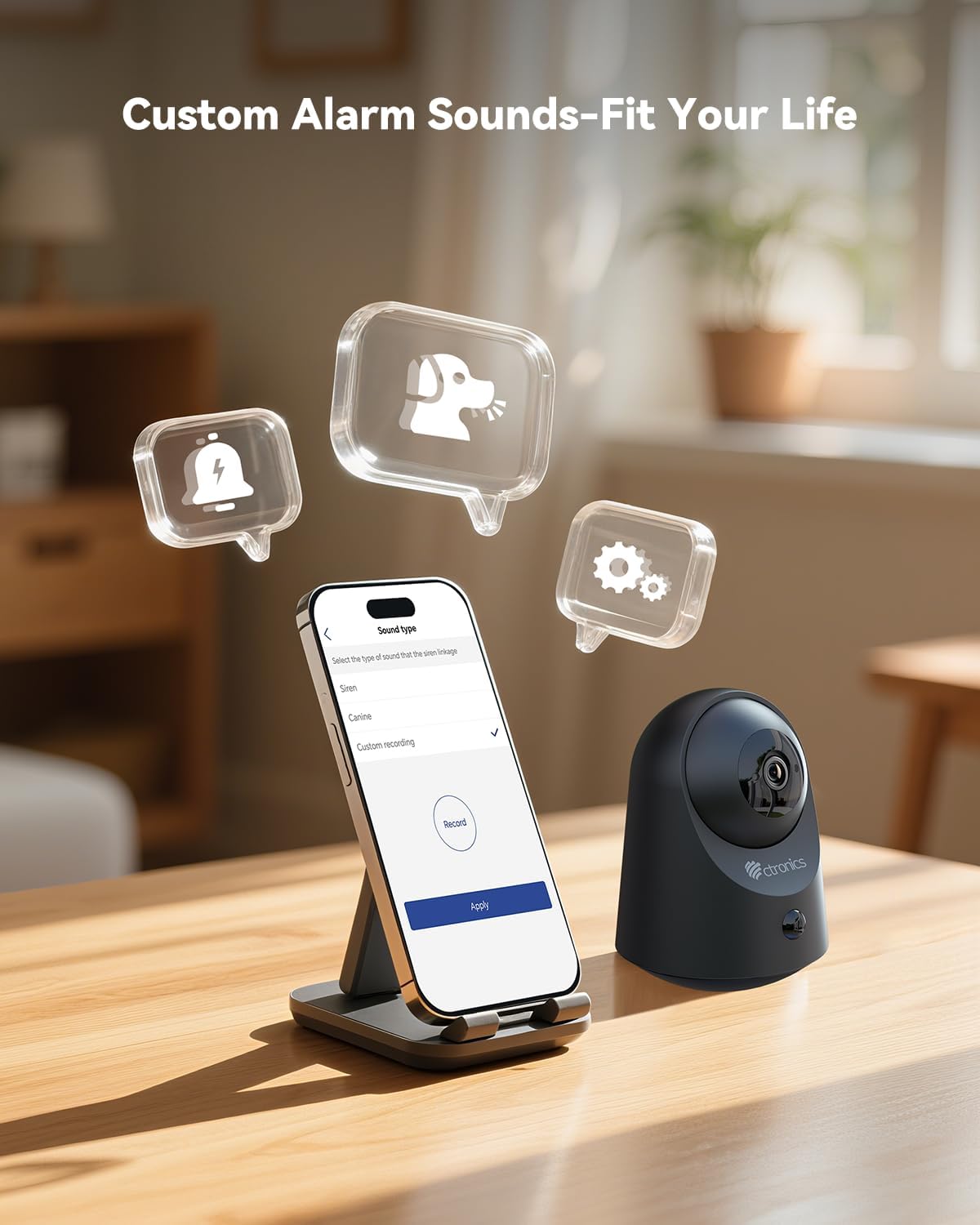
이미지 6.5: Demonstrates the ability to customize alarm sounds via the app, allowing users to tailor alerts to their specific needs.
7. 유지관리
- 청소: 부드럽고 마른 천을 사용하여 카메라 렌즈와 본체를 닦으세요. 액체 세척제나 에어로졸은 사용하지 마세요.
- 배터리 관리 : For optimal battery life, avoid fully discharging the battery frequently. Recharge the camera when the battery level is low.
- 펌웨어 업데이트: Regularly check the Ctronics Pro app for available firmware updates to ensure your camera has the latest features and security enhancements.
8. 문제 해결
| 문제 | 가능한 원인 | 해결책 |
|---|---|---|
| 카메라 전원이 켜지지 않습니다. | 배터리가 부족하거나 충전 케이블/어댑터에 결함이 있습니다. | Charge the camera for several hours. Try a different USB cable or power adapter. |
| Wi-Fi에 연결할 수 없습니다. | Incorrect Wi-Fi password, camera too far from router, or 5GHz Wi-Fi network. | 2.4GHz Wi-Fi 비밀번호가 올바른지 확인하세요. 카메라를 라우터 가까이로 이동하세요. 카메라를 재설정하고 다시 페어링을 시도하세요. |
| 비디오 품질이 좋지 않습니다. | Weak Wi-Fi signal, dirty lens, or low light conditions. | Improve Wi-Fi signal strength. Clean the camera lens. Ensure adequate lighting or verify night vision is active. |
| 동작 감지가 작동하지 않거나 오경보가 너무 많습니다. | Incorrect sensitivity settings, camera placement, or environmental factors. | Adjust PIR sensitivity in the app. Ensure camera is placed to minimize unwanted triggers (e.g., moving branches, direct sunlight). |
| 양방향 오디오가 작동하지 않습니다. | 앱에서 마이크/스피커가 음소거되었거나 네트워크 문제입니다. | Check app settings to ensure audio is enabled. Verify stable internet connection. |
9. 사양
| 특징 | 세부 사항 |
|---|---|
| 모델 번호 | CTIPC-920C-P2 |
| 해결 | 2K 3MP (2304x1296P) |
| 연결성 | Wi-Fi(2.4GHz), 블루투스 |
| 전원 | 내장 충전식 리튬 이온 배터리 |
| 권tage | 5 볼트 |
| 전력 소비 | 5 와트 |
| 팬/틸트 범위 | 팬 355 °, 틸트 80 ° |
| 나이트 비전 범위 | 최대 20미터 (적외선) |
| 동작 감지 | Smart PIR Human Motion Detection |
| 오디오 | 양방향 오디오 |
| 저장 옵션 | Micro SD (up to 128GB), Cloud Storage, FTP |
| 치수(길이 x 너비 x 높이) | 11 x 10 x 7cm |
| 무게 | 544.31 그램 (1.2 파운드) |
| 재료 | 아크릴로니트릴 부타디엔 스티렌(ABS) |
| 방수 레벨 | Not waterproof (Indoor use only) |
10. 보증 및 지원
Ctronics 제품에는 표준 제조업체 보증이 제공됩니다. 제품 패키지에 포함된 보증 카드를 참조하거나 Ctronics 공식 웹사이트를 방문하십시오. web자세한 보증 약관은 해당 사이트에서 확인하세요.
For technical support, troubleshooting assistance, or any inquiries regarding your product, please contact Ctronics customer service through their official web사이트나 앱에 제공된 연락처 정보를 참조하세요.
Web대지: www.ctronics.com


