
1. 서론
The MiLESEEY S7 Pro is an advanced laser distance meter designed for precise and efficient measurements in various environments, particularly large outdoor projects. Featuring a digital viewfinder, P2P technology, and app connectivity, this tool offers enhanced accuracy and functionality for professional and DIY users. This manual provides detailed instructions for the safe and effective operation of your device.
2. 안전 정보
기기를 사용하기 전에 모든 안전 지침을 읽고 숙지하십시오. 이 지침을 따르지 않을 경우 레이저 방사선 노출, 감전, 화재 또는 심각한 부상을 입을 수 있습니다.
- 레이저 방사선: This device emits Class 2 laser radiation. Do not stare into the laser beam or direct it at other people or animals.
- 눈 보호: Always wear appropriate eye protection when operating the device, especially in bright conditions where the laser dot may be difficult to see.
- 어린이들: 기기를 어린이의 손이 닿지 않는 곳에 보관하세요.
- 환경: 폭발성 환경이나 가연성 액체 또는 가스 근처에서 장치를 작동하지 마십시오.
- 수정 사항: 기기를 임의로 개조하거나 분해하지 마십시오. 수리는 반드시 공인 서비스 담당자만 수행해야 합니다.
- 배터리 안전: Use only the specified rechargeable AAA batteries. Ensure correct polarity when inserting batteries. Do not mix old and new batteries or different types of batteries.
3. 패키지 내용
패키지에 모든 품목이 들어 있는지 확인하세요.
- 1x MiLESEEY S7 Pro Outdoor Laser Measure
- 1x 운반 케이스
- 1x 핸드 스트랩
- 1x 사용자 매뉴얼(이 문서)
- 3x Rechargeable AAA Battery
- 1x USB 충전 케이블

Image: Contents of the MiLESEEY S7 Pro package, showing the device, case, strap, manual, and batteries.
4. 설정
4.1 배터리 설치
- 장치 뒷면에서 배터리 덮개를 찾으세요.
- Open the cover and insert the three rechargeable AAA batteries, ensuring correct polarity (+/-).
- 배터리 덮개를 단단히 닫으세요.
4.2 장치 충전
Connect the device to a USB power source using the provided USB charging cable. The battery indicator on the display will show charging status. Ensure the device is fully charged before first use for optimal performance.
4.3 전원 켜기/끄기
- 전원을 켜려면 힘 버튼(
 디스플레이에 불이 들어올 때까지 기다리세요.
 - 전원을 끄려면 힘 button again. The device will also automatically power off after a period of inactivity to conserve battery.
5. 사용 설명서
5.1 기본 측정
- Point the laser aperture towards the target.
- 를 누르세요 측정 버튼() once to activate the laser.
- 를 누르세요 측정 button again to take a measurement. The result will be displayed on the screen.
5.2 디지털 View파인더
The integrated 4X adjustable zoom digital camera with on-screen targeting crosshairs allows you to easily locate the laser spot and confidently measure outdoors, even in bright sunlight conditions.
- 그만큼 viewfinder display shows a live image of the target area.
- Use the crosshairs to precisely align the laser with your desired measurement point.
- Adjust the zoom level as needed for better visibility of distant targets.

Image: The MiLESEEY S7 Pro's digital viewfinder displaying a target with crosshairs for accurate laser point location.

Image: A user aiming the MiLESEEY S7 Pro laser distance meter outdoors, utilizing the digital viewfinder for precise targeting.
5.3 P2P Technology (Point-to-Point)
The 360° high-accuracy tilt sensor and integrated smart base enable P2P technology, allowing you to capture accurate measurements between any two points from a single remote location. This is ideal for complex measurements where direct access to both points is difficult.
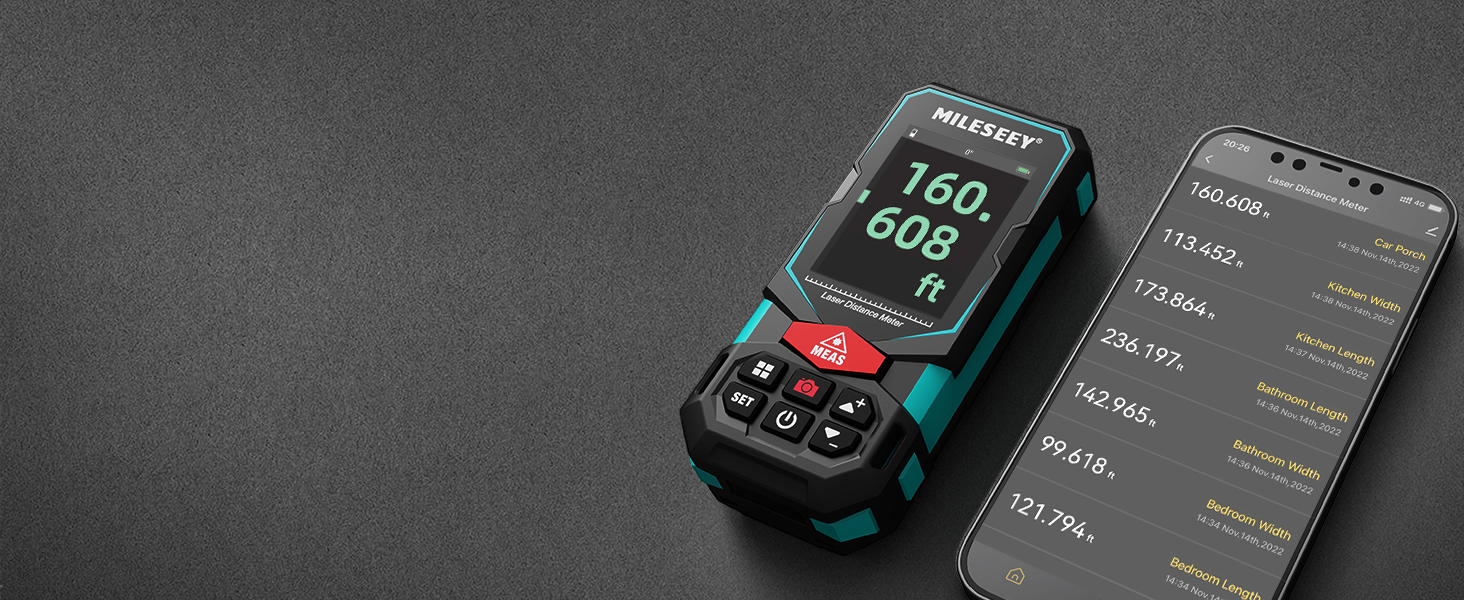
Image: An illustration of the P2P measurement capability, demonstrating how the device measures the distance between two points (P1 and P2) from a single vantag전자 포인트.
5.4 앱 연결
The MiLESEEY S7 Pro connects to a dedicated app, allowing you to transfer measurement data directly to your smartphone or tablet. Within the app, you can:
- Enter dimensions onto on-site photographs.
- Draw projects and construct plans.
- Store up to 1,000 groups of data in the app's memory.
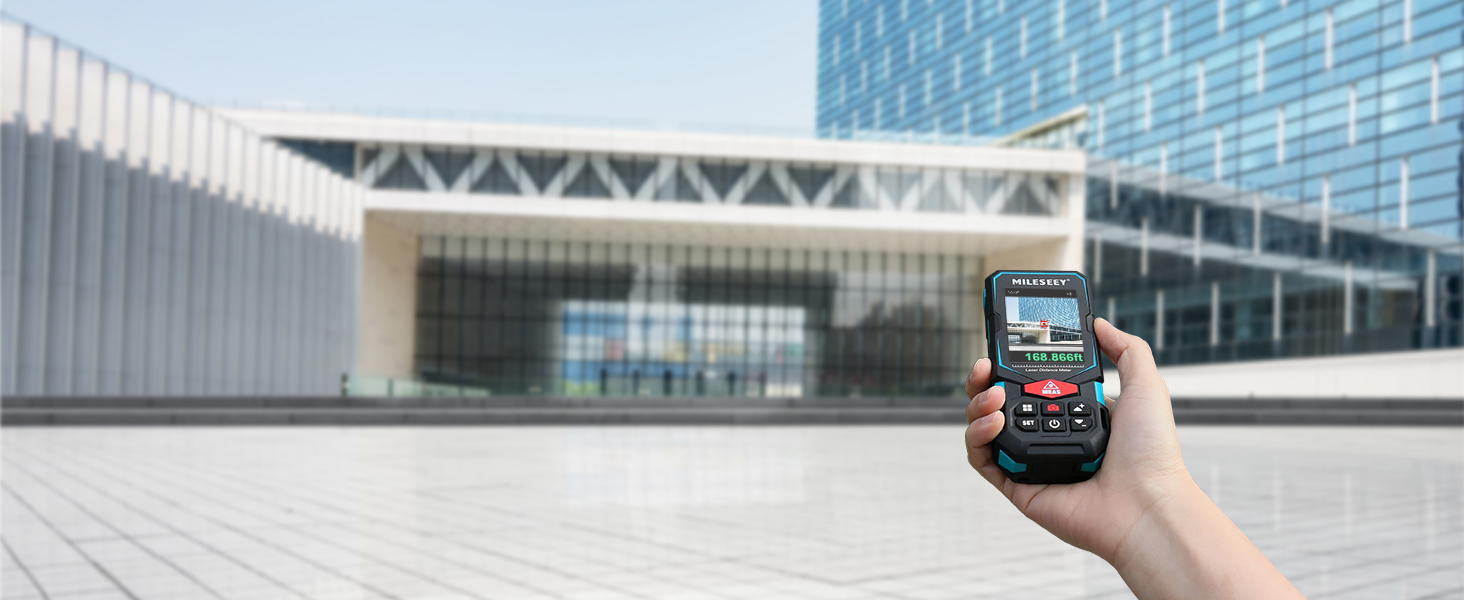
Image: The MiLESEEY S7 Pro connected to a smartphone, showing measurement data being displayed and managed within the companion application.
5.5 측정 모드
The device offers a variety of measurement modes accessible through its intuitive user interface:
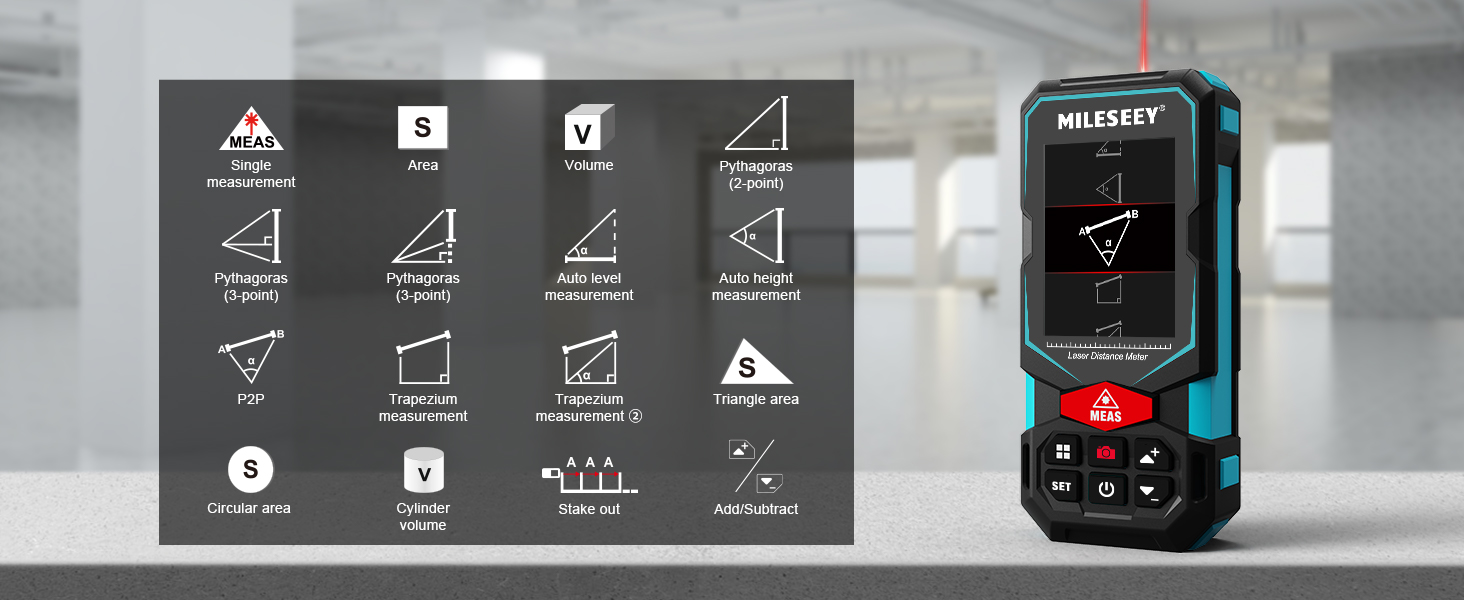
Image: A visual guide to the various measurement functions available on the MiLESEEY S7 Pro, including single measurement, area, volume, and advanced calculations.
- 단일 측정: 표준 거리 측정.
- 영역: 표면의 면적을 계산합니다.
- 용량: 공간의 부피를 계산합니다.
- Pythagoras (2-point & 3-point): 피타고라스 정리를 이용한 간접 측정.
- 자동 수평 측정: 수평 거리를 자동으로 측정합니다.
- 자동 높이 측정: Measures vertical height automatically.
- P2P: Point-to-point measurement (as described above).
- Trapezium Measurement: Calculates area of a trapezium.
- Triangle Area: 삼각형의 면적을 계산합니다.
- Circular Area: Calculates the area of a circle.
- 실린더 볼륨 : 원기둥의 부피를 계산합니다.
- Stake Out: Helps mark out specific distances.
- 더하기/빼기: Allows for addition or subtraction of measurements.
5.6 사용자 인터페이스 및 디스플레이
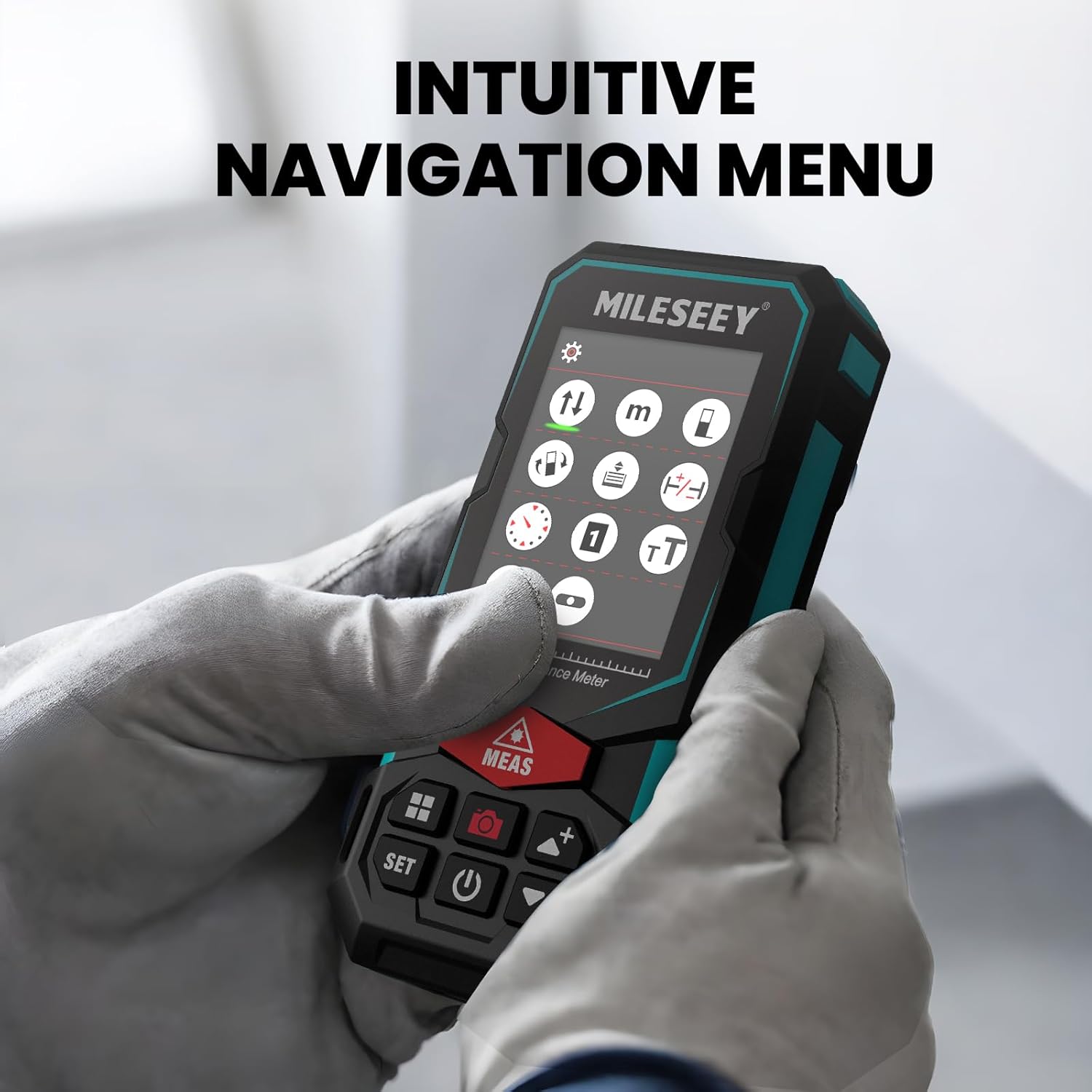
The S7 Pro features a humanized user interface with an intuitive navigation menu and a large 2.4" IPS backlit display. The rotation display keeps measurements aligned with the device, ensuring clear readability from any angle. You can easily switch between white text on a black screen and black text on a white screen for optimal visibility in varying light conditions.

Image: The MiLESEEY S7 Pro's display showcasing its intuitive navigation menu with various function icons.
Image: A user interacting with the MiLESEEY S7 Pro, highlighting the intuitive navigation menu on its screen.
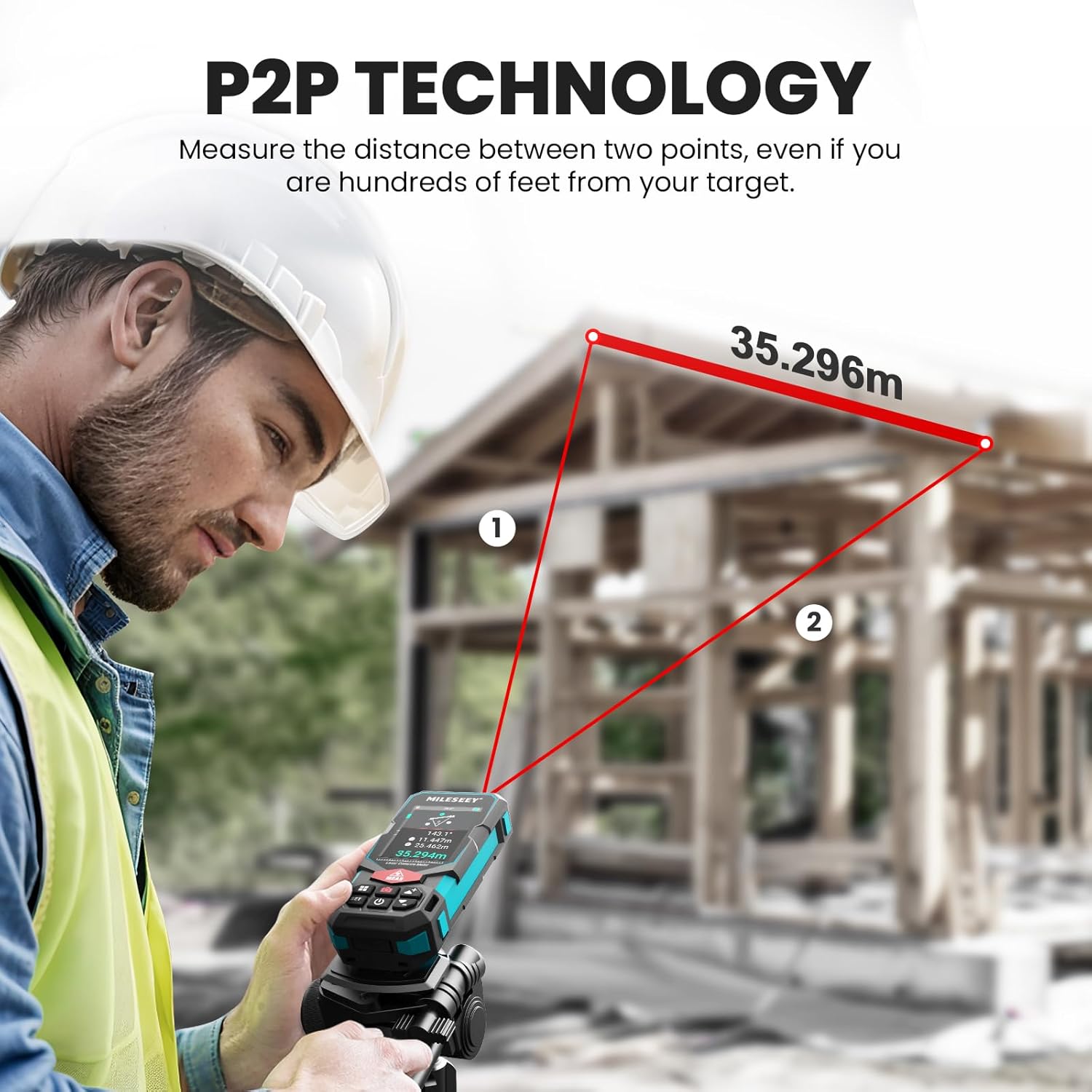
Image: The MiLESEEY S7 Pro's display demonstrating excellent visibility in both bright sunlight and low light environments.
6. 유지관리
Proper maintenance ensures the longevity and accuracy of your MiLESEEY S7 Pro.
- 청소: 부드러운 d를 사용하세요amp cloth to clean the device. Do not use harsh chemicals or abrasive cleaners. Clean the lens regularly with a soft, lint-free cloth.
- 저장: 사용하지 않을 때는 기기를 휴대용 케이스에 넣어 서늘하고 건조한 곳에 보관하십시오. 극한 온도와 직사광선을 피하십시오.
- 배터리 관리 : If the device will not be used for an extended period, remove the batteries to prevent leakage. Recharge batteries regularly to maintain their capacity.
- IP65 보호 : The device features IP65 protection, making it resistant to dust and water splashes. However, it is not designed for submersion. Clean off any dust or dirt after use in harsh conditions.

Image: The MiLESEEY S7 Pro demonstrating its IP65 protection, shown covered in dust but still functional.

Image: The MiLESEEY S7 Pro, designed with IP65 protection, shown in a dusty environment, highlighting its durability.
7. 문제 해결
If you encounter issues with your MiLESEEY S7 Pro, refer to the following common problems and solutions:
| 문제 | 가능한 원인 | 해결책 |
|---|---|---|
| 장치의 전원이 켜지지 않습니다. | 배터리가 부족하거나 방전됨, 배터리가 잘못 설치됨. | 배터리를 충전하거나 교체하십시오. 배터리가 올바른 극성으로 삽입되었는지 확인하십시오. |
| 부정확한 측정. | Laser beam obstructed; unstable surface; device not calibrated. | Ensure clear line of sight. Place device on a stable surface. Perform self-calibration if available (refer to device menu). |
| 앱 연결 문제. | 블루투스가 활성화되지 않았습니다. 앱이 업데이트되지 않았습니다. 기기가 페어링되지 않았습니다. | Ensure Bluetooth is active on both devices. Update the app to the latest version. Follow app pairing instructions. |
| Display not clear in bright light. | 화면 설정. | Switch display mode to black text on white screen for better contrast. |
8. 사양
Key technical specifications for the MiLESEEY S7 Pro Laser Distance Meter:
- 상표: 마일시
- 모델 번호: MCLD-CA-MS-S7
- 측정 범위: Up to 330 ft (100 yards)
- 정확성: Up to +/- 2mm (1/16")
- 디지털 View파인더: 4X Adjustable Zoom Camera
- 연결성: App Connected (P2P Technology)
- 보호 등급: IP65 (Dust and water splash resistant)
- 표시하다: 2.4인치 IPS 백라이트 디스플레이
- 배터리: 3x Rechargeable AAA Battery (Included)
- 재료: 아크릴로니트릴 부타디엔 스티렌, 고무
- 품목 무게: 300그램
- 제품 크기: 12L x 5W x 2.5H 센티미터
9. 보증 및 지원
The MiLESEEY S7 Pro Laser Distance Meter comes with a 24개월 보증 from the date of purchase, covering manufacturing defects. For warranty claims, technical support, or any inquiries, please contact Mileseey Direct, the manufacturer's contact. Please retain your proof of purchase for warranty validation.