
1. 서론
This manual provides essential information for setting up, operating, maintaining, and troubleshooting your GIGABYTE AORUS Elite 16 BWH gaming laptop. The AORUS Elite 16 BWH is designed for high-performance gaming and demanding applications, featuring an Intel Core Ultra 9 processor, NVIDIA GeForce RTX 5070 laptop GPU, a 16-inch WQXGA 165Hz display, and Windows 11 Pro.
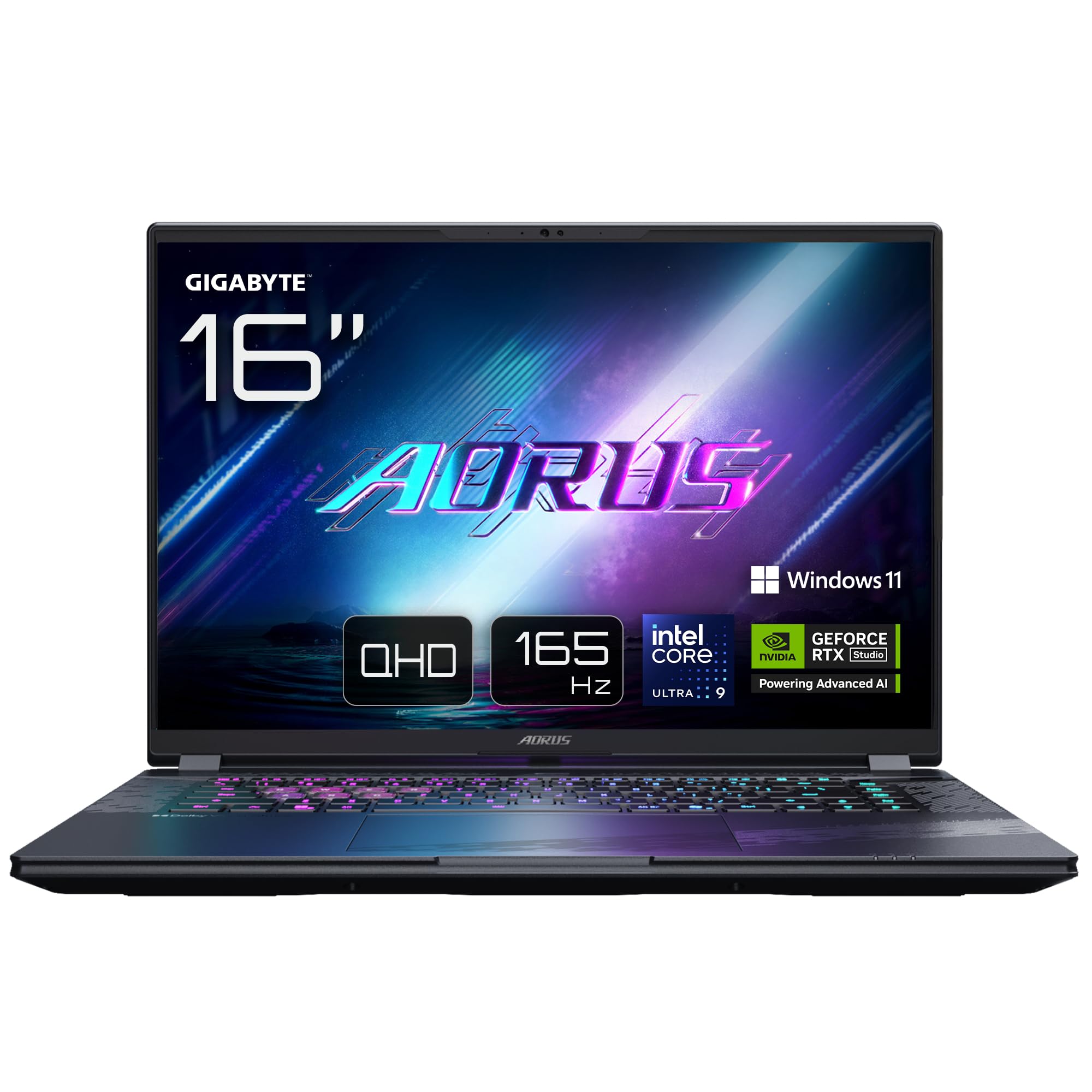
Image: The GIGABYTE AORUS Elite 16 BWH gaming laptop, showcasing its open display and keyboard.
2. 설정
2.1 언박싱 및 초기 검사
노트북과 모든 액세서리를 포장에서 조심스럽게 꺼내십시오. "구성품 목록"에 나열된 모든 구성품이 있는지, 손상되지 않았는지 확인하십시오.
- GIGABYTE AORUS ELITE 16 BWHC3FRC65SP Laptop
- 전원 어댑터 및 케이블
- 문서(본 매뉴얼, 보증서)
2.2 전원 연결
Connect the power adapter to the laptop's power input port and then plug the power cable into an electrical outlet. It is recommended to fully charge the battery before initial use.
2.3 첫 번째 전원 켜기
전원 버튼을 눌러 노트북을 켜세요. 화면의 지시에 따라 언어 선택, 네트워크 연결, 사용자 계정 생성 등 Windows 11 Pro 설치 과정을 완료하세요.
2.4 Connecting Peripherals and Network
The laptop features various ports for connecting external devices and networks.
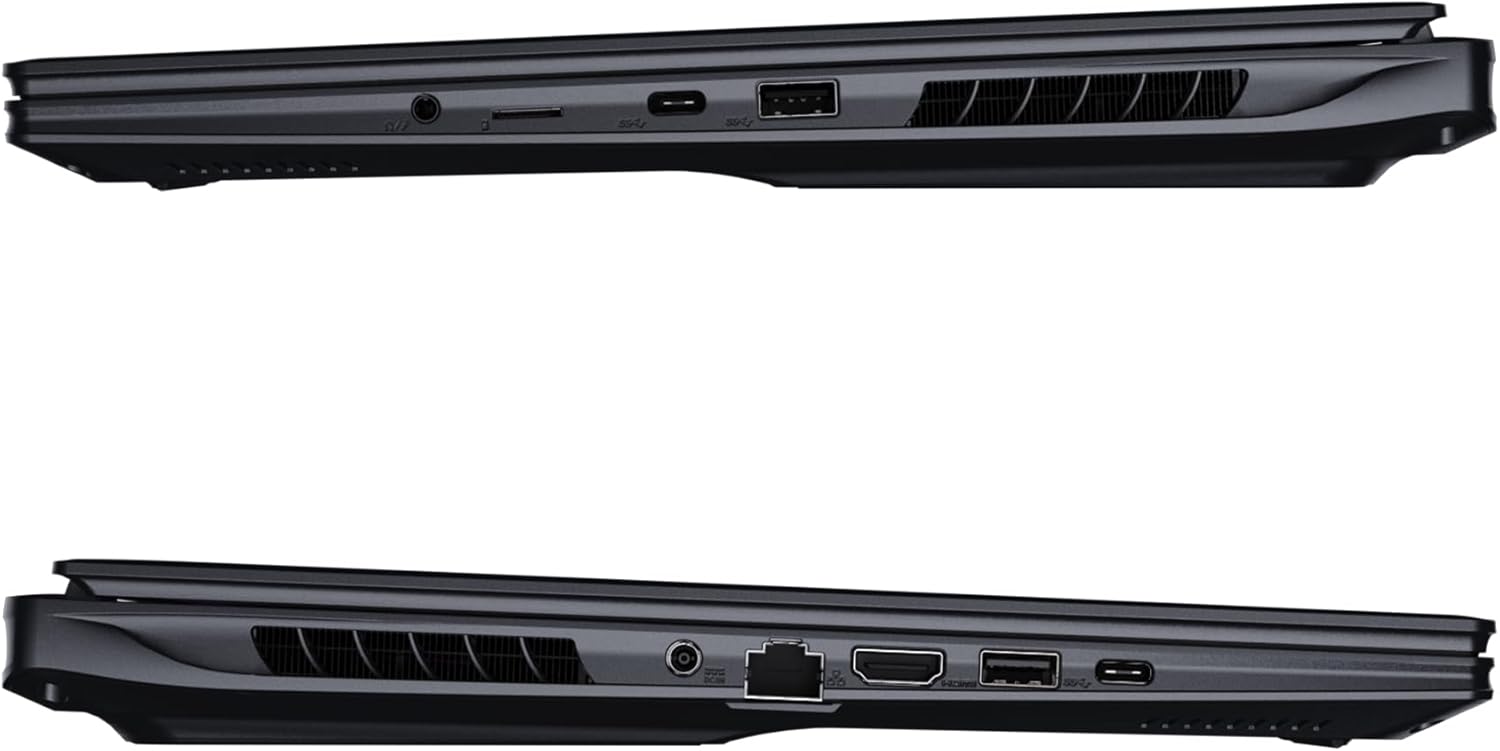
이미지: 측면 view 노트북의 연결 포트를 보여주는 그림입니다.
- USB 포트: 마우스, 키보드 또는 외장 저장 장치와 같은 USB 장치를 연결하세요.
- HDMI 포트 : 외부 디스플레이 또는 TV에 연결하세요.
- 썬더볼트 4 포트: 고속 데이터 전송 및 디스플레이 출력을 위해.
- 이더넷 포트 : 유선 네트워크 연결용.
- 헤드폰 잭: 헤드폰이나 외부 스피커로 오디오를 출력합니다.
- 와이파이 7: Connect to wireless networks via the integrated Wi-Fi 7 module.
- 블루투스 5.4 : Bluetooth 지원 기기와 페어링하세요.
3. 노트북 작동
3.1 디스플레이 기능
Your AORUS Elite 16 BWH features a 16-inch WQXGA (2560x1600) IPS display with a 165Hz refresh rate and 16:10 aspect ratio, offering a wide viewing experience. It supports Dolby Vision for enhanced visual quality and is Pantone validated for color accuracy.

Image: The laptop's 16:10 aspect ratio display, highlighting its IPS panel and Pantone validation.
3.2 키보드 및 터치패드
The laptop is equipped with a backlit keyboard for comfortable typing in various lighting conditions and a responsive touchpad for navigation.
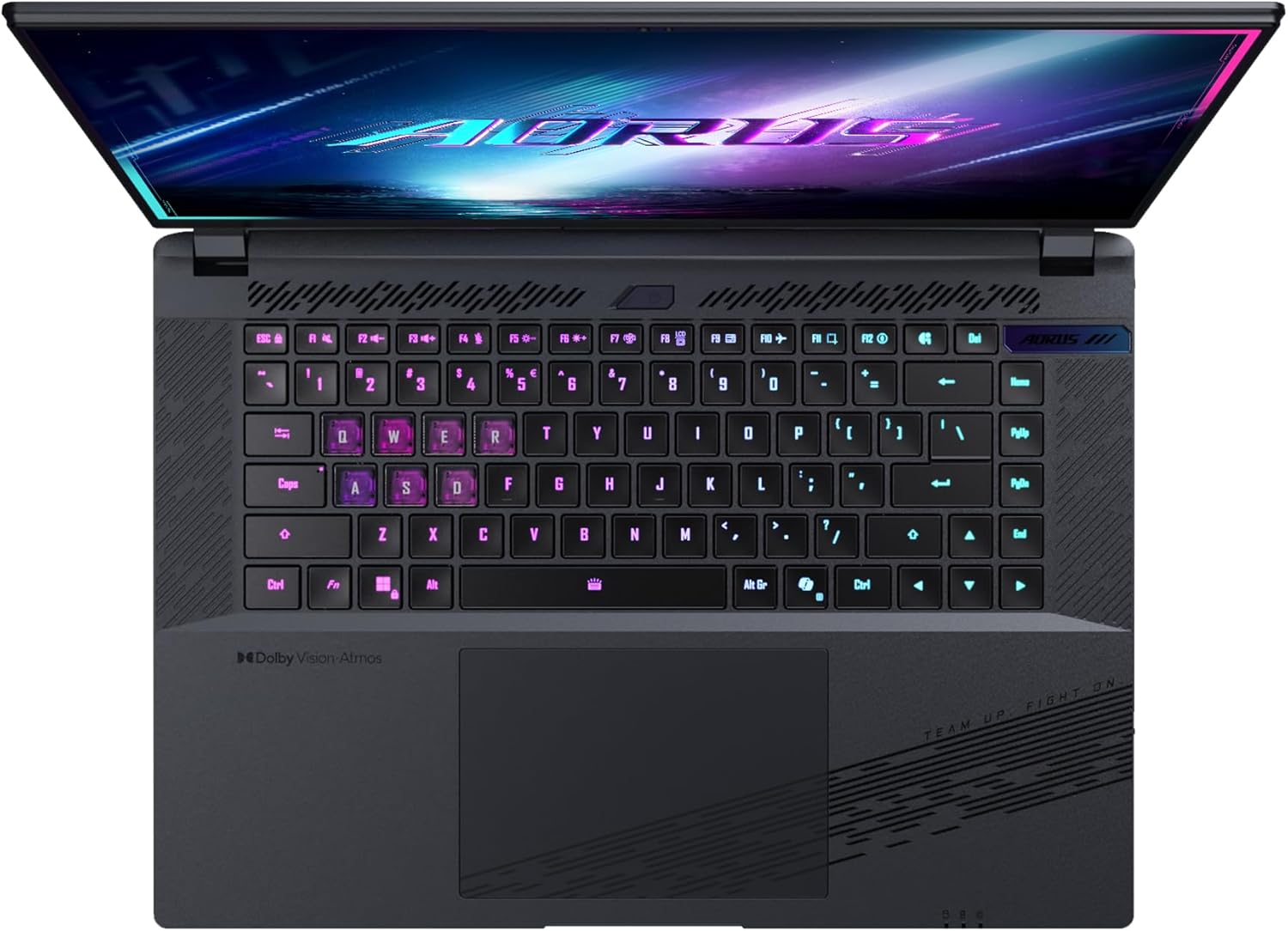
이미지: 위에서 아래로 view 노트북 키보드의asing its backlit keys.
The keyboard also features a dedicated Copilot Key for quick access to AI functionalities in Windows 11.

Image: Close-up of the keyboard, highlighting the Copilot Key for AI features.
3.3 오디오 시스템
Experience immersive audio with Dolby Atmos support and integrated 2W speakers. The laptop also includes a built-in microphone for communication.

Image: Visual representation of Dolby Atmos and Dolby Vision audio and visual enhancements.
3.4 성능 특징
The AORUS Elite 16 BWH is powered by an Intel Core Ultra 9 processor with an integrated NPU for AI acceleration and an NVIDIA GeForce RTX 5070 laptop GPU, ensuring high performance for gaming and demanding tasks. It also features Advanced Optimus with DDS Technology for optimized graphics performance.

이미지: 자세한 view of the Intel Core Ultra 9 processor chip.

이미지: 자세한 view of the NVIDIA GeForce RTX 50 Series laptop GPU chip.
3.5 GiMATE AI Agent
Utilize GiMATE, your personal AI agent, to optimize performance, manage smart cooling, enhance privacy, control power settings, and improve audio and voice functionalities.

Image: GiMATE AI Agent interface showing various optimization features.
4. 유지관리
4.1 냉각 시스템
The laptop features the WINDFORCE Infinity cooling system to maintain optimal temperatures during intensive use. Ensure the vents are clear of obstructions to allow proper airflow.

Image: Representation of the WINDFORCE Infinity cooling system.
4.2 청소
부드럽고 보풀 없는 천으로 화면과 외부 표면을 닦으십시오. 잘 지워지지 않는 얼룩은 d를 사용하십시오.amp물이나 화면 세척액을 살짝 묻힌 천으로 닦아주세요. 강한 화학 약품은 사용하지 마세요.
4.3 배터리 관리
배터리 수명을 연장하려면 극한의 온도 환경을 피하고 노트북을 장시간 완전히 충전하거나 완전히 방전된 상태로 두지 마십시오.
4.4 소프트웨어 업데이트
Regularly update your Windows operating system, drivers, and GIGABYTE software to ensure optimal performance and security.
5. 문제 해결
5.1 전원 문제
- 노트북이 켜지지 않습니다: 전원 어댑터가 제대로 연결되어 있고 콘센트가 정상적으로 작동하는지 확인하십시오. 배터리 충전량을 확인하십시오.
- 배터리가 충전되지 않음: 전원 어댑터와 케이블이 손상되지 않았는지 확인하십시오. 다른 콘센트에 꽂아 보십시오.
5.2 디스플레이 문제
- 디스플레이 없음: Connect an external monitor to check if the issue is with the laptop's screen. Ensure the laptop is powered on.
- 깜박이거나 왜곡된 디스플레이: 그래픽 드라이버를 업데이트하세요. 외부 모니터를 사용하는 경우 디스플레이 케이블 연결을 확인하세요.
5.3 연결 문제
- Wi-Fi가 연결되지 않음: Windows 설정에서 Wi-Fi가 활성화되어 있는지 확인하세요. 라우터와 노트북을 다시 시작하세요.
- Bluetooth 장치가 페어링되지 않음: Ensure the device is in pairing mode and within range. Update Bluetooth drivers.
5.4 일반적인 성능 문제
- 느린 성능: 불필요한 애플리케이션을 종료하세요. 악성코드를 검사하세요. 충분한 디스크 여유 공간을 확보하세요.
- 과열: Ensure cooling vents are clear. Use the laptop on a hard, flat surface.
For more complex issues, refer to the GIGABYTE support web사이트를 방문하거나 고객 서비스에 문의하세요.
6. 사양
| 특징 | 세부 사항 |
|---|---|
| 상표 | 기가바이트 |
| 모델명 | AORUS ELITE 16 BWHC3FRC65SP |
| 화면 크기 | 16 인치 |
| 색상 | 회색 |
| 하드 디스크 크기 | 2000 GB (2x 1TB SSD Gen4) |
| CPU 모델 | Intel Core Ultra 9 275HX |
| 설치된 RAM 크기 | 32GB DDR5 |
| 운영 체제 | 윈도우 11 프로 |
| 특징 | Backlit Keyboard, Memory Card Slot |
| 그래픽 카드 설명 | 헌신적인 |
| 그래픽 코프로세서 | 엔비디아 지포스 RTX 5070 |
| 하드 디스크 기술 | SSD |
| 품목 무게 | 2300그램 |
| Web캠 기능 | Yes (Frontal) |
| 그래픽 카드 RAM 크기 | 8GB GDDR6 |
| 지원되는 최대 RAM | 64GB (XNUMX기가바이트) |
| 배터리 에너지 함량 | 99 Watt-hours (Lithium-polymer, 4 cells) |
| 연결성 | Bluetooth 5.4, Ethernet (10/1000 Mbit/s), HDMI (1 port), Thunderbolt 4 (1 port), USB 3.2 Gen 2 (2 ports), Wi-Fi 7 (802.11.be) |
| 프로세서 속도 | 2.7 GHz (Max 5.4 GHz) |
| 프로세서 수 | 24 |
| 화면 해상도 | 2560 x 1600 픽셀(WQXGA) |
| 디스플레이 유형 | IPS LCD |
| 오디오 기능 | Dolby Atmos, 2x 2W Integrated Speakers, Integrated Microphone |
7. 보증 정보
Your GIGABYTE AORUS Elite 16 BWH laptop comes with a 2년 한정 보증. This warranty covers manufacturing defects and hardware malfunctions under normal use. Please retain your proof of purchase for warranty claims. For detailed terms and conditions, refer to the warranty card included with your product or visit the official GIGABYTE web대지.
8. 지원
For technical assistance, driver downloads, and further product information, please visit the official GIGABYTE support web해당 사이트입니다. FAQ와 커뮤니티 포럼도 찾아보실 수 있습니다.
- 기가바이트 공식 계정 Web대지: www.기가바이트.com
- 고객 서비스: Refer to your regional GIGABYTE web지역 연락처 정보 사이트.