
1. 서론
Thank you for choosing the Ctronics CTIPC-930 4K 8MP WiFi Outdoor Security Camera. This camera is designed to provide high-definition surveillance with advanced features for enhanced security. It captures ultra-clear images day and night, offers intelligent detection, and supports various connectivity and storage options. Please read this manual carefully before installation and operation to ensure proper use and optimal performance.
2. 패키지 내용
Please check the package contents upon receipt. If any items are missing or damaged, contact Ctronics customer support.
- Ctronics CTIPC-930 Camera Unit
- 전원 어댑터
- 장착 나사 및 벽면 플러그
- 방수 키트
- 사용 설명서
3. 설정
3.1 초기 전원 켜기
- Connect the camera to the power adapter.
- Plug the power adapter into a power outlet. The camera will initiate its self-test sequence.
3.2 앱 다운로드 및 계정 등록
Download the "Ctronics Pro" app from your smartphone's app store (iOS or Android). Register for a new account or log in if you already have one.
3.3 카메라를 Wi-Fi에 연결하기
The CTIPC-930 supports dual-band WiFi (2.4 GHz and 5 GHz) for flexible and stable connectivity. Bluetooth pairing is available for quick setup.

Image: Dual-band WiFi connectivity for stable signal.
- Open the Ctronics Pro app and tap "Add Device".
- Follow the on-screen instructions to select your camera model and connect it to your WiFi network. The app will guide you through the Bluetooth pairing process for initial connection.
- Ensure your camera is within range of your WiFi router for a strong signal.
4. 카메라 작동
4.1 라이브 View 및 재생
실시간 영상과 녹화된 영상을 시청하세요.tage through the Ctronics Pro app on your smartphone, tablet, or via client software on your PC/Mac.

Image: Broad compatibility across multiple devices and operating systems.
4.2 4K Ultra HD Resolution and Color Night Vision
The camera features 4K (3840x2160) resolution for clear, detailed images. Its starlight lens and F1.6 aperture provide full-color night vision up to 30 meters, even in low-light conditions without additional illumination.
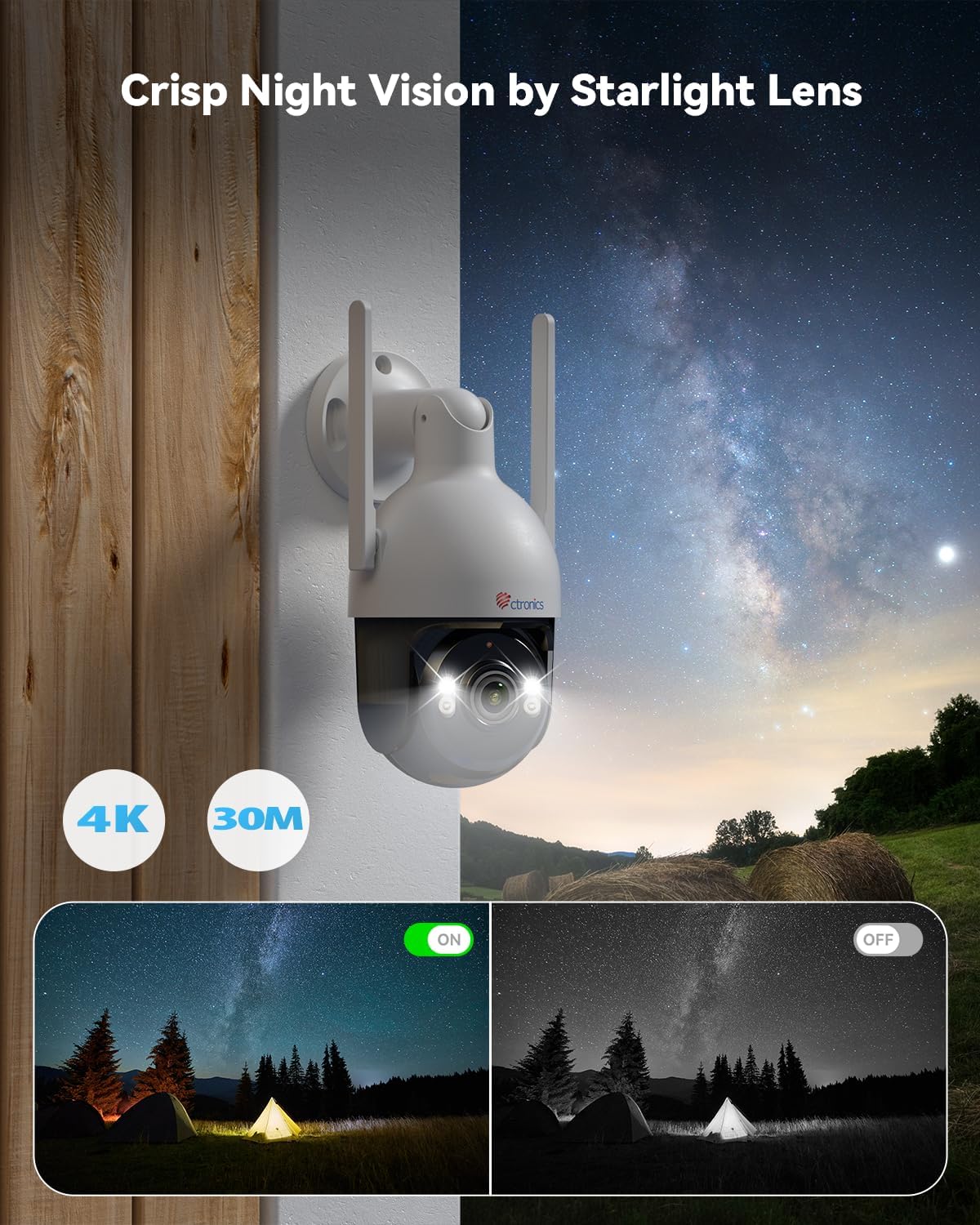
Image: Crisp night vision capabilities with color and infrared options.
4.3 AI Smart Detection and Auto Tracking
Utilize advanced AI technology to accurately detect humans, vehicles, and pets. Customize detection modes to minimize false alarms. When an event is detected, the camera captures snapshots and sends real-time alerts via email and the Ctronics Pro app. The camera also supports automatic tracking of detected subjects.

Image: Smart AI detection and auto-tracking of humans, cars, and pets with instant alerts.
4.4 양방향 오디오
The built-in microphone and speaker enable clear two-way communication, allowing you to interact with visitors or deter intruders remotely.
4.5 Pan-Tilt-Zoom (PTZ) Functionality
Control the camera's movement remotely with 355° horizontal rotation and 90° vertical tilt, providing extensive coverage of your surveillance area.

Image: Wide area coverage with 355° pan and 90° tilt.
4.6 저장 옵션
The camera offers multiple recording and storage solutions:
- 로컬 스토리지: Supports TF (MicroSD) cards up to 256GB (not included).
- 클라우드 스토리지: Encrypted cloud backup with a 30-day trial available.
- NVR/FTP: Compatible with Network Video Recorders (NVR) and File Transfer Protocol (FTP) for continuous recording and storage.
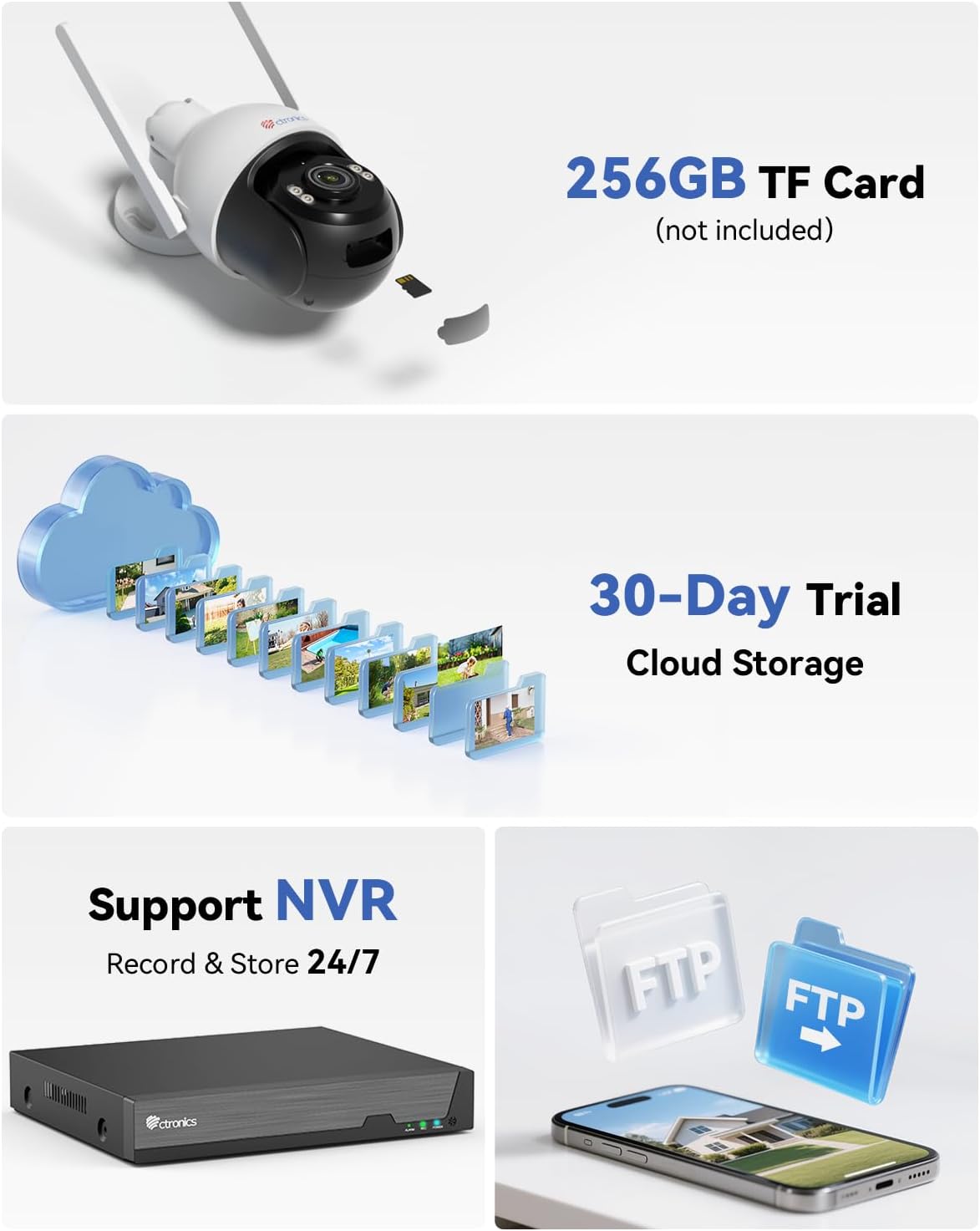
Image: Multiple storage options including TF card, cloud, NVR, and FTP.
5. 설치
The Ctronics CTIPC-930 camera is designed for outdoor use with an IP66 weatherproof rating, ensuring resistance to rain, dust, and heat. It supports both wall and ceiling mounting.

Image: Durable metal construction and IP66 weatherproof rating for wall or ceiling mounting.
5.1 설치 위치
원하는 조건을 충족하는 위치를 선택하세요. viewing angle and is within range of your WiFi network. Ensure the mounting surface is sturdy enough to support the camera's weight.
5.2 장착 단계
- Use the provided mounting template (if available) or the camera base to mark the drill holes on the wall or ceiling.
- 구멍을 뚫고 벽면 플러그를 꽂습니다.
- 장착 나사를 사용하여 카메라 받침대를 표면에 고정하십시오.
- Adjust the camera angle as needed after installation.
6. 유지관리
정기적인 유지 관리는 카메라의 수명과 최적의 성능을 보장합니다.
- 청소: 깨끗한 이미지 품질을 유지하려면 부드럽고 마른 천으로 카메라 렌즈를 정기적으로 청소하세요. 독한 화학 약품을 사용하지 마세요.
- 펌웨어 업데이트: Check the Ctronics Pro app regularly for firmware updates. Keeping your camera's firmware up-to-date ensures access to the latest features and security enhancements.
- 전원 공급 장치: Ensure the power supply is stable and free from damage.
7. 문제 해결
문제가 발생하면 다음의 일반적인 문제 해결 단계를 참조하세요.
- 카메라 오프라인: Check WiFi connection, power supply, and router status. Try restarting the camera and your router.
- 이미지 품질이 좋지 않음: Clean the lens. Ensure sufficient lighting for optimal night vision. Check network bandwidth.
- 허위 경보: Adjust AI detection sensitivity and detection zones in the app.
- 녹음 안함: Verify TF card insertion and format. Check cloud storage subscription status or NVR/FTP configuration.
- 앱에 연결할 수 없습니다: Ensure Bluetooth is enabled on your phone for initial pairing. Re-attempt the connection process.
추가적인 도움이 필요하시면 Ctronics 고객 지원팀에 문의하십시오.
8. 사양
| 특징 | 사양 |
|---|---|
| 비디오 녹화 해상도 | 4K(3840 x 2160) |
| 모델 번호 | CTIPC-930 |
| 무선 통신 기술 | Bluetooth, Wi-Fi (2.4 GHz / 5 GHz) |
| 폼 팩터 | 둥근 천장 |
| 나이트 비전 범위 | 30 미터 |
| 재료 | 금속 |
| 권tage | 12 볼트 |
| 힘 | 12 와트 |
| 품목 치수(L x W x H) | 16 x 14cm(약 6.3 x 5.5인치) |
| 방수 레벨 | IP66 (방수) |
| 전구 유형 | Infrared & LED |
| 특별 기능 | Two-way audio, Human/Vehicle/Animal Detection, HD Resolution, PTZ Technology, Color Night Vision |
| 추천 용도 | 야외 보안 |
| 호환 장치 | Smartphone, Tablet, PC, Mac |
| 전원 | 코드식 전기 |
| 장착 유형 | 벽걸이형 |
9. 보증 및 지원
Ctronics 제품에는 표준 제조업체 보증이 제공됩니다. 제품 패키지에 포함된 보증 카드를 참조하거나 Ctronics 공식 웹사이트를 방문하십시오. web자세한 보증 약관은 해당 사이트에서 확인하세요.
기술 지원, 제품 문의 또는 보증 청구 관련 사항은 Ctronics 공식 고객 서비스 센터로 문의해 주십시오. website or the contact information provided in the app. Have your model number (CTIPC-930) and purchase details ready when contacting support.