
1. 서론
This manual provides detailed instructions for the installation, operation, and maintenance of your Ctronics 2K 100% Wireless Battery Indoor Security Camera, model CTIPC-920. This camera is designed for indoor surveillance, offering 2K resolution, infrared night vision, and flexible storage options. Please read this manual thoroughly before using the product to ensure proper function and safety.
2. 패키지 내용
아래 나열된 모든 품목이 패키지에 포함되어 있는지 확인하세요.
- Ctronics 2K Wireless Battery Indoor Security Camera (CTIPC-920)
- 충전 케이블
- 사용 설명서
3. 제품 오버view
The Ctronics CTIPC-920 camera features a compact, dome-shaped design for discreet indoor placement. It includes a high-resolution lens, infrared LEDs for night vision, a PIR motion sensor, a microphone, and a speaker for two-way audio. A reset button and a Micro SD card slot are also integrated.

그림 3.1: 앞쪽 view of the Ctronics CTIPC-920 camera, showing the lens and status indicator.
4. 설정 가이드
4.1 카메라 충전하기
Before initial use, fully charge the camera using the provided charging cable. The camera is 100% wire-free and battery-powered, allowing flexible placement without power outlets.

그림 4.1: The camera is designed for 100% wire-free operation, powered by a rechargeable battery.
4.2 앱 설치 및 페어링
- 다운로드 Ctronics Pro 스마트폰 앱스토어(iOS 또는 Android)에서 앱을 다운로드하세요.
- 계정을 만들고 로그인합니다.
- Follow the in-app instructions to add your camera. The camera supports Bluetooth setup for quick and easy pairing.
- Ensure your camera is within range of your 2.4GHz Wi-Fi network during setup.

그림 4.2: Bluetooth setup facilitates fast and easy connection of the camera to your device.
4.3 마이크로 SD 카드 설치 (선택 사항)
For local storage, insert a Micro SD card (up to 128GB, not included) into the designated slot on the camera. Ensure the camera is powered off before inserting or removing the card.

그림 4.3: The camera supports Micro SD cards up to 128GB for local video storage.
4.4 카메라 배치
Place the camera on a flat surface or mount it on a wall using appropriate hardware (not included). Position it to cover the desired indoor area. The camera's compact size allows for versatile placement.

그림 4.4: The camera can be placed in various indoor locations, ready for use in seconds.
5. 사용 설명서
5.1 라이브 View 및 원격 액세스
Access the live video feed from your camera via the Ctronics Pro app on your smartphone or tablet, or through the PC client (HiP2P Client). This allows you to monitor your indoor space from anywhere.

그림 5.1: Remote access is available via the Ctronics Pro app for mobile devices and the HiP2P Client for PC.
5.2 비디오 품질 및 야간 시야
The camera provides clear 2K (2304x1296P) video resolution. It features infrared night vision with a range of up to 20 meters, ensuring visibility in low-light or dark conditions without disturbing white lights.

그림 5.2: The camera offers smooth and sharp 2K video with infrared night vision up to 20m.
5.3 PIR 동작 감지 및 알림
The integrated Passive Infrared (PIR) sensor detects human movement, minimizing false alarms. When motion is detected, you will receive instant notifications on your connected device. Sensitivity settings can be adjusted in the app.

그림 5.3: Smart PIR motion detection alerts you only when relevant movement is detected.
5.4 양방향 오디오
Utilize the built-in microphone and speaker to communicate remotely with individuals near the camera. This feature is useful for checking on family members or pets.

그림 5.4: The camera allows you to feel close and communicate with those at home, no matter the distance.
5.5 비디오 저장 옵션
녹음 파일은 여러 가지 방법으로 저장할 수 있습니다.
- 마이크로 SD 카드 : 로컬 저장소에 최대 128GB를 지원합니다.
- 클라우드 스토리지: Securely store footage in the cloud (subscription may be required).
- FTP 서버: 녹화 파일을 FTP 서버에 업로드하세요.

그림 5.5: 당신의 푸를 유지tage safe with flexible storage options including TF card, FTP, or cloud.
5.6 Custom Alarm Sounds
The Ctronics Pro app allows you to customize alarm sounds, providing flexibility for different environments or preferences.
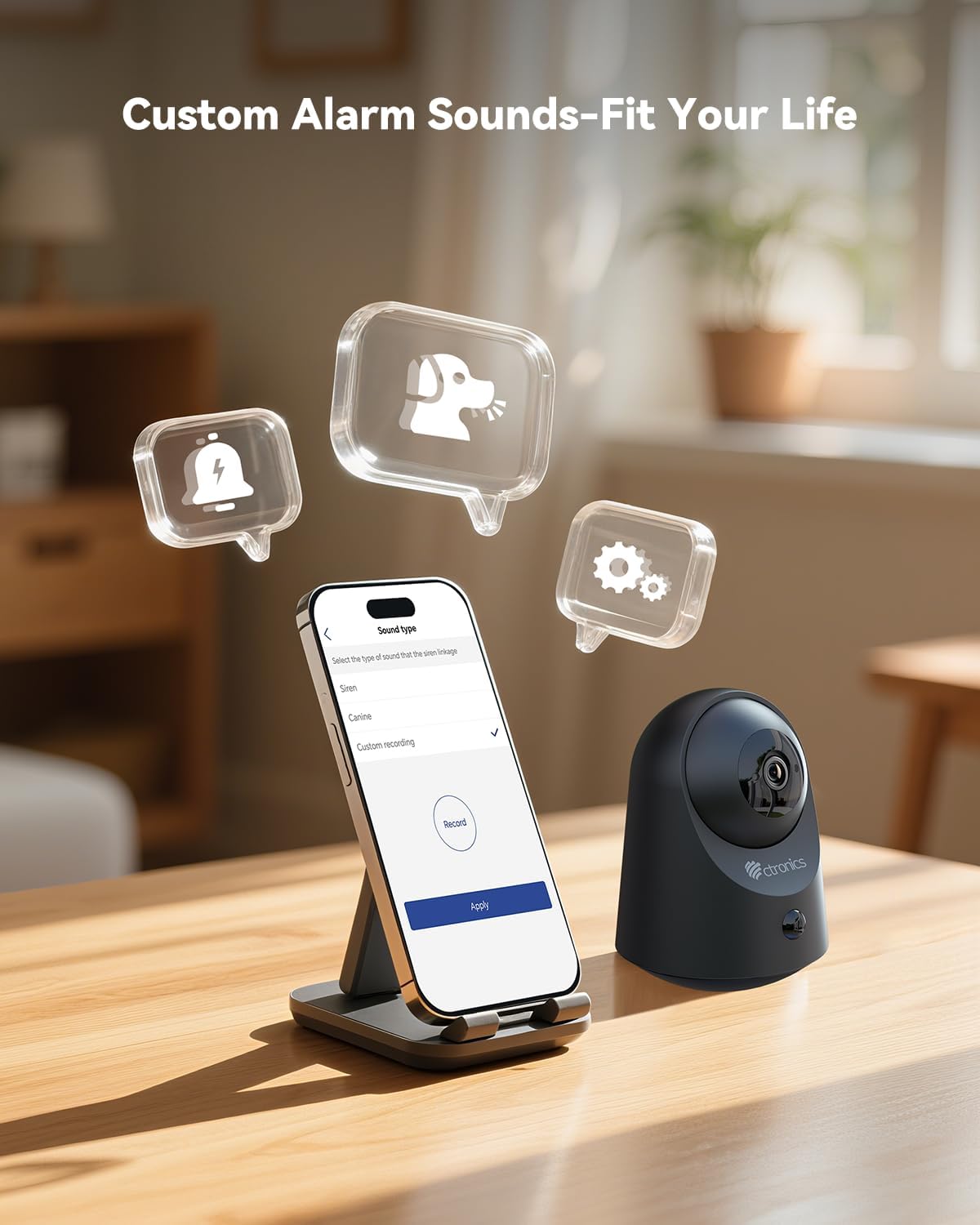
그림 5.6: Customize alarm sounds to fit your specific needs and environment.
6. 유지관리
6.1 배터리 관리
Regularly check the battery level via the app. Recharge the camera promptly when the battery is low to ensure continuous operation. Use only the provided charging cable or a compatible 5V power adapter.
6.2 청소
Wipe the camera lens and body with a soft, dry cloth. Avoid using liquid cleaners or abrasive materials that could damage the device.
6.3 펌웨어 업데이트
Periodically check the Ctronics Pro app for available firmware updates. Keeping your camera's firmware up-to-date ensures optimal performance and access to new features.
7. 문제 해결
| 문제 | 가능한 원인 | 해결책 |
|---|---|---|
| 카메라가 Wi-Fi에 연결되지 않음 | 와이파이 비밀번호가 잘못되었거나, 5GHz 네트워크를 사용하고 있거나, 카메라가 공유기에서 너무 멀리 떨어져 있는 경우입니다. | 2.4GHz Wi-Fi 비밀번호가 올바른지 확인하세요. 카메라를 라우터 가까이로 이동하세요. 카메라를 재설정하고 다시 페어링을 시도하세요. |
| 모션 감지 알림 없음 | PIR sensitivity too low, detection zone not set, app notifications disabled. | Adjust PIR sensitivity in the app. Check detection zone settings. Enable notifications for the Ctronics Pro app. |
| 비디오 품질이 좋지 않음 | 와이파이 신호가 약하고 렌즈가 더럽습니다. | Ensure strong Wi-Fi signal. Clean the camera lens with a soft cloth. |
| 양방향 오디오가 작동하지 않음 | Microphone/speaker muted in app, volume too low. | Check app settings to ensure microphone and speaker are enabled and volume is adequate. |
| 마이크로 SD 카드가 녹화되지 않습니다 | Card full, corrupted, or not formatted correctly. | Format the SD card via the app. Replace with a new card if corrupted. Ensure recording settings are enabled. |
8. 사양
| 특징 | 세부 사항 |
|---|---|
| 모델 번호 | CTIPC-920 |
| 실내/실외 사용 | 실내 |
| 비디오 캡처 해상도 | 2K(2304x1296P) |
| 효과적인 스틸 해상도 | 3 MP |
| 전원 | 배터리 구동 |
| 연결 프로토콜 | 와이파이(2.4GHz) |
| 컨트롤러 유형 | Ctronics 앱 |
| 나이트 비전 범위 | 20 Meters (Infrared) |
| PIR 모션 감지 | 예 |
| 양방향 오디오 | 예 |
| 저장 옵션 | Micro SD (up to 128GB), Cloud, FTP |
| 재료 | 아크릴로니트릴 부타디엔 스티렌(ABS) |
| 치수(길이 x 너비 x 높이) | 5.12 x 2.36 x 5.12 인치 |
| 품목 무게 | 15.8 온스 |
| 색상 | 검은색 |
9. 공식 제품 영상
Watch the official product video for a visual guide on the Ctronics 2K 3MP Indoor Security Camera's features and usage.
비디오 설명: 이 비디오는 이상을 제공합니다view of the Ctronics 2K 3MP Indoor Security Camera, demonstrating its wire-free installation, night vision capabilities, two-way audio, and remote monitoring features. It shows the camera in various home settings, highlighting its use for monitoring children and pets, and its ease of setup and access via mobile app and PC.
10. 보증 및 지원
For warranty information, technical support, or any inquiries regarding your Ctronics product, please refer to the official Ctronics website or contact their customer service directly. Contact details are typically found on the product packaging or the official Ctronics support page.