
Radius HP-H10BT
Radius HP-H10BT 완전 무선 이어버드 사용 설명서
Model: HP-H10BT
1. 서론
구매해주셔서 감사합니다asing the Radius HP-H10BT Fully Wireless Earbuds. These earbuds are designed to provide a comfortable and immersive audio experience with an open-ear design, allowing you to enjoy music while remaining aware of your surroundings. This manual provides essential information for the proper setup, operation, and maintenance of your device.
주요 특징은 다음과 같습니다.
- Stress-free wearing experience with an ear-hug design.
- Open-ear listening structure for daily use.
- 충전 케이스를 사용하면 최대 25시간 동안 배터리 수명을 사용할 수 있습니다.
- IPX4 splash-proof rating.
- 직관적인 터치 조작.
2. 패키지 내용
패키지에 모든 품목이 들어 있는지 확인하세요.
- Radius HP-H10BT Fully Wireless Earbuds (Left and Right)
- 충전 케이스
- 충전 케이블(USB-C-USB-A)
- 사용 설명서
3. 제품 오버view
The Radius HP-H10BT earbuds feature a unique ear-cuff design for secure and comfortable wear. The compact charging case allows for convenient portability and extended battery life.
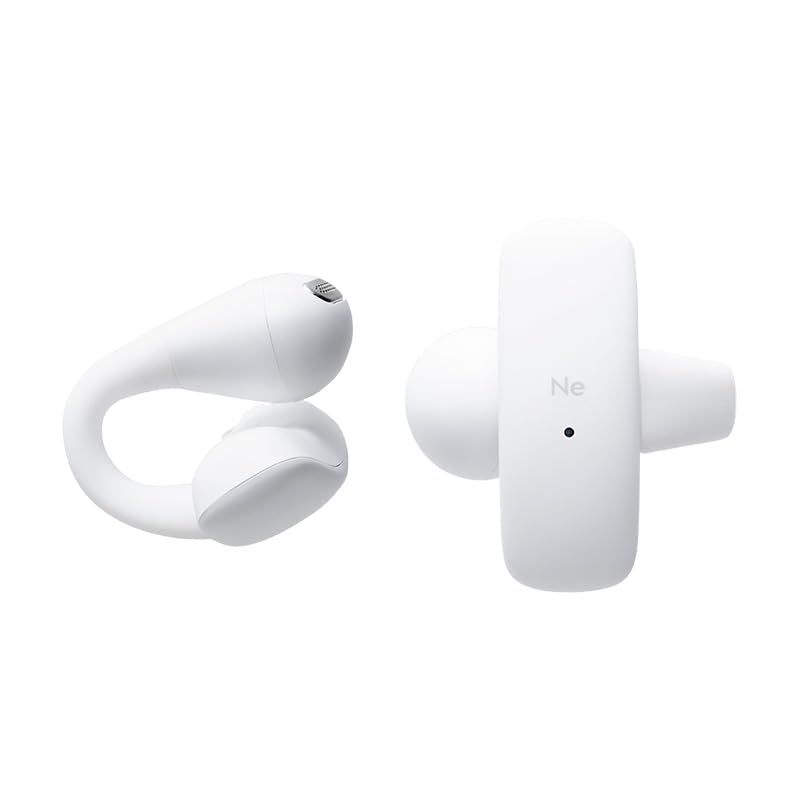
Image: The Radius HP-H10BT earbuds and their compact charging case, shown in white.

이미지: 측면 view of the earbuds and charging case, highlighting their ergonomic shape.
이어버드 디자인
The earbuds utilize a flexible bridge made of soft silicone, which gently clips onto the ear. This design distributes pressure evenly, reducing the burden on the ear and ensuring a stable fit. This allows for comfortable listening while maintaining awareness of your surroundings.
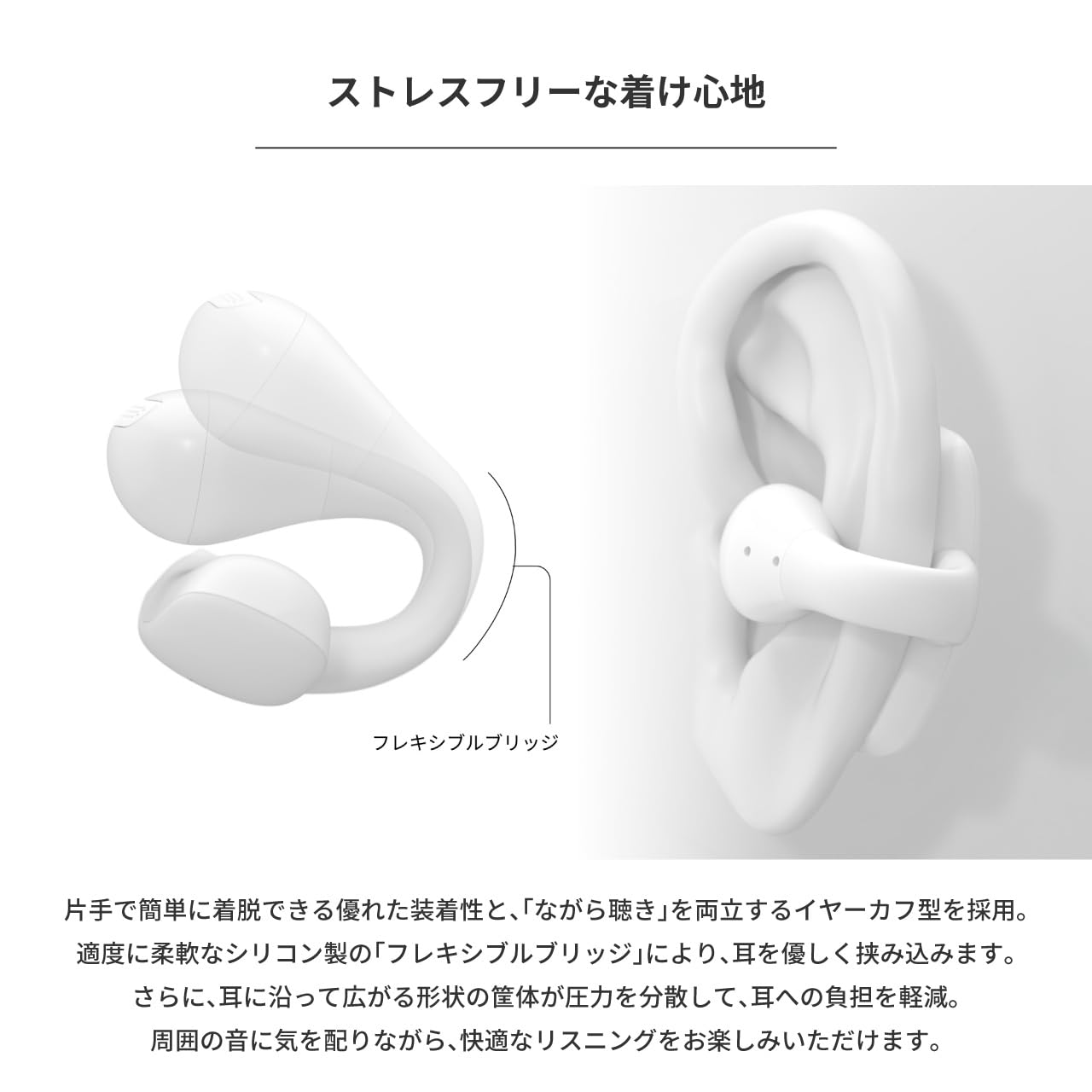
Image: An earbud worn on an ear, illustrating the flexible bridge design that secures it comfortably.
4. 설정
4.1. 이어버드와 케이스 충전
처음 사용하기 전에 이어버드와 충전 케이스를 완전히 충전하세요.
- 이어버드를 충전 케이스에 넣으세요. 이어버드가 충전 핀에 제대로 접촉되도록 장착되었는지 확인하세요.
- Connect the provided USB-C to USB-A charging cable to the charging port on the case and to a USB power adapter (not included) or a computer's USB port.
- The indicator light on the charging case will show the charging status. Refer to the indicator light section (if available in a separate diagram) for details.
- 충전 표시등이 바뀌거나 꺼지면 충전이 완료됩니다.
The earbuds provide up to 10 hours of continuous playback, and the charging case extends this to a total of 25 hours.

Image: The earbuds are placed inside their charging case, which is open and positioned next to a laptop, indicating charging or storage.
4.2. 블루투스 페어링
이어버드를 장치에 연결하려면:
- 이어버드가 충전되어 있는지 확인하세요.
- 충전 케이스를 여세요. 이어버드가 자동으로 페어링 모드로 전환되고, 표시등(있는 경우)이 깜빡입니다.
- 기기(스마트폰, 태블릿, 컴퓨터)에서 Bluetooth 설정으로 가서 Bluetooth를 켜세요.
- 검색 available devices. Select "Radius HP-H10BT" from the list.
- Once connected, a confirmation sound or message may be heard, and the indicator light on the earbuds will change.
기기에서 Bluetooth가 활성화되어 있는 경우, 이어버드를 케이스에서 꺼내면 마지막으로 페어링된 기기에 자동으로 다시 연결됩니다.
5. 사용 설명서
5.1. 이어버드 착용
Gently place the earbuds onto your ears, ensuring the flexible bridge wraps around the ear for a secure and comfortable fit. Adjust as needed for optimal sound and comfort.
5.2. 전원 켜기/끄기
- 전원 켜기: 충전 케이스를 열면 이어버드의 전원이 자동으로 켜집니다.
- 전원 끄기 : 이어버드를 충전 케이스에 다시 넣고 뚜껑을 닫으세요. 자동으로 전원이 꺼지고 충전이 시작됩니다.
5.3. 터치 컨트롤
The earbuds feature intuitive touch sensors for controlling playback, calls, and voice assistants. The touch sensor is located on the outer surface of each earbud.
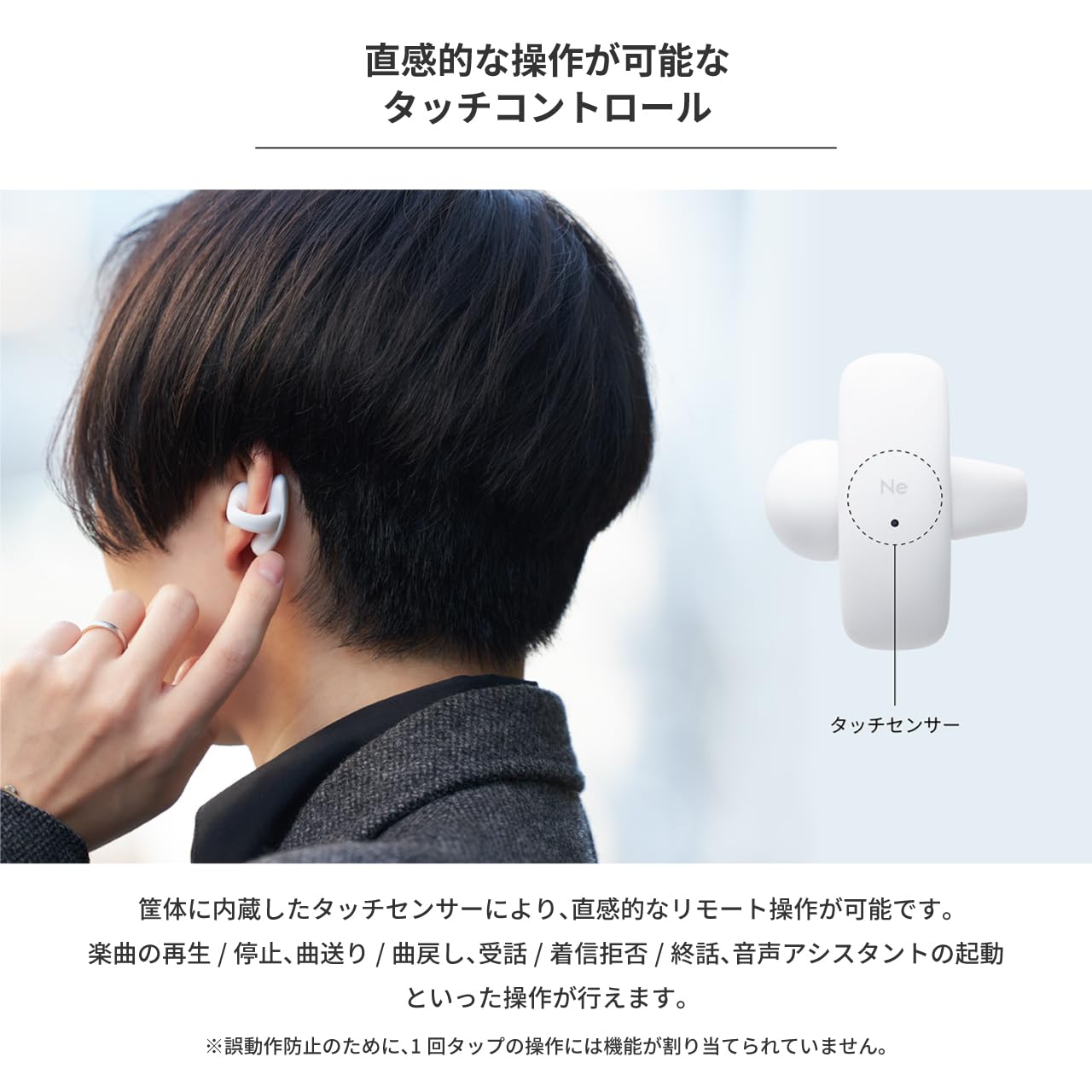
Image: A person demonstrating the touch control feature by tapping the side of an earbud.
Refer to the table below for specific touch operations:
| 기능 | 왼쪽 이어버드 | 오른쪽 이어 버드 |
|---|---|---|
| 재생 / 일시 정지 | 2 탭 | |
| 다음 트랙 | 3 탭 | |
| 이전 트랙 | 3 탭 | |
| 전화에 응답하다 | 2 탭 | 2 탭 |
| 수신 전화 거부 | 3 탭 | 3 탭 |
| 통화 종료 | 2 탭 | 2 탭 |
| 음성 지원 활성화 | 2 탭 | 2 탭 |
Note: Single taps are not assigned a function to prevent accidental operations.
6. 유지관리
6.1. 청소
정기적인 청소는 최적의 성능과 위생을 유지하는 데 도움이 됩니다.
- 부드럽고 마른 보푸라기 없는 천으로 이어버드와 충전 케이스를 조심스럽게 닦으세요.
- 연마성 세척제, 용제 또는 에어로졸 스프레이를 사용하지 마십시오.
- 이어폰과 케이스의 충전 접점이 깨끗하고 건조한지 확인하세요.
6.2. 방수 기능(IPX4)
The earbuds are IPX4 splash-proof, meaning they are resistant to water splashes from any direction. This makes them suitable for activities like walking or camping where they might encounter light rain or sweat.

Image: The earbuds are shown with water droplets on their surface, demonstrating their IPX4 splash-proof capability.
Important: The earbuds are not completely waterproof. Do not submerge them in water.
7. 문제 해결
If you encounter issues with your Radius HP-H10BT earbuds, refer to the following common solutions:
- 이어폰이 충전되지 않음: Ensure the earbuds are properly seated in the charging case and that the charging contacts are clean. Verify the charging cable is securely connected to both the case and the power source.
- 기기와 페어링할 수 없습니다: Make sure Bluetooth is enabled on your device and the earbuds are in pairing mode (open the case). Try turning Bluetooth off and on again on your device, or restarting both the earbuds (by placing them in the case and closing/opening) and your device.
- 한쪽 이어버드에서 소리가 나지 않습니다. Check if both earbuds are charged. Try placing both earbuds back in the case, closing it, and then reopening it to reset the connection.
- 낮은 볼륨: Adjust the volume on both your connected device and ensure the earbuds are properly positioned on your ears.
- 간헐적 연결: 이어버드와 기기 사이에 장애물이 없는지 확인하십시오. 기기를 권장 블루투스 범위 내에 두십시오.
If the problem persists, consult the Radius support web추가 지원은 사이트를 참조하세요.
8. 사양
| 특징 | 사양 |
|---|---|
| 모델명 | HP-H10BT |
| 연결 기술 | 무선(블루투스) |
| 귀 위치 | 오픈 이어 |
| 폼 팩터 | 트루 와이어리스 |
| 컨트롤러 유형 | 만지다 |
| 방수 레벨 | IPX4(방수) |
| 소음 제어 | 없음 |
| 배터리 수명(이어버드) | 최대 10시간 |
| 총 배터리 수명(케이스 포함) | 최대 25시간 |
| 배터리 유형 | Lithium Ion (Nonstandard Battery) |
| 임피던스 | 16옴 |
| 품목 무게 | 150g |
| 포함된 구성 요소 | Charging Cable (USB-C to USB-A), Instruction Manual |
9. 안전 정보
Please read and follow these safety guidelines to ensure safe operation of your earbuds:
- 청력 손상을 방지하려면 장시간 동안 높은 볼륨으로 듣지 마십시오.
- Do not use the earbuds in situations where inability to hear ambient sounds could be dangerous, such as while driving, cycling, or walking in traffic.
- 이어버드와 충전 케이스를 극한의 온도, 직사광선, 습기에 노출시키지 마세요.
- Do not attempt to disassemble, repair, or modify the product. This may void the warranty and cause injury.
- 어린이와 애완동물의 손이 닿지 않는 곳에 보관하세요. 작은 부품은 질식 위험을 초래할 수 있습니다.
- Dispose of the product and batteries according to local regulations. Do not dispose of batteries in fire.
10. 보증 및 지원
This Radius product is covered by a manufacturer's warranty. Please refer to the warranty card included in your package or visit the official Radius web자세한 보증 약관은 해당 사이트에서 확인하세요.
For technical support, troubleshooting assistance, or inquiries about your product, please contact Radius customer service through their official web구매 시 제공된 사이트 또는 연락처 정보.
Ask a question about this manual
Ask about setup, troubleshooting, compatibility, parts, safety, or missing instructions. Manuals+ will review the question and use this page’s manual context to help answer it.