
산수이 W26
SANSUI W26 Wireless Earphones User Manual
모델 : W26
소개
Thank you for choosing the SANSUI W26 Wireless Earphones. This manual provides detailed instructions for the proper use, maintenance, and troubleshooting of your device. Please read this manual carefully before use and retain it for future reference.
패키지 내용
패키지에 모든 품목이 들어 있는지 확인하세요.
- SANSUI W26 Wireless Earphones (Left and Right)
- 충전 케이스
- USB Type-C 충전 케이블
- 사용 설명서 (본 문서)
제품 끝view
The SANSUI W26 earphones feature an open-ear design, Bluetooth 5.4 connectivity, and ENC noise cancellation for clear calls. They are designed for comfort and stability during extended use.

영상: SANSUI W26 Wireless Earphones and Charging Case. This image displays the open-ear design of the earphones and their transparent charging case, highlighting the "ears not blocked" feature, surround effect, directional sound, call noise reduction, and 36 hours of playback.

영상: Illustration of Directional Driver Technology. This image shows how the directional driver guides sound into the ear, preventing sound leakage. It features the "DIRECTIN TONE" and "PeakStroy" logos.
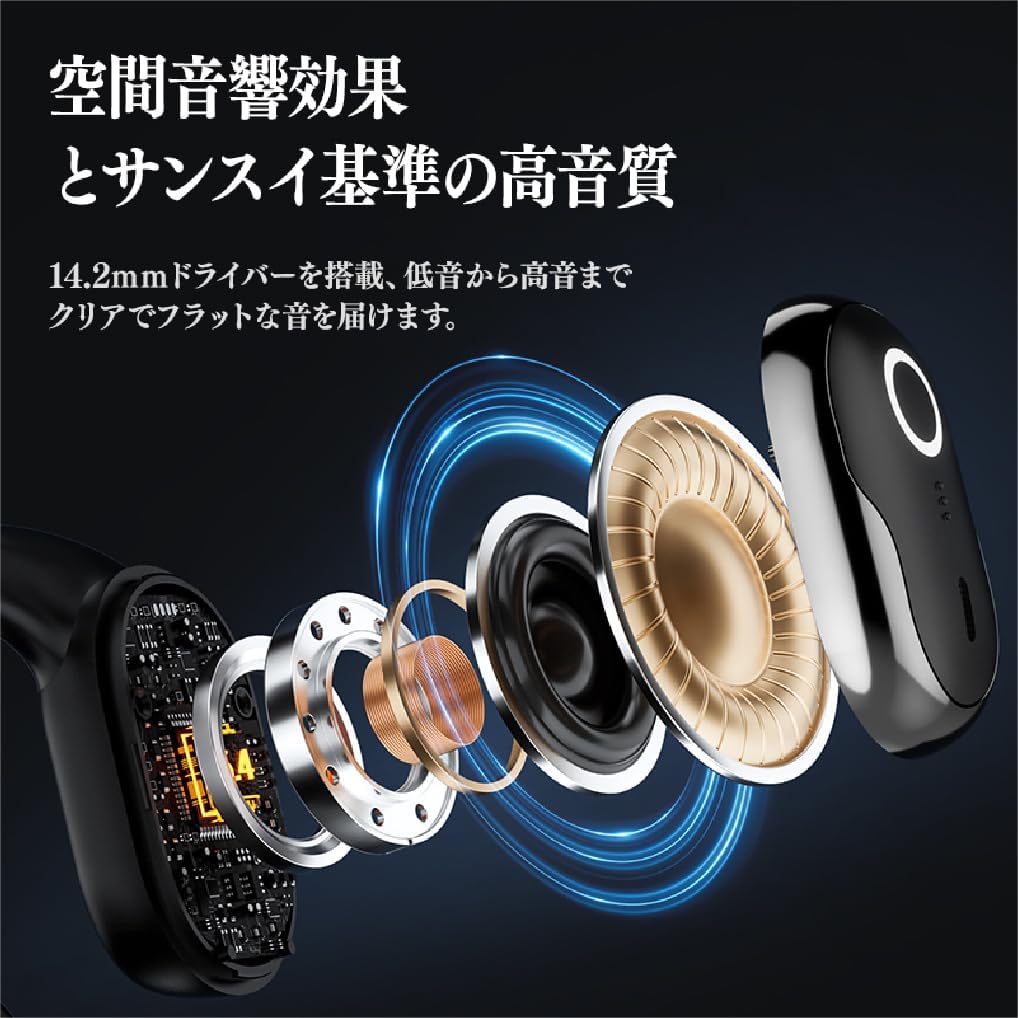
영상: 폭발했다 view of SANSUI W26 Earphone Internal Components. This image illustrates the internal structure, including the 14.2mm driver, which contributes to spatial acoustic effects and high-quality sound.
설정
1. 이어폰 및 케이스 충전
처음 사용하기 전에 이어폰과 충전 케이스를 완전히 충전하세요.
- 이어폰을 충전 케이스에 넣으세요.
- 제공된 USB Type-C 케이블을 케이스의 충전 포트와 전원(예: USB 벽면 어댑터, 컴퓨터 USB 포트)에 연결하십시오.
- 케이스의 표시등은 충전 상태를 보여줍니다. 완전히 충전되면 표시등이 켜지고 완료를 나타냅니다.
A full charge provides up to 12 hours of playback for the earphones alone, and up to 36 hours with the charging case.
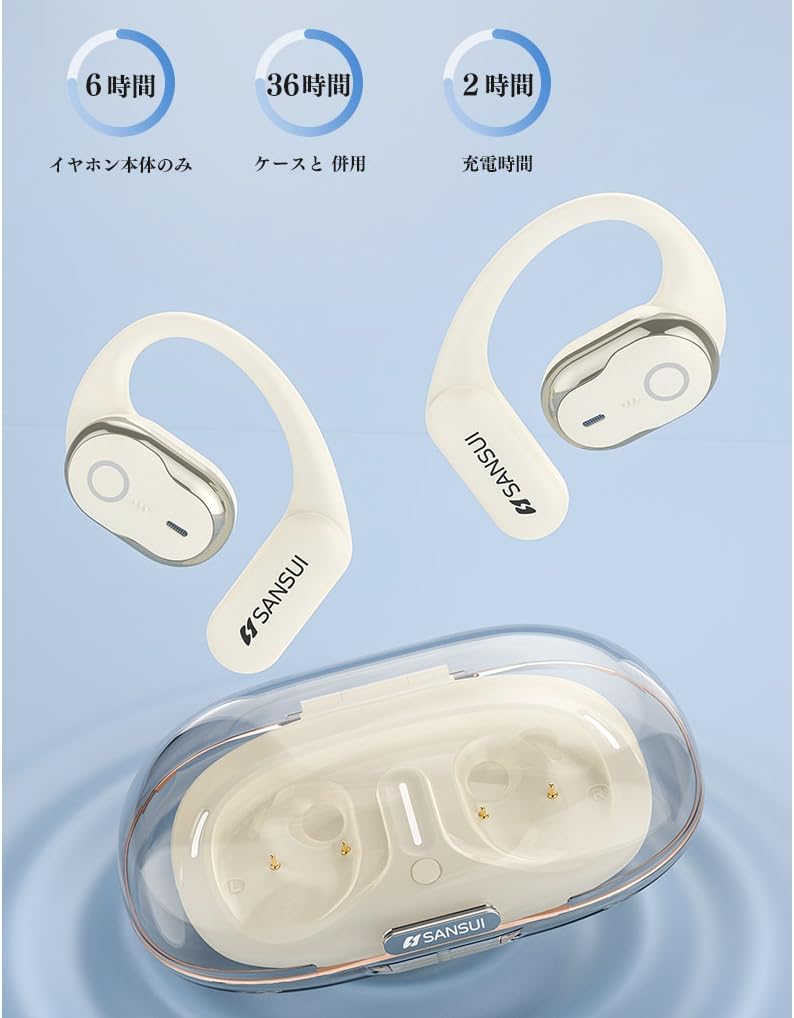
영상: SANSUI W26 Earphone Battery Life and Charging. This image illustrates the battery life: 6 hours for earphones only, 36 hours with the charging case, and a 2-hour charging time for the case.
2. 블루투스 페어링
The earphones support Bluetooth V5.4 for a stable and low-latency connection.
- 충전 케이스를 여세요. 이어폰이 자동으로 페어링 모드로 진입합니다.
- 기기(스마트폰, 태블릿 등)에서 Bluetooth를 활성화하고 사용 가능한 기기를 검색하세요.
- Select "SANSUI W26" from the list of found devices.
- 연결되면 음성 안내로 페어링이 성공적으로 완료되었음을 확인할 수 있습니다.
- 이어폰을 케이스에서 꺼내면 마지막으로 페어링된 장치에 자동으로 다시 연결됩니다.
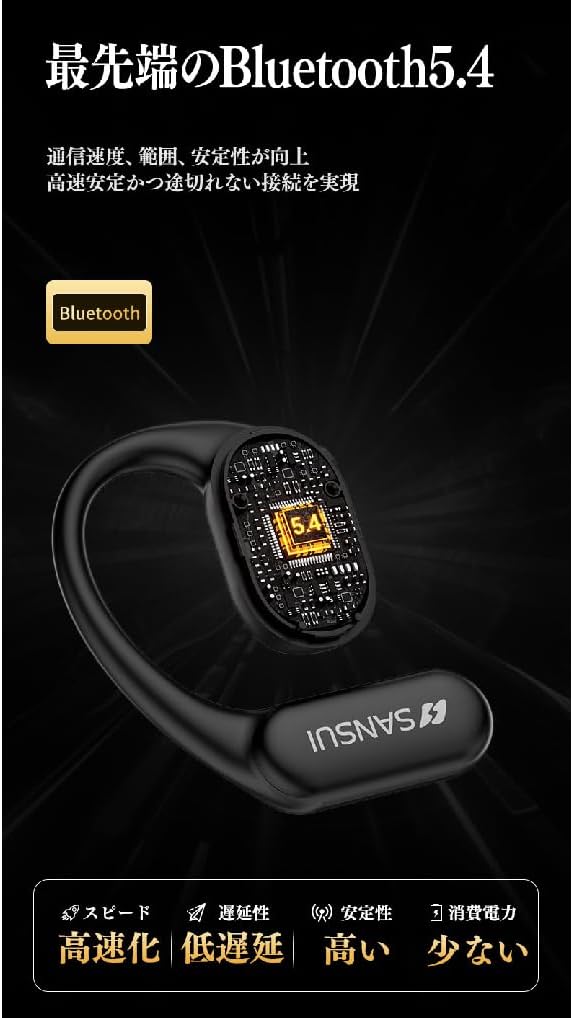
영상: SANSUI W26 Bluetooth 5.4 Connectivity. This image highlights the advanced Bluetooth 5.4 technology, emphasizing improved communication speed, range, stability, low latency, and reduced power consumption.
작동 지침
1. 이어폰 착용하기
The SANSUI W26 features an ergonomic ear-hook design for secure and comfortable fit.
- 왼쪽(L) 이어폰과 오른쪽(R) 이어폰을 구분하세요.
- Gently hook the earphone over your ear, ensuring the speaker part is positioned correctly near your ear canal without blocking it.
- Adjust for a snug and comfortable fit. The design allows you to hear ambient sounds while enjoying audio.

영상: SANSUI W26 Ear-Hook Design. This image demonstrates the stable and non-falling ear-hook design, showing how it fits securely with three support points and features skin-friendly silicone material.
2. 터치 컨트롤
The earphones are equipped with touch-sensitive controls for various functions. Refer to the table below for common operations:
| 기능 | 행동 |
|---|---|
| 음악 재생/일시 정지 | 양쪽 이어폰을 한 번 탭하세요. |
| 다음 트랙 | Double tap on the right earphone |
| 이전 트랙 | 왼쪽 이어폰을 두 번 탭하세요. |
| 전화 받기/종료하기 | 양쪽 이어폰을 한 번 탭하세요. |
| 전화 거부 | Long press on either earphone |
| 음성 지원 활성화 | 이어폰 중 하나를 세 번 탭하세요. |
3. Call Functions (ENC Noise Cancelling)
The built-in ENC (Environmental Noise Cancellation) engine separates your voice from ambient noise, ensuring clear communication during calls and online meetings.
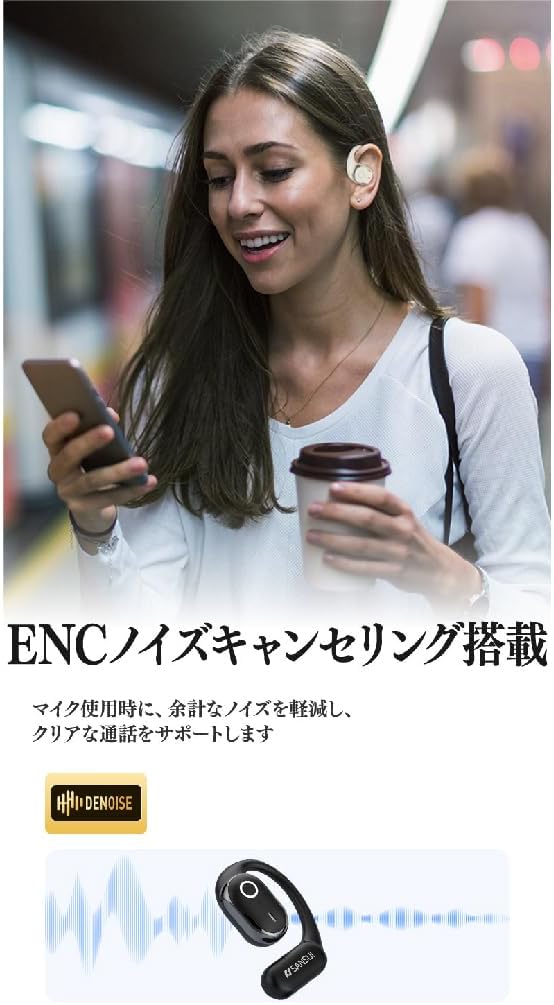
영상: SANSUI W26 ENC Noise Cancelling Feature. This image shows a person using the earphones in a busy environment, illustrating how the ENC technology reduces background noise for clearer calls.
유지
- 청소: Regularly clean the earphones and charging case with a soft, dry cloth. For stubborn dirt, a slightly damp cloth can be used, but ensure no moisture enters the charging ports or speaker grilles. The earphones are IPX5 waterproof, allowing for rinsing under tap water if needed, but avoid prolonged submersion.
- 저장: 사용하지 않을 때는 이어폰을 충전 케이스에 보관하여 먼지와 손상으로부터 보호하세요. 직사광선과 극한의 온도를 피해 서늘하고 건조한 곳에 보관하세요.
- 배터리 관리 : 배터리 수명을 연장하려면 이어폰을 자주 완전히 방전시키지 마세요. 장시간 사용하지 않더라도 정기적으로 충전하세요.
문제 해결
If you encounter issues with your SANSUI W26 earphones, refer to the following common problems and solutions:
- 이어폰이 페어링되지 않음:
- 기기에서 Bluetooth가 활성화되어 있는지 확인하세요.
- 이어폰이 충전되어 있는지 확인하세요.
- 이어폰을 케이스에 다시 넣고 닫았다가 다시 열면 페어링 모드로 다시 진입합니다.
- Forget "SANSUI W26" from your device's Bluetooth list and try pairing again.
- 소리가 나지 않습니다:
- 기기와 이어폰의 볼륨 레벨을 확인하세요.
- 이어폰이 기기에 제대로 연결되어 있는지 확인하세요.
- 다른 애플리케이션이나 소스에서 오디오를 재생해보세요.
- 통화 품질이 좋지 않음:
- 마이크가 가려지지 않았는지 확인하세요.
- 신호 강도를 높이려면 연결된 장치에 더 가까이 다가가세요.
- 주변 환경에 과도한 배경 소음이 있는지 확인하십시오.
- 이어폰이 충전되지 않음:
- 충전 케이블이 케이스와 전원에 모두 단단히 연결되어 있는지 확인하세요.
- 이어폰과 케이스 내부의 충전 접점이 깨끗한지 확인하십시오.
- 다른 USB Type-C 케이블이나 전원 어댑터를 사용해 보세요.
명세서
| 특징 | 세부 사항 |
|---|---|
| 상표 | 산스이 |
| 모델명 | W26 |
| 연결 기술 | 무선(블루투스 V5.4) |
| 헤드폰 스타일 | Ear-hook, Open-ear |
| 색상 | 하얀색 |
| 소음 제거 | 통화 시 ENC(환경 소음 제거) 기능 |
| 방수성 | IPX5 상당 |
| 오디오 코덱 | AAC, SBC |
| 이어폰 재생 시간 | 최대 12시간 |
| 총 재생 시간(케이스 포함) | 최대 36시간 |
| 충전 포트 | USB 타입-C |
| 원산지 | 중국 |
보증 및 지원
제조업체 보증: The SANSUI W26 Wireless Earphones come with a 1-year manufacturer warranty from the date of purchase. This warranty covers defects in materials and workmanship under normal use.
제외 사항: 보증은 잘못된 사용, 사고, 무단 개조 또는 정상적인 마모로 인한 손상에는 적용되지 않습니다.
고객 지원: For warranty claims, technical assistance, or any questions regarding your SANSUI W26 earphones, please contact your retailer or the official SANSUI customer support channel. Refer to the product packaging or official web연락처 정보 사이트.
Ask a question about this manual
Ask about setup, troubleshooting, compatibility, parts, safety, or missing instructions. Manuals+ will review the question and use this page’s manual context to help answer it.