
1. 서론
Thank you for choosing the AIRMATE FB20187 Standing Fan. This fan is designed to provide efficient air circulation, adjustable lighting, and quiet operation for your home or office. Please read this manual thoroughly before use to ensure proper operation and maintenance.
2. 안전 정보
- 선풍기가 넘어지지 않도록 항상 안정적이고 평평한 곳에 놓으십시오.
- 팬이 작동하는 동안에는 팬 그릴에 손가락이나 다른 물건을 넣지 마십시오.
- 선풍기를 물이나 기타 액체로부터 멀리하십시오. 습기가 많은 환경에서는 사용하지 마십시오.
- 청소나 유지관리 작업을 하기 전에는 반드시 팬의 플러그를 전원 콘센트에서 뽑아주세요.
- 전원 코드나 플러그가 손상된 경우 선풍기를 작동하지 마십시오. 도움이 필요하시면 고객 지원 센터에 문의하십시오.
- 본 기기는 신체적, 감각적 또는 정신적 능력이 저하된 사람(어린이 포함)이나 경험 및 지식이 부족한 사람이 사용하도록 의도된 것이 아니며, 안전을 책임질 사람으로부터 기기 사용에 관한 감독이나 지시를 받은 경우에만 사용할 수 있습니다.
- 어린이가 이 제품을 가지고 놀지 않도록 감독해야 합니다.
3. 패키지 내용
패키지에 모든 구성 요소가 들어 있는지 확인하세요.
- 팬 헤드 어셈블리
- Adjustable Stand Pole (multiple sections for height adjustment)
- 베이스
- 전원 어댑터
- 원격 제어
- 사용 설명서 (본 문서)
4. 조립 설명서
The AIRMATE FB20187 fan is designed for quick and easy assembly. Follow these steps:
- 베이스 부착: Securely connect the base to the bottom of the adjustable stand pole. Ensure it clicks into place or is tightened with the provided fastener.
- Assemble the Stand Pole: Depending on your desired height (12" to 39"), connect the appropriate sections of the stand pole.
- 팬 헤드 장착: Attach the fan head assembly to the top of the assembled stand pole. Ensure it is firmly seated and locked.
- 전원 연결: Plug the power adapter into the fan and then into a suitable electrical outlet.
5. 사용 설명서
The AIRMATE FB20187 fan offers multiple control options and features for customized comfort.
5.1. 제어판 및 원격 제어
The fan can be operated using the digital touch display on the unit or the included remote control. The remote control features a magnetic backing for convenient storage on the fan itself.

5.2. 전원 켜기/끄기
- 제어판이나 리모컨의 전원 버튼을 눌러 팬을 켜거나 끕니다.
5.3. 팬 속도 조절
The fan offers 16 precision speed settings.
- Use the 'Fan Speed' buttons on the control panel or remote to increase or decrease the airflow.
- A 'Storm Mode' button may be available for maximum airflow with a single press.
5.4. Oscillation Settings
The fan supports both horizontal and vertical oscillation for wide area coverage.
- 수평 진동: Select from 60°, 90°, or 120° oscillation angles using the 'Oscillation' button on the control panel or remote.
- 수직 진동: The fan head can be manually adjusted vertically up to 90°.

5.5. LED 조명 기능
The integrated LED light offers three color temperature options and adjustable brightness.
- Press the 'Light' button on the control panel or remote to cycle through light colors: Warm, Neutral, and Cool White.
- Hold the 'Light' button to adjust the brightness level.

5.6. 타이머 기능
Set the fan to operate for a specific duration using the 12-hour programmable timer.
- Press the 'Timer' button on the remote control to set the desired operating time. The fan will automatically turn off after the set period.
5.7. 음소거 모드
- The fan features a mute mode to silence button presses for undisturbed use, especially during sleep.
6. 유지관리
Regular cleaning and maintenance will ensure the longevity and optimal performance of your AIRMATE fan.
- 외부 청소: 팬의 외부 표면을 부드러운 천으로 닦으세요.amp 천. 연마성 세척제나 용매를 사용하지 마십시오.
- Cleaning the Fan Grille and Blades: Unplug the fan before attempting to clean the grille or blades. The fan head can be disassembled for easier access to the blades. Use a soft brush or vacuum cleaner to remove dust. Ensure all parts are dry before reassembly and use.
- 저장: 장기간 사용하지 않을 때는 선풍기를 서늘하고 건조한 곳에, 가급적 원래 포장 상태로 보관하십시오.
7. 문제 해결
선풍기 사용 중 문제가 발생하면 다음의 일반적인 문제 및 해결 방법을 참조하십시오.
| 문제 | 가능한 원인 | 해결책 |
|---|---|---|
| 팬이 켜지지 않음 | No power supply; Power button not pressed; Damaged power cord/adapter | Check power connection; Press power button; Inspect cord for damage, contact support if damaged. |
| 약한 기류 | Low speed setting; Dust accumulation on blades/grille | Increase fan speed; Clean fan blades and grilles. |
| Oscillation not working correctly | Obstruction; Internal mechanism issue | Ensure no obstructions; If issue persists, contact customer support. |
| 리모콘이 응답하지 않음 | Battery depleted; Obstruction between remote and fan; Remote out of range | Replace remote battery; Remove obstructions; Ensure remote is within operating range. |
| LED 조명이 작동하지 않음 | Light function not activated; Internal issue | 조명 버튼을 누르세요. 문제가 지속되면 고객 지원팀에 문의하십시오. |
If the problem persists after attempting these solutions, please contact AIRMATE customer support for further assistance.
8. 사양
| 특징 | 사양 |
|---|---|
| 모델 번호 | 에프비20187 |
| 상표 | 에어메이트 |
| 색상 | Darkgrey |
| 선풍기 디자인 | 플로어 팬 |
| 전원 | DC |
| 제품 크기(D x W x H) | 33D x 33W x 121H 센티미터 |
| 장착 유형 | 자유자재로 서있기 |
| 컨트롤러 유형 | Remote Control, Touch |
| 재료 | ABS 플라스틱 |
| 속도의 수 | 16 |
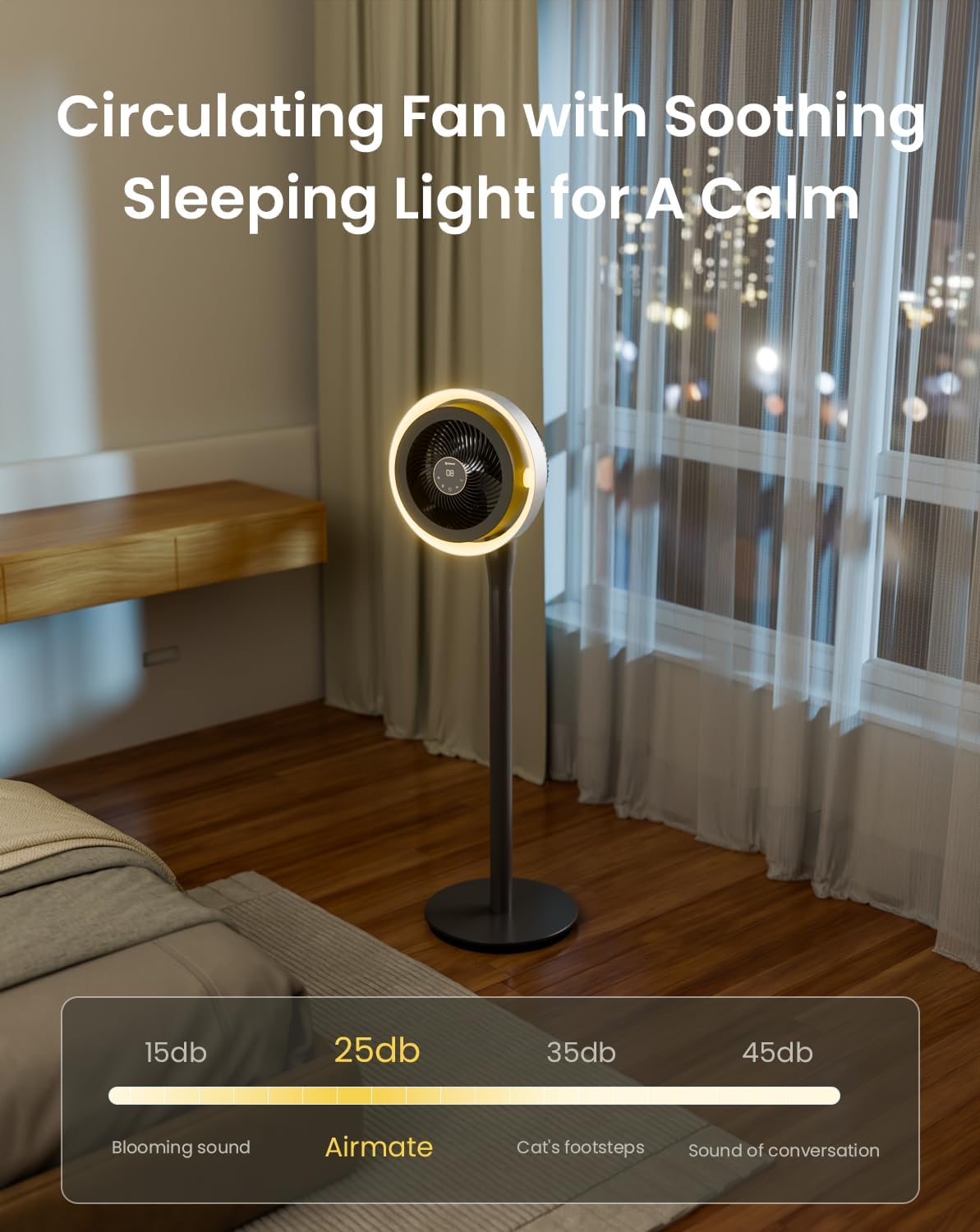
| 소음 수준 | 25데시벨 |
| 왓tage | 20 와트 |
| 블레이드 수 | 3 |
| 기류 용량 | 분당 1000입방 피트 |
| 속도 | 1700 RPM |
| 권tage | 120 볼트 |
| 실내 실외 사용 | 실내 |
| 블레이드 길이 | 12 인치 |
9. 보증 및 지원
AIRMATE products are manufactured to high-quality standards. For warranty information, product support, or to report any issues, please contact AIRMATE customer service. Keep your purchase receipt as proof of purchase for warranty claims.
Manufacturer Contact Information: Airmate Electrical(Shenzhen)Co.,Ltd. Huang Feng Ling Industrial Zone, Shiyan Town, Baoan District, China.
