
1. 서론
Welcome to the OUKITEL C59 Pro user manual. This guide provides detailed instructions on how to set up, operate, maintain, and troubleshoot your new Android 15 smartphone. Please read this manual thoroughly to ensure optimal performance and longevity of your device.
2. 안전 정보
To prevent injury to yourself or others, or damage to your device, read all safety information before using the device. Keep this manual for future reference.
- 기기를 극한의 온도, 직사광선 또는 높은 습도에 노출시키지 마세요.
- Use only OUKITEL-approved chargers, batteries, and accessories.
- 기기를 떨어뜨리거나 심한 충격을 주지 마십시오.
- 기기를 직접 분해, 개조 또는 수리하지 마세요.
- 의료기기와의 간섭을 피하기 위해 안전거리를 유지하십시오.
- 해당 지역 규정에 따라 장치와 구성품을 책임감 있게 폐기하세요.
3. 패키지 내용
제품 상자에 모든 품목이 들어 있는지 확인하세요.
- OUKITEL C59 Pro 스마트폰
- 전화 케이스
- USB 케이블(C형)
- SIM 이젝터 도구
- 전원 어댑터
4. 디바이스 오버view
Familiarize yourself with the physical features and components of your OUKITEL C59 Pro smartphone.

이미지: 일반 view OUKITEL C59 Pro 스마트폰을 소개합니다.asin세련된 디자인과 후면 카메라 모듈이 특징입니다.
4.1 물리적 버튼 및 포트
- 전원 버튼: Located on the side, used to power on/off the device or wake/sleep the screen. Integrates fingerprint recognition.
- 볼륨 버튼: 측면에 위치하며, 미디어 볼륨과 벨소리 볼륨을 조절하는 데 사용됩니다.
- USB 타입-C 포트: 하단에 위치하며 충전과 데이터 전송에 사용됩니다.
- SIM/MicroSD 카드 슬롯: Located on the side, for inserting Nano SIM cards and a MicroSD card.
- 110lm LED Flashlight: An exclusive physical flashlight located at the top of the device, activated by a dedicated button.
4.2 디스플레이
The OUKITEL C59 Pro features a large 6.88-inch HD+ display with a 90Hz refresh rate and 450 nits brightness, providing a clear and smooth visual experience.

Image: The OUKITEL C59 Pro's 6.88-inch HD+ display, highlighting its size and visual clarity.
4.3개의 카메라
The device is equipped with a dual rear camera system, featuring a 13MP main camera, and a 5MP front camera for selfies and video calls.

Image: Close-up of the OUKITEL C59 Pro's rear camera module and examp13MP 메인 카메라와 5MP 전면 카메라로 촬영한 사진들입니다.
4.4 손전등
The OUKITEL C59 Pro features a powerful 110 lumen LED flashlight at the top. This flashlight can be activated instantly by pressing a dedicated physical button on the side of the phone, even when the screen is locked.

Image: The OUKITEL C59 Pro's 110lm LED flashlight illuminating dark environments, demonstrating its brightness and utility in various scenarios.
5. 설정
5.1 SIM 카드 및 MicroSD 카드 삽입
Your OUKITEL C59 Pro supports Dual Nano SIM cards and a MicroSD card for expandable storage up to 1TB.
- 기기 측면에서 SIM 카드 트레이를 찾으세요.
- SIM 꺼내기 도구를 트레이 옆에 있는 작은 구멍에 넣어서 엽니다.
- Place your Nano SIM cards and/or MicroSD card into the designated slots on the tray, ensuring correct orientation.
- 딸깍 소리가 날 때까지 트레이를 장치에 다시 부드럽게 밀어 넣습니다.

Image: The SIM card tray of the OUKITEL C59 Pro, showing slots for two Nano SIM cards and one MicroSD card.
5.2 장치 충전
Before first use, fully charge your OUKITEL C59 Pro. The device supports 18W fast charging.
- USB Type-C 케이블을 휴대폰 하단의 충전 포트에 연결합니다.
- USB 케이블의 반대쪽 끝을 전원 어댑터에 연결합니다.
- 전원 어댑터를 벽면 콘센트에 꽂으세요.
- A full charge typically takes approximately four hours.
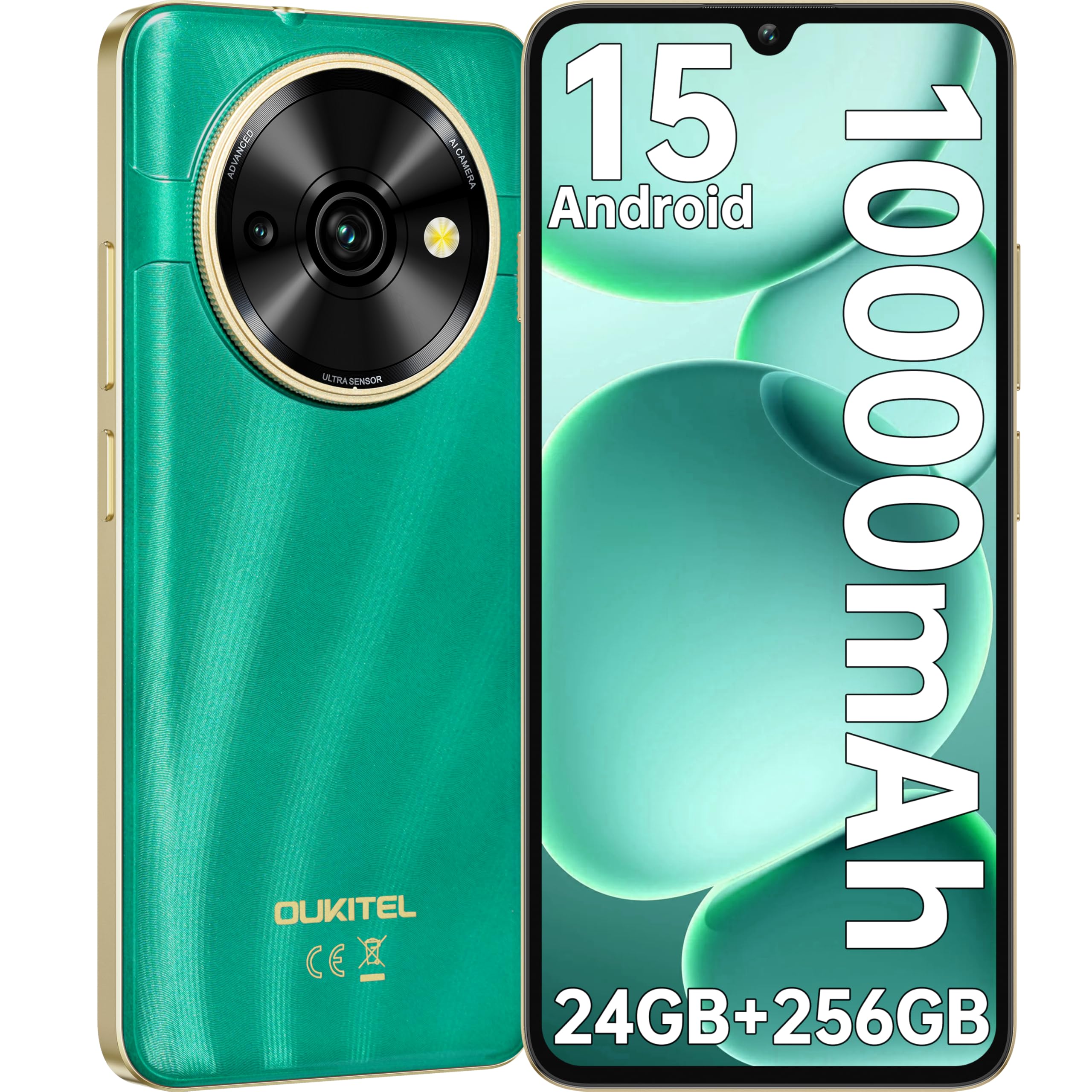
Image: Visual representation of the OUKITEL C59 Pro's 10000mAh battery capacity, indicating extended standby, talk, flashlight, and video playback times.
5.3 전원 켜기/끄기
- 전원을 켜려면: OUKITEL 로고가 나타날 때까지 전원 버튼을 길게 누르세요.
- 전원을 끄려면: 전원 버튼을 길게 누른 다음, 화면에 나오는 옵션에서 '전원 끄기'를 선택하세요.
- 재시작하기 위해: 전원 버튼을 길게 누른 다음 옵션에서 '다시 시작'을 선택합니다.
6. 스마트폰 작동
6.1 안드로이드 15 운영체제
Your OUKITEL C59 Pro runs on the latest Android 15 operating system, offering enhanced energy efficiency, privacy protection, and multi-device integration capabilities optimized with artificial intelligence.

이미지: 안드로이드 15 운영체제 인터페이스를 시각적으로 표현한 그림.asing its modern design and various application icons.
6.2 Biometric Security (Fingerprint & Face ID)
Unlock your device securely using the side-mounted fingerprint sensor or Face ID recognition.
- 지문 인식: Register your fingerprints in the Security settings. To unlock, simply place your registered finger on the side power button.
- 페이스 ID: 보안 설정에서 얼굴 인식(Face ID)을 설정하세요. 잠금 해제하려면 휴대전화를 얼굴 앞에 가져다 대세요.
6.3 Connectivity Features (NFC, GPS)
The OUKITEL C59 Pro supports NFC for contactless payments and data transfer, and GPS for navigation and location services.
- NFC : Enable NFC in Settings > Connected devices > Connection preferences > NFC. Tap your phone to compatible devices for quick pairing or payments.
- GPS: 위치 서비스는 기본적으로 활성화되어 있습니다. 설정 > 위치에서 위치 서비스를 관리할 수 있습니다.
6.4 메모리 및 저장
The device comes with 24GB RAM (8GB physical + 16GB virtual) and 256GB internal storage, expandable up to 1TB via MicroSD card.

Image: A graphical representation of the OUKITEL C59 Pro's memory configuration, showing 24GB RAM (8GB + 16GB expansion) and 256GB ROM (expandable to 1TB).
6.5 OTG 기능
The OUKITEL C59 Pro supports OTG (On-The-Go) reverse charging, allowing you to transfer data to other devices or use your phone as an emergency power bank.
7. 유지관리
적절한 유지관리는 스마트폰의 수명과 최적의 성능을 보장합니다.
- 청소: 부드럽고 보풀이 없는 천을 사용하여 기기의 화면과 본체를 닦으세요. 강한 화학 물질이나 연마재는 사용하지 마세요.
- 소프트웨어 업데이트: Regularly check for and install system updates to ensure your device has the latest features and security patches. Go to Settings > System > System update.
- 배터리 관리 : 배터리를 자주 완전히 방전시키지 마십시오. 장기간 보관할 경우 배터리를 약 50% 정도 충전해 두십시오.
- 스토리지 관리: 불필요한 것을 주기적으로 정리하세요 file저장 공간을 확보하고 성능을 개선하기 위한 앱과 도구입니다.
8. 문제 해결
기기에 문제가 발생하면 다음 해결 방법을 시도해 보세요.
- 장치가 응답하지 않음: 전원 버튼을 약 10~15초간 길게 눌러 강제로 다시 시작하세요.
- 앱 충돌: Clear the cache and data of the problematic app in Settings > Apps > [App Name] > Storage. If the issue persists, uninstall and reinstall the app.
- 불쌍한 배터리 수명: Check battery usage in Settings > Battery to identify power-hungry apps. Reduce screen brightness, disable unnecessary features like GPS or Wi-Fi when not in use.
- 네트워크 문제: SIM 카드가 올바르게 삽입되었는지 확인하십시오. 기기를 재시작해 보세요. 네트워크 설정을 확인하거나 서비스 제공업체에 문의하십시오.
- 과열: Avoid using the device while charging or during prolonged heavy usage. Close background apps.
- 공장 초기화 : 마지막 수단으로, 소프트웨어 문제가 지속되면 공장 초기화를 수행할 수 있습니다. 경고: 기기의 모든 데이터가 삭제됩니다. 진행하기 전에 중요한 데이터를 백업하세요. 설정 > 시스템 > 옵션 재설정 > 모든 데이터 지우기(공장 초기화)로 이동합니다.
9. 사양
Detailed technical specifications for the OUKITEL C59 Pro smartphone.
| 특징 | 사양 |
|---|---|
| 상표 | 오키텔 |
| 모델명 | 우키텔 C59 프로 |
| 운영 체제 | 안드로이드 15 |
| 설치된 RAM 크기 | 24GB(물리적 8GB + 가상 16GB) |
| 저장 용량 | 256GB (XNUMX기가바이트) |
| Max Supported Flash Memory Size | 1024GB (1TB) |
| 화면 크기 | 6.88 인치 |
| 해결 | 1640 x 720 픽셀 |
| 새로 고침 빈도 | 90Hz |
| 디스플레이 유형 | 액정표시장치 |
| 셀룰러 기술 | 4G |
| 연결 기술 | 4G |
| 색상 | 녹색 |
| Number of SIM Card Slots | 듀얼 SIM |
| SIM 카드 크기 | 나노 |
| 커넥터 유형 | USB 타입 C |
| 폼 팩터 | 술집 |
| 생체인식 보안 기능 | 지문 인식, 얼굴 인식 |
| 방수 레벨 | 방수가 아닙니다 |
| 헤드폰 잭 | 없음 |
| 후면 카메라 해상도 | 13 MP |
| Number of Rear Cameras | 2 |
| Number of Front Cameras | 1 |
| 비디오 캡처 해상도 | 1080p |
| 프레임 속도 | 30fps, 60fps, 120fps |
| 배터리 용량 | 10000mAh |
| 배터리 수명 | 50시간 (통화 시간) |
| GPS | 예 |
| 포함된 구성 요소 | Phone case, USB cable, SIM ejector tool, Power adapter |
| 특정 제품 용도 | Gaming, Photography, Streaming, Video Conferencing |
10. 보증 및 지원
10.1 보증 정보
The OUKITEL C59 Pro smartphone comes with a 2년 제조사 보증. This warranty covers defects in materials and workmanship under normal use. It does not cover damage caused by misuse, accidents, unauthorized repairs, or normal wear and tear. Please retain your proof of purchase for warranty claims.
10.2 고객 지원
For technical assistance, warranty claims, or any other inquiries regarding your OUKITEL C59 Pro, please contact OUKITEL customer support through their official website or the contact information provided with your purchase. Ensure you have your device model and purchase details ready when contacting support.