
소개
The 1MORE P20 USB-C Wired Earphones are designed to provide a high-quality audio experience with powerful sound, clear call quality, and ergonomic comfort. This manual provides essential information for setting up, operating, maintaining, and troubleshooting your earphones.

Image: The 1MORE P20 USB-C Wired Earphones, showcasing their sleek black design and the Hi-Res Audio certification.
설정
1. 이어팁 선택 및 착용
For optimal sound quality and comfort, select the ear tips that best fit your ears. The earphones come with various sizes of silicone ear tips. Gently insert the earphones into your ear canals at a 45° angle until they feel secure and comfortable. A proper seal is crucial for effective acoustic isolation and bass response.
2. 기기에 연결하기
The 1MORE P20 earphones feature a USB-C connector for direct plug-and-play compatibility. Simply plug the USB-C connector into the USB-C port of your smartphone, tablet, iPad, or other compatible digital device. No additional drivers or software are typically required.
작동 지침
1. 오디오 재생
Once connected, your device should automatically recognize the earphones. Begin playing audio from your preferred application. The earphones support Hi-Res Stereo Audio for a detailed and immersive listening experience.
2. 볼륨 조절
The in-line remote control allows you to adjust the volume. Use the '+' button to increase volume and the '-' button to decrease volume. Short press the center button to play/pause music or answer/end calls.
3. 통화 관리
The earphones are equipped with an advanced MEMS microphone and AI ENC noise suppression technology for clear voice capture during calls. To answer an incoming call, short press the center button. To end a call, short press the center button again. To reject a call, long press the center button.
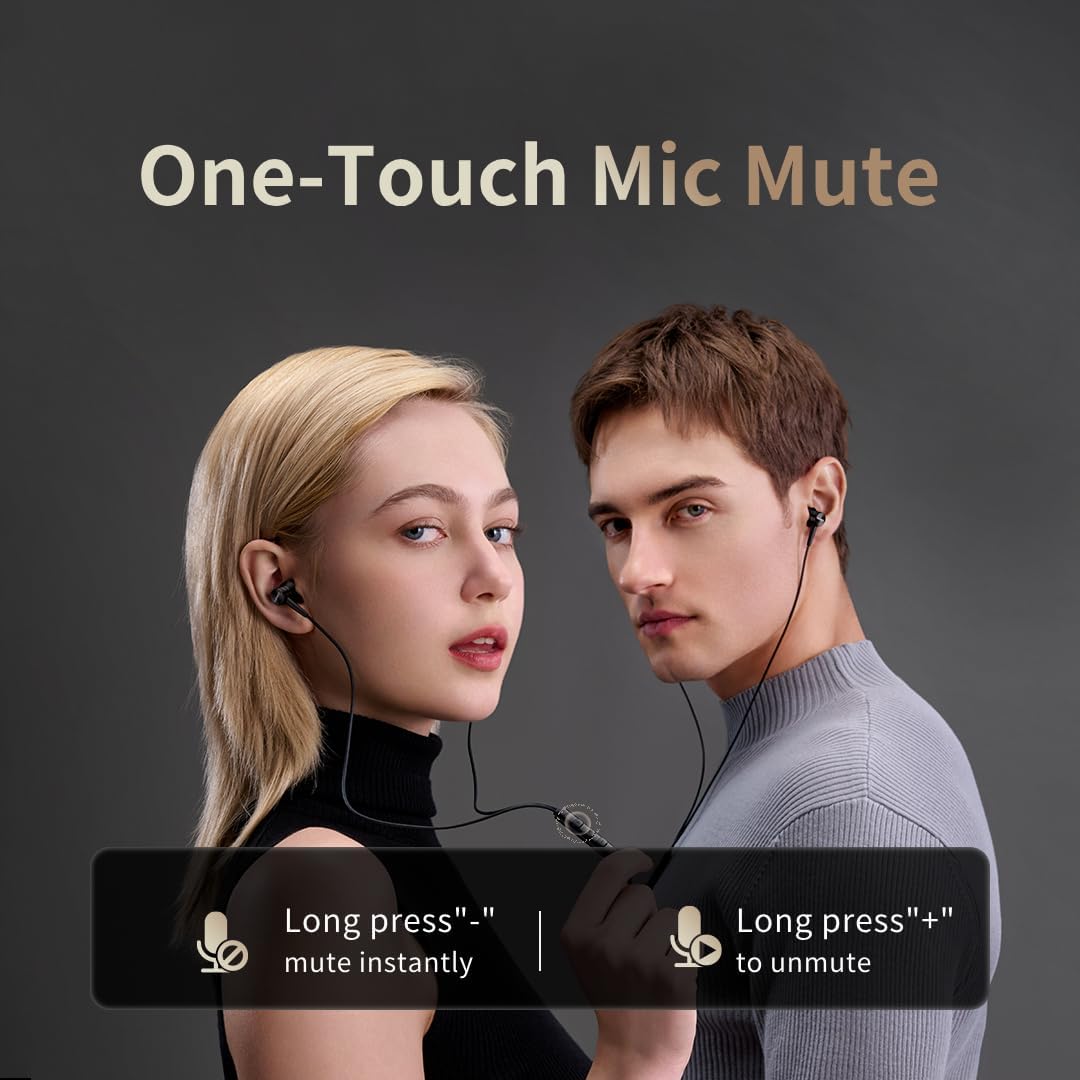
Image: Illustration of the one-touch microphone mute function. Long press '-' to mute instantly, long press '+' to unmute.
4. 마이크 음소거 기능
To instantly mute the microphone during a call, long press the '-' button on the in-line remote. To unmute, long press the '+' button.
유지
1. 청소
- 귀지 및 이물질을 제거하기 위해 부드럽고 마른 천으로 귀뚜라미 끝부분을 정기적으로 닦아주세요.
- Wipe the earphone bodies and cable with a slightly damp 천으로 닦은 다음 완전히 말리십시오.
- 청소 시 강한 화학물질이나 연마재를 사용하지 마십시오.
2. 보관
사용하지 않을 때는 이어폰을 깨끗하고 건조한 곳에 보관하십시오. 케이블이나 드라이버가 꼬이거나 손상되는 것을 방지하기 위해 보호 파우치에 넣어 보관하는 것이 좋습니다.
문제 해결
- 소리 없음:
- USB-C 커넥터가 장치에 완전히 삽입되었는지 확인하세요.
- Check the volume level on both your device and the earphone remote.
- 이어폰을 다른 기기에 연결하여 테스트해 보고 기기별 문제인지 확인해 보세요.
- 나쁜 음질:
- Ensure ear tips provide a proper seal in your ear canal. Try different sized ear tips.
- 이어폰 노즐에 묻은 이물질을 깨끗이 제거하십시오.
- 오디오 소스의 품질이 높은지 확인하세요.
- 마이크가 작동하지 않음:
- Ensure the microphone is not muted (check the mute function using the in-line remote).
- 연결된 기기의 마이크 설정을 확인하세요.
- Ensure the USB-C connection is secure.
명세서

이미지: 폭발된 view illustrating the 10mm Diamond-Like Carbon (DLC) dynamic driver, responsible for the powerful and compact sound.
| 특징 | 사양 |
|---|---|
| 모델명 | P20 Black EU |
| 연결 기술 | 열광한 |
| 헤드폰 잭 | USB-C |
| 귀 위치 | 인이어 |
| 폼 팩터 | 인이어 |
| 임피던스 | 32옴 |
| 주파수 범위 | 20Hz - 40,000Hz |
| 오디오 드라이버 유형 | Dynamic (10mm DLC Diaphragm) |
| 소음 제어 | Active Noise Suppression (AI ENC for microphone) |
| 제어 방법 | 푸시 버튼 |
| 호환 장치 | Phone, Tablet, iPad |
| 방수 레벨 | 방수가 되지 않음 |
| 내부 재료 | 알류미늄 |

Image: A woman enjoying music with the 1MORE P20 earphones, highlighting the Hi-Res Audio capability and immersive sound.
보증 및 지원
For warranty information or technical support, please refer to the official 1MORE web사이트를 방문하거나 고객 서비스에 직접 문의하세요. 보증 청구를 위해 구매 영수증을 보관하세요.