
1. 서론
This manual provides detailed instructions for the installation, operation, and maintenance of your KiriNavi 15.6 Inch Car Radio. This advanced head unit is designed to enhance your driving experience with its 2K IPS touch screen, Android 13 operating system, and integrated features like Apple CarPlay, Android Auto, and GPS navigation. Please read this manual thoroughly before installation and use to ensure proper function and safety.
2. 호환성
This car radio is specifically designed for:
- Chevrolet Silverado (2014-2019)
- GMC 시에라 (2014-2019)
중요 참고 사항:
- Only compatible with vehicles equipped with the OEM 8-inch screen version.
- Not compatible with OEM 4.2-inch or 7-inch screen versions.
- Supports original car BOSE and B&O sound systems.
- Retains original car system functions and original car camera usage.
3. 포함된 구성 요소
Verify that all the following components are present in the package:
- 1x KiriNavi Android Head Unit (15.6 Inch)
- 1x GPS 안테나
- 1x 전원 케이블
- 외부 마이크 1개
- 후방 카메라 1대
- 1x Car Dash Cam
- 설치 지침
4. 설정 및 설치
Installation of this head unit requires technical knowledge and experience with car electronics. Professional installation is highly recommended to ensure correct wiring and functionality, and to prevent damage to your vehicle or the unit.
4.1 설치 전 확인
- Ensure your vehicle's original AUX channel is functioning correctly. If it is not, the head unit will not produce sound. Repair the original AUX channel if necessary.
- Confirm your vehicle's central control matches the compatible OEM 8-inch screen version.
4.2 설치 완료view
The KiriNavi head unit is designed for a standard size fit, eliminating the need for additional accessories. Follow the provided installation instructions carefully. The process generally involves:
- Disconnecting the vehicle's battery.
- Removing the original head unit and trim.
- Connecting the new head unit's wiring harness to the vehicle's existing connectors.
- Installing the GPS antenna, external microphone, backup camera, and dash cam.
- Mounting the new 15.6-inch head unit into the dashboard.
- 배터리를 다시 연결하고 모든 기능을 테스트합니다.

이미지 4.1: Visual comparison of the vehicle's dashboard before and after the KiriNavi 15.6 inch car radio installation. The top image shows the new unit installed, while the bottom images show the original 8-inch screen setup.
5. 사용 설명서
5.1 기본 작업
The KiriNavi head unit features a 15.6-inch 2K IPS touchscreen. Navigate the Android 13 operating system by tapping, swiping, and pinching gestures similar to a tablet or smartphone. The interface provides access to various applications and settings.
5.2 오디오 기능
The unit supports FM/AM radio with RDS (Radio Data System). You can save your favorite stations for quick access. The integrated 16-band Equalizer (EQ) and Digital Sound Processor (DSP) allow for precise audio customization, including subwoofer control, to optimize sound quality within your vehicle.

이미지 5.1: Display of the audio settings interface, highlighting FM/AM/RDS radio functions, 16-band equalizer, subwoofer controls, and DSP for enhanced sound customization.
5.3 Connectivity (Bluetooth, Wi-Fi, 4G)
- 블루투스 5.0 : 스마트폰을 연결하여 핸즈프리 통화 및 오디오 스트리밍을 이용하세요.
- 와이파이: Connect to a Wi-Fi hotspot to access online services, download apps, and stream content.
- 4G 네트워크: Insert a 4G SIM card (not included) to enable direct internet access for online navigation, video streaming, and app downloads without relying on a Wi-Fi hotspot.

이미지 5.2: Illustration of 4G and Wi-Fi connectivity features, alongside various GPS navigation application icons.
5.4 탐색
The unit features a built-in GPS + GLONASS module for high-precision navigation. It supports both online and offline maps, including popular applications like Apple Maps, Google Maps, and Waze. Download offline maps for navigation without an internet connection.
5.5 스마트폰 통합(Apple CarPlay 및 Android Auto)
Connect your smartphone to access Apple CarPlay or Android Auto. This allows you to use your phone's navigation, music, messages, and other compatible apps directly on the car radio's screen. Voice control (Siri/Google Assistant) is supported for hands-free operation.

이미지 5.3: Screenshots demonstrating the Wireless & Wired Apple CarPlay and Android Auto interfaces, showing integration with smartphone applications.
5.6 스티어링 휠 컨트롤
The unit supports learning and utilizing your vehicle's original steering wheel buttons. This allows you to control various functions of the head unit, such as volume, track changes, and call management, without taking your hands off the steering wheel.
5.7 카메라 지원
The system supports your original car camera, providing clear night vision and wide-angle views for safer reversing. An AHD backup camera and a car dash cam are included for enhanced safety and recording capabilities.

이미지 5.4: Display illustrating the integration of the original car camera with features like AHD and night vision, alongside the interface for programming steering wheel controls.
5.8 듀얼 시스템 스위치
The KiriNavi car radio is designed to retain your original car system. This means all original car functions remain accessible and operational, allowing you to switch between the Android system and your vehicle's native system as needed.
6. 사양
Detailed technical specifications of the KiriNavi 15.6 Inch Car Radio:
| 상표 | KiriNavi |
| 모델명 | KiriNavi 15.6 Touch GPS |
| 차량 서비스 유형 | Truck (Chevrolet Silverado, GMC Sierra) |
| 운영 체제 | 안드로이드 13 |
| CPU | 8 Core Qualcomm Processor |
| 숫양 | 8GB |
| 집시 남자 | 128GB |
| 화면 크기 | 15.6인치 |
| 화면 해상도 | 1920x1440P IPS Touchscreen |
| 특별 기능 | Bluetooth 5.0, Touchscreen, GPS Navigation, Apple CarPlay, Android Auto, Steering Wheel Control, Dual System Switch |
| 연결 기술 | Bluetooth, Ethernet, USB, Wi-Fi, 4G |
| 지도 유형 | Worldwide (Online & Offline) |
| 오디오 출력 모드 | Stereo with 16-band EQ and DSP |
| 장착 유형 | 대시 보드 마운트 |

이미지 6.1: Diagram illustrating the internal hardware, including the Qualcomm 8-core processor, 8GB RAM, and 128GB ROM, highlighting performance capabilities.
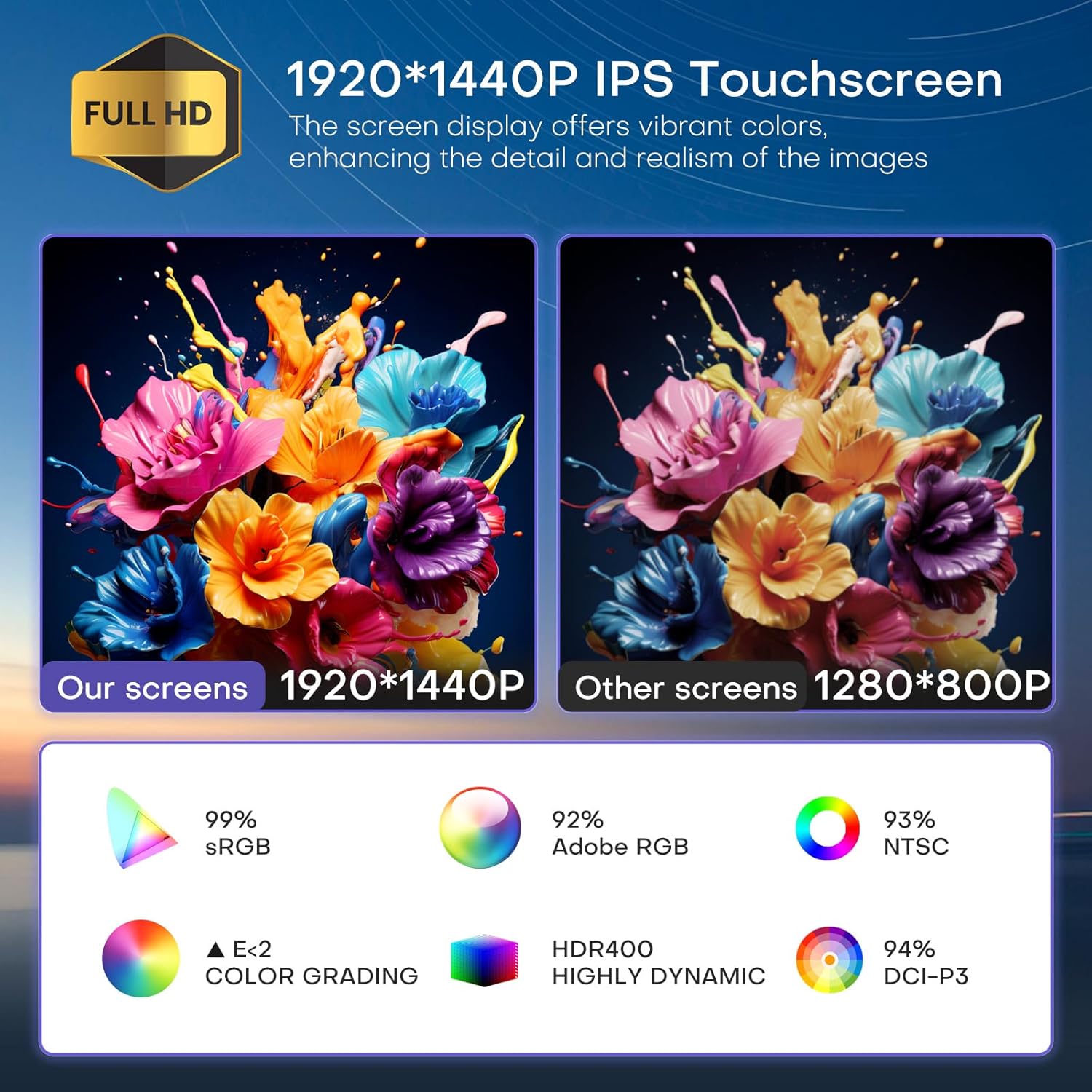
이미지 6.2: Visual comparison demonstrating the superior 1920x1440P IPS touchscreen resolution and color accuracy of the KiriNavi unit compared to standard displays.

이미지 6.3: 위에view of key features including the Qualcomm 8-core processor, Bluetooth 5.0, Android 13 system, large HD screen, 170-degree viewing angle, and integrated CarPlay/Android Auto.
7. 문제 해결
7.1 사운드 출력 없음
- Check AUX Channel: Ensure your vehicle's original AUX channel is working correctly. If it is not, the head unit will not produce sound. Repair the original AUX channel if necessary.
- 볼륨 설정: Verify that the volume on both the head unit and your vehicle's amplifier (if applicable) is not muted or set too low.
- 배선 연결: 모든 오디오 배선 연결이 안전하고 올바르게 설치되었는지 확인하십시오.
7.2 장치 전원이 켜지지 않음
- 전원 케이블 : Check if the power cable is securely connected to both the head unit and the vehicle's power source.
- 퓨즈 : Inspect the vehicle's fuse box and the head unit's inline fuse for any blown fuses. Replace if necessary.
- 배터리 연결: 차량 배터리가 제대로 연결되고 충전되었는지 확인하세요.
7.3 GPS 신호 문제
- 안테나 배치: GPS 안테나가 깨끗한 위치에 설치되어 있는지 확인하십시오. view 아무런 방해물 없이 펼쳐진 하늘.
- 안테나 연결: GPS 안테나가 헤드 유닛에 제대로 연결되어 있는지 확인하십시오.
- 지도 데이터: Ensure your navigation app's maps are up-to-date, especially for offline use.
8. 유지관리
- 화면 청소: Use a soft, lint-free cloth specifically designed for electronics screens to clean the touchscreen. Do not use abrasive cleaners or solvents.
- 소프트웨어 업데이트: 최적의 성능을 유지하고 새로운 기능을 이용하려면 정기적으로 소프트웨어 업데이트를 확인하고 설치하십시오.
- 환경 조건: 본 제품을 극한의 온도, 장시간 직사광선 또는 과도한 습기에 노출시키지 마십시오.
9. 지원
For technical assistance, installation inquiries, or any other questions regarding your KiriNavi car radio, please contact KiriNavi customer support. Before contacting support, it is helpful to have your product model name and purchase details ready.
If you are unsure about vehicle compatibility before purchasing, you can send a picture of your car's central control to KiriNavi customer service for confirmation.
연락처 정보: Refer to the contact details provided with your purchase or visit the official KiriNavi web지원 옵션에 대한 사이트입니다.