
1. 서론
This manual provides essential instructions for the installation, operation, and maintenance of your WUPRO QuadraArc Electric Automatic Drop Projection Screen. This screen features Black Crystal Ambient Light Rejecting (ALR) technology, designed to deliver a superior viewing experience for 4K and 8K HD content, compatible with Short Throw (ST) and Long Throw (LT) projectors. Please read this manual thoroughly before use to ensure proper setup and optimal performance.
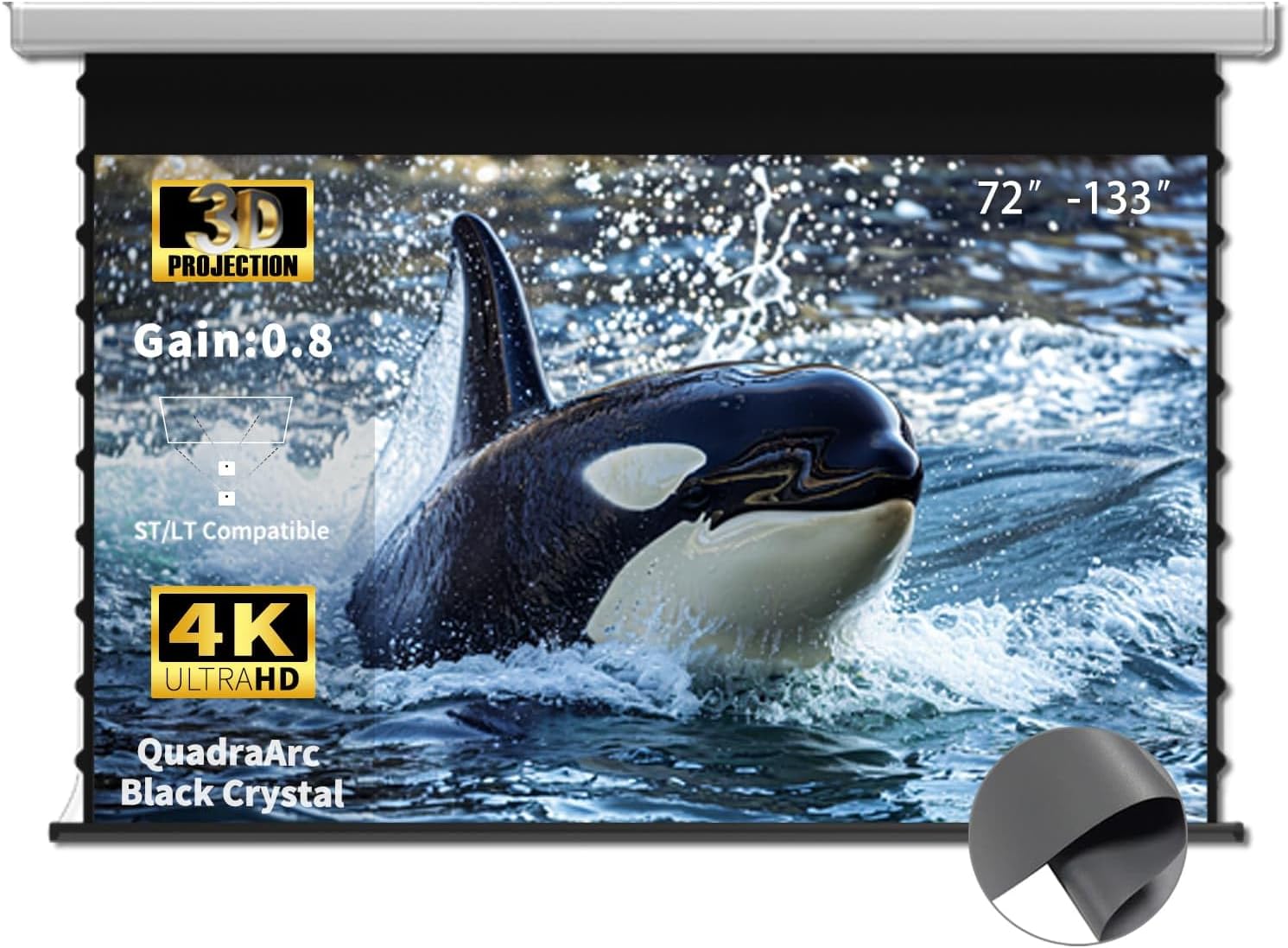
Image 1.1: WUPRO QuadraArc 110-inch projection screen in use, showcasin시각적 기능을 갖추고 있습니다.
2. 안전 정보
제품 손상이나 부상을 방지하기 위해 다음 안전 수칙을 준수해 주십시오.
- Ensure the screen is installed by at least two people due to its size and weight.
- Verify that the mounting surface (wall or ceiling) can support the screen's weight.
- Do not attempt to disassemble or modify the screen's motor or electrical components.
- 화면을 직사광선, 화염 및 과도한 습기로부터 멀리하십시오.
- 청소 또는 유지 보수를 하기 전에 전원 코드를 뽑으십시오.
- Keep children and pets away from the screen during operation.
3. 패키지 내용
상자를 조심스럽게 풀고 모든 품목이 들어 있는지 확인하세요.
- WUPRO QuadraArc Electric Automatic Drop Projection Screen
- 원격 제어
- 전원 케이블
- Mounting Brackets (for Wall/Ceiling)
- 설치 하드웨어(나사, 앵커)
- 사용 설명서 (본 문서)
4. 특징
- Black Crystal ALR Screen: Features a gain of 0.8, enhancing image fullness and color vibrancy.
- 주변 광 거부 : Excellent rejection of ceiling ambient light (≥70%), allowing for clear viewing even in bright environments (1800 ANSI lumens or higher telephoto projectors recommended).
- 고화질 지원: Optimized for Full HD 4K/8K movie-like picture quality.
- 넓은 View각도: 160° viewing angle ensures a broad field of view, suitable for various room layouts.
- Projector Compatibility: Designed for compatibility with both Short Throw (ST) and Long Throw (LT) projectors.
- 다중 제어 옵션: Includes remote control, wired control, and projector sync capabilities for convenience.
- 미니멀한 디자인: White rectangular casing for easy integration into any decor.

Image 4.1: Key features of the WUPRO QuadraArc screen.

Image 4.2: Visual representation of Black Crystal screen benefits.

Image 4.3: Compatibility with ST/LT projectors.

Image 4.4: Explanation of 70% Ambient Light Rejection (ALR).

이미지 4.5: 160° 광각도의 그림 view잉 각도.
5. 설정 및 설치
The WUPRO QuadraArc screen is designed for manual installation. Please follow these steps carefully. It is recommended that two people perform the installation.
5.1 위치 선택
Select a flat, sturdy wall or ceiling area that can safely support the screen's weight. Ensure there is a power outlet nearby and sufficient space for the screen to fully extend.
5.2 장착 옵션
The screen supports both wall and ceiling mounting.

Image 5.1: Wall Mount and Ceiling Mount options.
5.3 설치 단계
- 측정 및 표시: Determine the desired position for the screen. Use a level to mark the drilling points for the mounting brackets on the wall or ceiling.
- 드릴 구멍: 표시된 위치에 드릴로 파일럿 구멍을 뚫으세요. 필요한 경우 적절한 벽 앵커를 삽입하세요.
- 브래킷 부착: Securely fasten the mounting brackets to the wall or ceiling using the provided screws. Ensure they are level and firmly attached.
- 화면 장착: With assistance, carefully lift the projection screen and hook it onto the installed mounting brackets. Ensure the screen is securely seated in the brackets.
- 전원 연결: Plug the power cable into the screen and then into a power outlet.
6. 운영
Your WUPRO QuadraArc screen offers multiple ways to control its extension and retraction.

Image 6.1: Multiple control options for the screen.
6.1 리모컨
Use the included remote control to operate the screen wirelessly.
- 연장하다: 를 누르세요 아래에 화면을 내리는 버튼.
- 쑥 들어가게 하다: 를 누르세요 UP 화면을 올리는 버튼.
- 중지: 를 누르세요 멈추다 button to pause the screen at any desired position.
6.2 유선 제어
The screen may also feature a wired control panel, typically located on the screen casing or a wall switch. The buttons function identically to the remote control (UP, DOWN, STOP).
6.3 Projector Sync
If your projector supports it, you can connect the screen to your projector for automatic synchronization. When the projector is turned on, the screen will automatically extend; when the projector is turned off, the screen will retract. Refer to your projector's manual for specific connection instructions for screen synchronization.
7. 유지관리
Proper maintenance ensures the longevity and optimal performance of your projection screen.
7.1 화면 표면 청소
- Gently wipe the screen surface with a soft, lint-free cloth.
- 완고한 자국의 경우 가볍게 dampen the cloth with mild soap and water. Do not use harsh chemicals, abrasive cleaners, or excessive moisture.
- Avoid touching the screen surface with bare hands to prevent oil transfer.
7.2 C 청소asing
화면을 닦으세요asin건조하거나 약간 건조한 gamp 먼지와 흙을 제거하는 천.
7.3 일반 관리
- Ensure the screen retracts fully when not in use to protect the surface.
- Avoid placing heavy objects on the screen casing.
- Regularly check mounting hardware for tightness.
8. 문제 해결
프로젝션 스크린에 문제가 발생하면 다음의 일반적인 문제 및 해결 방법을 참조하십시오.
| 문제 | 가능한 원인 | 해결책 |
|---|---|---|
| Screen does not extend/retract | No power; Remote control battery low; Motor malfunction | Check power connection; Replace remote batteries; Contact support if motor issue persists. |
| Screen stops midway | Obstruction; Limit switch setting; Power interruption | Remove any obstructions; Consult manual for limit switch adjustment (if applicable); Check power. |
| 이미지 품질이 좋지 않습니다 | Projector settings; Ambient light; Screen surface dirt | Adjust projector focus/resolution; Reduce ambient light; Clean screen surface as per maintenance section. |
| 리모컨이 작동하지 않습니다 | Batteries dead/incorrectly inserted; Remote out of range; Interference | Replace batteries, ensure correct polarity; Move closer to screen; Remove sources of interference. |
9. 사양
The following table outlines the technical specifications for the WUPRO QuadraArc 110-inch Electric Automatic Drop Projection Screen.

Image 9.1: Detailed dimensions and parameters for the QuadraArc screen series.
| 특징 | 세부 사항 |
|---|---|
| 상표 | 우프로 |
| 모델 | QuadraArc Electric Automatic Drop Projection Screen |
| 화면 크기(대각선) | 110인치 |
| 종횡비 | 16시 9분 |
| 화면 표면 | Black Crystal ALR (Matte) |
| 얻다 | 0.8 |
| 주변광 거부 | ≥70% (ceiling light) |
| View잉 각도 | 160° |
| 호환성 | ST/LT Projectors, 4K/8K HD |
| 장착 유형 | 벽 마운트, 천장 마운트 |
| 제품 치수(폭 x 높이) | 95.86" x 53.89" (Display Area) |
| 하우징 길이(L1) | 2730 mm (for 110" screen) |
| 총 중량 | 22.4 kg (for 110" screen) |
10. 보증 및 지원
10.1 제품 보증
WUPRO products are covered by a manufacturer's warranty against defects in materials and workmanship. Please refer to the warranty card included with your product for specific terms and conditions. Keep your purchase receipt as proof of purchase for warranty claims.
10.2 30-Day Price Protection
If the price of your WUPRO screen drops within 30 days of purchase on Amazon, you may be eligible for a refund of the difference. To claim, purchase the screen on Amazon, spot a lower price within 30 days, take a screenshot, and contact WUPRO customer support. This applies solely to Amazon store prices.

Image 10.1: Details on the 30-Day Price Protection policy.
10.3 고객 지원
For technical assistance, warranty claims, or any questions regarding your WUPRO product, please contact WUPRO customer support through the Amazon platform or visit the official WUPRO web연락처 정보 사이트.