
1. 서론
The BORUIT EV20 is a compact and versatile Everyday Carry (EDC) flashlight designed for various applications, from outdoor adventures to daily tasks. It features a powerful main light, a 365nm UV light, and a multi-color RGB side light, all housed in a durable, waterproof aluminum body. This manual provides detailed instructions for the safe and effective use of your EV20 flashlight.
2. 제품 특징
- Super Bright Main Light: Delivers up to 1100 lumens with a 365nm UV light option and a beam distance of 100 meters. Features a memory function for convenience.
- Versatile RGB Side Light: Equipped with 14 RGB LEDs offering white, red, green, blue, orange, yellow, ice blue, and pink light. Includes dynamic modes such as breathing, streamline, dropflow, and rainbow.
- 효율적인 전력 관리: Built-in 1000mAh rechargeable battery with USB-C fast charging, fully recharging in approximately 2 hours. Provides up to 50 hours of runtime in low white-light mode and over 100 hours in RGB modes. Features an intelligent power indicator.
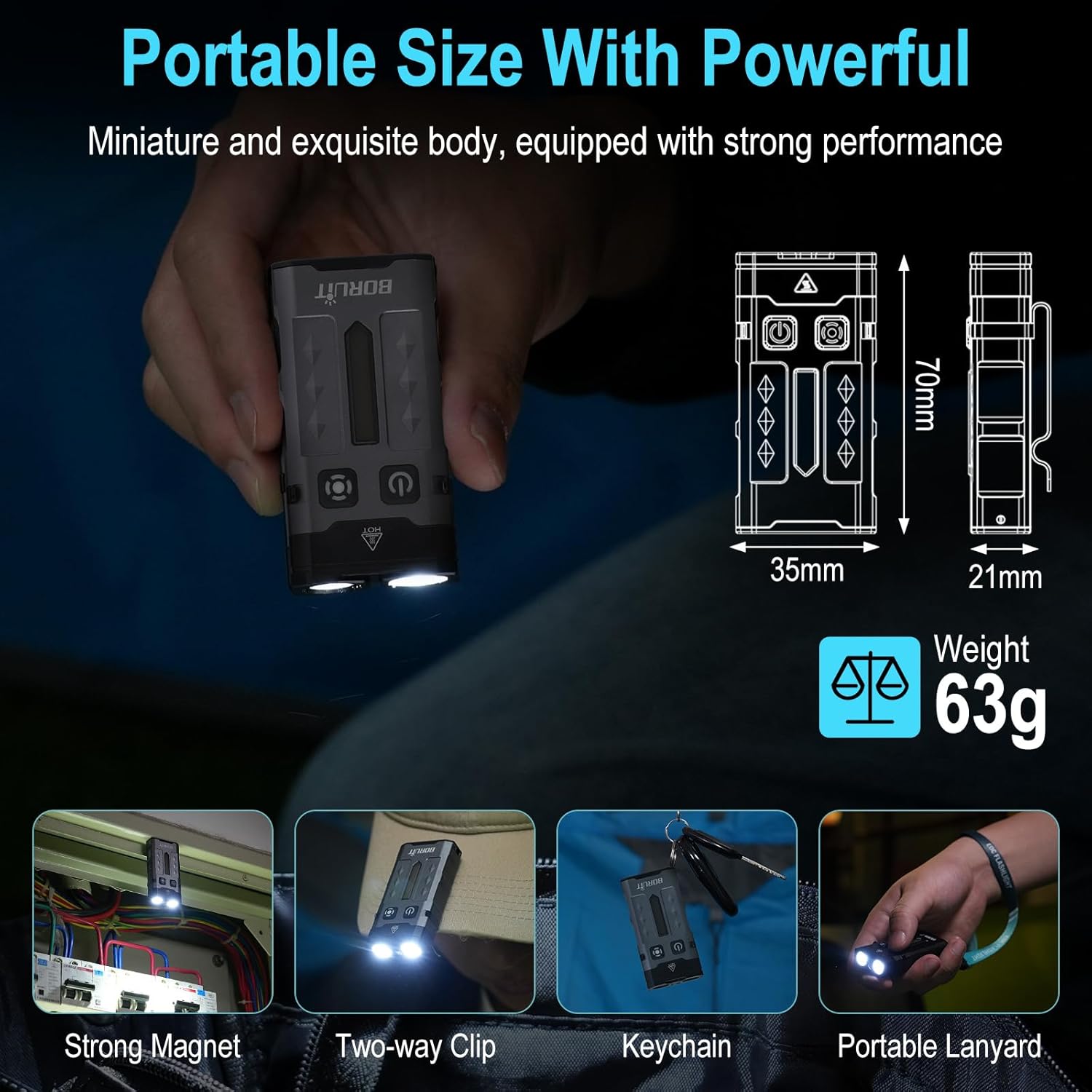
- Portable & Hands-Free Design: Includes a magnetic tail cap for attachment to metal surfaces, a two-way back clip for securing to hats, pockets, or backpacks, and comes with a keychain and lanyard for easy carrying.
- 내구성 있는 구조: Lightweight at only 63g, made from sturdy aluminum alloy, and rated IP66 waterproof for reliability in various conditions. Offers 1-meter anti-fall protection.
3. 패키지 내용
패키지에 모든 품목이 들어 있는지 확인하세요.
- 1 x BORUIT EV20 Flashlight
- 1 x USB-C 충전 케이블
- 1 x 키 체인
- 1 x 라니어드

4. 사양
| 특징 | 사양 |
|---|---|
| 흰색 밝기 | 1100 루멘(최대) |
| 광원 유형 | LED (White, 365nm UV, RGB) |
| 재료 | 알루미늄 합금 |
| 제품 치수 | 2.76인치 깊이 x 1.38인치 너비 x 0.82인치 높이(70mm x 35mm x 21mm) |
| 품목 무게 | 2.2온스(63g) |
| 배터리 용량 | 1000mAh 리튬 이온(포함) |
| 방수 레벨 | IP66 방수 |
| Max. Beam Distance | 100 미터 |
| 낙하 높이 저항 | 1 미터 |
| 충전 포트 | USB-C |

5. 설정 및 충전
Before first use, fully charge the flashlight. The BORUIT EV20 features a built-in 1000mAh battery and supports USB-C fast charging.
충전 지침:
- 손전등 측면에서 USB-C 충전 포트를 찾으세요.
- 제공된 USB-C 케이블을 손전등과 호환되는 USB 전원(예: 벽면 어댑터, 컴퓨터 USB 포트)에 연결하십시오.
- The intelligent power indicator on the flashlight will show the charging status: a red light flash indicates charging, and a green light indicates a full charge.
- 완전 충전에는 일반적으로 약 2시간이 소요됩니다.
6. 사용 설명서
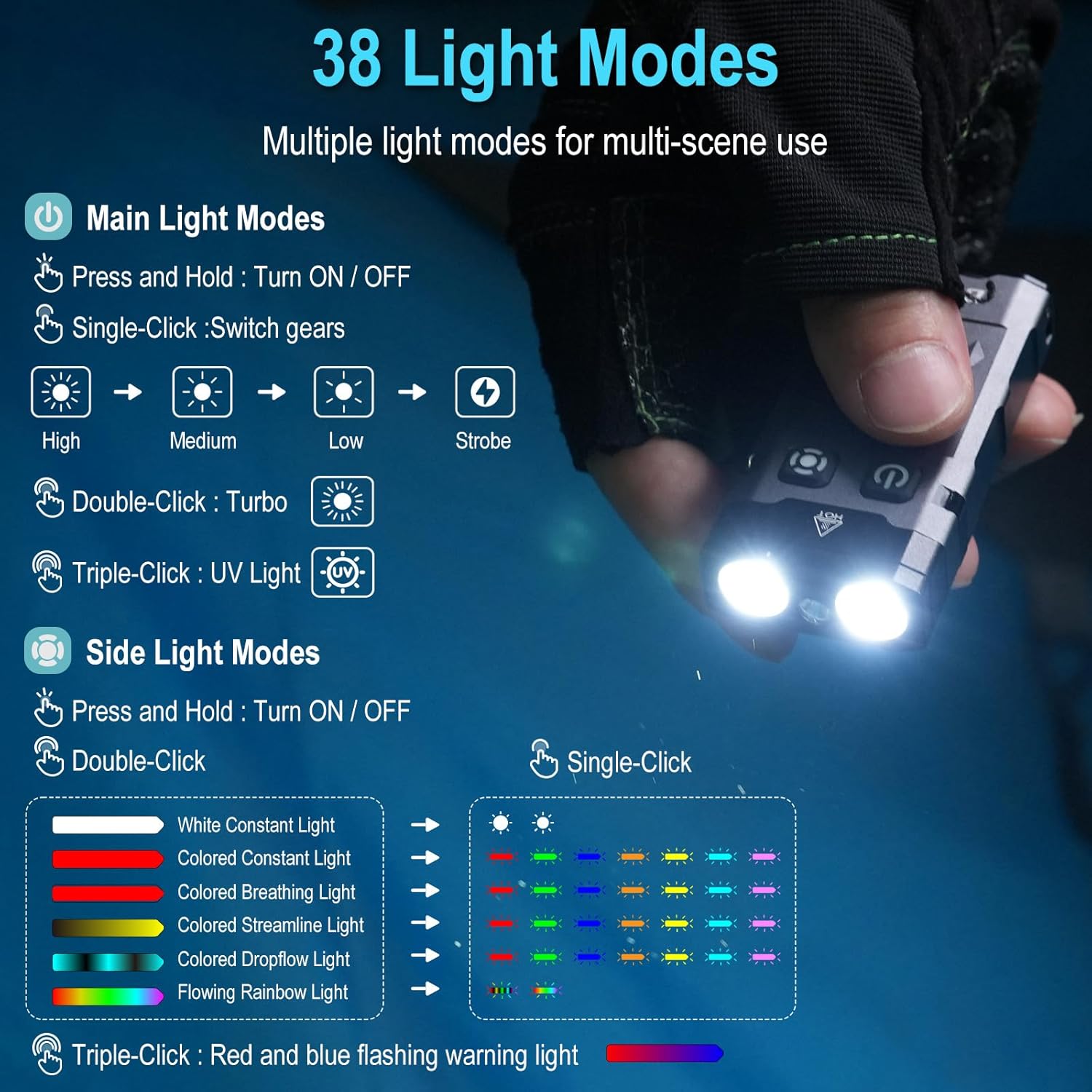
The BORUIT EV20 features two main buttons: the Power Button (left) and the Mode Button (right).

6.1. Main Light Modes (Front LEDs)
- 켜기/끄기: 전원 버튼을 길게 누릅니다.
- 밝기 조절: With the main light ON, single-click the Power Button to cycle through High, Medium, Low, and Strobe modes. The flashlight has a memory function and will return to the last used mode.
- 터보 모드: Double-click the Power Button for maximum brightness (1100 lumens).
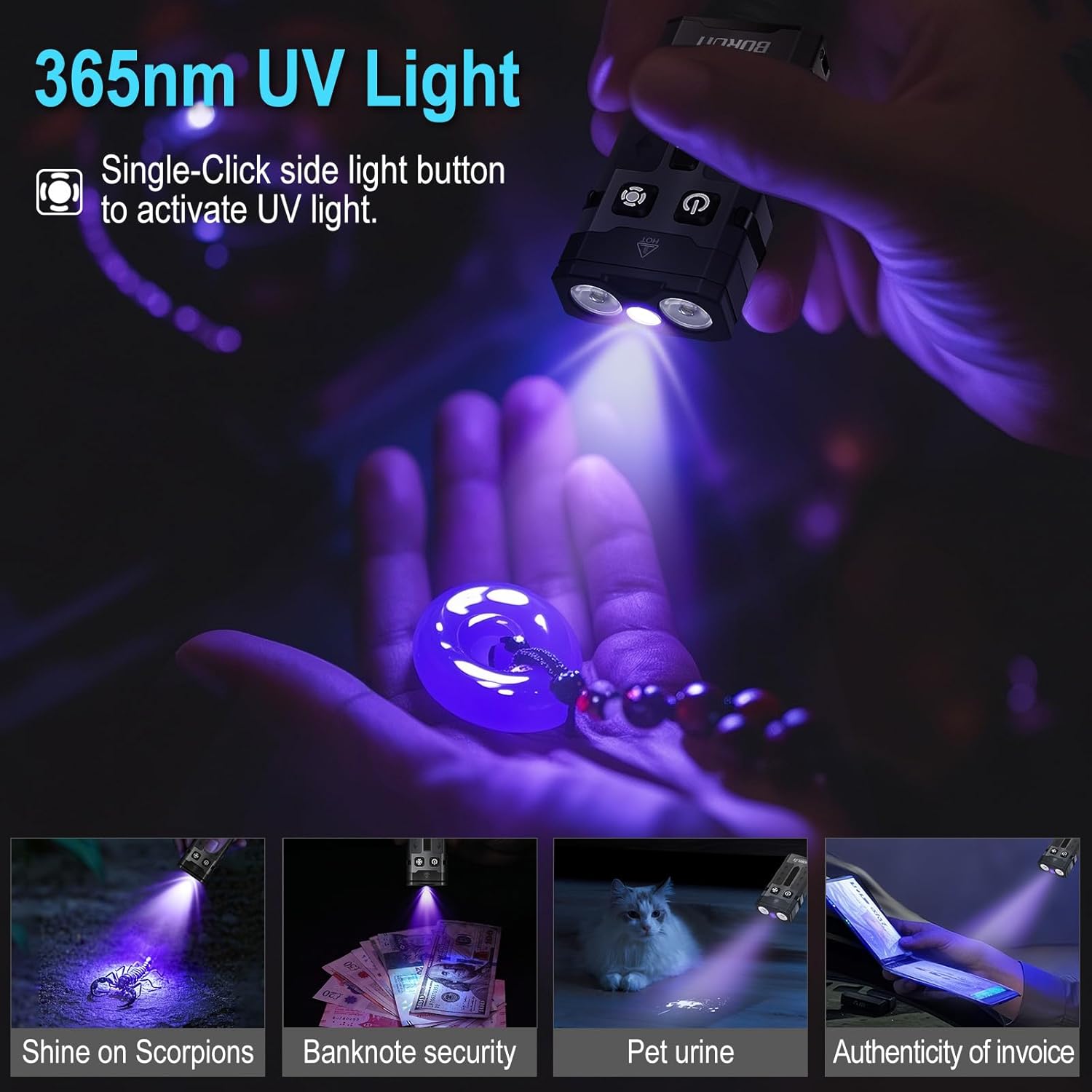
- 자외선 모드: Triple-click the Power Button to activate the 365nm UV light.
6.2. Side Light Modes (RGB LEDs)
- 켜기/끄기: 모드 버튼을 길게 누르세요.
- White Constant Light: Double-click the Mode Button to activate white constant light. Single-click to switch between High and Low brightness.
- Colored Constant Light: After activating white constant light, double-click the Mode Button again to enter colored constant light mode. Single-click to cycle through Red, Green, Blue, Orange, Yellow, Cyan, and Purple.
- Dynamic RGB Modes: From colored constant light mode, double-click the Mode Button to cycle through Colored Breathing Light, Colored Streamline Light, Colored Dropflow Light, and Flowing Rainbow Light (single-click to adjust speed).
- Red and Blue Flashing Warning Light: Triple-click the Mode Button to activate the red and blue flashing warning light.

7. 유지관리
To ensure the longevity and optimal performance of your BORUIT EV20 flashlight, follow these maintenance guidelines:
- 청소: 깨끗하고 부드러운 천으로 손전등을 닦으세요. 잘 지워지지 않는 얼룩은 전용 세척제를 사용하세요.amp 천. 연마성 세척제나 용매를 사용하지 마십시오.
- 저장: Store the flashlight in a cool, dry place away from direct sunlight and extreme temperatures. If storing for an extended period, charge the battery every 3-6 months to maintain battery health.
- 방수 기능: While IP66 waterproof, avoid prolonged submersion. Ensure the USB-C port cover is securely closed to prevent water ingress.
8. 안전 정보
다음 안전 수칙을 읽고 준수해 주십시오.
- 눈 안전: Do not shine the flashlight directly into eyes or at other people or animals. The high lumen output can cause temporary vision impairment or permanent eye damage.
- 열: The flashlight may become warm during prolonged use, especially in Turbo mode. This is normal. Avoid touching the hot surface for extended periods.
- 어린이들: 어린이의 손이 닿지 않는 곳에 보관하세요.
- 배터리: Do not attempt to disassemble or replace the built-in battery. Do not expose the battery to fire or extreme heat.
- 자외선: Avoid prolonged direct exposure to the 365nm UV light.
9. 문제 해결
If you encounter issues with your BORUIT EV20 flashlight, refer to the following common solutions:
- 손전등이 켜지지 않음: 배터리가 충전되었는지 확인하십시오. USB-C 전원에 연결하고 충전 표시등을 확인하십시오.
- Light Output is Dim: 배터리가 부족할 수 있습니다. 손전등을 충전하세요.
- 충전이 작동하지 않음: Check the USB-C cable and power source. Ensure the cable is properly connected to both the flashlight and the power adapter. Try a different cable or power source.
- 버튼이 응답하지 않음: Ensure the flashlight is not in lockout mode (if applicable, refer to specific product documentation for lockout features). Try a soft reset by fully discharging and then recharging the battery.
문제가 지속되면 고객 지원팀에 문의하세요.
10. 보증 및 지원
BORUIT provides a 30일 환불 보장 그리고 1년 보증 for the EV20 flashlight. This warranty covers manufacturing defects and issues arising from normal use.
For warranty claims, technical support, or any questions regarding your product, please contact the seller or BORUIT customer service through the platform where you purchased the item. Please have your purchase details ready to expedite the support process.