
1. 서론
This manual provides essential information for setting up, operating, and maintaining your Thrustmaster T98 Ferrari 296 GTB Racing Wheel and Pedal Set. Designed for an immersive driving simulation experience, this racing wheel and pedal set is compatible with Xbox Series X|S, Xbox One, and PC. Please read this manual carefully before use and retain it for future reference.
2. 설정
2.1. 언박싱 및 구성품
모든 구성품을 포장에서 조심스럽게 꺼내세요. 다음 품목이 모두 있는지 확인하세요.
- Thrustmaster T98 Ferrari 296 GTB 레이싱 휠
- 페달 세트
- Clamping System (pre-attached or separate)
- USB 연결 케이블
2.2. 레이싱 휠 장착
The racing wheel features a tool-free clamping system for easy and secure attachment to a desk or table. The clamping system can accommodate surfaces up to approximately 1.8 inches (4.5 cm) thick.
- 레이싱 휠을 평평하고 안정적인 표면에 놓으십시오.
- cl을 조정하세요amping screw until the wheel is firmly secured to the surface.

2.3. 페달 세트 연결하기
Connect the pedal set to the racing wheel using the dedicated cable. Ensure the connection is secure.

2.4. Connecting to Console or PC
Connect the racing wheel to your gaming system using the provided USB cable. The device is plug-and-play, requiring no additional software for basic functionality on supported platforms.
2.4.1. Xbox Series X|S / Xbox One
- Plug the USB cable from the racing wheel into an available USB port on your Xbox console.
- The console should automatically detect the device.
2.4.2. PC (Windows)
- Plug the USB cable from the racing wheel into an available USB port on your PC.
- The PC should automatically install necessary drivers.
- For optimal performance and customization, visit the Thrustmaster support website to download the latest drivers and firmware.
2.5. 모드 선택
The racing wheel may feature a mode switch to select between console and PC compatibility. Refer to the indicators on the wheel to ensure the correct mode is selected for your platform.
3. Operating the Racing Wheel
3.1. 기본 제어
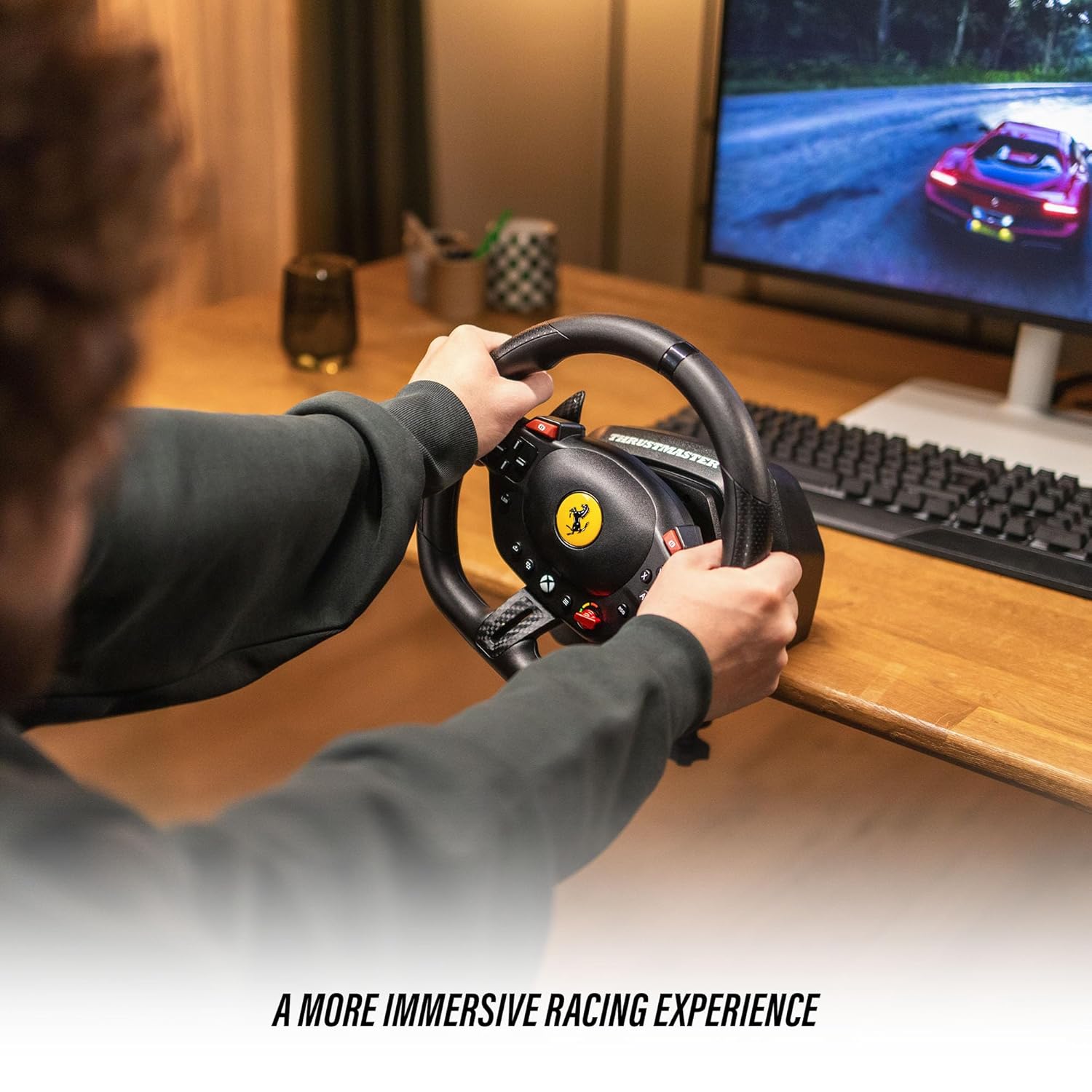
The T98 Racing Wheel is equipped with 16 action buttons, a D-pad, and paddle shifters for comprehensive control during gameplay.
- 스티어링 휠 : Provides 240° rotation for precise steering control. Features smooth resistance and automatic centering for a realistic driving feel.
- 패들 시프터: Located behind the wheel for quick gear changes.
- 작업 버튼: Mimic standard controller buttons for in-game actions.
- 방향 패드: 메뉴 탐색 및 게임 내 특정 기능에 사용합니다.
3.2. Driving Profiles (Manettino Selector)
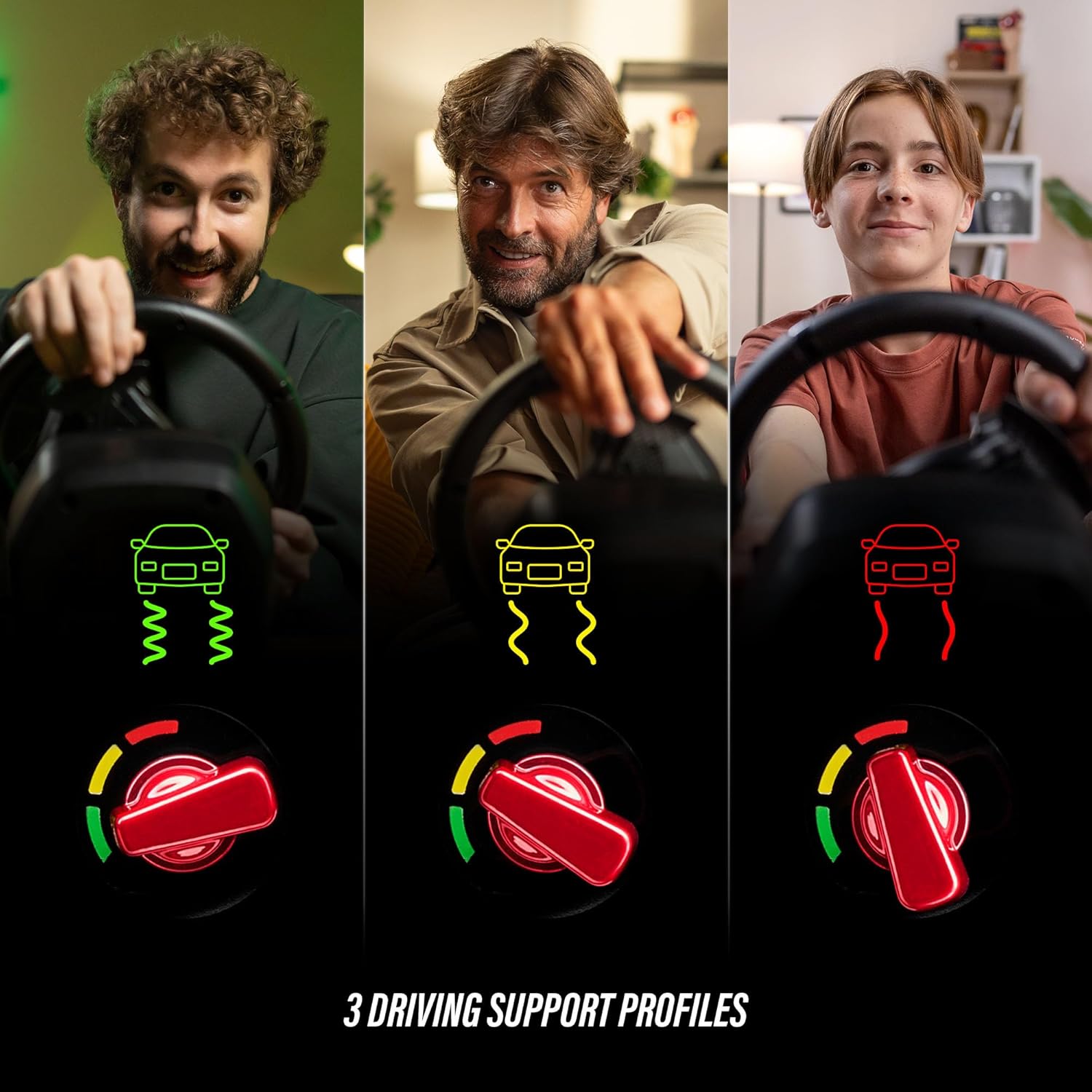
The Ferrari-inspired Manettino selector on the wheel allows you to switch between three distinct driving profiles. 이 프로files adjust the wheel's response to suit different driving styles and game scenarios, offering varied levels of assistance or challenge.
3.3. Pedal Operation
The compact pedal set provides smooth and consistent input for acceleration and braking, utilizing Hall Effect sensor technology for precision.
- 가속 페달: Controls in-game acceleration.
- 브레이크 페달: Controls in-game braking.
3.4. 게임 호환성
The Thrustmaster T98 Ferrari 296 GTB Racing Wheel and Pedal Set is compatible with Xbox Series X|S, Xbox One, and Windows PC. It supports a wide range of racing simulation games, including titles like Forza Horizon 5, Forza Motorsport, EA Sports F1, Assetto Corsa Competizione, and more.

4. 유지관리
4.1. 청소
To maintain the appearance and functionality of your racing wheel and pedal set, clean it regularly with a soft, dry cloth. Avoid using abrasive cleaners or solvents, as these can damage the surfaces.
4.2. 보관
When not in use, store the racing wheel and pedal set in a cool, dry place away from direct sunlight and extreme temperatures. If the clamping system is used, ensure it is securely fastened or removed and stored separately to prevent damage.
5. 문제 해결
5.1. Wheel Not Detected
- Ensure all cables are securely connected to the racing wheel, pedal set, and gaming system.
- Try connecting the USB cable to a different port on your console or PC.
- 콘솔이나 PC를 재시작하세요.
- For PC users, ensure the latest drivers are installed from the Thrustmaster support web대지.
5.2. Incorrect Button Mapping or Response
- Check in-game control settings to ensure the racing wheel is selected as the primary input device and buttons are mapped correctly.
- Verify the mode switch on the racing wheel is set to the correct platform (Xbox or PC).
- Update the wheel's firmware via the Thrustmaster support web대지.
5.3. Pedals Not Responding
- Ensure the pedal set cable is firmly connected to the racing wheel.
- Test the pedals in a different game or on a different platform if possible.
6. 사양
| 상표 | 트러스트마스터 |
| 모델명 | T98 페라리 296 GTB |
| 모델 번호 | 4460297 |
| UPC/GTIN | 663296425195 |
| 호환 장치 | PC, Xbox One, Xbox Series S, Xbox Series X |
| 컨트롤러 유형 | Pedals, Steering Wheel |
| 연결 기술 | USB |
| 추가 기능 | 인체공학적 |
| 버튼 수량 | 16 |
| 하드웨어 플랫폼 | 데스크톱, 게임 콘솔, 노트북 |
| 품목 치수 | 11.81 x 10.63 x 13.39 인치 |
| 색상 | 검은색 |
7. 보증
This product is covered by a one-year manufacturer's warranty. Please retain your proof of purchase for warranty claims. For detailed warranty terms and conditions, refer to the official Thrustmaster web사이트를 방문하거나 고객 지원팀에 문의하세요.
8. 지원
For further assistance, technical support, or to access updated drivers and firmware, please visit the official Thrustmaster support web이 사이트에서 FAQ와 커뮤니티 포럼을 통해 추가적인 도움을 받으실 수 있습니다.