
Micool DY20PLUS
Micool DY20PLUS Bluetooth Headset V5.4 User Manual
Model: DY20PLUS | Brand: Micool
소개
Thank you for choosing the Micool DY20PLUS Bluetooth Headset V5.4. This manual provides comprehensive instructions to help you set up, operate, and maintain your new headset. Please read this manual carefully before use to ensure optimal performance and longevity of your device.
패키지 내용
- Micool DY20PLUS Bluetooth Headset
- USB-C 충전 케이블
- 사용자 설명서
- Multiple Sized Ear Tips (L, M, S)
제품 끝view
Familiarize yourself with the components of your Micool DY20PLUS Bluetooth Headset.
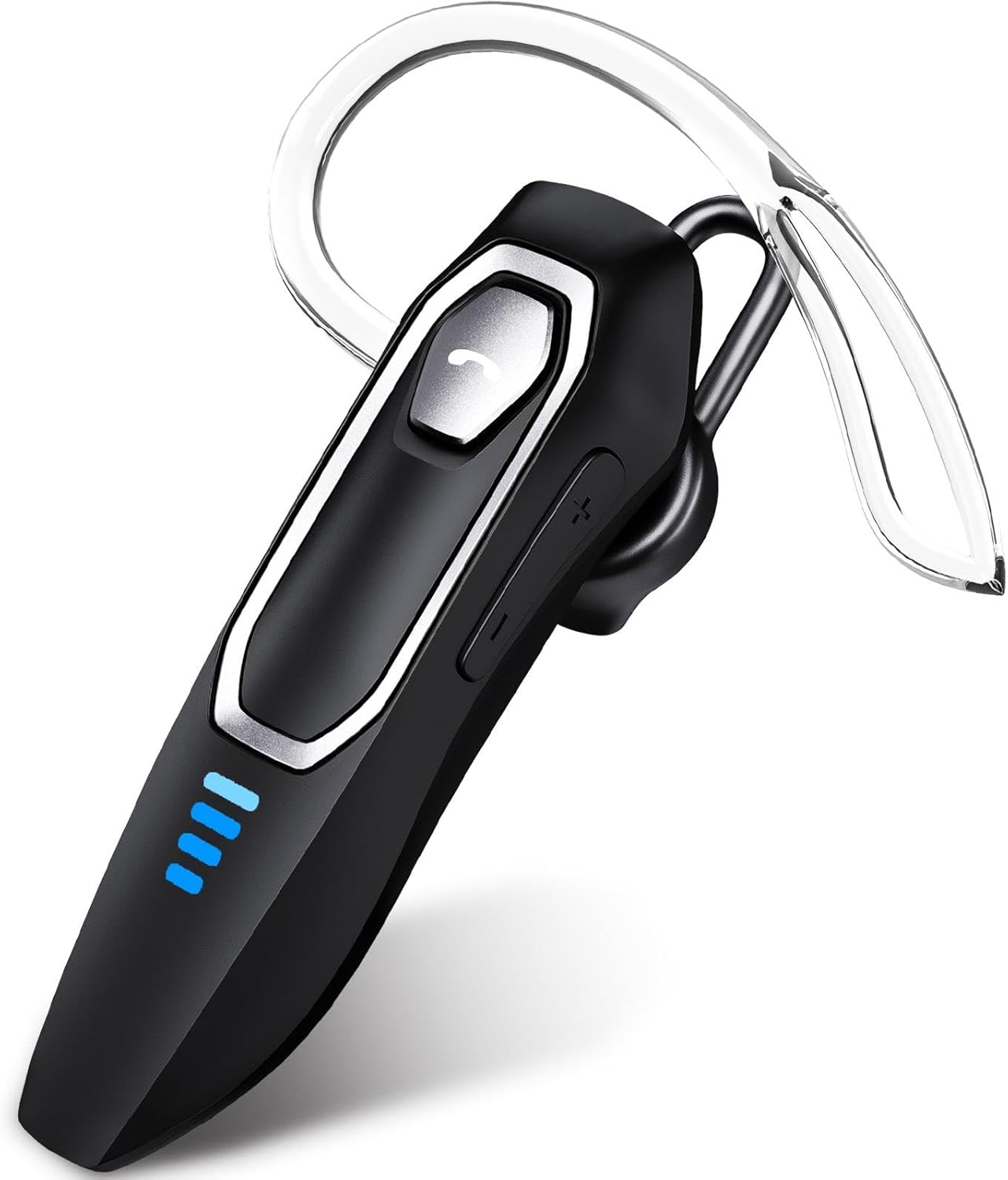
Image 1: Micool DY20PLUS Bluetooth Headset. This image displays the main headset unit, highlighting the call button, volume controls, and LED power indicators.

Image 2: Headset Controls Diagram. This diagram illustrates the Multi-Function Button (MFB) for power, play/pause, and Bluetooth pairing, along with volume controls and mute function.
헤드셋 충전하기
처음 사용하기 전에 헤드셋을 완전히 충전하십시오.
- 제공된 USB-C 충전 케이블을 헤드셋의 충전 포트에 연결하십시오.
- 케이블의 다른 쪽 끝을 USB 전원(예: 컴퓨터, 벽면 어댑터)에 연결합니다.
- The LED indicators will show charging status. A full charge typically takes 1.5-2 hours.
- Once fully charged, the LED indicators will change or turn off (refer to LED Power Display section for details).
The headset offers up to 36 hours of talk time and 45 hours of music playback on a single charge.
설정
전원 켜기/끄기
- 전원 켜기: Press and hold the Multi-Function Button (MFB) for approximately 3 seconds until the LED indicator flashes.
- 전원 끄기 : LED 표시등이 꺼질 때까지 MFB 버튼을 약 3초간 길게 누르십시오.
블루투스 페어링
- 헤드셋의 전원이 꺼져 있는지 확인하십시오.
- Press and hold the MFB for approximately 3 seconds until the LED indicator flashes red and blue alternately, indicating pairing mode.
- 기기(스마트폰, 태블릿, 컴퓨터)에서 Bluetooth를 활성화하고 사용 가능한 기기를 검색하세요.
- Select "DY20PLUS" from the list of found devices.
- 연결되면 헤드셋의 LED 표시등이 파란색으로 천천히 깜빡입니다.
다지점 연결: The DY20PLUS headset can connect to two devices simultaneously. After pairing with the first device, disable Bluetooth on that device. Then, put the headset back into pairing mode and connect to the second device. Re-enable Bluetooth on the first device, and the headset should automatically connect to both.
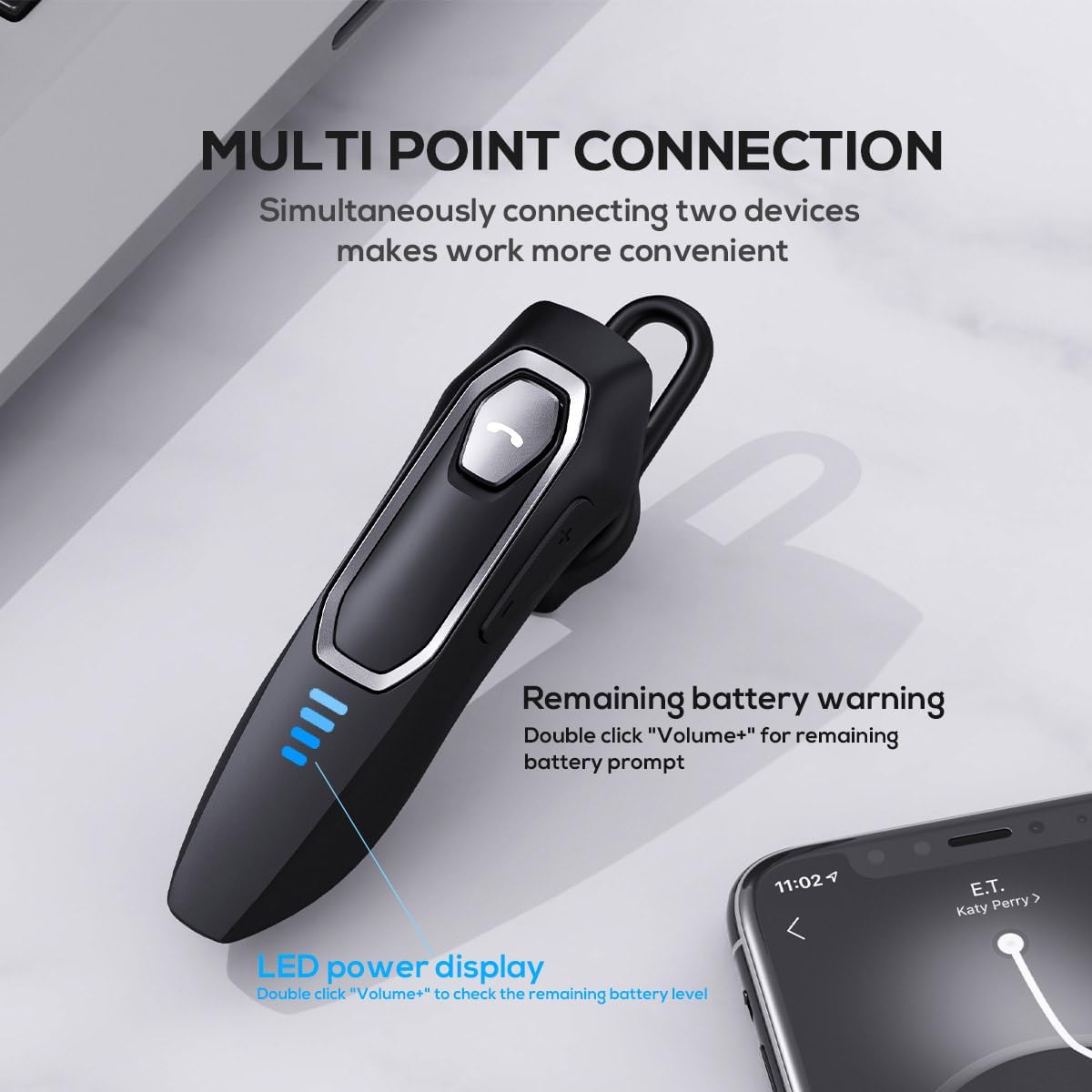
Image 3: Multi-Point Connection and LED Display. This image illustrates the headset's ability to connect to two devices simultaneously and the LED power display.
작동 지침
통화 관리
- 전화 받기/종료: MFB를 한 번 누르세요.
- 전화 거부: MFB 버튼을 약 2초 동안 길게 누르세요.
- 마이크 음소거/음소거 해제: During a call, press and hold the volume down button (marked with a microphone icon) for approximately 2 seconds.
- 마지막 발신 통화 재다이얼: Triple-tap the MFB.
음악 재생
- 재생/일시 중지: MFB를 한 번 누르세요.
- 다음 트랙: Press and hold the Volume + button for approximately 2 seconds.
- 이전 트랙 : Press and hold the Volume - button for approximately 2 seconds.
- 볼륨 높이기/낮추기: Press the Volume + or Volume - button briefly.
음성 지원
- 음성 지원 기능(Siri, Google Assistant 등)을 활성화합니다. Double-tap the MFB.
LED 전원 표시
The headset features an LED power display with four levels, each representing 25% of the battery charge.
- To check the remaining power, double-click the Volume + button.
편안함과 핏
The Micool DY20PLUS is designed for comfortable, all-day wear.
- The ergonomic design ensures a secure fit without causing ear fatigue.
- Interchangeable ear tips (L, M, S) are included to help you find the best fit for your ear canal, optimizing bass and overall sound quality.
- The headset can be worn on either the left or right ear.

Image 4: Ear Tips and Durability. This image shows the included ear tips in different sizes (L, M, S) and highlights the enhanced durability features of the headset.
유지
- 청소: 부드럽고 마른 천을 사용하여 헤드셋을 닦으세요. 강한 화학 물질이나 연마재를 사용하지 마세요.
- 저장: 사용하지 않을 때는 헤드셋을 직사광선과 극한 온도 변화를 피해 서늘하고 건조한 곳에 보관하십시오.
- 배터리 관리 : 배터리 수명을 연장하려면 헤드셋을 자주 완전히 방전시키지 마세요. 계속 사용하지 않더라도 정기적으로 충전하세요.
- 방수 기능: The headset is water-resistant, but not waterproof. Avoid submerging it in water or exposing it to heavy rain.
문제 해결
| 문제 | 가능한 해결책 |
|---|---|
| 헤드셋의 전원이 켜지지 않습니다. | 헤드셋이 충전되어 있는지 확인하십시오. USB-C 케이블을 사용하여 전원에 연결하십시오. |
| 기기와 페어링할 수 없습니다. |
|
| 소리가 나지 않거나 음질이 좋지 않습니다. |
|
| 통화 중 마이크가 작동하지 않습니다. |
|
| Voice assistant not activating. | Ensure the headset is connected and double-tap the MFB firmly. Check your device settings for voice assistant activation. |
명세서
| 특징 | 세부 사항 |
|---|---|
| 모델명 | DY20PLUS |
| 연결 기술 | 무선(블루투스) |
| 블루투스 버전 | 5.4 |
| 블루투스 범위 | 최대 50미터(164피트) |
| 배터리 수명(통화 시간) | 최대 36시간 |
| 배터리 수명(음악 재생 시) | 최대 45시간 |
| 충전 시간 | 1.5~2시간 |
| 충전 포트 | USB-C |
| 소음 제거 | Dual Microphones with Noise Reduction Algorithm |
| 특별 기능 | Voice Assistant, Multipoint Pairing, LED Power Display, Mute Function, Fast Charging |
| 무게 | 약 12g (0.42온스) |
| 방수 레벨 | 방수 |
| 호환 장치 | 스마트폰, 태블릿, 스마트 스피커 |
보증 및 지원
For warranty information or technical support, please refer to the documentation included with your purchase or contact Micool customer service through their official channels.
Ask a question about this manual
Ask about setup, troubleshooting, compatibility, parts, safety, or missing instructions. Manuals+ will review the question and use this page’s manual context to help answer it.