1. 서론
This manual provides detailed instructions for the installation, operation, and maintenance of your Tuya Smart Video Doorbell Camera. This device offers 1080P full HD video, two-way audio, and smart features like PIR motion detection and compatibility with smart home ecosystems such as Google Assistant and Amazon Echo Show.
The doorbell is designed for low power consumption, featuring a built-in 4400mAh lithium battery, and supports local recording to a Micro SD card up to 64GB.
2. 안전 정보
- 장시간 극한의 온도나 직사광선에 기기를 노출시키지 마세요.
- 기기가 안전하게 설치되어 낙하 사고를 예방하십시오.
- Use only the specified charging method (Micro-USB) for the built-in battery.
- Keep the device away from water and moisture to prevent damage, despite its waterproof design.
- 기기를 직접 분해하거나 수리하려고 하지 마십시오. 도움이 필요하면 고객 지원팀에 문의하십시오.
3. 패키지 내용
패키지에 모든 품목이 들어 있는지 확인하세요.
- Tuya Smart Video Doorbell Camera
- 장착 브래킷
- USB 충전 케이블
- 사용자 설명서
- Chime (USB version, black)
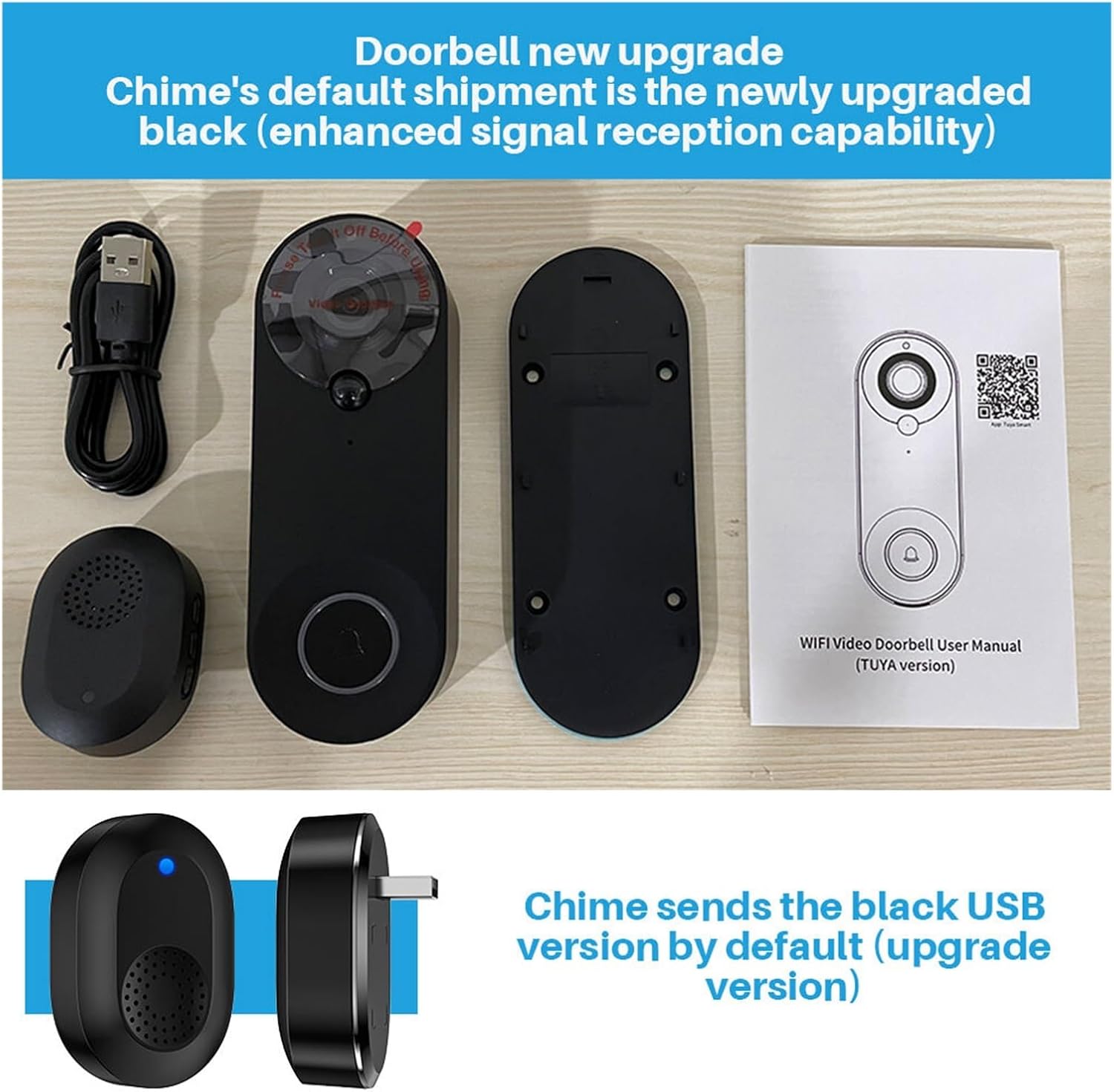
Image: Contents of the product package, showing the doorbell unit, mounting plate, USB charging cable, user manual, and the included black USB chime.
4. 제품 오버view
The Tuya Smart Video Doorbell Camera features a 1080P COMS sensor, a 150-degree wide-angle lens, and infrared LEDs for night vision. It includes a built-in speaker and microphone for two-way audio communication.

이미지: 앞면 view of the doorbell, highlighting the camera lens, PIR sensor, and the main doorbell button with an illuminated ring.
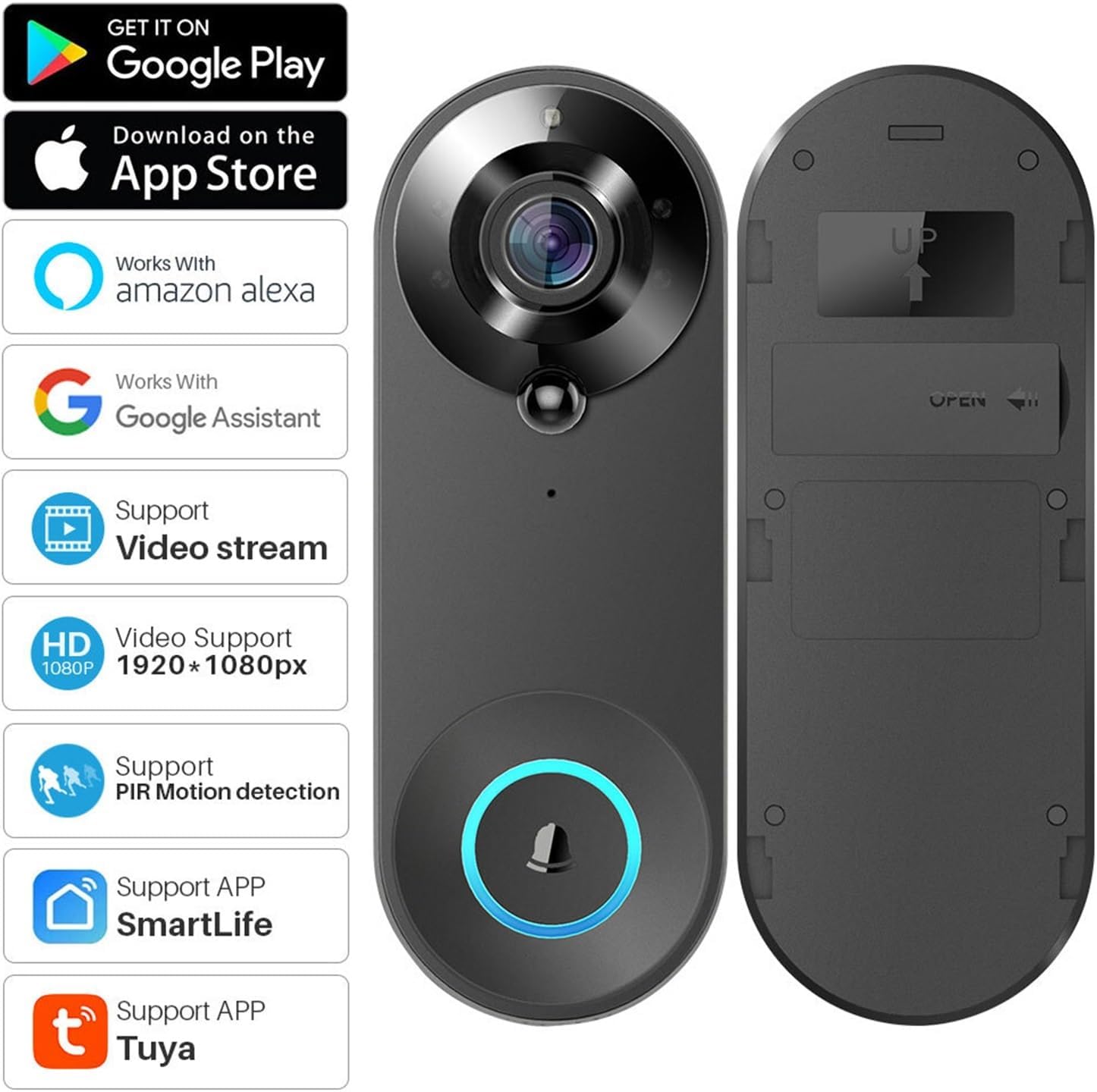
이미지: 앞면과 뒷면 views of the doorbell, illustrating its compatibility with various smart home platforms and features.
5. 설정
5.1 배터리 충전
Before first use, fully charge the doorbell's built-in 4400mAh lithium battery using the provided Micro-USB cable. Connect the cable to the doorbell and a 5V/1A USB power adapter (not included). The charging indicator will show the charging status.
5.2 앱 설치
Download either the 투야 스마트 앱 또는 스마트 라이프 app from the Google Play Store or Apple App Store. These apps are required for device setup and remote control.
5.3 장치 페어링
- Ensure your smartphone is connected to a 2.4 GHz Wi-Fi network (IEEE 802.11 b/g/n).
- Open the Tuya Smart or Smart Life app and create an account or log in.
- Follow the in-app instructions to add a new device. Select 'Security & Video Surveillance' > 'Smart Doorbell'.
- Power on the doorbell. The app will guide you to scan a QR code displayed on your phone with the doorbell's camera to establish a connection.
- Once connected, you can name your doorbell and complete the setup process.
5.4 물리적 설치
Mount the doorbell at your desired location using the provided mounting bracket and screws. Ensure the camera has a clear view of the area you wish to monitor. The doorbell is designed to be weather-resistant.
6. 사용 설명서
6.1 양방향 오디오
When a visitor presses the doorbell, you will receive a notification on your smartphone. Open the app to view the live feed and engage in two-way communication with the visitor using the built-in microphone and speaker.

Image: Illustration of the remote visual two-way intercom feature, allowing communication with visitors via the app.
6.2 PIR 동작 감지
The doorbell features Passive Infrared (PIR) motion detection. When motion is detected, the doorbell will trigger an alarm and push a notification to your mobile phone. You can adjust the sensitivity (High/Medium/Low/Off) in the app settings.
6.3 야간 투시경
Equipped with 4pcs infrared LEDs (850mm) and an IRCUT double filter, the doorbell automatically switches to night vision mode in low-light conditions, providing clear images even in complete darkness.
6.4 기록 및 저장
The doorbell supports local recording to a Micro SD card (8GB/16GB/32GB/64GB, sold separately). You can configure recording settings in the app, including optional recording time between 15s-45s once the doorbell is triggered. Recorded videos can be played back from your smartphone.
6.5 음성 제어 통합
The doorbell is compatible with Google Assistant and Amazon Echo Show. You can use voice commands to view 호환되는 스마트 디스플레이에서 라이브 피드를 볼 수 있습니다.

Image: Demonstrates voice control functionality with Amazon Echo Show, allowing users to view the doorbell feed hands-free.
6.6 Remote Access and Notifications
Receive instant mobile notifications when someone presses your doorbell or when motion is detected. You can access the live view and recordings remotely from anywhere using your smartphone.
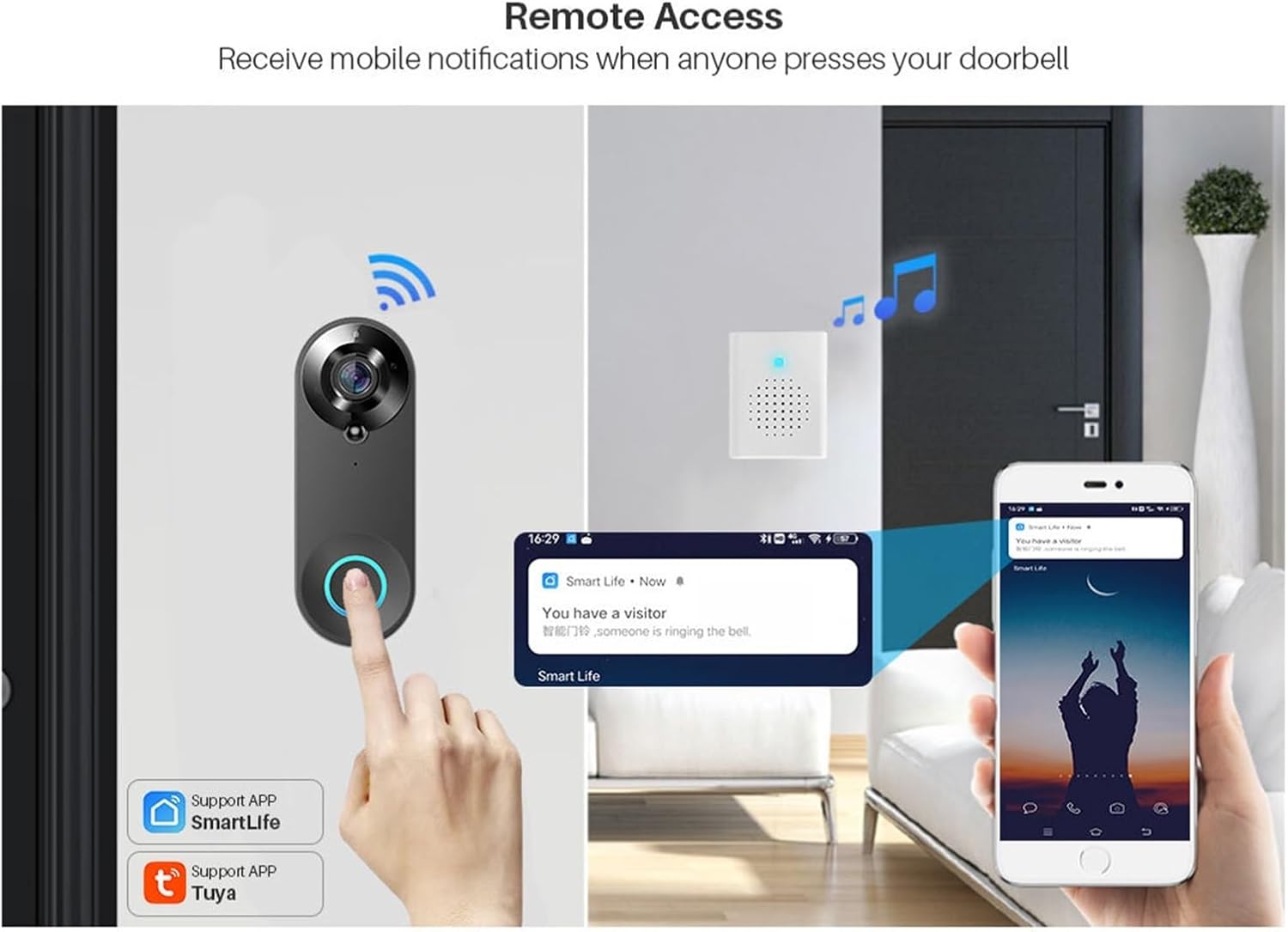
Image: Shows how the doorbell sends mobile notifications for remote access when a visitor arrives.
6.7 장치 공유
You can share access to your doorbell with family members or trusted individuals through the app's QR code sharing feature. The system supports a maximum of 7 authenticated users, with up to 3 users view동시에 하고 있습니다.
7. 유지관리
7.1 배터리 관리
The built-in 4400mAh battery provides approximately 30 days of standby time with 10 awakenings per day (15 seconds each). Recharge the doorbell when the battery level is low, indicated by the app or a specific LED indicator on the device.
7.2 청소
부드러운 천으로 초인종 외부를 닦으세요.amp cloth. Do not use harsh chemicals or abrasive cleaners, as they may damage the finish or electronic components.
7.3 SD 카드 관리
Periodically check the status of your Micro SD card in the app. If the card is full, older recordings may be overwritten. You can format the SD card through the app if needed.
8. 문제 해결
- 장치가 Wi-Fi에 연결되지 않음: Ensure your Wi-Fi is 2.4 GHz. Check Wi-Fi password. Move the doorbell closer to the router.
- 알림 없음: Check app notification settings on your phone and within the doorbell app. Ensure the app has necessary permissions.
- 비디오 품질이 좋지 않음: 와이파이 신호 강도를 확인하세요. 카메라 렌즈가 깨끗하고 장애물이 없는지 확인하세요.
- 배터리가 빠르게 소모됨: Reduce PIR motion detection sensitivity or frequency of awakenings. Ensure the doorbell is not in an area with constant motion.
- 양방향 오디오 문제: Check your phone's microphone and speaker settings. Ensure the doorbell's microphone and speaker are not obstructed.
9. 사양
| 해결 | 1080P (1920 * 1080) |
| 감지기 | GC1054 COMS Sensor |
| View 각도 | 150 degrees Horizontal |
| 오디오 | Two-way voice, Built-in speaker, Built-in Microphone |
| 나이트 비전 | 4pcs infrared LED 850mm, IRCUT double filter |
| Wi-Fi 연결 | 2.4 GHz, IEEE 802.11 b/g/n |
| 저장 | Micro SD card (8G/16G/32G/64G) |
| 배터리 | 2*18650 Lithium battery (4400mAh built-in) |
| Power Supply (Chime) | 5V / 1A USB |
| 동작 감지 | PIR (High/Medium/Low/Off sensitivity) |
| 호환성 | Tuya APP, SmartLife APP, Google Assistant, Amazon Echo Show |
10. 보증 및 지원
본 제품에는 제조사 표준 보증이 적용됩니다. 구체적인 보증 조건은 구매 시 제공된 설명서를 참조하시거나 판매자에게 직접 문의하십시오.
For technical support, troubleshooting assistance, or any inquiries regarding your Tuya Smart Video Doorbell Camera, please contact the seller or manufacturer through the platform where you purchased the product.


